Strategy
Reach new audiences with Instagram Reels. See how the algorithm works, how to make and schedule a Reel, plus, free templates and examples.
- Also available in
- Español
- Français
- Deutsch
- Italiano
Key takeaways
- Instagram Reels deliver higher reach and engagement than other Instagram post types, which makes them the most effective format for business visibility in 2026.
- The Reels algorithm prioritizes watch time and completion rate, plus shares and saves, so hooking viewers in the first 1-2 seconds matters most.
- Mixing trending formats with evergreen content like tutorials, behind-the-scenes clips, and product demos builds short-term reach and long-term audience growth.
- Scheduling Reels at optimal times and tracking performance metrics helps teams refine strategy and prove ROI.
What is an Instagram Reel?
An Instagram Reel is a short-form vertical video shared on Instagram. You can record, edit, and stitch multiple video clips and photos together, then add extras like:
- Original audio or trending sounds
- Voiceovers
- Text overlays and stickers
- Effects and transitions
Bonus: Claim your pack of free animated Instagram Reels templates created by Hootsuite’s professional designers. Easily customize them in Canva, and take your Reels game to the next level today.
What’s the difference between a Reel and a TikTok?
Reels and TikToks are both short-form video platforms, but they differ in audience, reach, content style, and more.
Here’s a breakdown of the main differences between a Reel and a TikTok:
Instagram Reels
TikToks
Length
Up to 3 minutes
Up to 10 minutes in-app, up to 60 minutes for uploaded videos
Audience
Broader demographics, most users are 18-34 years old
Generally younger audience, strong Gen Z presence
Content style
Often more polished, aesthetic-focused, curated
Often more casual, raw, experimental
Audio & effects
Original audio plus a smaller music library, and many viewers scroll with sound off
Original audio, larger music library, trend-driven sounds, usually viewed sound-on
Discovery
Through the Reels feed, Explore page, and users’ Instagram feeds
Through the For You Page (FYP) algorithm
Shopping
Product tagging in Reels links to Instagram Shops and your site
TikTok Shop and in-video product links, availability varies by market
How long can Instagram Reels be?
Reels can be up to 3 minutes long. That change took effect in January 2025, raising the limit from the previous 90 seconds.
That said, just because you can post longer videos doesn’t mean you should. According to Adam Mosseri, Head of Instagram, when it comes to Reels, the shorter the better.
Check out his Reel below on the ideal Reel length:
What video sizes and specs work best for Instagram Reels?
The best Instagram Reels size is 1080 x 1920 pixels with a 9:16 aspect ratio. Because Reels are designed for full-screen mobile viewing, vertical videos perform best.
Here are the recommended Instagram Reels specs:
- Aspect ratio: Between 1.91:1 and 9:16
- Resolution: 1080 × 1920 pixels recommended (minimum 720p)
- Frame rate: Minimum of 30 frames per second (FPS)
Why use Instagram Reels for business?
Instagram Reels are worth the investment because they reach people who don’t follow you yet across a platform where half of U.S. adults are active, which is hard to do with any other post type. Instagram has said that through its recommendations, creators of all sizes have an equal chance of breaking through and reaching new audiences, and Reels are the format that recommendation engine favors.
Here’s what that means for a business account:
- Reach beyond your followers: Reels surface in the Reels feed and on Explore, so a single video can introduce your brand to people who have never heard of you.
- Higher engagement: Reels tend to earn more interactions per post than static images or carousels, largely because saves, shares, and rewatches all count. Use an engagement rate calculator to benchmark yours.
- Discoverability through search and audio: Search-friendly captions, on-screen text, and sounds all give Instagram more context to match your video with interested viewers.
- Commerce built in: Product tagging lets viewers tap straight from a Reel to a product page, shortening the path from discovery to purchase.
- Trust and authenticity: Faces, voices, and unpolished moments give audiences a sense of who’s behind the brand in a way a product photo can’t.
In short, Reels are the most efficient way to buy attention on Instagram without paying for it, which is why they belong in almost every brand’s social media strategy.
What can you use Instagram Reels for?
Instagram Reels are versatile, letting you educate, entertain, and engage your audience. Grouping your ideas by goal makes it easier to keep your content mix balanced.
Educational Reels build authority and tend to earn saves, which signal lasting value to the algorithm.
- Educational content (tutorials, how-tos, etc.): Share actionable insights, tips, or step-by-step guides.
- Before and afters: Show transformations and results to highlight the impact of your product or service.
Entertaining Reels are your reach plays. They travel furthest because people share them.
- Trending audio: Tap into popular sounds to increase discoverability and engagement.
- Shareable content: Create videos that viewers are likely to save or share.
Community-building Reels turn followers into fans by showing the people behind the brand.
- Behind-the-scenes: Give your audience a peek into your processes or company culture.
- Day-in-the-life videos: Humanize your brand with glimpses of your team’s everyday life.
- Interviews: Spotlight your experts or customers.
- User-generated content (UGC): Showcase content from customers to build trust.
Sales-driving Reels connect content to revenue, especially when paired with product tags.
- Showcasing products: Share your product features, top benefits, or use cases.
- Announcements: Share product launches, updates, or company news.
Pro tip 💡: Mix trending formats for quick wins with evergreen content to drive long-term audience growth.
How does the Instagram Reels algorithm work?
Instagram’s Reels algorithm works by using AI to recommend videos it thinks you’re most likely to enjoy. To do this, it evaluates a large pool of potential Reels and ranks them based on how likely you are to engage with them.
Instagram pays close attention to signals like:
- Watch time and completion rate: The primary signals Instagram uses to determine if viewers find your content valuable.
- Engagement signals: Likes, comments, and saves.
- Rewatches and shares: Whether people rewatch or share the video.
- Actions after watching: Steps such as visiting the creator’s profile or following them.
For brands and marketing teams investing in Reels, these ranking signals can feel a little hard to pin down, though Meta’s largest Reels ranking update put particular emphasis on reshares and time spent. Mosseri has shared his own breakdown of what helps reach, and we’ve turned those tips into the best practices in the next section.
Watch his full breakdown below:
What are the best practices for Instagram Reels in 2026?
The best practices for Instagram Reels come from Instagram’s own guidance and from social marketers running business accounts day to day. Here are the six that matter most:
- Hook viewers in the first 1-2 seconds
- Think beyond your industry
- Use trending audio strategically
- Include clear calls to action
- Post consistently and at optimal times
- Avoid watermarks and low-resolution video
1. Hook viewers in the first 1-2 seconds
The first 1-2 seconds of your Reel are the most important. Instead of easing into your content, start with a hook that grabs attention right away.
Engage people right away with whatever you’re sharing. The setup is important: don’t use title cards or slow intros, or you’ll lose an audience used to a quick content style.
Engage people right away with whatever you’re sharing. The setup is important: don’t use title cards or slow intros, or you’ll lose an audience used to a quick content style.
Here’s one of the brand’s top-performing Reels announcing their sponsorship of Maine’s first professional soccer team, the Portland Hearts of Pine.
“This video did extremely well because the subject matter is interesting to our target audience in Maine, and we broke the news within five seconds,” Assimos says.
“We reached 30k views on this video for a very new Instagram account which has been around less than eight months, and it’s all been organic reach.”
2. Think beyond your industry
Your audience isn’t only interested in your products or services. Creating Reels around adjacent topics, as long as they resonate with your audience, can help you reach new viewers.
Since Reels are often shown to people who don’t already follow you, tapping into broader conversations on the platform is a smart way to expand your reach.
Silvija Kemeraite, Social Media Manager at Omnisend, suggests thinking outside of your industry to engage your audience.
“Don’t be scared to post content that’s not directly related to your business,” says Kemeraite. “This doesn’t mean completely ditching your area of business expertise, but always think about your audience and what would be interesting for them to watch.
“Don’t be scared to post content that’s not directly related to your business,” says Kemeraite. “This doesn’t mean completely ditching your area of business expertise, but always think about your audience and what would be interesting for them to watch.
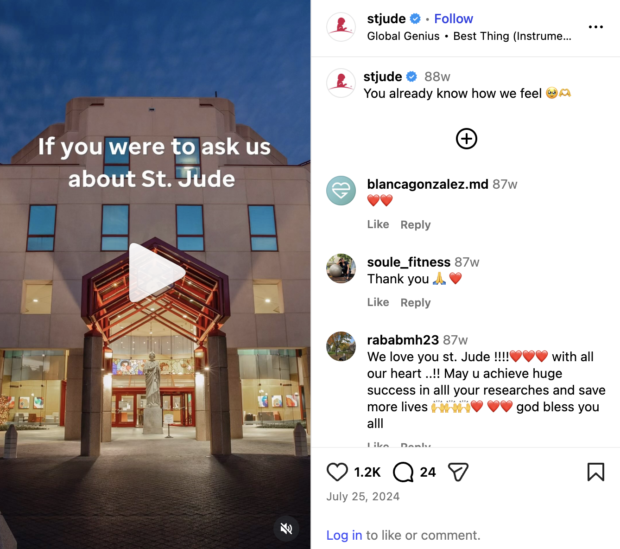
This can be especially helpful for brands in more “serious” industries like finance, education, healthcare, B2B, or nonprofits.
3. Use trending audio strategically
Trending audio gives Instagram another signal to work with, and it can put your Reel in front of people already watching videos that use the same sound. Mosseri has pointed to audio and trending music as one of the simplest ways to improve reach.
To find trending sounds, open the audio browser in the Reels editor and look for the upward arrow next to a track, or use a trend tracking tool to spot rising audio early. Save anything that fits your brand so you can act fast while the sound is still climbing.
A practical rule: use trending audio for entertaining or community-focused Reels, and original audio or a voiceover for anything educational, where your explanation is the value. Either way, add captions. Plenty of people watch with the sound off.
4. Include clear calls to action
Unlike other marketing channels that direct people elsewhere (like “visit the link in bio”), your Reels CTA should keep viewers engaged with the video itself.
Saves and shares are strong signals to the algorithm that your content is resonating. The more people interact with your Reel, the more likely it is to reach new audiences.
Your CTA can be as simple as “send this to a friend” or “leave a comment letting us know what you think.”
Need inspiration? Here are some CTA ideas:
- “Save this for later”
- “Tag someone who needs this”
- “Drop a comment if you agree”
- “Send this to someone who should see this”
That said, not every Reel needs a CTA. If you’re using trending audio or jumping on a trend, the content itself should take center stage.
CTAs work best for educational or informative Reels, like when you’re sharing tips, walking users through a process, or showcasing your products.
5. Post consistently and at optimal times
Consistency does more for Reels performance than volume. Publishing on a steady cadence each week gives Instagram more chances to learn who your content should reach.
Timing matters too. Posting when your audience is already scrolling gives a Reel early engagement, which helps it get recommended more widely. Rather than guessing, use the best time to post recommendations in Perch by Hootsuite to schedule around your own account’s activity patterns.
It’s also worth testing with trial Reels, which show your video to non-followers first and can be shared to your profile later if it performs well.
6. Avoid watermarks and low-resolution video
Instagram has been clear that recycled content hurts reach. Mosseri specifically advises against watermarks and logos from other apps, since they mark a video as reposted rather than native.
Export from your editing tool rather than downloading from another platform, upload at 1080 x 1920 pixels, and keep Reels under three minutes. Clean, native-feeling video gives you the best starting position.
How do you create an Instagram Reel?
You create an Instagram Reel in five steps from your mobile device: select or record a video, edit it, browse trending audio, add a cover, and publish or save as a draft.
Step 1: select or record a video
From your feed, tap the + button to create a new post. Then, select Reel from the options.
From here, you can either hit the record button to create a video directly within the app, or choose a pre-made video from your camera roll.
Reminder: You can upload a video up to three minutes long.
Step 2: edit your video
Next, you can use the built-in video editing tools to add layers, transitions, and effects to your recording.
From the editing menu, you can:
- Cut out silences
- Add and rearrange multiple video clips
- Add voiceovers
- Adjust the speed
- Crop the clips
- Add audio or visual effects, like text and stickers
Step 3: browse trending audio
Explore curated sounds in the For You tab or see what’s trending.
The green and red arrows let you know which sounds are gaining or losing popularity among users. You can also save audio to use later.
Step 4: add or edit your Reels cover
Your Reels cover image is what people see first when scrolling your profile. Pick an image that catches the eye and signals what the video is about.
Either select a frame from your video to use as the cover, or upload a separate image from your camera roll.
You can also preview how the cover will appear in your profile grid.
Step 5: publish or save as a draft
This is the final step. Review your Reel cover and make any edits before publishing or saving it as a draft.
You’ll also need to add a caption. An AI caption generator can speed this up. Instagram Reels captions can be up to 2,200 characters long (the same as an Instagram post).
You can also add:
- Hashtags
- A location tag
- User tags
- A collaborator tag (if you’re publishing a Collab post)
On desktop
While you can’t record an Instagram Reel on desktop, you can upload, edit, and publish one.
The steps are mainly the same, with the exception of the full suite of editing options.
- From the left menu, click Create, then Post
- Choose select from computer to upload a prerecorded video
- You can trim the beginning or end of your clip
- Add a cover photo from your device or by choosing one from the clip
How do you schedule an Instagram Reel?
You can schedule an Instagram Reel either directly in the Instagram app or by using a social media scheduling tool like Perch by Hootsuite. Both methods let you publish Reels automatically at a specific time.
Here’s the step-by-step process for both options.
Method 1: schedule an Instagram Reel on Instagram
Create and edit your Reel as usual.
On the publishing screen, scroll down and tap More options.
Next, toggle on Schedule this reel.
Select the date and time you want the Reel to publish. Note: Instagram lets you schedule your Reel in advance from this screen.
Need to reschedule a Reel later on? To edit or reschedule your Reel in Instagram:
- Go to your Profile.
- Tap the three-line menu in the top corner.
- Select Scheduled content to view and manage scheduled posts.
Method 2: schedule an Instagram Reel with Perch by Hootsuite
Perch makes scheduling Instagram Reels (along with the rest of your Instagram content) easy.
Here are the steps to follow to schedule a Reel in Perch:
- Save your video to your device.
- In Perch, tap Create a post.
- Select the Instagram Business account you want to publish your Reel to.
- Upload your saved video. If it’s only one video, it will automatically publish as a Reel. Videos must be between 3 seconds and 15 minutes long and have an aspect ratio of 9:16.
- Add your caption, hashtags, and tags.
- Preview your Reel. Click Post now to publish it immediately, or…
- Click Schedule for later and manually set a publication date, or choose one of the recommended days and times to post.
Why schedule your Reel using Perch? There are three main reasons:
- Your Reel will show up in the Perch Planner, alongside all your other scheduled social media posts, making it easy to see how it fits into your larger social media content calendar. From there, you can edit, delete, or duplicate your Reel, or move it to drafts. It will automatically publish on your scheduled date.
- You can use Perch to schedule your Reel for the best time according to your unique audience.
- Once you publish your Reel, it will appear in both your feed and the Reels tab on your account. You can also measure its performance, along with the rest of your social media content performance, in the Analytics tab of Perch.
Try the no. 1 Instagram scheduling tool for free — no strings attached
Get started today and try Hootsuite completely free. Then sit back, relax, and watch your Insta stats skyrocket.
How do you promote Instagram Reels organically and with paid ads?
Publishing a Reel isn’t the end of the work. A little promotion, organic or paid, gives a good video a bigger runway.
Start with the free options:
- Add it to your feed and a Reels highlight: Keeping the Reel visible on your profile gives it a longer shelf life for new visitors.
- Use Collab posts: Publishing with a creator, partner, or customer puts the same Reel in both accounts’ feeds, doubling its starting audience.
- Keep captions and hashtags specific: Descriptive copy and a handful of relevant hashtags help Instagram match your Reel to the right viewers.
- Repurpose across channels: Share the same vertical video to other platforms and in email or on your site where it fits.
For paid promotion, you have two routes. The quickest is boosting a Reel directly from your professional account by tapping Boost post on an existing video, which turns it into an ad with a goal, audience, and budget. For more control, build Reels ads in Meta Ads Manager, where you can choose placements, set detailed targeting, and run A/B tests.
A reliable approach: let a Reel run organically first, then put budget behind the ones that already earn strong watch time.
How do you measure Instagram Reels performance?
You measure Instagram Reels performance using the insights attached to each Reel, plus a view across your whole account so you can compare formats.
These are the metrics worth watching:
- Views and reach: Views count total plays, while reach counts unique accounts, which tells you how much of your audience is new.
- Watch time: Total time spent watching, and the clearest sign that your Reel held attention.
- Average watch time: How far the typical viewer gets before scrolling, which points straight at your hook and pacing.
- Replays: A strong signal for short, dense Reels, since rewatches count toward total watch time.
- Saves: Usually your best proxy for practical, evergreen value.
- Shares: The metric most tied to reach beyond your followers.
- Follows from a Reel: Shows whether discovery is turning into audience growth.
- Profile visits and link clicks: The closest in-app indicators of commercial intent.
Instagram’s native insights are fine for a single Reel, but they make trends hard to spot. Reviewing Reels alongside your other content in the Perch analytics tab lets you compare formats over time, see which Reels drive follows, and export what you need for reporting.
Pick two or three metrics tied to your goal, review them monthly, and let the pattern shape what you make next.
What Instagram Reels trends should you watch in 2026?
A few shifts are worth planning around this year, all grounded in changes Instagram has already made, including ranking upgrades that boosted Reels time spent by over 4% in Q3 2026.
AI-assisted editing becomes standard. Automatic captions, silence trimming, and AI editing tools inside the app have made it realistic for small teams to publish several Reels a week. The competitive edge is moving from production quality to ideas and consistency.
Longer Reels find a niche. With the three-minute cap, brands are using Reels for interviews, mini-documentaries, and deeper tutorials. Short Reels still win on reach, but longer ones hold attention from people who already care, which makes them useful for consideration-stage content.
Collaboration keeps outperforming solo posting. Collab posts and creator partnerships remain one of the most reliable ways to reach new audiences, since the same Reel starts out in two feeds.
Shoppable Reels keep expanding. Product tagging inside Reels continues to tighten the gap between discovery and checkout, so treat product Reels as a sales surface rather than awareness only.
Trial Reels change how teams test. Showing a Reel to non-followers first takes the risk out of experimenting, which means more teams can try new formats without worrying about a flop on their profile.
What are some inspiring examples of Instagram Reels marketing?
Looking for real-world inspiration? Start with ready-made Reels templates, or draw from these creative videos that illustrate how to make the most out of your Instagram Reels marketing.
1. Kosas: product tutorials
Beauty brand Kosas regularly shares Reels demonstrating how its products work. These videos are not only helpful for anyone curious about trying the brand, but they’re also a great way for Kosas to showcase new and signature products.
Plus, the videos often feature Kosas’s founder, which helps personalize the brand’s content.
Pro tip 💡: If you don’t have a founder or spokesperson who’s comfortable getting in front of the camera, consider working with influencers or content creators. You can also repost organic UGC videos that showcase your brand or product well.
2. Penguin Random House: shareable content
The key to creating shareable content is to keep it short. Stick to one main idea, such as pairing a short video clip with trending audio.
This Reel from Penguin Random House is a great example. It speaks directly to the publisher’s book-loving audience and includes a caption that encourages viewers to share the Reel with friends.
3. Framebridge: customer interviews
Shorter videos tend to perform best on Reels, but that doesn’t mean you can’t share something more in-depth.
Framing company Framebridge used Reels to launch a Mother’s Day interview series highlighting how different moms frame their memories and milestones.
This campaign is a great example of how to incorporate your customers while showcasing your products.
If you’re creating more produced videos like this, try breaking them into shorter clips so they’re optimized for engagement and reach.
4. Notion: tiny mic moments
“Tiny mic” interviews are a fun way to educate or entertain viewers while subtly showing what your brand does.
In the example below, software company Notion asks employees how many unread emails are sitting in their inboxes, then positions its email tool as the solution.
FAQ: Instagram Reels
What are the latest Instagram Reels statistics and engagement benchmarks?
The latest Reels statistics show that people watch nearly 139 million Facebook and Instagram Reels every minute.
How do brands use Instagram Reels to drive reach and conversions?
Brands use Instagram Reels to drive reach and conversions by creating short, engaging videos that entertain or educate their audience. Common formats include tutorials, product demos, behind-the-scenes clips, and user-generated content. Pairing these with trending audio can boost reach and bring in new audiences, while product tagging and shoppable Reels let viewers tap from a video straight to a product page.