Strategy
From music on carousels to Instagram Checkout, here are 32 Instagram features to help you grow your presence and engage your audience.
Key takeaways
- The newest Instagram features in 2026 include the Edits video editing app, longer Reels, customizable profile grids, native reposting, and the Instagram Plus subscription tier.
- AI is now built into most of the Instagram creation flow, from writing help and AI stickers to AI-generated Story backgrounds and translated Reels audio.
- Reels remain the dominant format, and features like trial Reels and retention metrics give marketers more control over what they publish and why.
- Lesser-known features such as comment filtering, quick replies, and scheduled Stories can save social teams hours every week.
Instagram features at a glance
Here’s a quick map of Instagram’s feature set before we get into the detail.
Feature category
Key features
Best for
Content creation
Edits app, carousels, collab posts, templates
Producing publish-ready content in-app
Reels
Trial Reels, retention metrics, Remix, templates
Reach and audience growth
Stories
Links, highlights, interactive stickers, co-posting
Daily engagement and traffic
Business tools
Professional Dashboard, Insights, Live, lead tools
Measurement and conversion
Messaging
DMs, Broadcast Channels, quick replies, Notes
Customer care and community
Shopping
Product tags, Shop the Look, Checkout
Ecommerce and product discovery
Writing help, AI stickers, AI backgrounds, translations
Speeding up production
Bonus: Claim your pack of free animated Instagram Reels templates created by Hootsuite’s professional designers. Easily customize them in Canva, and take your Reels game to the next level today.
What are the newest Instagram features in 2026?
The newest Instagram features focus on video editing, profile control, and resharing other people’s content. Here’s what’s landed most recently, and why each one matters for marketing teams. For ongoing changes, we track every release in our Instagram updates hub.
- The Edits video editing app
- Longer Reels
- Customizable profile grids
- Native reposting
- Instagram Plus subscription
- Links on posts
- Music on carousels and profiles
Instagram Edits app
Instagram Edits is a standalone video editing app Instagram launched in 2025. It includes a project timeline, a teleprompter for scripted pieces, audio and beat alignment tools, and performance insights for the videos you export.
For marketers, the appeal is practical: you can take a Reel from idea to finished edit without buying a separate editing tool, then publish straight to Instagram.
Longer Reels
Instagram has extended how long a Reel can run, giving brands room for tutorials, product walkthroughs, and short interviews that previously had to be chopped into parts.
Longer doesn’t automatically mean better. Use the extra runway only when the story needs it, and watch your retention curve to see where people drop off.
Customizable profile grids
You can now rearrange the posts on your profile grid instead of being stuck with reverse-chronological order. The grid also displays in a taller, vertical format.
This turns your profile into something closer to a landing page. Pin your best-performing or most on-message posts to the top three rows, since that’s what a new visitor sees before deciding whether to follow.
Native reposting
Instagram added an official repost button, so you can share someone else’s public Reel or feed post to your own audience with attribution built in. Reposts appear in a dedicated tab on your profile rather than mixing into your main grid.
It’s a clean way to amplify user-generated content and partner posts without screenshots or third-party repost apps.
Instagram Plus subscription
Instagram Plus is a paid subscription tier that bundles extra customization, early access to features, and additional insights. It’s aimed at heavy users and creators rather than large brand teams.
If you manage a creator-led account, it’s worth a test. If you’re running a multi-account brand presence, your analytics and workflow needs will outgrow it quickly.
Links on posts
Instagram has opened up link placement beyond the bio, including the ability to add links to Reels and posts for eligible accounts. Availability still varies by account type and region.
Check whether your account has it before you build a campaign around it, and keep a bio link as the fallback destination.
Music on carousels and profiles
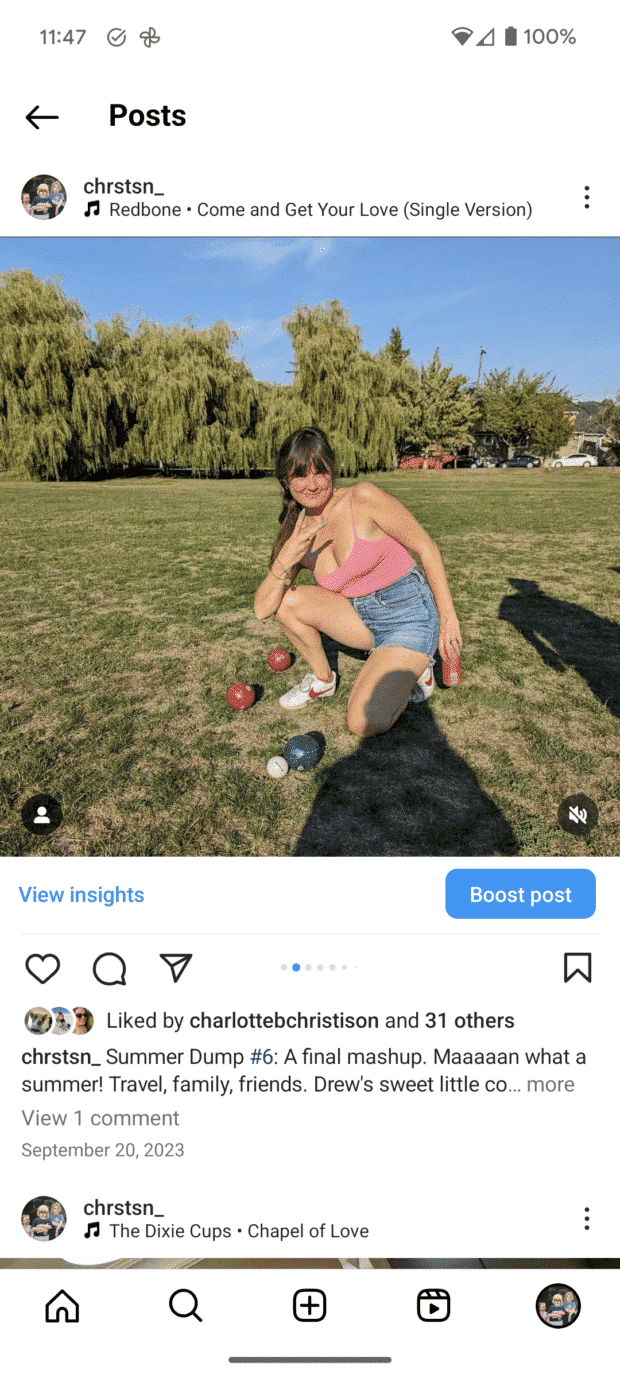
You can add music to carousel posts the same way you add it to Reels, and you can pin a 30-second track to your profile. To add profile music, tap Edit Profile, hit Add Music, search for a song, pick your clip, and tap Done.
Map search
Instagram’s long had location capabilities, but it’s improved its map search features. Users can explore popular tagged locations around them, making it easier to find businesses, mural photo ops, and other noteworthy public places.
You can filter location results by specific categories like restaurants, cafes, or salons.
What Instagram AI features should marketers know about?
AI now sits inside most of Instagram’s creation tools rather than off to the side in a separate menu. These are the ones that change how a social team works day to day:
- Writing help for captions
- AI stickers and cutouts
- AI-generated Story backgrounds
- Voice translations and auto captions
- AI-assisted ad tools in Meta Ads Manager
Meta AI writing help
Meta AI can draft and rewrite captions inside the Instagram composer. It’s useful for getting past a blank screen or generating a few variations to choose between.
Treat the output as a first draft. It won’t know your brand voice, product claims, or compliance rules, so every caption still needs a human edit before it goes out.
AI stickers and cutouts
Can’t find the exact sticker you want? You can generate one using AI. When you search through GIPHY stickers, add in a term, hit “AI stickers,” and have it generated for you.
You can also create stickers from your own photos using Cutouts, found in the sticker section. You need a photo with a clear subject in it for Instagram to pull out a sticker automatically, or you can do it manually.
AI-generated Story backgrounds
Instagram’s restyle tools can generate or restyle a Story background from a text prompt, which saves design time on quick, low-stakes Stories.
It’s a good fit for polls, questions, and announcements. For anything that needs to look on-brand, stick with your own templates.
Voice translations and captions
Meta AI can translate Reels audio into other languages with lip-synced dubbing, and Instagram adds automatic captions to video. Both reduce the manual work involved in reaching audiences in more than one market.
Always review translated audio before publishing, especially for product names and claims that don’t translate cleanly.
AI-assisted ad tools
On the paid side, Meta’s Advantage+ tools use AI to handle creative variations, placements, and budget allocation across Instagram and Facebook. You set the objective and guardrails, and the system tests combinations for you.
The tradeoff is less granular control, so keep a clean measurement setup to confirm what’s actually driving results.
Bring all things social media management to one tab
See for yourself how you can save time, collaborate smarter, and simplify social marketing with a free, zero-risk trial or demo.
What Instagram Reels features matter most for marketers?
Reels are where most new reach happens on Instagram, so this is the feature set worth learning properly. Beyond the basics, a few newer tools are specifically useful for testing and optimizing.
Remix
The Remix feature lets you make a Reel that includes a photo or video posted by another user. It’s a great way to shoot reaction videos, comment on another post, or support another account.
For brands, Remix is an easy way to respond to customer videos or to add expert commentary to a trending clip in your category.
Reel templates
Editing Instagram Reels can be a pain, and Reel templates are a user-friendly strategy for creating excellent videos. Templates automatically clip your chosen videos into a set time frame, usually to the beat of a particular song, giving you an edited video in seconds.
To use a Reel’s template, just hit Use template, which appears above the account name on the Reel.
Trial Reels
Trial Reels let you publish a Reel to non-followers only. Your existing audience doesn’t see it, and you get performance data before deciding whether to share it more widely.
This is the closest thing Instagram has to a sandbox. Use it to test new formats, hooks, or topics without putting a weak post in front of your core audience.
Reels retention metrics
Reels retention metrics show how long viewers stay with your video and where they drop off. That’s more actionable than a flat view count.
Look for the first big dip. If it lands in the first few seconds, your hook is the problem, not the rest of the video.
Reels-to-Stories sharing and linked Reels
You can share a Reel to your Stories to get a second round of views from your most engaged followers, and link related Reels together so viewers can move through a series.
Linked Reels work well for multi-part explainers, product lines, and campaign storytelling where one video naturally leads to the next.
What Instagram Story features should you be using?
Stories are still the most reliable place to get engagement from people who already follow you. These are the Instagram Story features worth building into your weekly rhythm.
Story captions and links
Captions let you layer text, emojis, and tags over the photo, Reel, or post you’re sharing, and Instagram can now auto-generate text captions from spoken audio for accessibility.
You can also link to a website in your Instagram Story. You’ll find this feature in stickers.
Story highlights
IG Stories disappear after being posted. That is unless they’re saved in a Story Highlight. Story Highlights allow you to keep notable or informative Stories “pinned” and easily accessible at the top of your profile. You can also archive highlights you no longer want on display without deleting the Stories inside them.
Interactive Story stickers
Story stickers allow users to interact with your content while staying in the Instagram app. Interactive stickers include polls, links, quizzes, and questions. You can use these features to engage with your audience, source opinions, or get ideas.
The “Add yours” sticker is worth calling out separately. It lets anyone on Instagram join a photo-sharing challenge that follows a specific prompt, and these prompts can reach hundreds of thousands of participants.
Reshareable and co-posted Stories
Instagram lets you make your public Stories reshareable, and two accounts can co-post a Story that appears for both audiences.
Co-posting is handy for partnerships and events, since neither brand has to rely on the other to reshare after the fact.
Which Instagram features are built for business accounts?
Switching to a Business or Creator account unlocks the measurement and conversion tools that make Instagram usable for marketing. These are the Instagram features for business that do the most work.
Professional Dashboard and Instagram Insights
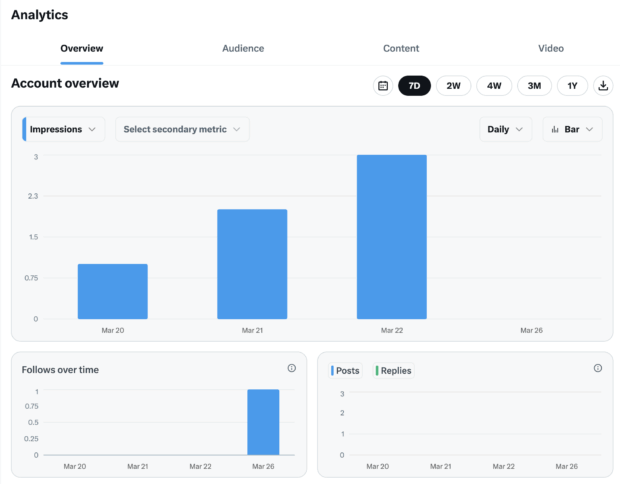
The Professional Dashboard on Instagram is for Business and Creator accounts. Here, you can measure your performance on the app and find tools to improve it.
Instagram Insights lives inside the dashboard. It tracks metrics including:
- Engagement rate: How your engagement rate compares across posts and formats
- Interactions: Likes, comments, saves, and shares
- Audience growth: Net follower change and audience demographics
- Views and reach: How many accounts saw your content, split by followers and non-followers
Interactive bio and profile optimization
The interactive bio features make it easier for your audience to access information directly from your Instagram profile. Information like your business’s address and phone number are clickable, leading curious potential customers straight to the point.
And don’t forget about the link in bio. You can now add up to five links to maximize that space. Profile music and a rearranged grid give you two more ways to signal what your brand is about before anyone taps Follow.
Instagram Live
Instagram Live is for real-time connection, and it’s one of the fastest ways to build brand authenticity. Using Instagram Live, you can:
- Connect with viewers,
- Invite them to join your live video,
- Collaborate with other creators in a split-screen format,
- Present shoppable products and more.
Instagram collabs and partnership ads
Collab posts allow separate accounts to share the same content to all of their feeds. Every handle appears in the post, and the comments and likes stay in one place. You can now collaborate with up to five other accounts on a feed post, carousel, or reel.
On the paid side, partnership ads let you run a creator’s organic post as an ad from their handle, which usually performs better than the same message from a brand account.
Creator marketplace and competitive insights
Instagram’s creator marketplace helps brands find, brief, and pay creators inside Meta’s own tools rather than over email. You can filter by audience, category, and past partnership performance.
Business accounts also get competitive insights, which benchmark your performance against similar accounts so you can see whether a slow month is you or the category.
What Instagram messaging and DM features are available?
Instagram’s inbox has quietly become one of its most feature-rich areas, and it’s where a lot of customer conversations now start.
Direct messages and newer DM tools
Direct messages are a private way to interact on Instagram. This is the best place to have a conversation that you don’t want the whole world to see.
Recent additions give you more control over how those conversations look and when they happen:
- Message scheduling: Draft a DM now and have it send later
- Text formatting: Bold, italics, code, and quote formatting inside messages
- Drawing and markup: Annotate a photo or screenshot in the chat
- File and high-quality image sharing: Useful for sending assets to partners and creators
- Chat folders: Separate priority conversations from the rest of the inbox
Polls, quizzes, GIFs, and stickers
Using Instagram Messenger, you can send GIFs or stickers in any direct message. Plus, you can send interactive polls or quizzes to any group chat (any message with three or more accounts involved).
To access these features, go into the chosen chat and tap the sticker icon on the lower right side of the screen. From there, you’ll be able to pick stickers and GIFs and use the poll and quiz options.
Polls aren’t limited to DMs either. You can also run a poll inside the comments section of your posts on mobile.
Pinned comments
Comments generally show up chronologically, but sometimes they’ll be listed with the most liked ones at the top. You can pin comments at the top of the pile (directly below the caption) so you can control which comments your audience sees first.
Businesses can use pinned comments to amplify positive messages, draw attention to frequently asked questions or simply put a funny comment front and center.
Broadcast Channels
With Broadcast Channels, you can send followers who have opted into your channel mass updates. It’s like blasting out a message to all of your
Besides following accounts, Broadcast Channels are one of the only Instagram features your followers have to opt in to, which makes the audience small but highly engaged. Channel insights and highlighted polls now give you a better read on whether those updates are landing.
Instagram Notes
Think of the Instagram Notes feature like a bulletin board: you can “pin” short phrases to the top of Messenger for a limited time. Notes are a great place to remind people about events, promotions, life updates and more. You can now add color, prompts, and music notes with lyrics.
Try the no. 1 Instagram scheduling tool for free — no strings attached
Get started today and try Hootsuite completely free. Then sit back, relax, and watch your Insta stats skyrocket.
How do Instagram shopping features work?
Instagram shopping features let people discover and buy products without leaving the app, though availability varies by region and account.
Product tags and Shop the Look
Product tags are an awesome tool for retailers using the platform (130 million users tap on shoppable posts each month) and an even more awesome tool for online shopaholics. This Instagram shopping feature gives businesses the opportunity to showcase their products online and consumers the opportunity to buy those products directly within the app.
Reels also support a Shop the Look call to action, which surfaces tagged products from the video in one tap. It works best on styling, unboxing, and demo content where viewers are already wondering what they’re looking at.
Instagram Checkout
Speaking of buying directly within the app: that’s what Instagram Checkout is all about. Availability is limited by market, so check whether your region supports it before planning around it. Where it isn’t available, product tags still drive traffic to your own store.
What hidden Instagram features should marketers know?
These Instagram hidden features aren’t flashy, but they quietly save social teams a lot of time.
Hide, delete, or filter comments on your posts
You have control over who interacts with your content on Instagram. This is crucial, especially for business accounts. The last thing you want is a runaway comments section full of negativity.
To filter comments by keyword:
- Go to Settings and tap Privacy, then Hidden Words.
- Toggle Hide comments to filter general offensive words.
- Click Manage custom words and phrases for messages, comments, and posts to add custom filters.
How to delete comments:
- Tap the speech bubble icon below the comment you want to delete.
- Swipe to the left over the comment text.
- Select the garbage can icon that appears to delete the comment.
- You can also delete your own comments using the same method.
To disable comments entirely:
- You can’t turn off comments for your entire profile, only for individual posts.
- While posting an image, tap Advanced Settings at the bottom.
- Toggle on Turn Off Commenting to disable comments for that post.
Create quick reply responses to common messages
If you run a business account on Instagram, you might suffer from receiving the same messages over and over again. You can streamline responding to frequently asked questions and comments on Instagram Business accounts with saved replies. Here’s how:
- Go to Business in your Settings, then Quick Replies. Alternatively, click the three-dot chat bubble icon at the bottom of your screen and select New Quick Reply.
- Create a shortcut for a longer response you often send.
- For example, use “returnpolicy” as a shortcut for a longer response about your return policy.
- Enter the longer response associated with the shortcut.
- When you want to use the response, either type the shortcut into the comment box or tap the Quick Replies icon to choose from your saved responses.
Favorites feed
You can create a favorites list to see more of the accounts you care about most. Their posts appear higher in your Feed, and you can switch to a favorites-only Feed to check in on them.
This Favorites Feed comes without ads or suggested posts and is totally anonymous. To select your favorites, tap the Instagram logo at the top left corner and add your preferred accounts to the list. Social teams can use it as a lightweight way to monitor competitors and partner brands.
Reset your content recommendations
Instagram lets users reset the recommendations driving their Explore page and Reels feed, clearing the slate on what the algorithm thinks they want.
It’s worth knowing because it’s a reminder that audience interest signals are not permanent. Treat Explore reach as something you earn repeatedly, not a position you hold.
Schedule Stories and messages
Instagram now supports native scheduling for feed posts, Reels, Stories, and DMs. You’ll find it under Advanced Settings in the composer, or in the chat window for messages.
Native scheduling is fine for a single account. If you’re managing several, you’ll want approvals and a shared calendar, which the app doesn’t offer.
FAQ: Instagram features
What are the newest Instagram features in 2026?
The newest Instagram features in 2026 include the Edits video editing app, longer Reels, customizable profile grids, native reposting, the Instagram Plus subscription, and expanded Meta AI tools across captions, stickers, and translations.
What are Instagram’s main features?
Instagram’s main features are feed posts, Stories, Reels, direct messages, shopping tools, live video, and the Professional Dashboard with analytics for business and creator accounts.
What is the 3-second rule on Instagram?
The 3-second rule on Instagram refers to the idea that you have roughly three seconds to hold a viewer’s attention before they scroll, which makes your opening frame and hook the single most important part of a Reel.
Does Instagram tell you if someone keeps looking at your profile?
No, Instagram does not tell you if someone keeps looking at your profile. There’s no native feature that identifies or counts individual profile visitors, and any app claiming otherwise isn’t using official Instagram data.
What is the Instagram Edits app?
The Instagram Edits app is a standalone video editing tool from Instagram that includes a project timeline, teleprompter, audio and beat alignment, AI-assisted effects, and performance insights for the videos you publish.
What is Instagram Plus?
Instagram Plus is a paid subscription tier that gives users extra profile customization, additional insights, and early access to some features beyond what free accounts get.
How do Instagram Broadcast Channels work?
Instagram Broadcast Channels work as one-to-many message feeds. Followers opt in, only the channel owner and invited guests can post, and updates land in the audience’s DM inbox.
Can you schedule posts natively on Instagram?
Yes, you can schedule posts natively on Instagram. The app supports scheduling for feed posts, Reels, Stories, and direct messages, though it doesn’t include approvals or multi-account calendars.
What Instagram features are only available for business accounts?
Instagram features limited to business accounts include the Professional Dashboard, Instagram Insights, contact buttons, product tags, ad creation, quick replies, and competitive insights.
How do Instagram collab posts work?
Instagram collab posts work by letting multiple accounts co-author the same post or Reel. You can invite up to five collaborators, so the content can appear across six profiles in total, and likes, comments, and views are shared across all accounts involved.
Save time managing your social media marketing strategy with Hootsuite. Publish and schedule posts, find relevant conversions, measure results, and more â all from one dashboard. Try it free today.
The #1 social media tool
Create. Schedule. Publish. Engage. Measure. Win.
Alyssa is a freelance writer, editor and illustrator based in Vancouver, BC. Her portfolio ranges from lifestyle articles to travel journalism to restaurant reviews to technical writing to editing annual reports for non-profits—she wears a lot of hats (metaphorically... in real life, she rarely wears hats).
The #1 social media tool
Create. Schedule. Publish. Engage. Measure. Win.