According to Korn Ferry’s 2026 Workforce Report, 62% of surveyed professionals said their workloads have become significantly heavier over the past two years. Another 45% said they were too busy to deliver meaningful results. With requests coming through meetings, emails, and chats, keeping track of what comes next can become a job in itself.
Strong task management skills help you bring those commitments under control. And they’re skills you can develop through daily practice, from making sense of vague requests to deciding what deserves your attention.
This guide breaks task management into seven skills you can practice, from capturing to reviewing. It also includes a 30-day experiment for testing one habit at a time and checking whether it cuts follow-ups and rework.
TL;DR: Task management relies on seven skills: capturing, clarifying, prioritizing, estimating, scheduling, delegating, and reviewing. Together, they help you turn requests into clear actions, plan realistic workloads, and adjust commitments when priorities change.
To improve, use a 30-day plan to identify one recurring problem, establish a baseline, and test one habit. Compare similar tasks before and after the change, tracking clarification requests, follow-ups, or rework rather than completed-task counts alone. When you work with a team, give each deliverable one accountable owner and make dependencies and handoffs visible.
What Are Task Management Skills?
Task management skills are the abilities that help you keep individual tasks and commitments on track, from the moment work is requested until it’s completed or deliberately dropped. They also help you manage competing priorities, coordinate handoffs, and follow through when several tasks are in progress at once.
Say someone asks you to update an onboarding email sequence. Before you start, you need to know which emails need changes, what the final version should look like, how long the work will take, and who will approve it. Task management covers these decisions and the work that follows.
It’s closely related to time management and project management, but each focuses on a different part of your work.
These skills often overlap. You might reserve two hours to work on a task, but that time won’t help much if the expected outcome is still unclear. That’s why capturing and clarifying commitments are good places to start.
Prefer video? This ClickUp walkthrough covers seven ways to stop tasks from slipping through email, meetings, and notes:
Where Task Management Skills Often Break Down
Being organized, setting priorities, and communicating well are important task management skills. But even with these habits in place, work can stall when expectations are unclear, or existing commitments aren’t revisited.
The importance of clear expectations shows up in Gallup’s January 2026 engagement report. It found that only about one in five people managers, project managers, and individual contributors strongly agreed they knew what exceptional performance looked like in their role. Among managers and individual contributors, those with that understanding were nearly four times as likely to be engaged at work.
Gallup’s findings concern role expectations, but the same principle applies to task assignments: people need to understand what’s expected of them before they begin.
Here’s where things often go wrong:
- Vague next steps: A task like “update the campaign” stays on your list because the specific changes and expected outcome haven’t been defined
- Competing priorities: An urgent request takes over your afternoon, but your existing deadlines remain unchanged. The work keeps piling up without a chance to reassess what’s realistic
- Incomplete handoffs: A task gets assigned without enough context about the outcome, constraints, or deadline. The result needs rework, adding time for everyone involved
- Unreviewed commitments: The same tasks carry over week after week, including blocked or outdated items that need a decision before they can move forward
Two habits can help address these gaps: defining the next action before starting work and regularly reviewing commitments as priorities change.
The seven skills below build on these habits and cover the decisions and actions that help you manage work from initial request through completion.
7 Essential Task Management Skills, With Examples
Each task management skill helps you make better decisions about the work on your plate, from recording new requests to following through on existing commitments. Some skills come into play every day, while others matter when you’re planning complex work or coordinating with a team.
Here’s a quick look at the seven skills and the signs you may need to work on them.
1. Capturing: Get every commitment out of your head
Capturing means recording tasks and commitments as they come in, whether they’re assigned during a meeting, shared over chat, or mentioned in a quick conversation.
And with requests coming from several places, it’s easy to lose track of smaller commitments. Microsoft’s 2025 Work Trend Index reports that many meetings now happen as ad hoc calls without a calendar invite. A task assigned during one of these calls may never make it onto your calendar or to-do list unless you record it.
The goal is to have a reliable place to find everything you’ve agreed to do, without searching through messages or relying on memory.
In practice: A product marketer agrees to send the sales team an updated one-pager after a quick call. Before leaving the meeting, they add the request to their task list, along with the requested deadline and the person who needs it. When planning the week’s work, the commitment is already there to review and prioritize.
How to build it: Choose one main task list and make a habit of adding new commitments as they come in. You can still receive requests through several channels, but bring them into one place before they get buried.
2. Clarifying: Know where to start
A task can sit on your list for days simply because the next step isn’t specific enough. Clarifying means breaking a broad request into something you can act on, with a clear outcome and an owner.
This is a key principle of David Allen’s Getting Things Done method, which encourages you to identify the next action that moves work forward.
Consider the difference between “prepare the board deck” and “pull Q3 churn data for slide four.” The second tells you where to begin, even if the larger assignment involves several more steps.
In practice: A finance analyst has “Q3 board deck” on their list, but the assignment covers several pieces of work. They break it down into gathering financial data, preparing individual slides, and reviewing the figures with the finance lead. The first task becomes “Pull Q3 churn by segment from Looker and add the figures to slide four by Thursday.”
How to build it: When adding a task, check whether the action, expected result, and owner are clear. If the request covers multiple deliverables, break it into smaller tasks. Start with the GTD next-action approach to identify the first concrete step. If a task still feels too broad, you can ask your preferred AI tool to generate a suggested breakdown.
3. Prioritizing: Decide what deserves your attention
Prioritizing helps you decide which tasks need attention first and which ones can wait. That becomes important when several requests compete for the same time.
The Eisenhower matrix is one way to approach this. It separates tasks by urgency and importance, helping you distinguish work with immediate deadlines from work that supports longer-term goals.
But priorities also need to account for existing commitments. A new request may feel urgent to the person sending it but not be the most important item on your schedule.
In practice: A customer success manager is preparing for three client renewals when an internal team requests a same-day tooling survey. The renewals have direct deadlines and business implications, while the survey can wait. The manager replies with a Thursday delivery date and keeps the renewals on track.
How to build it: Pick three priority tasks at the start of each day, based on deadlines, impact, and dependencies. Use a ranked priority list to keep the rest visible, and revisit your choices when new work comes in.
4. Estimating: Break down the work before assigning time
Estimating means working out how much time a task will need before committing to a deadline. It’s easy to underestimate work when you focus on the main activity and overlook the surrounding steps.
Psychologists describe this tendency as the planning fallacy. A task that appears to need two hours of writing might also involve research, reviews, revisions, and approvals.
A four-week UCL field trial with 30 participants looked at how tracking task duration affected planning in academic work. Participants reported less procrastination and less optimistic planning bias. Their estimates didn’t become objectively more accurate, though. Recording how long work takes can support reflection, but it doesn’t guarantee better predictions.
Breaking a task into steps gives you a clearer starting point for estimating how long it will take.
In practice: A lifecycle marketer estimates two hours to update an onboarding email sequence. Looking closer, the assignment includes editing five emails, reviewing the designs, testing how they render across email clients, and getting legal approval. The marketer can now estimate each step and account for the review time before agreeing to a deadline.
How to build it: Before estimating larger tasks, list the steps that could affect delivery, including reviews, approvals, and dependencies. Add a reasonable buffer where the timing is uncertain, then compare your estimate with the actual time spent to see what you may have overlooked.
5. Scheduling: Make time for the work you’ve planned
Once you know what needs to happen and how long it may take, the next challenge is finding time to do it.
Scheduling involves setting aside time for tasks while accounting for meetings, deadlines, dependencies, and your working habits. Without that space, even high-priority work can keep getting pushed back.
Microsoft’s Work Trend Index found that 50% of meetings took place between 9 and 11 a.m. and 1 and 3 p.m. Protecting time for focused work can be difficult when meetings fill those hours.
In practice: A data analyst regularly struggles to finish weekly reports between afternoon meetings. After reviewing their calendar, they reserve two hours in the morning to prepare reports and move routine email responses to shorter blocks later in the day. This gives the reporting work a consistent place in their schedule.
How to build it: Start by blocking two 90-minute sessions each week for work that needs sustained attention. Adjust the timing around your meetings and when you tend to focus best. Time blocking can help you reserve those hours, while the Pomodoro technique can help you work through them in shorter intervals.
6. Delegating: Hand off the outcome with the task
Delegating means assigning responsibility for a task while sharing the information someone needs to complete it.
A good handoff covers the expected result, deadline, constraints, and any point when the work needs review. Without that context, the person taking over may have to make assumptions or come back for more information.
This also helps when several people contribute to the same deliverable. Having one person accountable for the outcome keeps ownership clear.
In practice: An operations lead asks a colleague to handle a new vendor agreement. The request sounds straightforward, but the contract needs specific payment terms and must exclude automatic renewal.
A more complete handoff would include:
- Outcome: Finalize the vendor agreement and complete the billing setup
- Deadline: Friday
- Constraints: Net-60 payment terms and no auto-renewal clause
- Check-in: Review the draft contract together on Wednesday before approval
With these details, the colleague has a clear brief and knows when to bring the work back for review.
How to build it: Include the expected outcome, deadline, constraints, and a check-in point in each handoff. If you can’t fill in the outcome line, the task isn’t ready to delegate. If you hand off work often, our roundup of task delegation software compares tools built for tracking it.
7. Reviewing and renegotiating: Keep commitments up to date
Reviewing means checking your open tasks regularly to see what’s moving forward, what’s blocked, and what still deserves your time.
This matters because priorities and deadlines can change after you’ve made a plan. A task that was a priority last Monday may be lower on the list now, while another may need additional time or input from someone else.
A regular review gives you room to make those decisions before commitments become overdue. It also helps you identify when you need to renegotiate a deadline or scope with the person expecting the work.
In practice: During a Friday review, an agency account manager notices that a client report due Monday is at risk because the required data arrived behind schedule. They contact the client that afternoon, explain the problem, and agree on a revised Wednesday deadline. The client gets an update before the original deadline passes.
How to build it: Set aside 30 minutes each week to review your open tasks. Pay attention to items that haven’t moved forward, approaching deadlines, and work that may no longer be relevant.
For each commitment, decide whether to keep it, reschedule it, delegate it, or remove it. If an agreed deadline or deliverable needs to change, communicate that early. Our guide to deprioritization covers how to make those decisions without damaging working relationships.
How to Improve Your Task Management Skills in 30 Days
Use the next 30 days to find out which task management habit needs attention and whether changing it improves your work. Your existing task list or a simple spreadsheet is enough to run the experiment, and the rest of your workflow can stay as it is.
Days 1–7: Identify one problem and establish a baseline
Start with the warning signs in the seven-skills table above. Choose a problem that affects your work regularly and that you have some control over.
Then review 5 to 10 recent tasks of a similar type. Record how often the problem occurred, using the same measure for each task.
For example, if you’re working on clarification, count how many assignments needed more information after work had started.
Track both the number of tasks reviewed and the number affected. This gives you a baseline to compare with your results later.
Days 8–21: Test one change in your workflow
Pick one habit from the earlier sections that addresses the problem you’ve identified.
Say 4 out of 10 assignments needed further clarification. For your next assignments, you might confirm the expected deliverable, required inputs, and approval process before starting work.
Track two things as you go:
- Consistency: How often did you follow the new process?
- Outcome: How often did the original problem still occur?
Record the results for each task. This helps you tell the difference between a habit you haven’t applied consistently and one that may need adjusting.
Keep using the same approach through day 30, even after the initial two-week test.
Days 22–30: Compare the results and decide what to keep
At the end of the month, compare your baseline with similar tasks you’ve completed since you introduced the change.
Here’s what that might look like:
A lower proportion of tasks needing clarification is a promising sign. Compare the number affected with the total reviewed in each period. Still, consider what else changed: simpler assignments could partly explain the improvement.
You also don’t need to force a conclusion after 30 days. If you haven’t handled enough similar tasks, keep tracking until you have enough to compare fairly.
Once you’ve found a change that works for you, apply the same process to another skill. And if your tasks involve other people, check whether the improvement also reduces follow-ups, delays, or rework across the team.
How Task Management Skills Change When You Lead a Team
Managing your own tasks gives you control over how you plan and complete your work. When you lead a team, you also need to account for how one person’s progress affects everyone else’s.
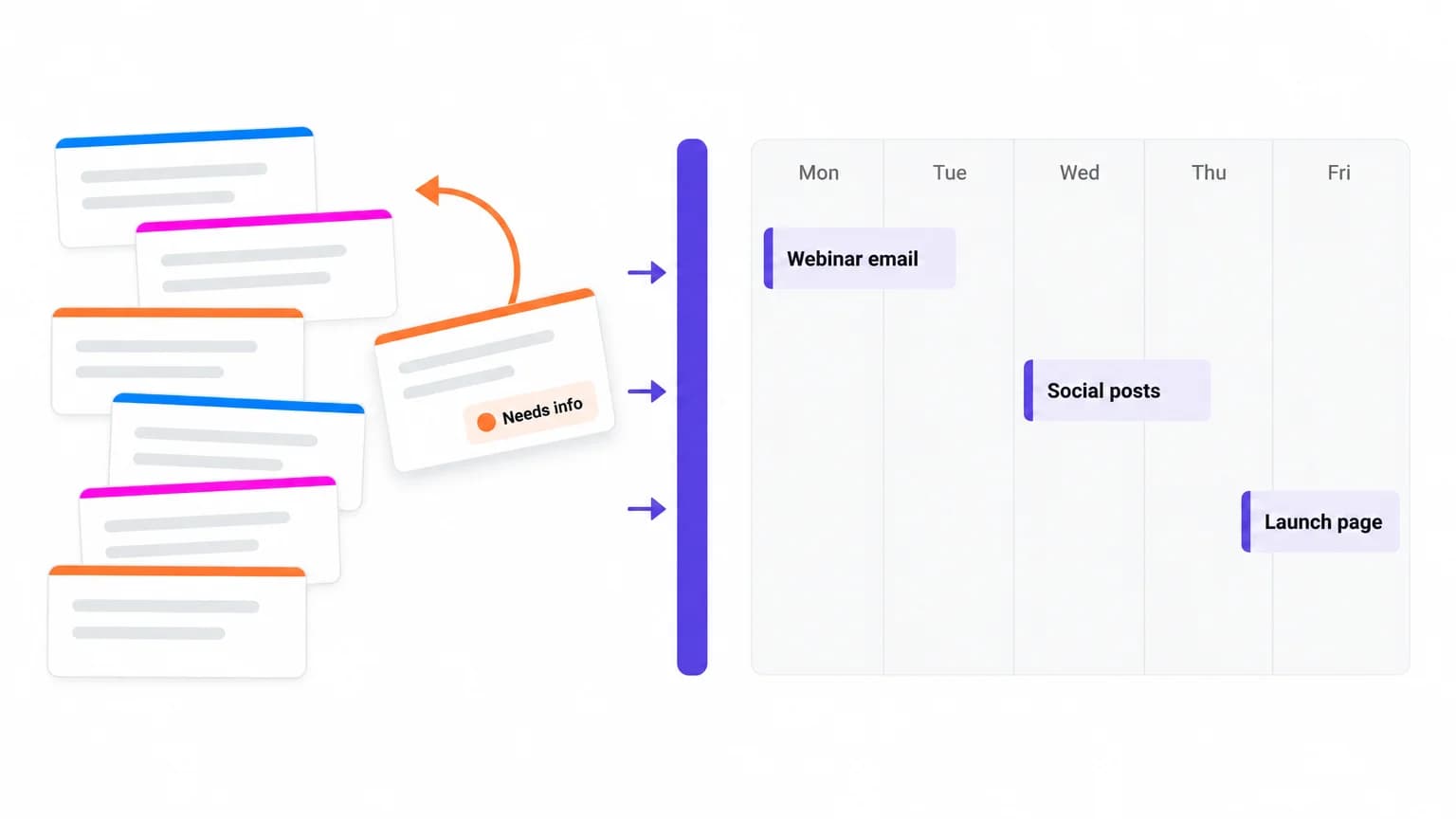
Consider a five-person marketing team preparing for a webinar launch. The copywriter finishes the landing page copy, but the designer hasn’t received the final version. The speaker deck is waiting for approval, and the person managing registrations doesn’t know when the page will go live.
Each person may be managing their own work well, yet the launch can still fall behind because the dependencies between tasks aren’t visible.
A few team-level practices can help prevent this:
- Assign one accountable owner per deliverable: Several people may contribute to a landing page, but one person should coordinate it and confirm it’s ready to launch
- Agree on what done means: For the landing page, that might mean approved copy, published design, working registration forms, and tested tracking
- Make dependencies and blockers visible: If the designer needs approved copy before they can start, record that dependency. When the copy is delayed, the team can see which other tasks may be affected
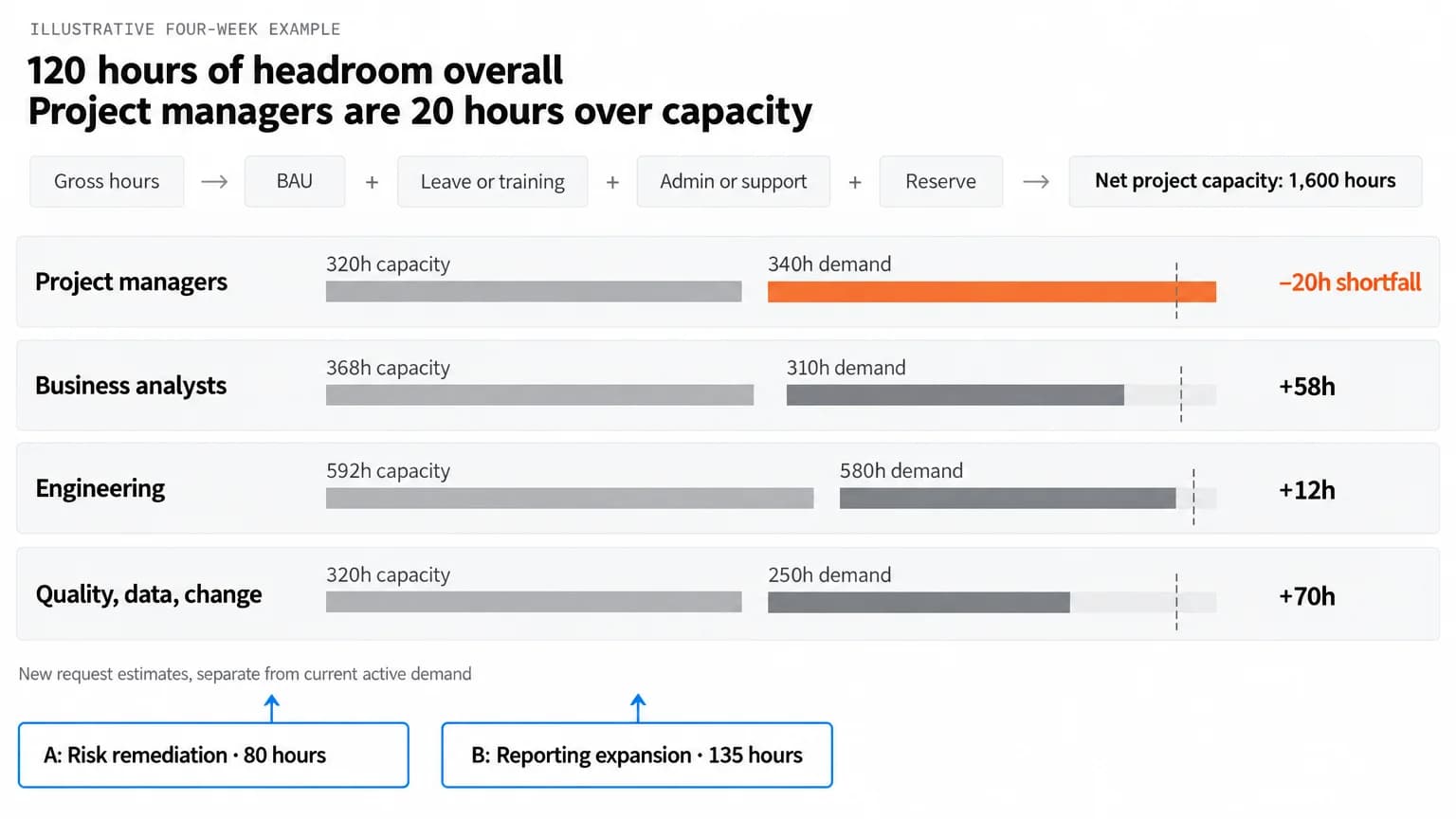
- Check capacity before assigning work: Review each person’s existing commitments and limit work in progress, a core principle of Kanban. A shared workload view can show competing assignments before they become scheduling problems
Close with a short weekly team review. Spend 15 minutes on blocked work, upcoming handoffs, and decisions that need attention. Keep routine progress updates in the task system. That keeps the meeting focused on issues the team needs to resolve.
Tools That Support Task Management Skills
The tools you choose should reflect how you manage work and how much coordination your tasks require. A simple list may be enough for personal commitments. Shared projects often need clearer ownership, dependencies, and workload visibility.
Here’s how different types of tools support task management:
For personal tasks, a notebook or minimalist to-do list app may cover everything you need. As work becomes more collaborative, boards help teams track progress through different stages.
When projects involve several contributors, shared deadlines, and dependencies, a work management platform gives teams a broader view of what’s happening.
How ClickUp Supports Task Management Across a Team
Capturing a request is the first step; you also need to organize it and connect it to the work already underway. In this video, Elliot Rossback from ClickUp shows how their Brain Dump setup turns spoken ideas into an organized daily to-do Doc, with links to relevant tasks.
The same skills apply when you coordinate work with a team. Take the webinar launch from the earlier example: in ClickUp, the team creates a landing page task, assigns someone to coordinate it, and lists the requirements in the task description. Copywriting, design, and tracking become subtasks, each with its own owner and deadline.
Some requests look the same every time. Design tasks, for example, almost always need dimensions, copy, and a due date. For those, a ClickUp Form can replace the back-and-forth. Each submission becomes a task in the List you choose. Form questions can map to fields like assignee, priority, and custom fields.
From there, the team can manage the work as it progresses:
- Set priorities: ClickUp Task Priorities offers four levels: Urgent, High, Normal, and Low. Agreeing on what each level means helps the team tell deadline-critical work from tasks that can wait
- Estimate effort: ClickUp Time Estimates lets the team estimate each task and subtask. With Time Estimates Rollup turned on, the parent task shows the combined estimate. On the Business plan and above, you can set a separate time estimate for each assignee on a shared task.
- Review capacity: ClickUp’s Workload view shows scheduled work against each person’s available capacity, which helps the team spot overloaded schedules before assigning more tasks
- Track dependencies and progress: ClickUp Dependencies show which work is waiting on another deliverable, while statuses and due dates help the team see what needs attention during its weekly review
- Find task context: Brain² searches tasks, Docs, and conversations to answer questions about progress, blockers, and past decisions, with links to the sources
These features become more valuable as work spreads across people and projects. With tasks, owners, timelines, and supporting context in one workspace, teams can see where each assignment stands and decide what’s next.
How Shopmonkey improved its request process
Shopmonkey’s marketing team had requests coming in from several channels, which made tracking ownership and approvals difficult. To address this, the team brought requests into ClickUp Forms, used Automations to handle handoffs, and tracked progress through customizable views.
In doing so, Shopmonkey cut review and approval times by 50% and reduced the time needed to complete design requests by 33%.
ClickUp pricing
Free Forever
Free Free
Key features
60 MB Storage
Unlimited Tasks & Subtasks
Unlimited Free Members
Collaborative Docs
Kanban Boards
Calendar View
Core
$9 $12
user / mo · billed yearly
Everything in Free Forever, plus:
Custom Fields & Task Types
Unlimited Storage and Spaces
Unlimited Forms
Unlimited Gantt Charts
Unlimited ClickUp Chat
1K Automations
Popular
$17 $25
user / mo · billed yearly
Everything in Core, plus:
Advanced Dashboards
Webhooks & Automation Integrations
10K Automations
Resource Management
Google SSO + SMS 2FA
Private Views
Enterprise
Custom Custom
Talk to our team
Everything in Business, plus:
White Labeling
1M Automations
Unlimited Custom Roles
Enterprise Permissions & Governance
Advanced SSO, SCIM, SAML
Audit Logs & Session Management
MAX
The full Max AI engine plus every Enterprise-grade control.
$100 $120
user / mo · billed yearly
Everything in Enterprise, plus:
ClickUp Brain²
Maximum Premium Model Usage
Custom Skills
Context Engine & Auto-Memory
Max AI Engine
Unlimited AI Fields
Unlimited Notetaker
Unlimited AI Image Generation
Everything in Enterprise:
White Labeling
1M Automations
Audit Logs & Session Management
* Prices when billed annually
Best for: Teams managing shared tasks, dependencies, and workloads across multiple projects that need clear ownership and visibility into progress.
Skip it if: You’re managing a short personal to-do list without complex deadlines or collaboration needs. A simpler task app may be quicker to set up and maintain.
Five Task Management Mistakes and What They Look Like
Even with the right skills and tools, certain habits can add extra work or make your task system harder to maintain. Here are five mistakes to watch for, along with ways to fix them.
Build Task Management Skills That Last
A missed deadline is often the last sign that a task has gone off track. The earlier clues might be an approval that’s been pending for days, a dependency holding up progress, or an unexpected request that changed your priorities.
Pay attention to these patterns as you build your task management skills. They can reveal where work slows down and which habits deserve more attention. Over time, you’ll get better at spotting potential delays early, making realistic commitments, and adjusting your plans as work changes.
For teams managing shared tasks and deadlines, ClickUp brings the work, ownership, and progress updates into one place.
Frequently Asked Questions About Task Management Skills
Are task management skills soft skills or hard skills?
How do you show task management skills on a resume?
What’s the difference between task management and multitasking?
How should you handle tasks that don’t have a deadline?
Everything you need to stay organized and get work done.