
People want to put their own compute to work on more of their everyday tasks, from analyzing local files to running recurring workflows. Completing that work on their own hardware gives them more control over sensitive information and credit spend. To let more people work this way, local AI needs to run on more devices and connect to the tools they already use.
Today we’re expanding Portable Computer to systems powered by AMD Ryzen AI Max Series processors including the Ryzen AI Halo developer platform, giving more people a way to run local AI on their own hardware.
Local inference doesn’t consume Computer credits. Users can run routine analysis and file processing on their Ryzen AI Max-powered system. The local model can still escalate to the cloud for more advanced research and reasoning when needed.
The local agent stack comes to AMD Ryzen AI Max as one system
AMD support gives users another way to run Perplexity Computer locally. They can put their own hardware to work on demanding tasks while limiting credit spend.
People have work they could give to an agent if sensitive files, such as deal documents, patient records, unreleased code, and payroll exports, could stay on device. That requires a local model, tools to work with those files, and controls over what the agent can access.
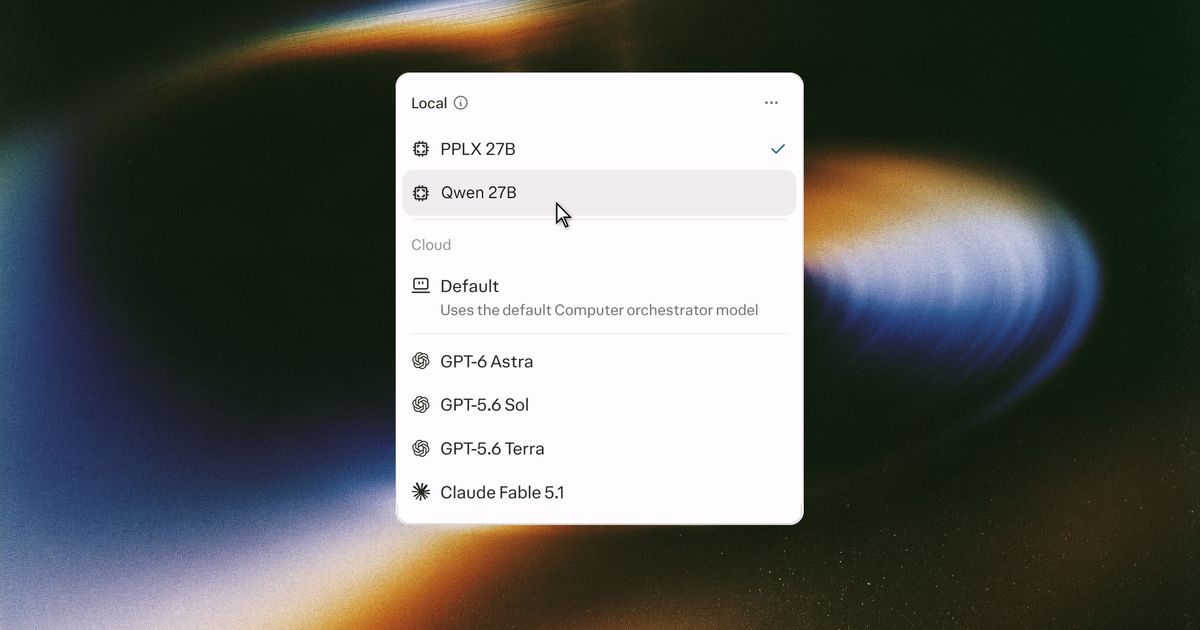
Portable brings the local model, agent harness and orchestrator, scheduler, sandbox, and sensitive-content classifier to one system. Available models include Qwen 3.8 27B and PPLX 27B, Perplexity’s post-trained model. Users no longer have to assemble the stack themselves by setting up an inference server, connecting an agent, and configuring each tool.
AMD and Perplexity are making it easier for developers to get started with local agents on Ryzen AI Halo. Users can download a model in one click through Local Inference in the Perplexity app’s settings. The inference engine and classifier install with it. Users then connect their apps and choose the folders Portable can work in.
Local tasks can draw on cloud research and reasoning
A task that starts with local files may still need current information or more advanced reasoning. A financial analyst working with a local earnings model, for example, might use current market data from the web and frontier-model reasoning to test how changing interest rates could affect their forecast.
Portable gives users access to cited web results through Perplexity Search and advanced reasoning from 15+ frontier models. If a task needs to send information from the device to the cloud, Portable asks for the user’s permission before moving forward.
Portable handles one-off tasks and recurring work
Portable works across local files and connected apps. Its local orchestrator connects to Gmail, Outlook, Slack, and GitHub. Local Model Context Protocol (MCP) servers let it work with supported applications installed on the same PC.
- Finance: A controller schedules Portable to reconcile each morning's locally stored invoices against contract rate sheets in a permitted folder, flag discrepancies, and save an exception list to that folder. The reconciliation runs on device.
- Daily brief: An operations lead schedules a weekday briefing for 8 a.m. that reviews overnight email and Slack, identifies decisions waiting on them, and drafts replies to unblock colleagues. The reading and summarizing happen on device.
- Legal and compliance: A paralegal gives Portable access to a folder of vendor contracts and a review checklist. Portable returns a table of missing or non-standard clauses in each contract for the paralegal to review.
- Engineering: A team lead schedules a review of open pull requests for 9 a.m., grouping them as ready, needs review, blocked, or stale. After the lead approves the summary, Portable posts it to the team's Slack channel and tags each owner.
Recurring work uses the same local model, so its local inference doesn’t add to Computer credit spend with each run. Scheduled tasks run while the app is open and the PC is awake.
Permissions and sandboxing limit what the agent can access
An agent that writes and runs code needs clear boundaries. Portable runs code and tools inside an isolated on-device sandbox, with read and write access limited to permitted folders. It reaches connected apps only through connectors the user has configured.
An on-device classifier scans content for sensitive details, such as names, account numbers, and credentials, before it leaves the PC. If it flags sensitive information, the user can choose to share it, keep that step on the local model, or stop.
Organizations can control access to inference on managed accounts. An administrator decides whether it is allowed, so IT can make it available to the teams that need it.
Portable is available on supported AMD hardware
Portable Computer on AMD Ryzen AI Max Series processors and the AMD Ryzen AI Halo developer platform is available today to Pro and Max subscribers on individual and enterprise plans through the Perplexity app for Windows.
Requirements
- Hardware: An AMD Ryzen AI Halo developer platform or any system with a Ryzen AI Max Series processor and at least 24 GB of GPU-accessible memory
- Operating system: Windows 10 or Windows 11
- Models: PPLX 27B and Qwen 27B
- Storage: Approximately 20 GB of free disk space for the initial setup
Setup
- Install the Perplexity app for Windows and sign in.
- Open Settings, select Local Inference, and download the model. The inference engine and classifier install with it.
- In Settings, open Permissions, turn on local file system access, and choose the folders Portable Computer can work in.
- Open the model menu in the composer and select a model under Local. Tasks start with on-device inference, with permission required before sending information to the cloud.
Full setup details are in the Portable Computer help center article. More information is available on the Portable Computer page.