Why RCS business messaging needs a smart link, not another form
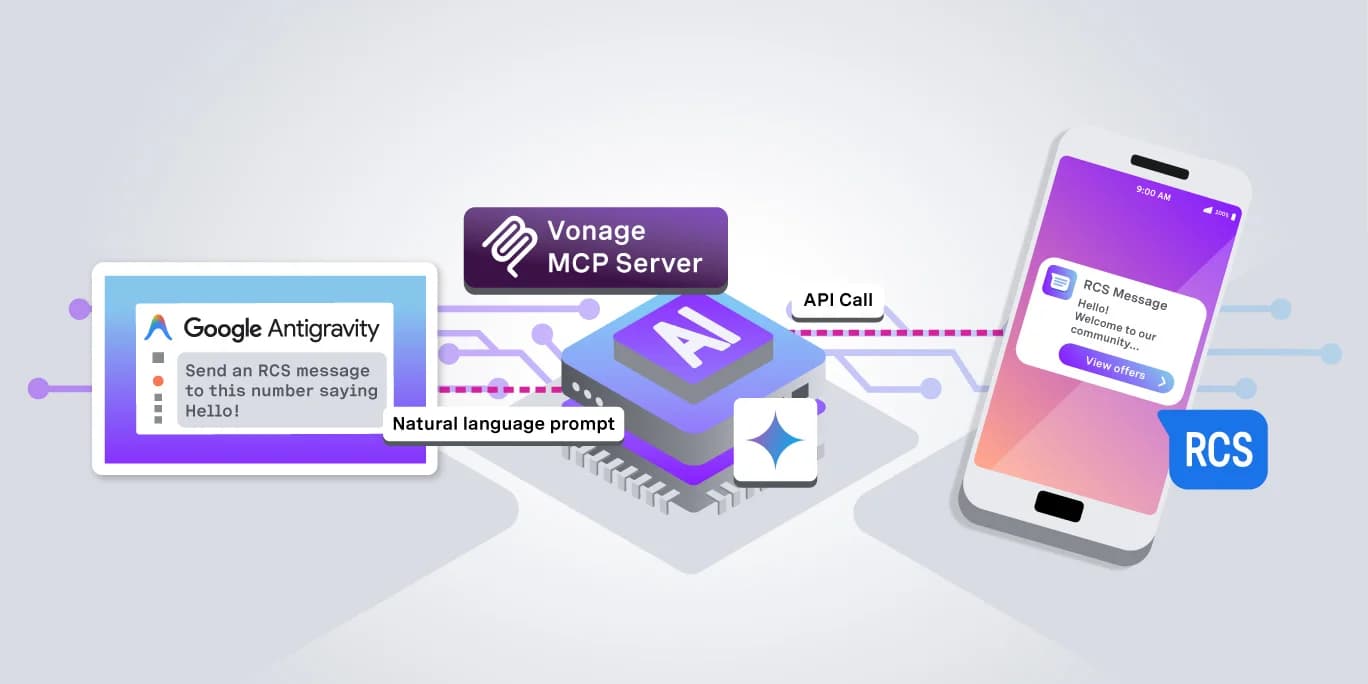
As Rich Communication Services are rapidly replacing traditional SMS messaging, Vonage has all the capabilities you need to start integrating your applications with RCS. Going beyond this, though, there is additional functionality for certain use cases.
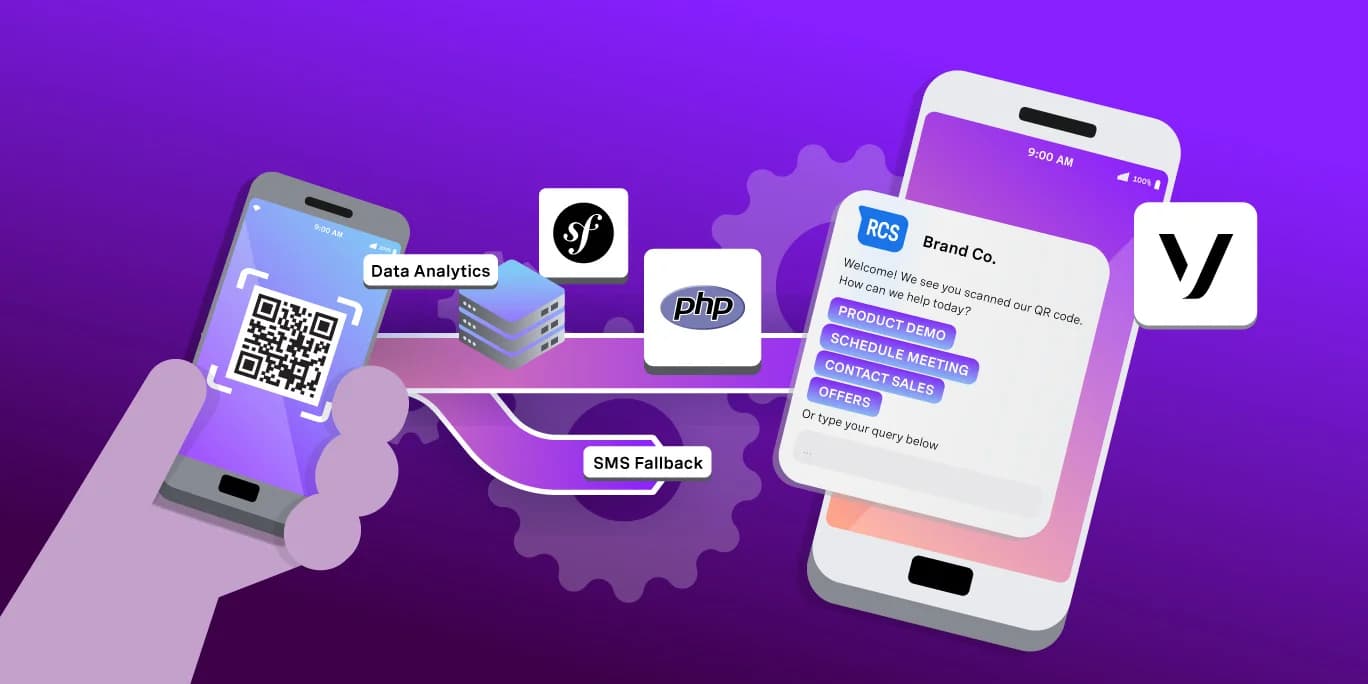
Deep links allow you to create a link and associated QR code using the Vonage Channel Manager API. These deep links, when scanned by the end users’ device, remove the friction of having to initiate a WhatsApp or Messaging session with a number. Instead, the QR code opens the messaging app on the device to initiate a new conversation.
At Vonage, we use this functionality internally constantly, from customer service to starting new conversations on the road at conferences and trade shows. No RCS? We’ve got you covered: it can fall back to traditional SMS.
Find out how to make use of this functionality in this tutorial, using the PHP Symfony CLI and Vonage Channel Manager.
What RCS Business Messaging Actually Is (and Why Vonage Built a Shortcut Into It)
RCS Business Messaging (RBM) is effectively the de facto replacement for SMS marketing. SMS marketing is traditionally used alongside A2P 10DLC (Application to Person 10 Digit Long Code) in the US, but RCS replaces the potential friction this integration can bring (alongside being able to use RBM in all other territories where it is supported outside of the US).
With RCS, messages can now include prompts with suggested replies, images, and video, which are all available in the Vonage Messages API (as well as being able to use the same API for Viber, Facebook Messenger, WhatsApp, MMS, SMS and new Email channels).
This tutorial will build the smart link using the PHP Symfony CLI, the chillerlan/php-qrcode library, and the Vonage Channel Manager API: you can then scan it using your device to test it and test the SMS fallback configuration. RBM will be configured using a sandbox sender agent for testing. We’ll also be configuring webhooks so that our app can read replies and accept read receipts.
What RBM Adds on Top of RCS (and Why the Sender Has to Be Verified)
The verified sender bit is necessary because I think we’ve all likely encountered the exact way to not do mass text marketing.
How many times has an anonymous text appeared from a number you don’t recognise (bonus points if the international dialling code is somewhere you’ve never encountered before) proclaiming that you do, in fact, need a smart IOT dishwasher.
RBM was created by Google, and being verified means that the source of an RCS message using RBM is a real company name and a real company logo. So, using Vonage to generate RCS messaging using a verified RBM account means that a verified brand chat opens up; precisely the opposite of the scenario previously mentioned. Vonage can manage your RBM agent for you, eliminating the need to register with Google when integrating with your app.
The Business Case: One Smart Link, One QR Code and the Trade Show Problem It Solves
QR codes are obviously a very handy, frictionless way to get interactions and conversations going when out on the road. Before RCS became a mainstay, the QR code would have to go somewhere, though, and previously this would be something like a form to fill out. It’s likely to be something generic, and also runs the risk of the maintenance server-side going wrong.
What happens if the link is broken, the service you are using to host this form goes down, etc.
What if you accidentally print the wrong QR code for the wrong event?
Our solution was to integrate deep links into Vonage’s APIs. You can have different RCS “personas” for different events, such as tailored branding per event or vertical market. A generic form to fill out stops the conversation as soon as the user walks away from a booth. With a QR code automatically booting up a branded conversation natively on their phone, both the friction is removed, plus we get to show what our own technology does. With SMS fallback, we’ve also got all bases covered, no client-side logic required: one link, several problems solved.
How the Fallback Actually Works: RCS Capability Lookup and the SMS Safety Net
The client device, upon scanning, checks if RCS is available in the current territory; if not, the Vonage Channel Manager can then send an SMS via the Vonage Messages API. There are three outcomes:
· RCS renders with full branding
· RCS renders, but in a reduced basic format
· SMS is received from a configured number at Vonage’s end
When configuring fallback, it’s good practice to make sure the SMS copy matches the RCS copy, rather than looking like an error message.
Prerequisites
· PHP 8.4+
· Composer
· A Vonage Account with Channel Manager access
· An activated RBM agent in the Vonage Dashboard
Vonage already has tutorials for setting up RCS on your account. Bear in mind that using the RCS Agent builder to set up your agent may take some time, to set expectations, but once completed, you can add your own device for testing into the allowed numbers instead of needing a full production-grade build.
The Channel Manager API will also need to be enabled on your account, as this uses RCS capabilities; you’ll need to contact Vonage to have the API switched on.
The fallback SMS number will also need to be a number registered in your Vonage dashboard. You can learn how to set up number management APIs in our guide. Registering your fallback SMS number will prevent messages from being automatically marked as spam.
Step 1: Install the Symfony CLI and Code The Link Generator
Create a new project folder, navigate to it in your terminal, and create a new Composer project.
For now, you can use all of the defaults that it gives you; we aren’t bothered about setting this up as a big application. We have two essential libraries that we need: the Symfony CLI and our QR code generator.
The CLI will need some structure, so write out the following files:
Both of these files now need some basic placeholder code. The executable is in the /bin directory, and you may have noticed this doesn’t contain a .php extension. It does, however, run in php. Open it in your IDE/code editor and add the following:
You’ll also need to make sure that you make the bin file executable.
Now, we need to code the LinkCommand. Open up LinkCommand and populate it:
You’ll notice you’ve got some environment variables to fill out now. Add your Vonage API Key and Secret from the Vonage dashboard, and your registered RCS message name, plus your fallback number for SMS in the JSON payload.
Step 2: Install the QR Code Generator and Code It
Rather than getting tied up in routing, our requirements should be kept as simple as possible. We need an index.php landing point, which is served by the PHP built-in web server, that takes the query string deep_link and returns a QR code image.
Create index.php and add the following:
Now you’ve wired everything together; you can create a link by executing the command, taking the output, and feeding it into your index.php.
Now fire off your browser:
HTTP GET https://localhost:8000
If everything has been set up correctly, you’ve now got a QR code to take on the road!
You've seen the output, and so have I!
Delving Deeper: A Data-Driven World
The reason it’s so useful to create chats like this is one word: data.
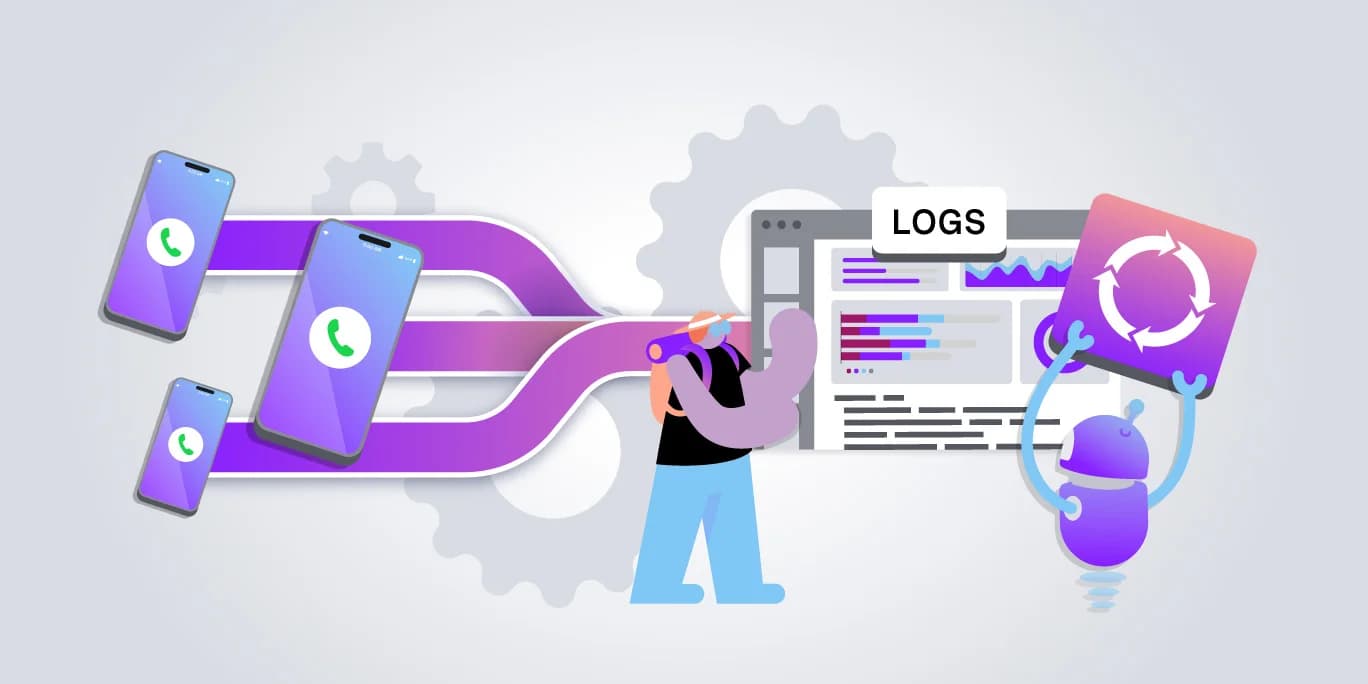
You have one entry point for your customers to enter a funnel, and because you have logs being generated both in the Vonage Dashboard and through webhooks, you can track the actions and success rates with whatever it is you are trying to do.
In our case, for instance, the data tracking can give insights into a potential lead’s journey from scanning the QR code to a full account sign-up. Or the reverse – how many journeys result in a dropout. You can also see how many result in using the SMS Fallback, which gives you insight into the take-up of RCS messaging capabilities either from end devices or carrier support.
Consuming webhook data like this and the ability to record it all is also a perfect use case for Event Sourcing, something that I have written about before using Laravel in PHP. You use projectors to “replay” events in their sequential order, so yes, again, insight into how successful your deep links are performing.
Frequently Asked Questions About RCS Business Messaging Deep Links
Q1. What is RCS business messaging?
RCS business messaging is the branded, rich media upgrade to SMS. It runs through the Vonage Messages API and the RCS channel, and it lets a verified business send messages with a logo, read receipts, and interactive buttons instead of plain text. If the recipient's device or carrier cannot support it, the message automatically falls back to SMS.
Q2. What is RBM and how is it different from RCS?
RCS is the underlying messaging protocol. RBM, Rich Business Messaging, is the verified sender layer on top of it that lets a business show a logo, banner, and confirmed company name instead of an anonymous number. The RCS channel of the Vonage Messages API runs on Google's own RBM servers, so Vonage customers get the verified badge without registering a separate RBM agent.
Q3. What happens if a recipient's phone does not support RCS business messaging?
The Vonage Channel Manager API checks RCS capability before or during the send. If the device, carrier, or user setting does not support RCS, the message automatically falls back to a plain SMS from your nominated fallback number. The recipient still gets a real message, just without the branding and rich media.
Q4. How do I create an SMS to RCS smart link with the Vonage Channel Manager API?
You send a request to the Channel Manager API naming your RBM agent, the recipient or number pool, your RCS message template, and a fallback SMS body. The API returns a single HTTPS smart link. Opening that link on an RCS and RBM-capable phone launches the branded chat; opening it anywhere else, or letting the send itself fail over, triggers the SMS fallback instead.
Q5. Can I turn the Channel Manager smart link into a QR code?
Yes. Once you have the smart link URL, generate a QR code from it server-side with a standard library; for example, the Node.js qrcode package or the PHP chillerlan/qrcode package. Print it at a large enough module size and with enough quiet zone margin for your expected scan distance, such as a trade show banner or a product package.
Q6. Does RCS business messaging work on iPhone?
Yes, as of iOS 18 in 2024, Apple added native RCS support to the Messages app (Apple Support, 'Use RCS messaging on your iPhone,' 2024, https://support.apple.com/en-us/104972). Before that, iPhone recipients on a Channel Manager smart link would always receive the SMS fallback, since iOS had no RCS client.
Q7. How is RCS business messaging different from the general RCS vs SMS comparison?
RCS vs SMS is the broad protocol comparison: media support, read receipts, and delivery guarantees. RCS business messaging is the specific commercial layer built on top: the verified sender program, templates, and the Channel Manager API calls this tutorial uses to actually send and manage those messages at the account level.
Proving the Implementation: RCS Statistics
Don’t just take ours (or my!) word for it: let’s have a look at some stats around RBM usage.
Platform Reach
· Google rolled out RBM capabilities on top of RCS Messaging in 2018.
· Apple finally completed cross-platform support of RCS by adding it to iOS in v.18 in 2024
Enterprise Adoption
· Enterprises that consolidate multiple messaging channels onto a single CPaaS provider report integration cost reductions in the range of 15% to 30%, since one account, one webhook, and one billing relationship replace several per channel vendor contracts. (Source: Gartner, 2024, https://www.gartner.com/en/infrastructure-and-it-operations-leaders/topics/cloud-strategy)
· Forrester's customer experience research finds that layering rich, interactive messaging on top of a plain SMS base drives measurable engagement lift for B2B and B2C messaging programs alike, with reported retention gains in the 20% to 40% range for well-targeted campaigns. (Source: Forrester, 2024, https://www.forrester.com/blogs/category/customer-experience/)
Standards Lineage
· RCS is built on the IP Multimedia Subsystem architecture that 3GPP standardizes for operator networks, the same IMS core that already carries VoLTE voice traffic, which is why operators did not need new radio infrastructure to support it. (Source: 3GPP, 2024, https://www.3gpp.org/)
· The World Wide Web Consortium and IETF jointly maintain the WebRTC 1.0 specification that underlies many of the same real-time media patterns used across the Vonage Communications Platform, reaching Recommendation status in January 2021. (Source: W3C, 2021, https://www.w3.org/TR/webrtc/)
Market Growth Context
· Juniper Research tracks RCS and rich, interactive messaging inside its Messaging and CPaaS market intelligence practice, listing it as one of the faster-growing segments inside enterprise communications software through the remainder of the decade. (Source: Juniper Research, 2026, https://www.juniperresearch.com/research/)
· IDC groups RCS and rich business messaging inside its broader worldwide CPaaS market coverage, one of the categories IDC tracks as enterprise communications spend continues shifting from plain SMS to richer, verified channels. (Source: IDC, 2024, https://www.idc.com/)
One Tool for Many Insights
The QR code from the smart link and the RCS channel behind the RBM implementation are both native to your Vonage Account, by using the Messages API. It’s the same set of APIs you might already be using. Given this, there is no external RCS vendor to onboard, no additional credentials to manage, and - if you have an existing implementation of consuming webhooks – no additional code and infrastructure to create to monitor usage reports.
Scale as you like: we already handle over a trillion API events at Vonage anyway, so your conference metrics for your sales conversation funnels are in good hands.