Project stakeholders are the people and groups who can affect a project or are affected by it. That includes the sponsor who funds the work and the team that builds it. It also includes the customers who use it and the security reviewer who can stop the launch a week before go-live.
PMI’s 2026 Pulse of the Profession reports that 31% of complex projects fail to achieve their full intended benefits. Stakeholder engagement is one of several practices the report examines, including whether teams reassess who needs to participate as work progresses.
This guide covers who counts as a stakeholder and what 16 common stakeholders can do to your project. It also covers the four ways to classify them and a six-step process that keeps the list accurate after week two.
TL;DR: Project stakeholders include people and groups who can affect the work or be affected by its outcome. Identify them by tracing who funds, approves, contributes to, uses, or inherits the project. Record their needs, decision rights, and relationship owners, then revisit that information as the project changes. Tailor involvement and updates to each group, including affected people who have little formal authority.
What Are Project Stakeholders?
Project stakeholders are people or groups who can influence a project, are affected by it, or believe they are affected by it. That is the substance of the Project Management Institute’s standard definition, and the word “believe” widens the list. A department that thinks your project threatens its budget behaves like a stakeholder whether or not it is right.
Project manager Max Wideman offered a sharper working version, quoted in a 2009 PMI conference paper by Pedro Serrador. He defined a stakeholder as “Someone who could act against the project if their needs are not considered.” That framing turns a passive list into a risk list. Experienced project managers use it that way.
Stakeholders also include people who never touch the work. For example, the finance analyst who never attends a standup can still freeze a purchase order. The customer support team that never saw the plan inherits every bug after launch.
Stakeholders vs. the project team vs. RACI roles
A stakeholder is anyone with a stake in the outcome; a project team member is someone doing the work; a RACI role is a responsibility assigned for one task or decision. The three overlap, and confusing them is where most stakeholder lists go wrong.
A RACI chart answers “who does what on this decision.” A stakeholder register answers “who can change this project’s outcome, and when.” Teams need both. Our RACI matrix examples guide covers the first in depth.
Who Are the Stakeholders in a Project? 16 Examples
A typical business project has stakeholders inside the organization and outside it. The table lists each one with the lever they hold, because what a stakeholder can do to your project matters more than their title.
Stakeholder examples by project type
The relevant stakeholders depend on the work. These illustrative scenarios show how overlooking a reviewer, service provider, or affected team can change the delivery plan.
A CRM rollout at a 300-person B2B company. The VP of Sales sponsors it, a RevOps manager runs it, and 80 account executives are the end users. Marketing operations owns the lead data. Finance signs the license contract, and customer success inherits the account records.
The late arrival is IT security. If security first sees the vendor at contract signature, its single sign-on and data residency review starts after the go-live date has already been announced.
An office move for 120 employees. The CFO sponsors it and the facilities lead manages it. The landlord, movers, and IT network team deliver the move. HR owns the commuting and hybrid-work policy that employees will ask about first. The late arrival is building management, whose loading-dock hours decide which weekend the move can happen.
A mobile app feature launch. A product manager owns it, with engineering, design, and QA delivering. Marketing plans the announcement and support writes the help articles. The late arrivals are legal, which reviews the privacy disclosure, and Apple’s App Review. App Review is an external stakeholder that can reject the build.
What Are the Types of Stakeholders in Project Management?
You can assess stakeholders by their relationship to the organization, how directly the project affects them, their position on the proposed change, and their importance to delivery. These categories overlap.
Internal vs. external stakeholders
Internal stakeholders work inside the organization. Think of the sponsor, the team, functional managers, finance, and legal. External stakeholders sit outside it, like customers, vendors, regulators, investors, and the public. Agree on communication channels and access with external stakeholders rather than assuming they use your internal tools.
Primary vs. secondary stakeholders
Primary stakeholders are directly affected by the project’s output, such as the end users of a new system. Secondary stakeholders are affected indirectly, such as the payroll team whose reports change format because of it.
Supporters vs. resisters
Some stakeholders gain from the project. Others lose budget, headcount, control, or a familiar process. Resisters are often the best source of the risks nobody else wants to say out loud, so their objections work as early warnings.
Key stakeholders
Key stakeholders need particular attention because of their authority, expertise, involvement, or the project’s effect on them. They can include the sponsor, the main customer, an essential specialist, or an approver whose involvement is limited to a specific decision. Our guide to stakeholder analysis explains how to assess their needs and influence.
Why Do Stakeholder Lists Go Stale After Kickoff?
Stakeholder lists go stale because they are built once, at the start, while a stakeholder’s power and urgency change at every phase. Researchers have documented this for two decades.
What the research says
Lynda Bourne developed the Stakeholder Circle method. With Derek Walker, then professor of project management at RMIT University, she studied an IT project and a construction project that affected the same people. The two projects needed different engagement strategies, even with identical stakeholders. Describing most project methodologies, they wrote that teams end up
basing their entire communications strategies on this initial (and only) identification.
basing their entire communications strategies on this initial (and only) identification.
basing their entire communications strategies on this initial (and only) identification.
Ronald Mitchell, Bradley Agle, and Donna Wood’s 1997 paper in the Academy of Management Review explains stakeholder salience through three attributes: power, legitimacy, and urgency. All three can change as circumstances change. For example, a legal reviewer’s involvement may become more urgent as a contract-signing deadline approaches.
Who gains leverage at each phase
The practical version is a phase map. The table shows who usually gains leverage at each stage, and what happens if they were never on the list.
The Denver airport lesson
Denver International Airport’s automated baggage system is the textbook case of a stakeholder arriving after the plan was set. According to a case study by Calleam Consulting, the airport hired BAE in April 1992 to build an integrated system. United Airlines changed its plans that August, which forced a major redesign.
The airport opened in February 1995, about 16 months late. United abandoned the system in 2005, when upkeep cost more than a manual one.
What PMI’s 2026 data adds
PMI’s 2026 report identifies phased stakeholder engagement as one practice associated with stronger project performance. This means continuously reassessing who needs to be involved throughout the project. The report states that 50% of high performers use this practice, compared with 42% of low performers. PMI’s chief executive, Pierre Le Manh, described successful delivery as involving “stakeholders that stay engaged.”
How to Identify Project Stakeholders in Six Steps
To identify project stakeholders, start from the charter and trace everyone who funds, approves, uses, or inherits the work. Then rank them, record them, interview the top of the list, and schedule a review at every phase gate. The steps work in a spreadsheet, a whiteboard, or a project management tool.
Step 1: Start with the charter, then follow money, data, and people
The project charter names the sponsor, goals, and scope. That gives you the obvious names. However, the less obvious ones appear only when you trace three flows. Who pays for any part of this? Whose data does it touch? Whose daily work changes? A website redesign that changes lead capture touches sales, marketing operations, and privacy. None of them may appear in the project charter.
Step 2: Ask “who can say no?” at every phase gate
List the project’s approval points. These might include funding approval, vendor selection, design sign-off, user acceptance, launch, and handover. For each one, identify who has authority to approve it and what they need to review. Check whether security, legal, procurement, or other specialists need to participate.
If the answer is “we’ll find out when we get there,” that gate needs an owner now.
Step 3: Prioritize with a power/interest grid, then check urgency
A power/interest grid places each stakeholder in one of four quadrants. High power and high interest means manage closely. High power and low interest means keep satisfied. Low power and high interest means keep informed. Low on both means monitor. Then add the urgency check from the salience model. Mark anyone whose urgency spikes at a specific gate, and note the date.
In a spreadsheet, the grid is two numeric columns and a scatter chart. On a whiteboard tool such as Miro or a ClickUp Whiteboard, it’s four quadrants with sticky notes. The stakeholder mapping templates roundup has ready-made versions of both.
Step 4: Build a stakeholder register people will keep updated
A stakeholder register is the working record of every stakeholder, their stake, and how you’ll engage them. Keep it short enough that updating it takes minutes. These fields cover what most projects need:
- Name and role: the person, plus the team or organization they speak for
- Internal or external: whether they belong to your organization or another group
- Stake: what they gain or lose, in one sentence
- Power and interest: high, medium, or low for each
- Gate they control: the phase or decision they can approve or block
- Current stance: supporter, neutral, or resister
- Desired stance: where you need them by their gate
- Engagement method and cadence: weekly update, monthly review, or ad hoc
- Relationship owner: the team member responsible for this person
- Last reviewed: the date someone confirmed the row is still true
Of all the fields, “last reviewed” is the one that keeps the register honest. A register with every row reviewed in month one is a historical document by month four.
Step 5: Interview the top of the list before you plan
Spend 20 to 30 minutes with each key stakeholder before the plan is final. Ask what success looks like for them and what would make them oppose the project. Then ask who else you should talk to and when they want to be consulted. The third question usually adds two or three names you’d have missed.
Step 6: Schedule the review, tied to phase gates
Put a recurring review on the calendar, and add an extra one two weeks before each gate from Step 2. The review checks who joined, left, or changed role. It also checks whose urgency changed and whether every gate owner is engaged. This step is what turns the list from a snapshot into a schedule.
Need a starting point for your stakeholder map?
Use the ClickUp Stakeholder Analysis Matrix Template to map stakeholders by influence and interest on a ready-to-use Whiteboard. Review their positions with your team, then use the map to plan who needs direct consultation, regular updates, or occasional check-ins.
How Do You Manage Project Stakeholders Once Work Starts?
Managing project stakeholders means matching each person’s involvement to their power and timing. In practice, that comes down to five habits, covered below. The stakeholder management plan guide covers building the plan document itself.
Sponsor alignment is the one practice with the clearest data behind it, per PMI’s 2026 findings. Before kickoff, write down what success means beyond on-time and on-budget. Add who owns the outcome and which metric will prove it. Get the sponsor to confirm it in writing. When scope pressure arrives in month three, that page settles arguments.
Separate the people who decide from the people who are informed
Most stakeholders need to know. A few need to decide. Putting both groups in the same meeting slows decisions and wears out the deciders. Use a RACI chart for the big decisions, and be strict about the line between Accountable and Responsible, which this breakdown of responsible vs. accountable explains.
Report by audience, not by project
For example, a single status report sent to everyone is too detailed for executives and too vague for the team. Executives want risks, decisions needed, and benefit tracking. Functional managers want resource asks. External clients want milestones. Build one source of truth and cut it three ways, using a project communication plan to fix who gets what and how often. Ready-made formats are in these weekly status report templates.
This walkthrough shows how to structure a project status report that different stakeholders can scan quickly:
Log decisions where the work lives
Stakeholders change their minds, and people forget what was agreed. As a result, decisions get relitigated. Record each decision with the date, who made it, and the task it affects. Keep the log where the team tracks work. When a new stakeholder joins in month five and asks why the scope looks the way it does, the log answers in one link.
Bring resisters in early
Ask skeptical stakeholders to review the plan or risk register before major commitments are made. Their concerns may reveal missing requirements, operational problems, or effects the team has overlooked. For projects that change how people work, the change management templates help structure that conversation.
Five Stakeholder Mistakes That Derail Projects
- Freezing the list at kickoff. You’ll spot it when the register’s “last updated” date matches the kickoff deck. To fix it, tie a review to every phase gate and add a “last reviewed” column
- Copying everyone on everything. You’ll spot it when 40 people get the weekly email and nobody reads past the first paragraph. To fix it, send three audience versions of one update and keep a short list of deciders
- Treating the sponsor as a one-time approver. You’ll spot it when the sponsor hears about a major risk for the first time in a steering meeting. To fix it, hold a standing 15-minute check-in and agree on escalation rules before you need them
- Forgetting whoever inherits the output. You’ll spot it when the project closes on schedule and the support team refuses the handover. To fix it, name the receiving owner in planning and give them a seat at user acceptance testing
- Confusing loud with important. You’ll spot it when the stakeholder who emails most gets the most attention, while a quiet approver with veto power hears nothing. To fix it, rank people by power, interest, and the gate they control
How to Manage Project Stakeholder Updates in ClickUp
For a CRM rollout, the sponsor needs to know whether the launch is on track. Security needs answers about data handling. Sales managers need training dates and a clear explanation of what changes for their teams.
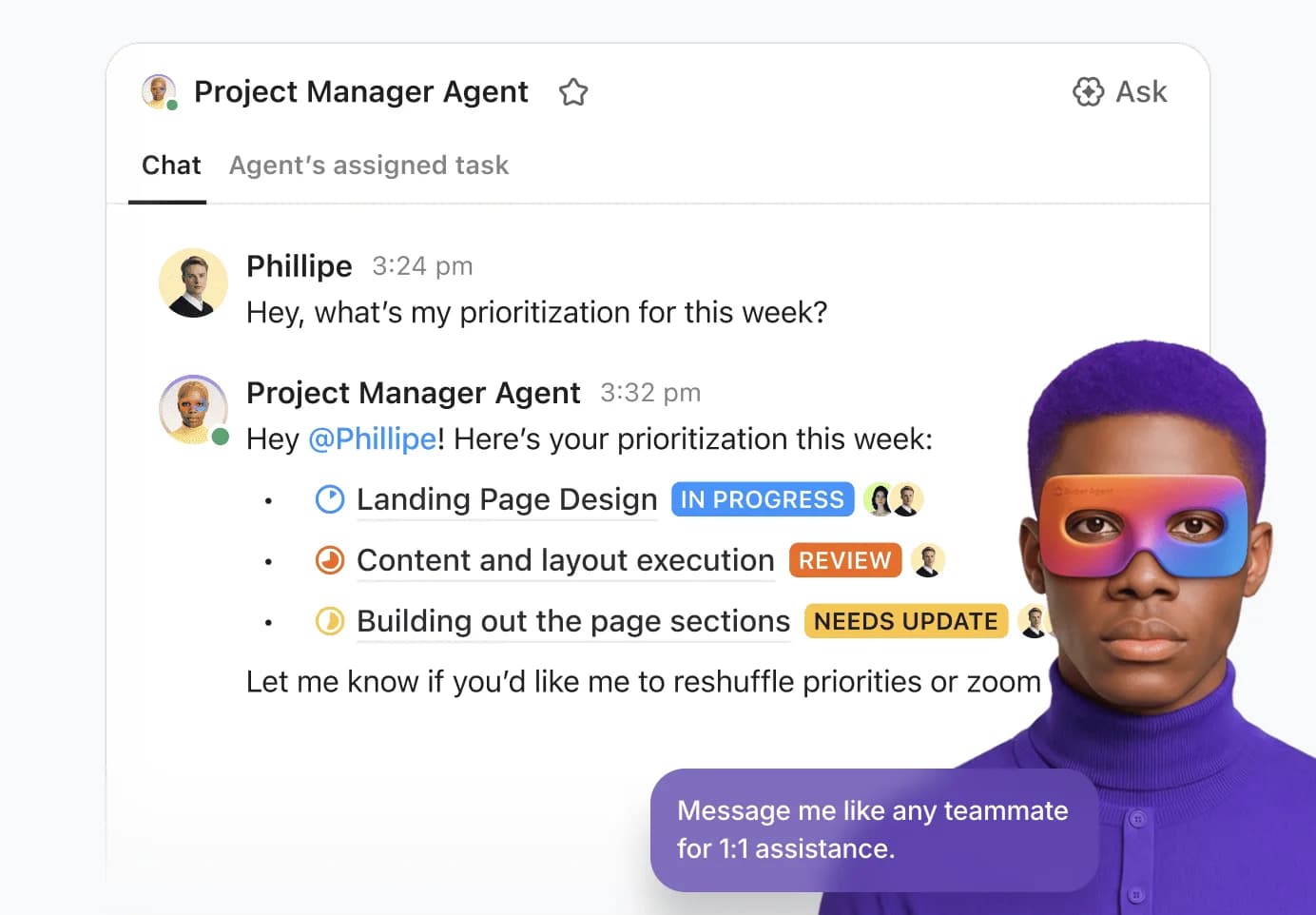
In ClickUp, you can connect those needs to project tasks and decisions, then use Brain and Super Agents to prepare updates and follow up on missing information.
1. Build the stakeholder record from your project context
Keep the project charter, kickoff notes, and stakeholder interviews in ClickUp Docs. Ask ClickUp Brain to review that material and draft an initial stakeholder list, with the source behind each entry.
For example:
“Review this CRM project charter and kickoff notes. List the people and teams mentioned, their responsibilities, and any approvals or handover requirements. Link each entry to its source. Separately list roles we should check for, without inventing names or decision rights.”
“Review this CRM project charter and kickoff notes. List the people and teams mentioned, their responsibilities, and any approvals or handover requirements. Link each entry to its source. Separately list roles we should check for, without inventing names or decision rights.”
Review the suggestions with your team, then create one task per stakeholder in a dedicated List. Use Custom Fields for their role, communication needs, relationship owner, and next review date. Link each record to the relevant approval or delivery tasks.
For the security reviewer, that could mean linking the vendor assessment and data-residency review. The record then shows what needs their attention, rather than simply labeling them “high power.”
2. Turn stakeholder discussions into decisions and follow-up work
After a review meeting, ask Brain to extract decisions, unresolved questions, and action items from the notes. Check the proposed owners and dates before creating follow-up tasks.
Suppose security approves the vendor but requests an access-control review before launch. Capture those as separate facts: the vendor decision is complete; the access review remains open. Link the follow-up task to the security stakeholder record and the launch work.
Try this prompt:
“Summarize the decisions in these meeting notes. Separate confirmed approvals from open questions. For each action item, list the stated owner and deadline, and flag anything missing.”
“Summarize the decisions in these meeting notes. Separate confirmed approvals from open questions. For each action item, list the stated owner and deadline, and flag anything missing.”
Keeping those distinctions explicit helps prevent a discussion, recommendation, or conditional approval from being reported as final sign-off.
3. Draft updates around what each audience needs to know
Ask Brain to prepare different versions of an update from the same project tasks and decision notes. Specify the audience, reporting period, and information to include.
For the CRM rollout, you might request:
“Using this project List and decision Doc, draft two updates for the past week. For the sponsor, summarize milestone changes, risks, and decisions needed. For sales managers, cover training dates, workflow changes, and actions for their teams. Link supporting tasks and flag missing information.”
“Using this project List and decision Doc, draft two updates for the past week. For the sponsor, summarize milestone changes, risks, and decisions needed. For sales managers, cover training dates, workflow changes, and actions for their teams. Link supporting tasks and flag missing information.”
Review the drafts before sharing them, especially dates, commitments, and sensitive details. ClickUp Dashboards can provide supporting progress views, while the written update explains what changed and what the reader needs to do.
4. Use a Super Agent for recurring checks and reporting
Once you have a reporting format that works, configure a ClickUp Super Agent to run the recurring review. Give it access to the relevant project List and Docs, define its schedule, and specify where its output should go.
For example, a stakeholder-update agent could:
- Review approval tasks due within the next two weeks and flag missing owners or overdue responses
- Summarize changes to milestones and open decisions
- Draft the weekly sponsor update in an internal review Doc
- Create follow-up tasks for missing information when configured with the appropriate tools
Write the escalation rules into its instructions. If the security review is overdue, the agent should flag it to the project owner, not assume approval or change the launch commitment.
In this ClickUp community webinar, a contributor demonstrates a scheduled Super Agent that summarizes project activity into a leadership-facing tracker:
Keep candid assessments of influence, concerns, or resistance in an internal register. Check the agent’s access and output destination before enabling it, and share only the information each stakeholder needs. The project manager still owns relationship judgments and approval decisions; Brain and Super Agents help gather the context and maintain the follow-through.
Need a visual brief for your next stakeholder review?
Use ClickUp Artifacts to turn project information into an interactive review deck. For the CRM rollout, ask Brain: “Create a sponsor briefing from this project List and decision Doc. Include milestone progress, unresolved approvals, and decisions needed, with links to supporting tasks.”
The walkthrough below shows Brain generating a quarterly review deck from Workspace context. Review the content and sharing permissions before distributing yours.
Make Stakeholder Input Part of Project Decisions
Stakeholder engagement should give people a meaningful opportunity to shape the work that affects them. A support team may identify a handover gap, an end user may reveal a process the requirements missed, and a sponsor may help resolve a trade-off the project team cannot settle alone.
You won’t be able to satisfy every request. What matters is understanding the need behind it, explaining the constraints, and making clear who decides. When a suggestion cannot be adopted, explain why and what happens next. That gives stakeholders a clearer basis for working with your team, even when they disagree with the outcome.
ClickUp helps keep those discussions connected to project decisions and delivery. With Brain and Super Agents supporting preparation and follow-up, you can spend more time on the conversations that need your judgment.
Frequently Asked Questions
What is a key stakeholder in a project?
A key stakeholder is someone whose involvement, authority, or needs require particular attention for the project to succeed. They may control funding or approvals, contribute essential expertise, or be significantly affected by the outcome. High interest is not a requirement: an approver who rarely attends meetings may still be critical.
Is the project manager a stakeholder?
Yes. The project manager is a stakeholder because they influence delivery and are affected by the outcome. Project team members are stakeholders too, with interests such as realistic workloads, clear responsibilities, and access to the resources they need.
What is the difference between a stakeholder and a shareholder?
A shareholder owns equity in a company. A stakeholder can affect or be affected by a project, activity, or decision without owning any shares. Shareholders may be stakeholders in a project, but customers, employees, suppliers, and affected communities can be stakeholders too.
How many stakeholders should a project have?
There is no fixed number. Identify stakeholders based on the project’s scope, dependencies, decisions, and effects rather than aiming for a target count. You can group people with similar needs, but name individual contacts where approvals or follow-up require a specific owner.
How do you handle conflicting stakeholder requests?
Compare the requests against the agreed project objectives, constraints, and decision rights. Document the trade-offs and take unresolved choices to the authorized decision-maker. If a request changes scope, cost, or timing, use the project’s change-control process rather than treating it as an approved task.
Should every stakeholder see the full stakeholder register?
Everything you need to stay organized and get work done.