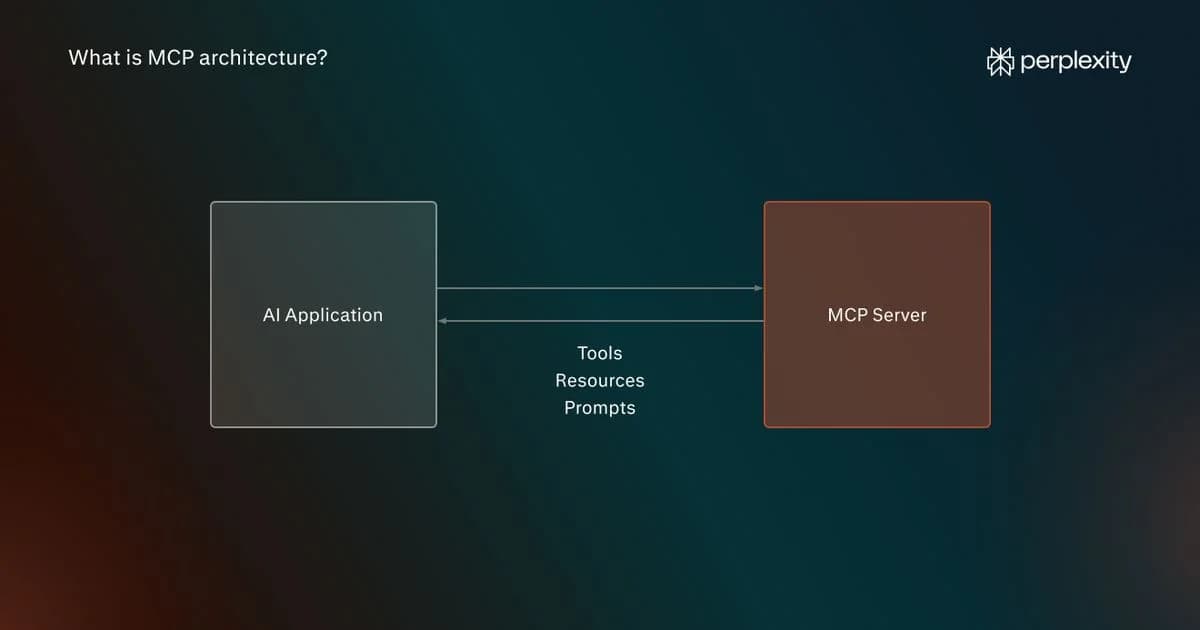
MCP architecture is the foundational set of components and communication rules that make MCP (Model Context Protocol) possible. MCP is an open-source standard, and MCP architecture is the underlying infrastructure that it runs on.
Any given MCP architecture contains and is built around three core components: a host, a client, and a server. MCP’s communication framework is often described as being made up of a data layer and a transport layer later. The data layer is the set of rules for how messages are formatted (MCP requests are sent in JSON-RPC 2.0). The transport layer carries those messages, using Streaming HTTP for external connections.
What is MCP architecture?
MCP architecture is a server framework that implements the Model Context Protocol, an open standard for connecting AI models to tools, resources like databases, and prompts that extend input context. These are collectively called “primitives.” Ultimately, MCP architecture allows LLMs to discover which tools are available and execute workflows, all without requiring regular updates on the client side.
Since being introduced by Anthropic, MCP architecture has become widely used in AI workflows. This is largely because it replaces more maintenance-heavy systems, such as those built around multiple API connections, without sacrificing performance. Because all available functionality sits behind the MCP server, only one connection is required, and updates and additions are immediately available to the client application.
MCP architecture components: Hosts, clients, and servers
MCP gives LLMs a means of discovering and calling the tools, prompts, and resources available to them either on the host application’s local system or from an external provider.
In the case of tools, which provide access to external functionality, discovery involves the host making a tools/list call to the MCP server to find which tools are available. The LLM (or in some cases the host) can then read the descriptions of the available tools and request them as needed. Prompts and resources use a similar process.
This stands in contrast to bespoke API-based architecture, which has been the norm in software development, where functionality outside of the app had to be called using dedicated connections with precisely formatted requests.
Host
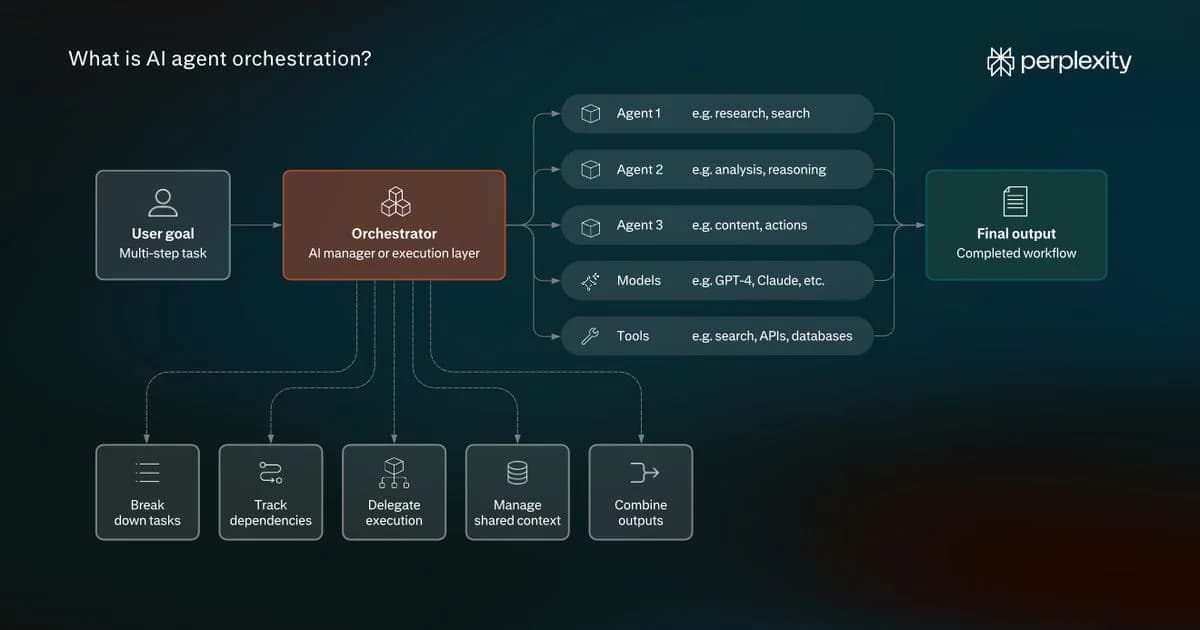
The host application is the central orchestration platform and connects to an LLM. Well-known tools like Perplexity and Claude Desktop can act as hosts within an MCP system.
In a simple workflow, the user asks a question via the chat interface. The orchestrator component of the host then adds context to the question, telling the LLM which MCP primitives are available along with a description of their capabilities.
Client
The client is a software component in the AI application. MCP provides a standard interface for the client to communicate with internal and external MCP servers based on the instructions of the host or LLM. Its job is to establish a connection, format JSON-RPC messages, send requests, and receive responses.
The terms “MCP host” and “MCP client” are sometimes used interchangeably. It is, however, a useful distinction because a host, such as Perplexity, might orchestrate multiple MCP clients at one time. A complex AI workflow could require access to dozens or even hundreds of separate MCP servers, and each one will use a separate connection.
Server
The server exposes all the tools that the AI-based tool can use. From an architectural perspective, the MCP server interprets the incoming request and, when needed, connects to the requested primitives.
MCP servers can provide access to three categories of primitives:
- Tools: These are essentially external software functionalities. If you consider a traditional API-based approach, a web analytics application might retrieve data using a formatted request to an external server. In MCP architecture, all third-party functionality from a provider is available via a single connection, and requests are created in standard formatting rules.
- Resources: Resources are data sources that provide read-only context. Database schemas are a good example. The MCP server exposes the various information sources that are available to host. If the host queries the database, such as with an LLM-generated SQL search, this is considered a tool request.
- Prompts: These are reusable prompt templates that help LLMs perform specific tasks. An user or host will call a prompt instead of a tool because it requires ready-made instructions to complete a task. Often, pre-set tasks in a host application, such as the option to “review code” or “analyze data,” are stored as prompts that the user can select.
It’s also worth noting that MCP and API are not mutually exclusive technologies. The MCP server may expose API calls that are available in response to a discovery request. The key is that it is up to the MCP provider to maintain these, not the client.
What is the data layer in MCP architecture?
The data layer in MCP architecture is the set of rules that define how requests, responses, and notifications are formatted. The standard language for messages is JSON-RPC.
All MCP architecture follows a basic process of (1) initialization and discovery by the host, (2) response by the MCP server, and (3) a call by the host (sometimes decided by the LLM), with each stage representing a separate JSON message.
Let’s look at how tool discovery works through two examples (these could apply to resources or prompts):
- Discover tools before LLM generation: The host initiates the MCP client, which sends a tools/list request (the MCP server’s list of available tools). The LLM reviews this during the generation process and determines if a particular tool, resource, or prompt is needed.
- Provide the LLM with the option to run a search: In an agentic system, the host adds a discovery option, such as search-tools, to the context input, and the LLM can request a search if needed.
Tools, which are by and large external application functionalities, are typically selected by the LLM or host. Resources and prompts are usually requested at the behest of the user or by the host.
Here’s what a tools/list request to an MCP server looks like from an imaginary notes application:
json
{ "jsonrpc": "2.0", "id": 101, "method": "tools/list", "params": { "_meta": { "io.modelcontextprotocol/protocolVersion": "2026-07-28", "io.modelcontextprotocol/clientInfo": { "name": "notes-app-client", "version": "0.1.0" }, "io.modelcontextprotocol/clientCapabilities": {} } } }
In this example, “id”:101 identifies the request using an ID so the client can match responses, and the “params” field contains additional information about the client, such as the client name (notes-app-client) and capabilities.
In response, the MCP server will return tool definitions, which include the names of available tools and their associated details. For example, the list might include an add-task tool that allows the notes application to create tasks in a connected task management or calendar application, assigning each task a title and priority.
Here’s what a request might look like:
json
{ "jsonrpc": "2.0", "id": 202, "method": "tools/call", "params": { "name": "add-task", "arguments": { "title": "Review the draft", "priority": "medium" }, "_meta": { "io.modelcontextprotocol/protocolVersion": "2026-07-28", "io.modelcontextprotocol/clientInfo": { "name": "notes-app-client", "version": "0.1.0" }, "io.modelcontextprotocol/clientCapabilities": {} } } }
The “method” field tells the MCP server that it is a tool call, “name” specifies which tool to call, and “arguments” supplies the required inputs.
What is the transport layer in MCP architecture?
If the data layer is the what of the connection between a client and an MCP server, the transport layer is the how. It defines the way in which messages travel: the specific channel and the rules that govern how requests and responses are delivered.
MCP has two transport paths:
- Standard input/output: This is used when the MCP server runs in the same local environment as the host app. The client writes the JSON request to the server’s standard input. The server reads it, performs the requested operation, and writes the response to standard output.
- Streamable HTTP: When the MCP server runs externally to the host application, the MCP client sends requests to the server using HTTP POST. The server responds either with a single JSON message or with a Server-Sent Events (SSE) stream, a persistent “listening” channel, allowing it to return multiple messages over time.
What is MCP multi-tenant architecture?
MCP multi-tenant architecture is a type of implementation that can serve multiple users (tenants) simultaneously.
Here, a tenant can be an individual, a group of individuals, or an organization. The implementation can involve running a separate MCP server for every tenant, providing access to a single shared server, or placing a set of servers behind a central gateway. When a gateway is used, it routes requests to the correct endpoints based on the identity of the user or the nature of the request.
It works on the same basic principle as standard MCP architecture, but individual user requests operate in their own workspace (even if that entails shared resources) and are authenticated separately. It’s common in enterprise scenarios, and shared resources are often preferred because running multiple MCP servers would be unnecessarily costly.
MCP architecture diagram: Step-by-step walkthrough
What does an end-to-end MCP request look like in practice? There are eight core stages, each of which involves a distinct architecture component.
Here’s what an MCP tool call looks like in practice, using the previous example of a notes application connected to a task management service:
- Tool discovery: The notes application (host) uses its MCP client to request the server’s available tools through a tools/list request. The server returns their names, descriptions, and expected inputs, including those for the add-task tool. This may happen before you submit a prompt.
- User input: You submit a request to the LLM-based notes application via the in-app chatbot, such as, “Create a task in my calendar to review my new draft with medium priority.”
- Model processing: The host sends your request and the relevant tool definitions to the LLM.
- Tool selection: The LLM generates a structured tool request, specifying the tool and its inputs: add-task with title: Review the draft and priority: Medium. The host checks whether the action is permitted and passes the request to the MCP client, which sends a JSON-RPC message.
- Request: The MCP client sends a tools/call request to its MCP server.
- Tool execution: The MCP server calls the task management application's API to create a new task with the specified title and priority.
- Result return: The server sends the result back to the MCP client, which passes it to the host. The host adds it to the information supplied to the LLM.
- Answer generation: The LLM uses the result to generate an answer for the user, such as “I've created a task to review the draft with medium priority.”
How is MCP architecture different from traditional API architecture?
MCP and traditional API architecture are often confused, but they’re complementary technologies. The MCP was specifically designed for AI-based applications. It overcomes the high-maintenance burden of implementing and managing multiple hard-coded API connections.
By providing a host application with a single connection per functionality provider or internal resource, MCP helps remedy the issue of bloated context input (listing all APIs) or limited API-based application scripts.
Instead, MCPs can expose APIs (or, rather, the functionality that calls APIs) as part of their tool list. Whenever a provider updates their app and there is a new API, or if documentation changes, they simply update the MCP server. No code changes are required on the side of the host app.
Is MCP architecture secure?
MCP security has been the topic of much debate since its introduction. While it is generally considered a safe technology, there are several security risks, many of which are more prominent in complex architecture implementations.
MCP architecture presents the following potential weaknesses:
- Prompt injection: A user inserts a malicious prompt into external data that the AI model misinterprets as an instruction.
- Over-privileged access: MCP servers can potentially expose a large number of tools to an AI model, which can increase the potential for security issues (the blast radius).
- Accidental data leaks: It’s possible for poorly configured implementations to result in sensitive information, like API keys or database credentials, being passed on to an LLM.
- Local system manipulation: Local MCP servers are just as vulnerable to local system issues, like malicious scripts, as any other applications, with the added issue that they can have downstream harmful effects on agentic AI systems.
None of these issues are insurmountable. Often, established measures are all that are needed to ensure system safety. Measures like having a human in the loop, enforcing strict controls around sensitive data, and guarding against server attacks are all common practices.
What’s next for MCP architecture?
MCP has proven to be a useful and popular open standard for developers. It overcomes many of the problems of hard-coded APIs in LLM-based applications and substantially reduces the coding burden on developers.
Moving forward, the underlying host and server architecture of MCP will almost certainly remain the same. Future innovations will center on advanced agentic abilities across multi-step workflows.
In addition, there will need to be stronger security safeguards as those agentic functionalities are implemented and scalable architecture, especially in the transport layer, as AI systems become more extensive and complex.