Supercharge your tools with AI-powered features inside many JetBrains products
Agentic AI AI JetBrains JetBrains AI
As agents write more code, individual productivity goes up, but the bottleneck moves to review. 49% of developers now spend four or more hours a week reviewing AI output and correcting prompts (Atlassian State of Developer Experience Report 2026). We believe this means you need to understand what changed, decide whether it belongs in your codebase, and be able to maintain it after the session ends.
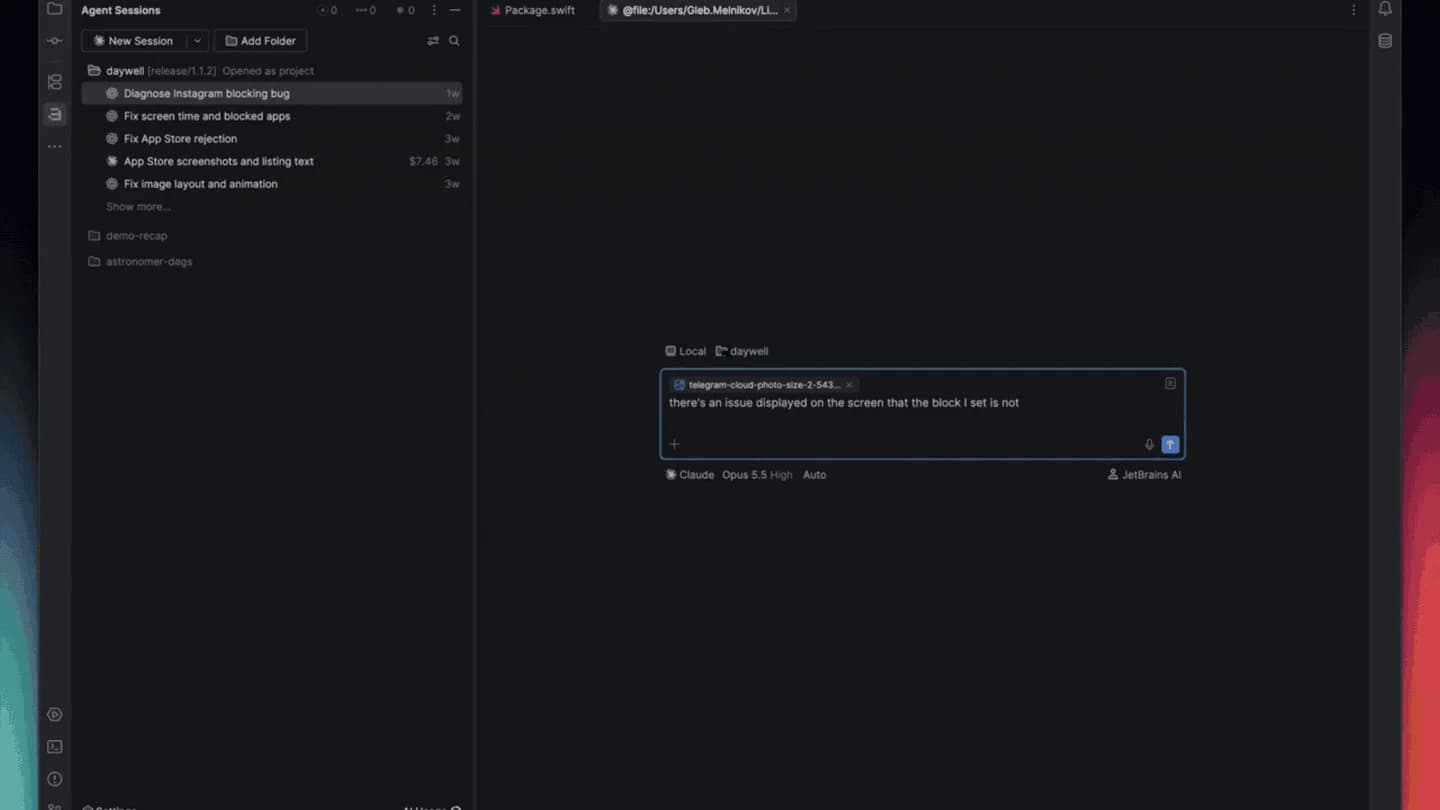
This is why we shipped Air in JetBrains IDEs, with the 2026.3 release. This allows you to bring your coding agents into your existing development environment, with one place to track their progress, review their changes, and send feedback. It is a major step in making JetBrains IDEs more agentic, while still respecting classical workflows, where the developer remains in control and at the center of everything.
Air is more than a new place to chat with AI. Because it runs inside the IDE, it brings IDE code intelligence to you and your agents. Through the IDE’s MCP server and built-in skills, agents can check inspections, run your build and run configurations, query your databases, and use the IDE’s own refactorings. In IntelliJ IDEA and CLion, they can also drive the debugger.
In this post: Key features of Air | Coming from AI Assistant | Free AI | FAQ
Key features of Air in JetBrains IDEs
Parallel agent sessions, worktrees, and notifications
Follow sessions across projects in one place to understand which agents are working, which need your input, and which have unread results. Notifications tell you when an agent needs you. Give each agent its own local Git worktree so that parallel sessions don’t collide, and review its changes as with any other session. Worktrees that agents create on their own aren’t tracked in Air yet, but we’re working to make this a reality.
Start sessions from presets
Save the agent, model, and instructions you use for a type of task as a preset. Start a new session from it instead of setting everything up again, and keep separate presets for different use cases.
Your existing agents and subscriptions are supported
Air works with agents such as Junie, Codex, Claude Agent, and GitHub Copilot, and connects to other compatible agents through ACP. Bring compatible agents already installed on your machine or add them from the registry, then choose your model and connect your subscription.
Depending on the setup, that can mean your existing provider subscription, an API key, or JetBrains AI. A paid JetBrains AI subscription is not required.
You can also use your Claude Pro or Max subscription with Claude Code in Air’s terminal surface, which opens as a full-screen IDE tab.
Reviewing agent code and Code Notes
You do not have to write every line to own it, but you do need to understand it. When an agent finishes, open the review panel to see what the session changed, then use the IDE’s own tools to check it: navigate the code, run inspections and tests, or use the debugger. Leave Code Notes on specific lines to request changes or ask questions, and send them back to the session with the code context attached.
Code Notes also work with Air’s terminal agents, so you can review their outputs in the IDE and steer the next iteration without giving up your terminal workflow.
IDE intelligence for you and your agents
Supported agents can use native JetBrains IDE capabilities, including debugging, profiling, database management, and semantic code search. You retain access to the exact same tools to inspect and verify their work.
Code completion and next edit suggestions
Code completion keeps working in the editor as before, and it does not count against your JetBrains AI quota. Next edit suggestions work with Air when you sign in with a JetBrains AI subscription or GitHub sign-in.
Ability to disable Air
As the developer in the driver’s seat, you choose whether to use it, and how much. Ask an agent a question as you work, delegate a change, or keep writing the code yourself.
You can disable Air itself in Settings | Plugins and restart the IDE.
Coming from AI Assistant
Here’s what’s new if you’re coming from AI Assistant.
More usage and quota visibility
Air shows the cost of your current session (in tokens or money) and lets you check your remaining JetBrains AI quota and reset date without leaving the IDE. We’re working on the same view for Codex, Claude, and Copilot subscriptions. Users in organizations get a link to JetBrains Console for analytics or managing their team’s AI use.
Commit message generation
When the changes are ready, Air drafts a commit message from the changes you select. Edit it, then commit when you’re ready.
Air as a tool window on the right
The most requested change was a familiar layout. Air can open as a compact tool window on the right, the layout you know from AI Assistant, or as an editor tab when you need more space. In the bottom left-hand corner of Air, open Settings, then hover over Show Chat and select the In Toolwindow option.
AI Assistant remains available
AI Assistant is still available and supported as a separate plugin until early 2027. If switching to Air hid AI Assistant, to bring it back, press Shift twice, search for “Open AI Assistant”, and follow the prompts. See the guide for more details.
Air comes with free AI
We’ve made our coding agent Junie free to use with its Lite configuration. Sign in with your JetBrains Account, give it a task, and use Air to review the result. It also covers the everyday questions you may have asked in the AI chat. No JetBrains AI subscription is required.
Air in JetBrains IDEs is available from version 2026.3. Update your IDE and open Air. Tell us how it fits into your workflow. Leave a comment below or share your feedback on YouTrack.
Fair use applies. Terms and available models may change.
Frequently asked questions
Can I use my Claude subscription in Air?
Yes, you can. Open the agent menu and select Manage Agents, then for Claude, select Terminal instead of Chat. Start a new session to open Claude Code in a full-screen editor tab, and then log in with your Claude subscription. Claude Agent in Air’s chat view requires a JetBrains AI subscription or an Anthropic API key.
Which coding agents does Air support?
Air supports Codex, Claude Agent (in the chat), Claude Code (in the terminal), Gemini, GitHub Copilot, DeepSeek, OpenCode, Cursor, Pi, Grok, Kimi, Kilo, and many more through .
What is the difference between Air in JetBrains IDEs and Junie?
Air is the workspace inside your JetBrains IDE where you run coding agents and review their work. Junie is JetBrains’ coding agent, which you can use through Air. Air also supports agents from other providers.
Do I need a JetBrains AI subscription to use Air in JetBrains IDEs?
No. A paid JetBrains AI subscription is not required for local agent workflows in Air. Use a supported provider account or API key, or sign in with a JetBrains Account to use Junie Lite for free. Provider charges, usage limits, and fair-use terms still apply.
Does Air automatically start agents or send my code to an AI provider?
No. Air does not automatically start agents or send your code to an AI provider. You choose and authorize an agent before using it. Data handling then depends on the agent and provider you select and their applicable terms.
Where is the AI Assistant chat?
We’ve moved AI Chat over as agent sessions in Air. For quick questions, use Junie with the Lite or Luna model and set Effort to Off. Your previous AI Chat conversations will be automatically converted to Junie sessions, so you can pick up where you left off.
Are code completion and next edit suggestions available in Air?
Yes. Both keep working in the editor. Code completion does not use your JetBrains AI quota, and next edit suggestions are available with a JetBrains AI subscription.
Does Air work with remote development?
Yes. When you connect to a remote backend, Air and your agents run on the backend alongside your code.