Projects don’t stall in the plan. They stall in the gaps between people. A review sits unclaimed. A status update goes out three days late. Someone spots a dependency on Thursday and mentions it on Monday. AI agents for project management earn their keep in those gaps.
McKinsey’s State of AI 2026 survey found that 80% of respondents say AI has improved their own productivity. Only 37% attribute any EBIT impact to AI, a share essentially unchanged from 2025. Individual speed went up. Delivery didn’t follow.
An AI agent for project management is software that reads project context, decides the next step, and acts within limits your team sets. Typical actions include assigning a reviewer, chasing a missing input, or drafting the Friday status report. This guide covers six setup steps, three worked examples, and the mistakes that get agent pilots canceled.
TL;DR: AI agents for project management are AI systems that monitor project work and take bounded actions like updating tasks, routing handoffs, and flagging risks. The agents that improve execution own a specific handoff between two people instead of speeding up one person’s chores. Most teams stall because they bolt agents onto individual tasks and untidy workflows. This guide shows how to pick the right handoff, set guardrails, and measure the wait it removes.
What Are AI Agents for Project Management?
An AI agent for project management reads tasks, comments, and documents, then picks a next step and acts on it inside your project tools. A chat assistant answers when someone asks. An automation runs a fixed if-this-then-that rule. An agent handles the cases in between, where the right move depends on context the rule can’t see.
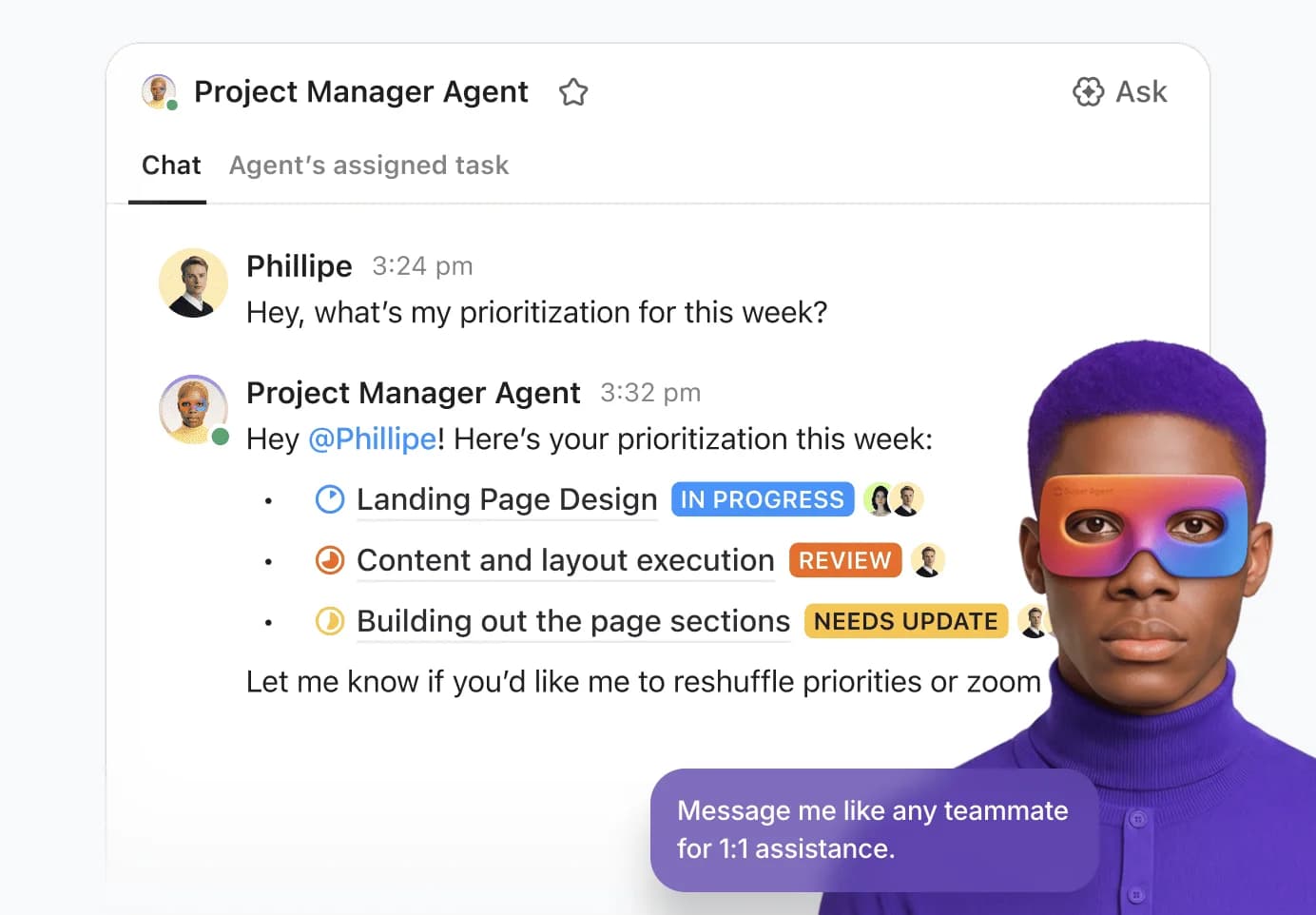
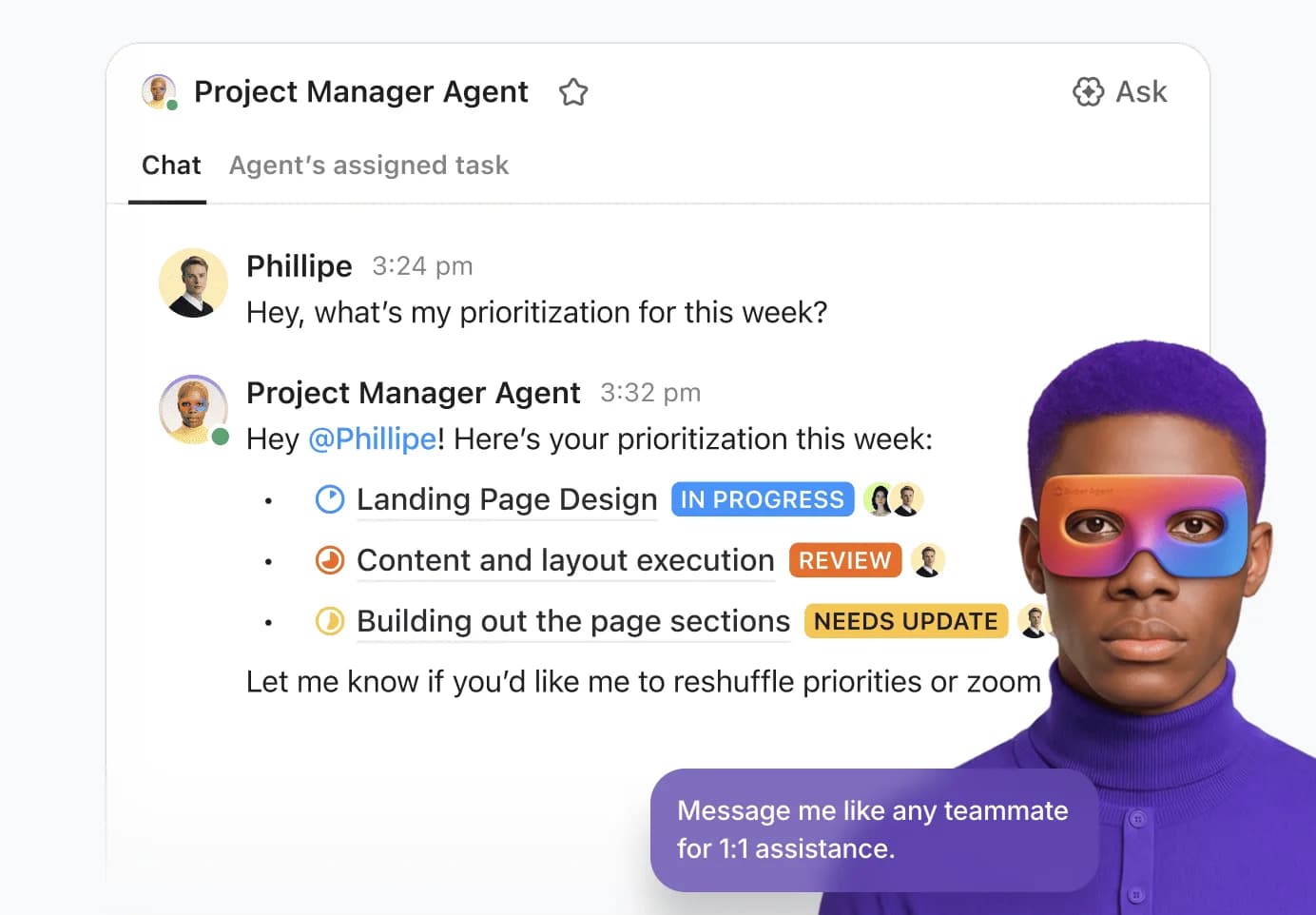
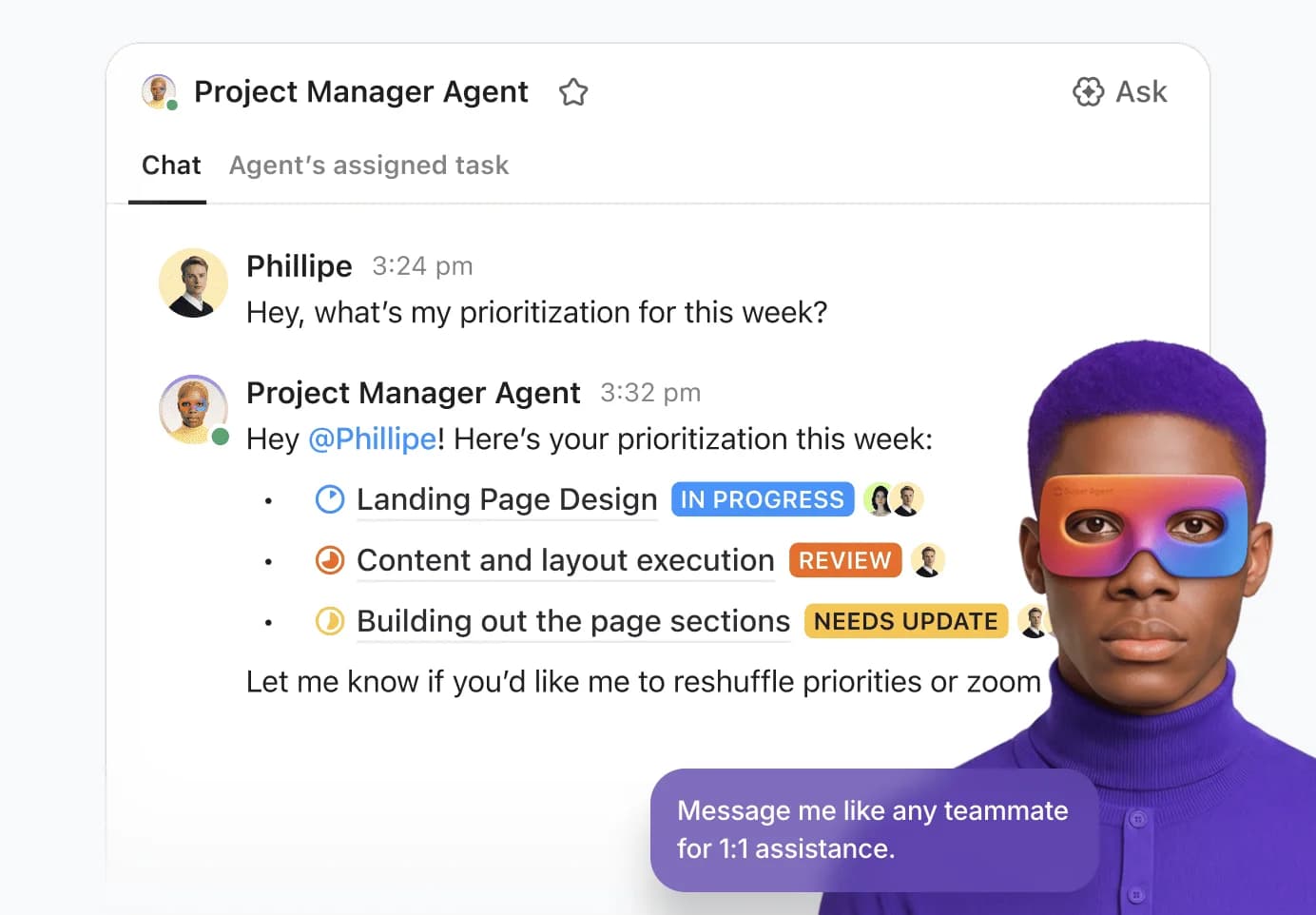
Vendors give these agents different names. Asana calls its version AI Teammates, Atlassian builds agents on Rovo, and ClickUp calls its agent tier Super Agents. The label matters less than three properties: events can trigger the agent, it can act through tools, and someone can audit what it did. Our explainer on the main types of AI agents covers the wider taxonomy, including ambient agents that work in the background.
Treat the label with suspicion. Gartner estimates that only about 130 of the thousands of vendors claiming agentic AI offer real agentic capability. It calls the rest “agent washing”: rebranded chatbots, assistants, and robotic process automation.
Why AI Agents Improve Execution More Than Planning
AI agents improve project execution because they remove waiting time between people. Waiting time is where schedules slip. Microsoft’s June 2025 Work Trend Index special report found that 48% of employees and 52% of leaders say their work feels chaotic and fragmented. The average employee receives 117 emails and 153 Teams messages a day. A project manager can’t personally watch every thread in that volume. An agent can.
Status updates stop depending on memory
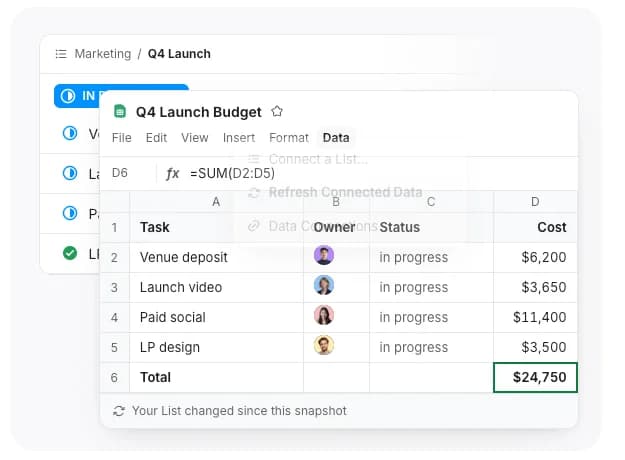
A status report built by hand reflects whatever the project manager remembered to check. An agent that reads closed tasks, overdue items, and blocker comments every Friday drafts the same report from the full record. The project manager spends 10 minutes editing instead of an hour assembling. The weekly status report also stops missing the item that only came up in a side thread.
Handoffs get picked up the same day
When a task moves to “ready for review” and the reviewer field is empty, the work sits. An agent watching that status change can assign the reviewer from the project’s ownership table, set a two-day deadline, and comment on the task. The developer stops wondering whether anyone saw it.
Dependency risks surface while there is time to act
A slipped design task on Tuesday is a slipped build on Friday. Agents that read due dates and task dependencies can warn both owners when an upstream date moves, before the downstream owner discovers it at standup.
Meeting decisions turn into assigned tasks
Decisions made in meetings decay fast when nobody converts them into tasks. Agents that read meeting notes can create tasks with owners and dates, then post a recap in the project channel. Our guide to AI agents for meetings covers that use case in depth.
Stakeholders get answers without pinging the project manager
“Where are we on the launch?” is the most common interruption a project manager gets. An agent with read access to the project can answer it from live task data. That keeps stakeholder communication consistent and frees the project manager for conversations that need judgment.
The handoff test: why some agent pilots get canceled
Gartner predicts that over will be canceled by the end of 2027. The firm cites escalating costs, unclear business value, and inadequate risk controls. McKinsey’s data points to the pattern behind that number. Nearly three-quarters of AI high performers report fundamentally redesigning workflows because of AI, compared with one-quarter of other respondents.
Anushree Verma, Senior Director Analyst at Gartner, put the distinction plainly in the firm’s June 2025 release:
To get real value from agentic AI, organizations must focus on enterprise productivity, rather than just individual task augmentation. They can start by using AI agents when decisions are needed, automation for routine workflows, and assistants for simple retrieval.
To get real value from agentic AI, organizations must focus on enterprise productivity, rather than just individual task augmentation. They can start by using AI agents when decisions are needed, automation for routine workflows, and assistants for simple retrieval.
To get real value from agentic AI, organizations must focus on enterprise productivity, rather than just individual task augmentation. They can start by using AI agents when decisions are needed, automation for routine workflows, and assistants for simple retrieval.
That gives a practical test before deploying any agent. Name the handoff it owns: who passes the work, who receives it, what “ready” means, and how you will measure the wait it removes. If you can’t name those four things, the agent is doing task augmentation. That still has value, since a good summary saves real minutes, but it won’t move a delivery date.
Vendors are converging on the same view. “Everyone is building autonomous agents, but autonomy is the wrong goal,” Asana CEO Dan Rogers said when the company announced AI Teammates. Collaboration inside a defined workflow beats a free-roaming agent with broad permissions.
Which Type of AI Agent Fits Your Project Workflow?
Three types of AI agents show up in project work. General-purpose assistants add agent features to chat. Integration-based builders span your stack. Workspace-native agents run inside your project management tool. The right type depends on where your project data lives and who will maintain the agent.
General-purpose AI assistants
ChatGPT, Claude, Gemini, and Microsoft Copilot are the starting point for most project managers. They reason well, draft well, and cost little to try. Several now offer connectors or agent modes that can browse, read files, and take actions in linked apps.
Flexibility is the draw. A project manager can paste a scope document and get a first-pass risk register in minutes. The same chat can suggest three ways to resequence a slipping plan. For planning work done by one person, that is hard to beat.
Context is the gap. These assistants know only what you connect or paste in, and they act when someone prompts them. A general assistant won’t notice that a task moved to “ready for review” at 4 p.m. unless a person asks. Teams that rely on them for execution end up copying status between tools, which adds a step instead of removing one.
Best for: individual project managers drafting plans, risk registers, and stakeholder updates.
Skip it if: you need actions to happen when project events occur, without someone starting the conversation.
Integration-based agent builders
Agent builders that sit across your stack connect a CRM, a form tool, a project tool, and chat through APIs. They shine when a workflow crosses systems. A signed deal in the CRM, for example, should spin up an onboarding project with the right owners.
Reach is the payoff. One agent can read from five tools and write to three. For operations teams with a technical owner, that turns multi-tool handoffs into one monitored flow. It also adds judgment steps to classic workflow automation.
Maintenance is the catch. Every connection is a place where a renamed field or an expired token can break the flow quietly. The agent also sees only what passes through each step, so it lacks the comment history and document context a project manager would check. Someone has to own the workflow when it breaks, and in most teams that someone is not the project manager.
Best for: operations teams running handoffs that span several systems, with a named technical owner.
Skip it if: nobody on the team has time to debug a broken connection on a Tuesday afternoon.
Workspace-native agents inside the project tool
Atlassian Rovo agents work across Jira and Confluence, Asana AI Teammates run inside Asana projects, and ClickUp Super Agents live inside ClickUp. All three read tasks, comments, and documents natively and act where the work already happens.
Context plus control is the payoff. A native agent sees the task history, the linked doc, and the owner field without a connector. Its actions land in the same audit trail as human changes. Asana’s AI Teammates overview, for example, describes a Workflow Optimizer that audits handoff timestamps to find where work sits idle.
The trade-off is lock-in and data hygiene. A native agent works only inside its platform, and it inherits whatever mess the workspace holds. If half your projects live in spreadsheets and chat threads, the agent sees half the picture. That is the work sprawl problem showing up in AI form. Usage-based AI costs also need a budget owner.
Best for: teams whose projects already live in one work management tool.
Skip it if: your work is spread across five tools and nobody plans to consolidate.
What Does an AI Agent Need Before It Can Run a Project Workflow?
An AI agent needs a clean, structured workflow before it can act on it reliably. Atlassian’s own guidance makes the same point: agents amplify existing practice and can’t fix a broken workflow. Check these before you build:
- One owner per task: the agent needs a named accountable person to assign, notify, or escalate to.
- Defined statuses: “ready for review” must mean the same thing on every task, or the agent can’t trigger on it.
- A written definition of ready: the checklist the agent verifies before passing work forward.
- A source of truth for ownership: a RACI matrix or table the agent reads to pick reviewers and backups.
- One trigger per job: an event, a schedule, or a mention, chosen deliberately.
- A limited tool set: only the actions the job needs, such as comment and assign, without edit rights to dates or scope.
- A human checkpoint: the actions that require approval, written into the instructions.
- An audit trail: a log of what the agent did, so mistakes are visible and reversible.
- An escalation path: who the agent notifies when it can’t decide.
- A baseline metric: the wait time or hours you will compare against after the pilot.
How to Use AI Agents for Project Management in Six Steps
To use AI agents for project management, pick one handoff where work waits and give an agent that single job. Then set its trigger and permissions, pilot it against a baseline, and review its log weekly.
Step 1: Map the handoffs where work waits
Start by finding where work sits idle between two people. The goal is a ranked list of handoffs, not a list of tasks you dislike.
Execution delays rarely come from slow work. They come from work nobody has picked up yet. A design file finished on Monday that the developer sees on Wednesday costs two days of schedule without anyone being slow.
Pull the last month of tasks. Compare the time spent in waiting statuses, such as “ready for review” or “waiting on client,” with time in working statuses. In Jira, a control chart shows time per status. In a spreadsheet tracker, add a column for the date each status changed. Rank the handoffs by total waiting hours.
Step 2: Write the agent’s job description
Write the agent’s instructions the way you would brief a new coordinator: role, trigger, actions, limits, and reporting.
Vague instructions produce vague behavior. “Help with reviews” gives the agent nothing to check. A narrow brief produces predictable actions you can audit. Here is an example for a web team’s review handoff:
- Role: You are the review handoff agent for the Web team.
- Trigger: A task moves to Ready for review.
- Do: Check the reviewer field. If it’s empty, assign the reviewer listed for that page type in the project’s ownership table. Comment with a review deadline two business days out.
- If the reviewer is out of office, assign the backup and notify the task owner.
- Don’t: Change due dates, priorities, or scope. Ask the project lead instead.
- Report: Every Friday, post a list of reviews older than two days in the project channel.
Our guide to prompting best practices for AI agents goes deeper on structuring instructions.
Step 3: Choose the trigger
Pick how the agent starts work: an event, a schedule, or a direct request.
The trigger decides whether the agent removes waiting time or adds a new place to ask. Event triggers suit handoffs, scheduled triggers suit reports, and mentions suit questions.
In Jira with Rovo, agents can be called from issues and wired into Jira automation. In Asana, AI Teammates sit inside projects alongside rules. In ClickUp, Super Agents support event, schedule, and mention triggers.
Step 4: Set permissions and approval checkpoints
Decide what the agent can do alone and what needs a person to approve.
Over-permissioned agents create the risk-control failures behind Gartner’s cancellation forecast. Under-permissioned agents can’t finish the job and get abandoned. The balance is routine actions on autopilot and anything touching scope, dates, or external stakeholders behind approval.
Give the agent only the tools the job needs: comment, assign, and create subtasks for the review agent, with no rights to edit dates. Write approval rules into the instructions, such as “propose a new date in a comment and wait for the project lead.” Then check what data the agent can read. Knowledge you attach can surface in answers to anyone allowed to use the agent.
Step 5: Run a two-week pilot against a baseline
Run the agent on one team for two weeks and compare against the baseline you recorded in Step 1.
A pilot without a baseline produces opinions instead of evidence, and opinions are what get agent budgets cut. A single number, measured before and after, keeps the conversation factual.
Measure the wait time for the handoff you chose, such as hours between “ready for review” and the first reviewer comment. Track a second number for quality, such as tasks the agent assigned to the wrong person. Keep the pilot to one team so sprint planning and other rituals stay stable while you test.
Step 6: Review the agent’s log every week
Spend 20 minutes each week reading what the agent did and tightening its instructions.
Agents drift as projects change. New statuses appear, owners move, and edge cases surface that the original brief didn’t cover. A weekly log review catches the wrong assignment before it becomes a pattern.
Read the audit log, sort actions by type, and look for the three that needed human correction. Add one line to the instructions for each. Retire actions the team keeps undoing.
Examples of AI Agents in Project Management
These three examples show AI agents applied to different project handoffs. They are illustrative setups built from the steps above, so swap in your own team, statuses, and numbers.
Weekly status agent for a 12-person marketing team
Context: A marketing lead runs a quarterly campaign with 12 contributors and reports to a VP every Friday.
Structure: A scheduled trigger runs Friday at 2 p.m. in the lead’s timezone. The agent reads closed tasks, overdue tasks, and comments tagged as blockers. It drafts the report in a project doc with three sections: shipped, slipping, and decisions needed. The lead edits for 10 minutes and sends it.
What’s different: The agent never sends anything to the VP directly. A person stays between the draft and the stakeholder, which keeps tone and judgment human.
QA handoff agent for a six-engineer product squad
Context: A product squad loses a day or two per ticket between “ready for QA” and a tester starting work.
Structure: An event trigger fires when a ticket enters “ready for QA.” The agent checks that acceptance criteria and a test environment link are present. If either is missing, it comments to the developer and moves the ticket back. If both are present, it assigns the on-call tester and sets a one-day pickup target.
What’s different: The agent enforces the definition of ready. Testers stop receiving incomplete tickets, and the bounce-back happens in minutes.
Intake agent for a client services agency
Context: An agency receives project requests from several clients through a form, and half arrive missing a deadline or budget.
Structure: A form submission triggers the agent. It checks the brief against a required-fields list and posts questions about anything missing. Once the brief is complete, it creates a task and assigns the owner listed in the service-line table. A due date follows the agency’s turnaround standard.
What’s different: Anything that commits scope, such as a quote or a launch date, waits for an account lead’s approval. The agent handles completeness, while people handle promises to project stakeholders.
How to Keep Project Agents Useful After the First Month
Project agents stay useful when someone owns them, reviews them on a schedule, and retires them when the workflow changes. Most agents degrade slowly rather than fail loudly.
Re-run the handoff test quarterly. An agent that can no longer name its handoff has become a general assistant with a job title. Retire it or rescope it.
How to Set Up a Project Handoff Agent With ClickUp Super Agents
ClickUp Super Agents are workspace-native agents that ClickUp treats as users, so permissions control what data each agent can reach. Setting one up takes five decisions: what it should do, what starts it, which tools and knowledge it gets, what it remembers, and how you review its work.
Here’s how each of those steps comes together for the review handoff agent from Step 2.
Write the agent’s instructions and attach the ownership table
Start from the job description in Step 2. Instructions for ClickUp Super Agents are written in natural language, and you can @mention tasks, Docs, Lists, and other locations in them. Mentioned items are added to the agent’s knowledge automatically, so mentioning the project’s ownership table gives the agent the source it needs to pick reviewers and backups.
If several agents should follow the same rules, such as how to format a review deadline comment, save them as a Skill instead of repeating them in each agent’s instructions.
Add the trigger
A Super Agent can be assigned a task, @mentioned in task comments, Doc comments, or Chat, messaged directly, run on a schedule, or launched by an Automation. Each trigger can carry extra instructions on top of the agent’s main brief.
For the review handoff, create a ClickUp Automation in the project’s List that fires when a task enters “Ready for review.” Choose Super Agents from the Action dropdown, then pick the review agent. For the Friday status report, add a scheduled trigger instead. Set the timezone under Advanced before the first run, especially for a distributed team.
Limit tools and knowledge
Each Super Agent gets only the toolsets and tools you add. An agent without the Docs toolset can’t create Docs or edit existing ones. For the review agent, that means comment and task-editing tools, with date changes ruled out in the instructions.
Knowledge needs the same care. Super Agents can access all public locations in the Workspace by default. Private data you share with an agent can inform answers to anyone allowed to trigger it, including people who can’t open the underlying private List. Scope each agent’s knowledge with that in mind.
Super Agents also require the AI ClickApp. Guests and limited members can’t trigger them, so a client-facing intake flow needs a form or Automation as its entry point.
Turn on memory for corrections
Super Agents have three memory types: Recent, Preferences, and Intelligence. Turn on Preferences so corrections a project manager gives in Step 6 carry into later runs. The agent asks for approval before it stores a preference.
Intelligence lets the agent decide what to remember on its own. It’s in beta, and it can store information from private locations, so check what it saves before using it on sensitive projects. ClickUp’s write-up on live intelligence explains how agents keep workspace context current.
Review the agent’s activity every week
Super Agent Activity shows each run: the trigger, who ran it, whether it completed, and which tools it used. For some actions, you can open the agent’s explanation of what it did. That’s where the weekly review from Step 6 happens. The Workspace audit log separately records configuration changes, such as edited instructions or tools.
ClickUp Super Agents fit best when a team’s tasks, docs, and conversations already live in ClickUp, and the handoffs worth automating happen there. For a solo project manager drafting plans, a general-purpose assistant from earlier in this guide will be faster to start with.
See a walkthrough of AI agents applied to project management work below. For more setups, see these Super Agent workflow examples.
Common Mistakes With AI Agents in Project Management
The most common mistakes with AI agents in project management come from deploying them before the workflow is ready. Each one below has a recognizable symptom and a direct fix.
Buying the label instead of the capability
What it looks like: the “agent” only answers questions when prompted and never acts on its own. The fix: ask the vendor to show an event trigger, a tool action, and an audit log entry for the same workflow.
Automating a broken handoff
What it looks like: the agent assigns reviewers, but half the tasks bounce back because nobody agreed on what “ready” means. The fix: write the definition of ready first, then give the agent that checklist to enforce.
Skipping the human checkpoint
What it looks like: a stakeholder receives a moved launch date that no person approved. The fix: put every action touching scope, dates, or external people behind approval in the instructions.
Building one agent per annoyance
What it looks like: eight agents, overlapping triggers, and nobody sure which one moved a task. The fix: one agent per handoff, one owner per agent, and a quarterly cull.
Measuring activity instead of wait time
What it looks like: a dashboard full of comments posted and tasks touched, with delivery dates unchanged. The fix: track the handoff wait time from Step 1 and report that number only.
Start With One Handoff
The teams that get results from AI agents choose one handoff first. That might be a review queue that sits for two days or a Friday report that eats an hour. Pick the handoff where work waits longest, write the agent’s brief, and compare its wait time against your Step 1 baseline after two weeks. If the number moves, extend the same setup to the next handoff. If it doesn’t, fix the workflow before adding another agent.
If your projects already run in ClickUp, a Super Agent can work from the tasks, Docs, and ownership tables your team already maintains.