Strategy
Discover the best social media tools for 2026. Compare 14 picks across scheduling, analytics, listening, AI, design, and creators.
Sam Lauron September 28, 2026 23 min read
Key takeaways
- The best social media tools for marketing in 2026 unify scheduling, analytics, listening, content creation, and AI in connected workflows so teams spend less time switching between apps.
- All-in-one platforms like Hootsuite Social OS are the most efficient choice for teams managing multiple brands, regions, or channels from a single system.
- AI-powered social media tools now handle content creation, trend detection, and listening analysis, but the most effective ones build AI into the workflow rather than bolting it on.
- Free tools cover the basics for solo marketers, but growing teams need paid platforms for governance, collaboration, analytics, and enterprise-grade compliance.
Social media tools are any software that helps marketers plan, create, publish, monitor, or analyze social media content and performance. They go beyond what native platform features offer by connecting multiple channels, automating repetitive tasks, and surfacing insights that would take hours to gather manually.
The category is broad. A social media tool might be an all-in-one platform like Hootsuite Social OS, a standalone design app like Canva, or an AI assistant that writes captions for you. What they all have in common is making social media management faster, more organized, and easier to measure.
Here’s what social media tools can help you do:
- Schedule and publish posts across multiple platforms
- Analyze performance and track key metrics
- Monitor brand mentions and industry conversations
- Create visual content and graphics
- Manage customer engagement and messages in one inbox
- Prove ROI with custom reports and dashboards
Bonus!!!
Get ahead in 2025! Download our free social media calendar template now to plan and schedule your content like a pro — start today!
Here’s a quick comparison of every tool covered in this article to help you find the right fit before you dig into the details:
What are the main types of social media tools?
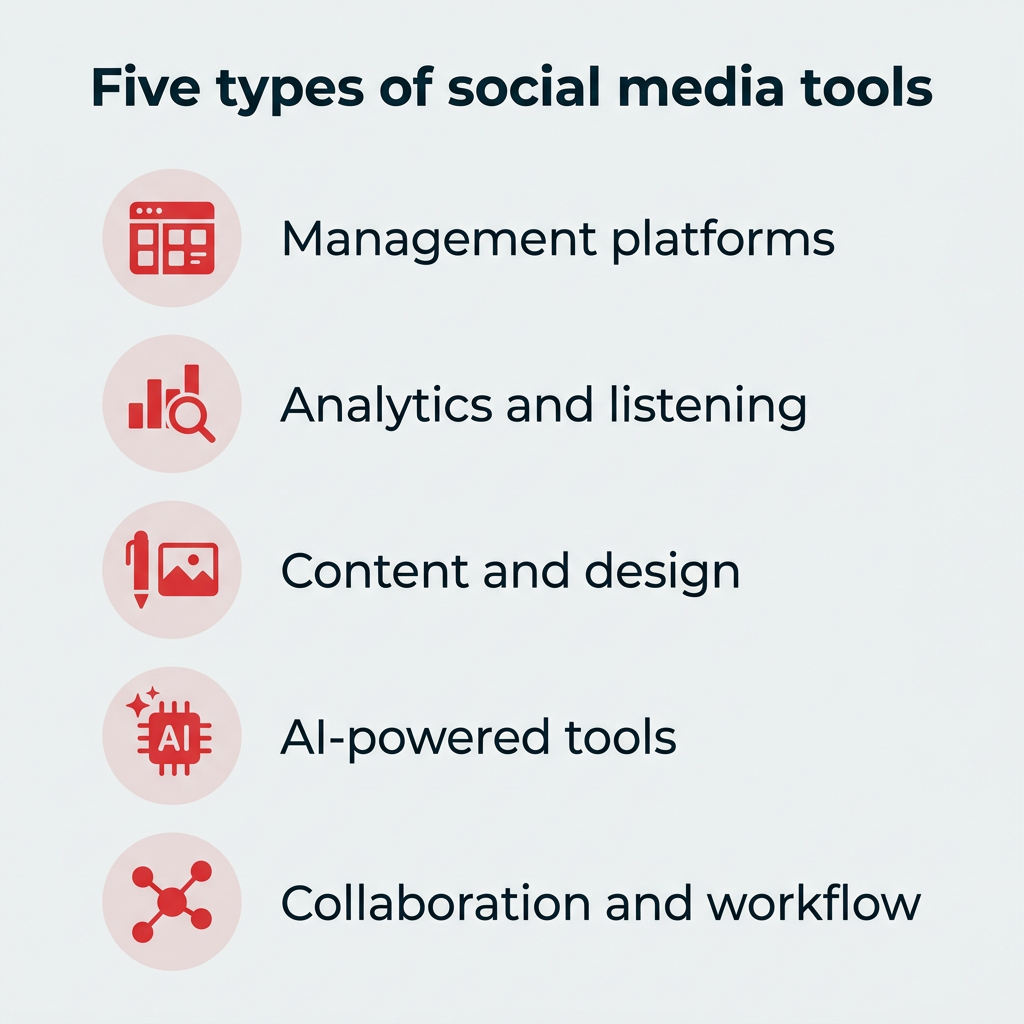
Not all social media tools do the same thing, and most teams don’t need one from every category. Here’s what each type does and when it makes sense to add one:
- Social media management platforms: All-in-one tools for scheduling, publishing, analytics, and engagement. Start here if you manage more than two channels.
- Analytics and listening tools: Focused on performance tracking, sentiment analysis, and competitive intelligence. Worth adding once leadership starts asking for proof of impact.
- Content creation and design tools: Visual design, video editing, and stock asset libraries. Essential for any team without a dedicated designer.
- AI-powered tools: Caption generation, content repurposing, trend detection, and automated recommendations. Best when built into the platform your team already works in.
- Collaboration and workflow tools: Project management and team coordination for social teams. Add these once approvals involve more than two people.
What are social media management platforms?
Social media management platforms combine scheduling, analytics, engagement, and publishing into a single dashboard. They’re the backbone of most social media tech stacks, especially for teams managing multiple channels.
What are social media analytics and listening tools?
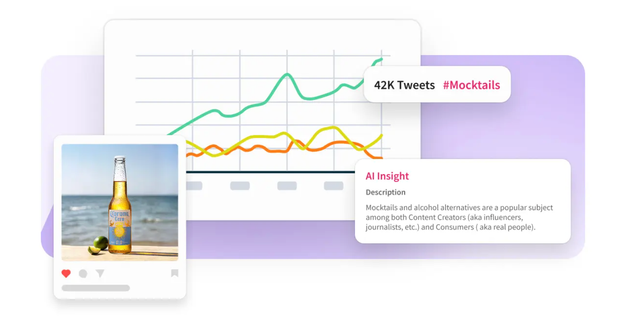
Analytics and listening tools focus on tracking performance metrics, monitoring brand sentiment, and gathering competitive intelligence. Some, like Lumen, the integrated insights and listening app inside Hootsuite Social OS, analyze millions of online sources to surface trends and potential issues before they escalate.
What are content creation and design tools?
These tools help marketers produce visual content without needing a dedicated designer. They range from full design platforms like Canva to stock image libraries. Many now include AI-powered features for faster asset creation.
What are AI-powered social media tools?
AI social media tools use machine learning to generate captions, repurpose long-form content into social posts, recommend optimal posting times, and detect emerging trends.
This remains the fastest-growing category in 2026, with marketing leaders expecting AI-driven automation of marketing work to more than double, from 16% in 2026 to 36% by 2028. The difference now is placement: as recent social trends data confirms, capabilities like Wisdom, the AI layer inside Hootsuite Social OS, sit directly inside the platform teams already use rather than in a separate tab.
What are collaboration and workflow tools?
These are project management and team coordination tools that integrate with social media workflows. They help larger teams stay aligned on content calendars, approval processes, and campaign timelines.
Social media tools can help you create and schedule content, monitor online conversations, create ad campaigns, and analyze your data. But before you start building your social tool kit, consider your needs and goals.
If you’re a freelance social media manager working with multiple clients, you’ll need a tool that makes it easy to manage multiple social media accounts in one place. If you’re part of an enterprise team, governance and scalability matter just as much as features.
Use these six criteria to shortlist your options:
- Does it save your team time?
- Can it help you analyze and prove ROI?
- Does it integrate with your existing tech stack?
- Does it scale across teams, brands, and regions?
- Does it include AI capabilities?
- Does it protect your brand’s reputation?
Does it save your team time?
The right tool should eliminate repetitive work so your team can focus on strategy and creativity. Look for features like bulk scheduling, approval workflows, AI-generated captions, and the ability to manage all your channels from a single dashboard. The less time spent switching between apps, the more time spent on work that actually moves the needle.
Can it help you analyze and prove ROI?
Understanding how your content performs is one thing. Proving its business impact to leadership is another. The best social media tools help you track engagement and provide insight into what’s working well with in-depth analytics. For enterprise teams, look for custom reporting, executive dashboards, and attribution models that connect social activity to revenue.
Does it integrate with your existing tech stack?
A social media tool that doesn’t connect to your CRM, BI platform, or DAM creates more work, not less. Look for native integrations with tools like Salesforce, Adobe, Microsoft Dynamics, and Slack. In 2026, also check for MCP connectors, which let assistants like Claude and ChatGPT pull from your social platform directly. The fewer manual data transfers your team has to do, the more reliable your reporting becomes.
Does it scale across teams, brands, and regions?
If your organization manages multiple brands, regions, or business units, you need a tool with role-based permissions, multi-brand dashboards, and centralized governance. Enterprise governance features like content libraries and compliance controls keep everyone aligned without slowing teams down.
Does it include AI capabilities?
AI is no longer a nice-to-have. In 2026, the most effective social media tools include AI for content creation, post optimization, trend detection, and automated recommendations. The distinction that matters is whether AI is built into the workflow or bolted on beside it. Tools like Wisdom sit inside the platform and answer questions using your live social data, with citations you can trace back to the source. Governed AI matters too: look for permissions and audit trails so AI output stays inside your brand and compliance rules.
Does it protect your brand’s reputation?
Online conversations about your brand can directly impact your reputation. Staying on top of every comment, mention, tag, or message is a job in itself, but it’s essential to be aware of ongoing conversations so you can quickly respond and take action if needed. A social media monitoring tool like Lumen helps you stay in the loop without staying glued to your phone 24/7.
All-in-one platforms are the foundation of most social media tech stacks. These tools combine scheduling, analytics, engagement, and publishing so your team can work from a single dashboard instead of juggling multiple apps.
Hootsuite Social OS
Hootsuite Social OS is a social operating system built around connected apps, so publishing, listening, customer care, advocacy, governance, and AI all run on the same data instead of in separate tools.
Publishing tools make it easy to plan and share posts across all channels, including Instagram, X, LinkedIn, TikTok, Facebook, Pinterest, and YouTube. You can schedule posts in bulk, get recommendations for the best time to post, flag and fix typos, and pull branded graphics from a content library or your connected Canva account without leaving the platform.
For social listening and competitive intelligence, Lumen analyzes more than 150 million sources across 187 languages, according to Hootsuite, to track brand sentiment, emerging trends, competitor activity, and early crisis signals. Its AI analysis surfaces conversation clusters and influencer activity so teams can act on a trend before it peaks. Lumen builds on the listening technology behind Talkwalker, which is also available as a standalone product with its own pricing tiers.
Nest unifies messages and interactions across every connected platform into one place. Your team can respond faster, track conversation history, and use DM automations so no customer is ever left on read. It also handles review management, and for teams running a formal support desk, it connects to ticketing platforms like Zendesk (plans start at $19 per agent per month) so social conversations sit alongside email and phone support.
Standout features:
- Connected apps: Lumen for insights and listening, Perch for content and publishing, Nest for customer care, Wisdom for AI, Parliament for employee advocacy, and Vigil for governance
- AI-powered insights: Wisdom answers plain-language questions with citations grounded in live social data
- Governed workflows: Approval flows, role-based permissions, content libraries, and compliance controls for multi-brand teams
- Enterprise integrations: Salesforce, Adobe, Microsoft Dynamics, Slack, plus MCP connectors for Claude and ChatGPT
- Specialized apps: Panoramiq Insights for Instagram-specific analytics and Shopview for social commerce
Worth knowing: there’s no free plan, and the breadth of the platform means smaller teams managing one or two channels may not use everything they’re paying for.
Best for: Marketing teams looking for a solution to manage multiple brand accounts, channels, and workflows in one place.
Pricing: Hootsuite offers a range of plans suited for individuals and enterprises alike. The Standard plan starts at $99/user/month, the Advanced plan is $249/user/month, and Enterprise plans are custom-priced.
#1 Social Media Tool
Create. Schedule. Publish. Engage. Measure. Win.
HubSpot
With a built-in social media management capabilities HubSpot goes beyond storing and tracking customer data across sales, marketing, and service touch points, HubSpot lets you publish and schedule social posts, monitor engagement, and tie social interactions directly to contact records in your CRM.
That last part is the real draw. If someone comments on a LinkedIn post and later fills out a form, your sales team can see both events on the same timeline. For B2B teams with long sales cycles, that context is hard to replicate with a standalone social tool.
When integrated with Hootsuite, you can send customer interactions from social platforms to your CRM so the sales or service team is kept in the loop.
Standout features:
- CRM attribution: Social engagement linked to contact records and deal pipelines
- Cross-channel campaigns: Social scheduling alongside email, landing pages, and ads
- Free tier: Basic marketing, sales, service, and CMS tools at no cost
Worth knowing: HubSpot’s social features are lighter than a dedicated management platform, and social publishing sits behind the paid Marketing Hub tiers rather than the free plan.
Best for: Teams that want social media data connected directly to customer records and sales pipelines.
Pricing: HubSpot has a free plan that includes basic marketing, sales, service, and CMS tools. Paid plans for new customers start at $7 per month per seat when billed annually, or $20 per month per seat when billed monthly.
Best social media analytics and listening tools
Analytics and listening tools help you understand what’s working, what people are saying about your brand, and where your competitors stand. These tools go deeper than native platform insights, and they’re usually the first thing teams add once leadership starts asking harder questions about impact.
NetBase Quid
NetBase Quid is a social media analytics platform that provides consumer and market intelligence to help you stay on top of consumer sentiment and better manage brand health and crises.
Through its social listening features, you can moderate and engage with real-time insights from conversations happening on both owned and earned channels such as brand campaigns, PR mentions, and social media posts. Its strength is breadth: the platform pulls from news, forums, reviews, and patent data alongside social, which makes it useful for research teams as much as social teams.
Plus, the NetBase Quid app can be integrated with Hootsuite Streams.
Standout features:
- Consumer intelligence: Sentiment and brand health tracking across social and non-social sources
- Market research data: News, forums, reviews, and patent data in the same workspace
- Crisis monitoring: Alerts for sentiment shifts before they escalate
Worth knowing: pricing is custom and quote-based, which typically puts it out of reach for smaller teams.
Best for: Midsize or large companies that want to monitor and analyze conversations and consumer sentiment outside of social media.
Pricing: You can request a demo to get pricing details.
Google Business Profile
Staying on top of your online reviews is important for managing your brand’s reputation and offering customer support. You can easily manage reviews with a free Google Business Profile account, which lets you respond to reviews, post business updates, and track how customers find you.
If you already have a Hootsuite account, you can also monitor your Google Business Profile page from your dashboard and share business updates directly from Hootsuite.
Standout features:
- Review management: Respond to customer reviews and track ratings over time
- Local search insights: See which search terms bring customers to your listing
- Free plan: No cost, including the Hootsuite integration
Best for: Brick-and-mortar businesses and small to midsize companies that receive a lot of online reviews.
Pricing: Google Business Profile and its Hootsuite integration are both free to use.
Best social media content creation and design tools
You don’t need a full design team to create scroll-stopping content. These tools help marketers produce professional visuals and source high-quality assets quickly.
Canva
Ask any social media marketer what one of their go-to tools is, and you’ll hear many of them mention Canva.
Canva makes it easy for anyone to create visual content, even without a design background. Its AI-powered features, including Magic Studio for generating and editing images, have made it even faster to produce on-brand graphics, presentations, and video clips.
If you have a Hootsuite account, connect it to Canva to access and upload creative assets directly in Composer. For free stock images, Unsplash pairs well with Canva and offers a vast library of high-resolution photos.
Standout features:
- Brand kits: Locked fonts, colors, and logos so every team member stays on brand
- Magic Studio: AI image generation, background removal, and resizing
- Template library: Pre-sized layouts for every major social format
Worth knowing: brand kits and most AI credits sit behind the paid plans, so multi-person teams will outgrow the free tier quickly.
Best for: Teams without a dedicated graphic designer who need to create original, branded graphics quickly.
Pricing: Canva offers a free plan as well as paid plans, with Canva Pro pricing shown on Canva’s pricing page (annual billing offers a discount versus paying monthly).
Adobe Stock
If you don’t have the time or resources to create custom graphics for every post, Adobe Stock offers high-quality images and videos you can use instead. It’s especially convenient if your team already works within the Adobe ecosystem with tools like Lightroom or Photoshop.
You can connect Adobe Stock to your Hootsuite account to search for assets and publish them directly in Composer.
Standout features:
- Licensed library: Millions of royalty-free photos, videos, and vectors
- Creative Cloud integration: Search and license assets from inside Photoshop or Premiere
- Curated collections: Themed asset sets for faster campaign sourcing
Worth knowing: plans are credit-based, so high-volume teams should check asset limits before committing.
Best for: Teams already using Adobe Creative Cloud who want stock assets integrated into their workflow.
Pricing: Adobe Stock offers a 30-day free trial. After the trial, plans are $29.99 per month for 10 credits.
AI has moved from novelty to infrastructure for social teams. 81% of marketing technology leaders are already piloting or have implemented AI agents.
Wisdom by Hootsuite
Wisdom is the AI layer inside Hootsuite Social OS. Instead of a separate chatbot, it runs across the platform’s connected apps so you can ask questions in plain language and get answers grounded in your live social data, with citations you can trace back to the underlying posts and mentions.
Practically, that means asking why engagement dropped last week and getting an answer built from your own performance data rather than a generic guess. Wisdom also routes requests to the right app, so a question about sentiment pulls from Lumen while a request for a caption variation runs through publishing.
Standout features:
- Cited answers: Responses grounded in live social data with traceable sources
- Contextual intelligence: Questions routed to the relevant app across the platform
- Wisdom Studio: Build custom agents for recurring team workflows
- Where your team works: Available in Slack and Microsoft Teams, plus MCP connectors for Claude and ChatGPT
Best for: Teams that want AI answers and content creation grounded in their own social data, not a separate tool to manage.
Pricing: Included with Hootsuite plans.
Lately AI
Lately AI generates social media captions by repurposing long-form content like blog posts, podcasts, and webinars. It analyzes your existing content and audience data to create posts optimized for engagement.
Standout features:
- Long-form repurposing: Turns one asset into dozens of platform-ready posts
- Performance learning: Draws on past engagement data to shape new captions
- Free Hootsuite integration: Send generated posts straight to your calendar
Best for: Brands that want to repurpose long-form marketing content to distribute on social media.
Pricing: Visit Lately’s pricing page for current plan details. The Lately Hootsuite integration is free to use.
ChatGPT for social media
ChatGPT has become a default part of many social teams’ workflows for brainstorming campaign angles, drafting first-pass captions, and reworking one piece of content for different platforms. It isn’t a social media management tool, but it’s often the blank-page problem solver sitting next to one.
Its main limitation for social work is that it doesn’t know your performance data. Hootsuite’s MCP connectors close some of that gap by letting you query your own social data from inside ChatGPT, so you can ask about top-performing posts without switching tabs.
Standout features:
- Ideation and drafting: Fast first drafts for captions, hooks, and campaign concepts
- Custom GPTs: Reusable assistants trained on your brand voice and guidelines
- MCP connectors: Pull Hootsuite social data into the chat window
Best for: Teams that want a general-purpose AI assistant connected to their social data.
Pricing: ChatGPT has a free tier, with ChatGPT Plus at $20 per month.
Best social media tools for influencer and creator management
Influencer marketing continues to grow, with U.S. spending surpassing $10 billion in 2025, and these tools help you discover, manage, and track creator partnerships at scale.
Upfluence
With micro- and nano-influencers claiming 45.5% of influencer spend in 2026, Upfluence is an influencer platform that makes it easy to discover, analyze, and match with relevant creators for your brand.
You can find influencers across a range of networks, including YouTube, Instagram, TikTok, Twitch, X, and Pinterest.
If you use Hootsuite, Upfluence integrates with your social workflow. You can send content from Upfluence straight to Hootsuite to schedule and publish.
Standout features:
- Creator search: Filter by audience, engagement rate, and network
- Campaign tracking: Monitor creator content performance in one place
- Free Chrome extension: Check creator stats while browsing profiles
Best for: Connecting and tracking your influencer marketing and social strategy initiatives in one place.
Pricing: Upfluence offers a free Google Chrome extension with limited features and the Hootsuite app integration is free. If you’re interested in features of the paid plans, contact Upfluence for pricing details.
Insense
Insense connects brands to creators to produce UGC and ad campaigns for Instagram and TikTok. The platform handles creator matching, content briefs, and campaign management in one workflow.
Standout features:
- Creator marketplace: Matched creators for UGC and paid ad creative
- Brief management: Briefs, approvals, and deliverables in one workflow
- Whitelisting support: Run creator content as paid ads from their handles
Best for: Ecommerce businesses and DTC brands who want to use UGC-style content to promote their products.
Pricing: Visit Insense’s pricing page for current plan details.
Best social media collaboration and workflow tools
Social media doesn’t happen in a silo. These project management and workflow tools help teams coordinate content calendars, approvals, and cross-functional campaigns.
Monday.com
Monday is a workflow and project management tool that can be used for everything from campaign planning to creating a content calendar. The platform offers customizable templates, automation features, and visual boards that make it easy to track progress across multiple projects.
When integrated with your Hootsuite account, you can manage your social media workflow and content planning in Monday.com while publishing directly from Hootsuite.
Best for: Teams that need flexible project management for campaign planning and content calendar coordination.
Pricing: Monday.com offers a free plan for up to 2 seats, with paid plans starting at $9 per seat per month (billed annually).
Airtable
Airtable combines the functionality of a database with the simplicity of a spreadsheet. For social media teams, it’s useful for tracking content calendars, managing creator partnerships, organizing asset libraries, and coordinating cross-functional campaigns.
The platform offers views like grid, calendar, kanban, and gallery, making it adaptable to different team workflows.
Best for: Teams that need a flexible database solution for managing complex social media workflows and cross-team coordination.
Pricing: Airtable has a free plan with limited features, and paid plans start at $20 per user per month.
Notion
- ChatGPT: A free tier for ideation and first-draft captions
The #1 social media tool