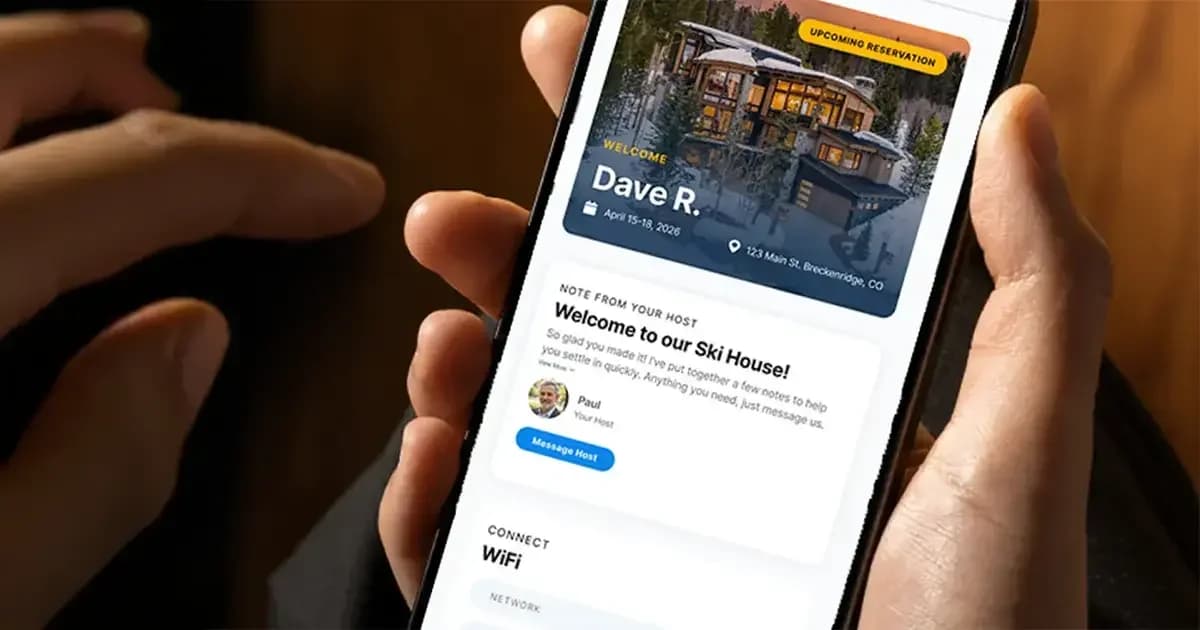
If you’ve typed the wifi password into the Airbnb app five times this week, a template should be doing that job. Airbnb automated messages are saved message templates, called scheduled quick replies, that Airbnb sends to guests for you at set moments, such as right after a booking, before check-in, or before checkout, filled in with details like the guest’s name, check-in time, and wifi password.
TL;DR
- Turn your most-sent messages into scheduled quick replies that fire on booking, check-in, and checkout
- Answer inquiries within 24 hours and keep every pre-booking message on Airbnb, with no phone numbers or outside links
- Send check-in details 48 hours before arrival, when Airbnb releases your arrival guide to the guest
- Schedule the predictable messages, then let AI draft replies to the questions you can’t predict
- Guesty® is a vacation rental software that automates guest messaging across Airbnb, Vrbo, and Booking.com from one unified inbox, with AI agents like ReplyAI that read each guest message and reply in your brand voice based on your rules.
As a first-time Airbnb host, how can I automate guest communication?
A first-time Airbnb host can automate guest communication by turning the most-sent messages into scheduled quick replies in Airbnb Messages. Airbnb’s scheduled quick replies send a saved template automatically on a trigger such as a new reservation, check-in, or checkout, in the listing’s time zone.
Set one up on desktop:
1. Click Messages, then Settings
2. Click Manage quick replies, then Create
3. Name the template, write the message, and insert details (guest first name, check-in time, wifi password)
4. Click Choose listings, then Scheduled for, and pick the trigger and timing
5. Click Save
Fill in every listing field you reference, or the detail shows as “unavailable”, and keep each template under Airbnb’s 4,000-character limit.
Turn on Send for last minute bookings and short stays before you save. With it off, Airbnb skips some messages for last-minute bookings, including your pre-arrival details. Airbnb’s help article on scheduled quick replies covers the edge cases, and our guide to Airbnb automation covers what to automate beyond messages.
Pre-booking messages win or lose the reservation
Airbnb’s scheduler runs on reservation events, so inquiries get quick replies you send yourself. Airbnb’s suggested replies use AI to match a guest’s question to one of your saved templates. Only you see the suggestion, so edit it before you send.
Two rules shape every pre-booking template. Respond within 24 hours: Superhost status requires answering 90% of new messages in that window. And keep the conversation on Airbnb, with no phone numbers, emails, or outside links. Airbnb may block them anyway.
1. The availability reply
> Hi [Guest first name], thanks for reaching out! [Listing name] is open for your dates. It sleeps [number] and has [one standout feature]. I’ve pre-approved your request, so book whenever you’re ready.
2. The “can we bring the dog?” answer
> Hi [Guest first name], good question. [Yes: Pets are welcome, and the backyard is fully fenced.] [No: We can’t host pets at this home, sorry. I wanted you to know right away.]
3. The booking acceptance with a welcome line
> Hi [Guest first name], you’re confirmed! Check-in is [check-in time] on [check-in date]. Full arrival instructions arrive two days before your trip.
Welcome and check-in templates
Airbnb’s own timing guide works: a welcome note at booking, check-in details 24 to 48 hours out, and a check-in after the first night. Guests see your detailed arrival instructions only 48 hours before check-in, so time your message to match.
4. Welcome message, 5 minutes after booking
> Hi [Guest first name], thanks for booking [Listing name]! Your stay runs [check-in date] to [checkout date]. Here are the house rules: [house rules]. Celebrating anything? Tell me and I’ll see what I can set up.
5. Check-in instructions, 48 hours before arrival
> Hi [Guest first name], your trip is almost here! The address is [address]. [Directions]. Check-in starts at [check-in time]. Wifi: [wifi name], password [wifi password]. Message me here if anything doesn’t work.
Attach a short lockbox video: Airbnb accepts MP4 or MOV clips up to 60 seconds after booking. See our self check-in guide.
6. First-morning check-in
Boost your short term rentals today
> Good morning [Guest first name]! Just checking that you settled in well. Need extra towels or help with the thermostat? I’m a message away.
A guest finds the hot water off on night one and says nothing. The complaint shows up in the review instead.
Most checkout messages are too long
A 14-step checkout list sent at 9 p.m. goes unread. Send it the evening before departure, cap it at four tasks, and put the time in the first line.
7. Checkout reminder, evening before departure
> Hi [Guest first name], quick reminder that checkout is tomorrow at [checkout time]. Before you go: start the dishwasher, take out the trash, and leave the keys [location]. Safe travels!
8. Thank-you and review request, 24 hours after checkout
> Hi [Guest first name], thank you for staying at [Listing name]. If you have a minute, your review helps future guests know what to expect. I’ll be leaving one for you too.
Keep the ask soft. Both sides get 14 days to review, and pushing for five stars reads as pressure.
Save these as unscheduled quick replies and send them in two taps.
9. Early check-in request
> Hi [Guest first name], [Yes: The home is ready early. Come in any time after (time).] [No: The cleaners need until (check-in time), but you’re welcome to drop bags at (location).]
10. Late checkout request
> Hi [Guest first name], [Yes: No problem, take until (time).] [No: I have guests arriving the same day, so I need to keep (checkout time). Thanks for understanding!]
Your automated message schedule at a glance
One catch: this schedule only covers Airbnb guests. List on Vrbo or Booking.com too and you need the same schedule on each platform.
How can I automate guest communication to enhance their experience and reduce my workload?
Automate guest communication in two layers: schedule the predictable messages (welcome, check-in, checkout, thank-you) and use AI to draft or send replies to the unpredictable questions in between. In Guesty’s The AI Gap report (survey of 534 short-term rental operators worldwide), more than 50% save 1–4 hours a week using AI in their operations.
Note every question your schedule misses for a week. Parking for a second car. A broken coffee maker. That’s where your hours go.
AI agents handle that second layer. ReplyAI Autopilot reads each incoming guest message, applies sentiment analysis, and replies in your brand voice based on the rules you set, so routine questions get answered overnight and tense ones get flagged for you.
AI replies are only as good as your listing data, though. An outdated house manual produces outdated answers, so audit it every season.
What software can assist new hosts with guest communications and feedback?
Vacation rental software with a unified inbox and AI replies, such as Guesty, assists new hosts with guest communications and feedback by putting Airbnb, Vrbo, and Booking.com messages in one place, automating scheduled messages, and collecting reviews automatically.
Run every conversation from the Unified Inbox: Airbnb, Vrbo, Booking.com, direct bookings, email, SMS, and WhatsApp, with the guest’s reservation details beside each thread. Write a one-off message and have it sent to the guest at a time you choose.
Close the feedback loop with automated review collection, so the review request goes out without a reminder on your phone.
Templates cover the predictable part of hosting. The questions in between still land in separate inboxes. Run them from Guesty, a vacation rental software with one inbox for Airbnb, Vrbo, and Booking.com and AI agents that reply in your voice, and your scheduled messages and live answers come from the same place. You keep the hospitality. The copy-paste goes away.
Frequently asked questions
Here is what some of our customers needed to know
Set up automated messages on Airbnb by creating a scheduled quick reply. On desktop, go to Messages, then Settings, then Manage quick replies, and click Create. Name the template, write the message, insert details such as the guest's first name, choose the listings, pick the trigger under Scheduled for, and save. The template then sends automatically for current and upcoming reservations.
Airbnb's scheduled quick replies can't send before a guest books, because they run on reservation events like a new booking, check-in, and checkout, not on inquiries. For pre-booking questions, save quick replies and send them by hand, or use Airbnb's suggested replies, which match the guest's question to one of your saved templates. Keep all pre-booking messages on Airbnb with no contact details or links.
Send check-in instructions 48 hours before arrival. Airbnb shows guests your check-in method once the booking is confirmed, but detailed arrival instructions become visible only 48 hours before check-in. A scheduled message timed to that window puts your directions and wifi details in the guest's thread exactly when they start planning the trip.
Reply to Airbnb messages within 24 hours. Airbnb asks hosts to respond to inquiries, reservation requests, and all other guest messages within that window, and slower replies count as late responses that can affect your search position. Superhost status requires responding to 90% of new messages, and accepting or declining new reservation requests, within 24 hours.