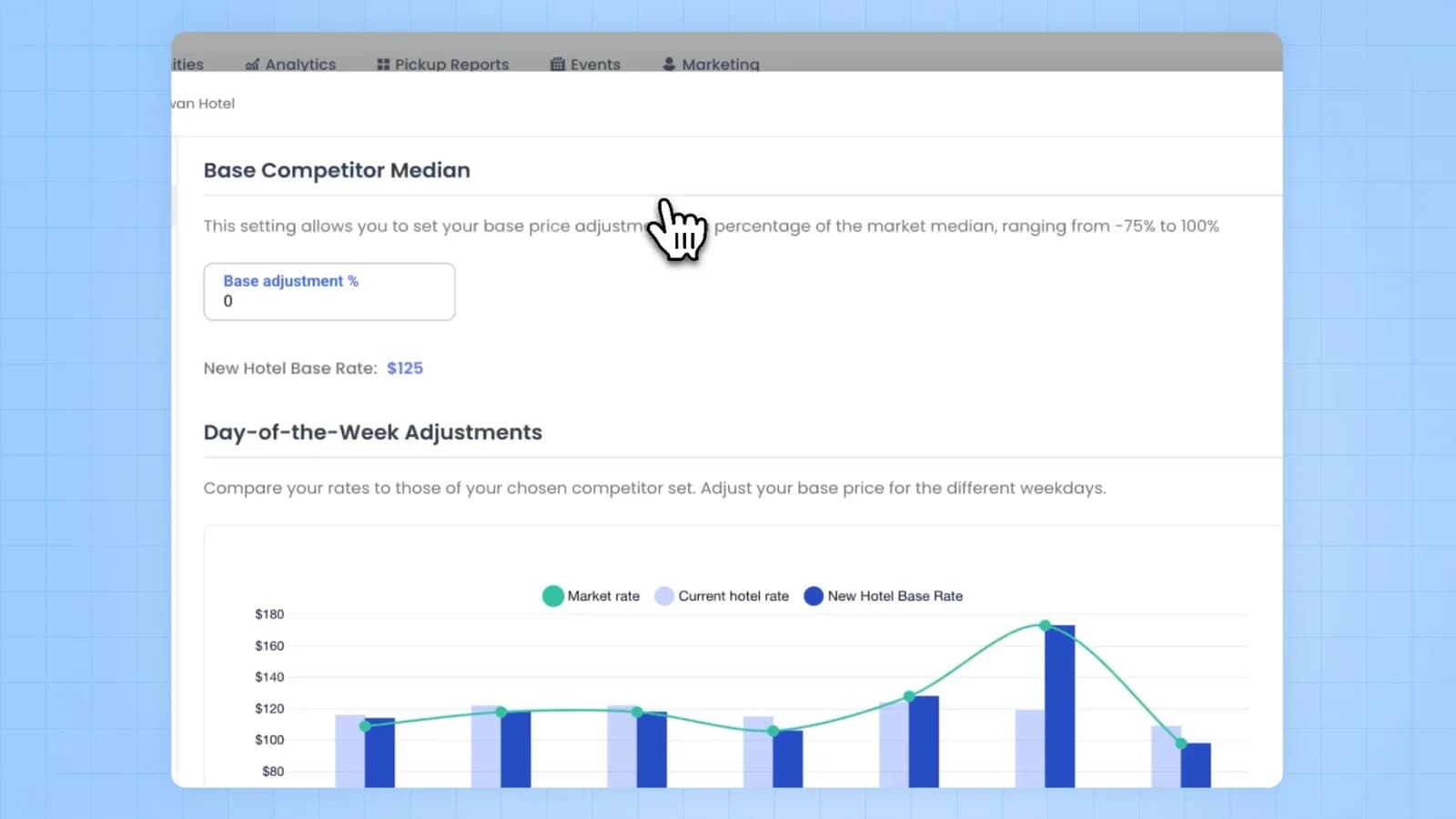
Your 30-room hotel in Cebu is almost ready to open. The rooms are furnished, employees are hired and reservations have started coming in through Agoda, Booking.com, phone calls and social media.
Now comes the daily work. Someone needs to check bookings, assign rooms, prepare guest bills, coordinate housekeeping and keep room availability updated. With a small team, handling all this through spreadsheets and separate records can become difficult.
This is why hotel owners should plan their property management system (PMS) before opening. A cloud PMS such as Hotelogix can help new Philippine hotels manage reservations and daily operations from one system.
Does a 20-Room Hotel Need a PMS?
The number of rooms alone does not determine whether a hotel needs a PMS. The type of property, number of booking channels, services offered and size of the operating team also matter.
A 10-room guesthouse with mostly direct bookings may manage reservations through a simple system. A 30-room hotel receiving bookings from several OTAs, handling walk-ins and operating a restaurant has more information to manage.
The question is how much work your employees need to do after receiving a booking.
Can a 20-Room Hotel Run on Excel?
Yes. A small hotel can use Excel or Google Sheets to record reservations, guest details, room availability and payments.
For example, a 20-room hotel may maintain a spreadsheet with the following information:
This works as a basic record, but it does not automatically connect every hotel activity.
If a guest extends a stay, someone must update the spreadsheet. If another employee changes the same booking, the hotel needs a way to avoid conflicting records. Housekeeping and billing may also use separate files.
Spreadsheets can support basic planning, but they become harder to manage when several employees update bookings throughout the day.
What Changes Between 10, 20 and 50 Rooms?
The difference is not simply the number of reservations. Larger properties usually have more room categories, employees, booking sources and guest transactions.
Consider how the software requirements may change as a property grows.
These are indicative operating patterns, not fixed staffing or software rules. A 20-room resort with a restaurant may need more software functions than a 50-room accommodation-only property.
Which PMS Setup Makes Sense for a 20-, 50- or 100-Room Hotel?
20-room hotel: Focus on reservations, room availability, housekeeping, guest billing and the booking channels you actually use. Avoid paying for complex modules that the property does not need.
50-room hotel: Add stronger reporting, user permissions, channel connectivity, POS or accounting integrationsand more structured front desk workflows.
100-room hotel: Look closely at multi-department operations, reporting, integrations, role-based access, mobile management and the ability to add more properties later.
Room count is only one factor. A 20-room resort with a restaurant, spa and several OTAs may need more software than a 50-room accommodation-only property.
The best time to decide is before opening, when the hotel can configure the system and train employees without disrupting live guests.
When Does Manual Hotel Management Become Risky?
Manual processes become risky when the same information is maintained in several places.
Suppose a guest books a room through Agoda and later calls the hotel to extend the stay. The receptionist updates the booking sheet but forgets to change the housekeeping schedule. Another employee then sees the original departure date and prepares the room for a new arrival.
The problem is not the spreadsheet itself. It is the lack of a shared, updated record.
Common warning signs include:
- Two employees maintaining different versions of the reservation list.
- OTA bookings taking time to enter into the hotel’s records.
- Housekeeping relies on calls or messages to check room status.
- Guest deposits and outstanding balances being recorded separately.
- Owners are waiting until the end of the day to receive occupancy and revenue figures.
When these issues start affecting daily work, aPMS is worth considering.
Should You Install a PMS Before Opening?
Yes, if the hotel plans to accept reservations from several channels or has employees handling front desk, housekeeping and billing.
Installing the PMS before opening gives the team time to configure rooms, rates, booking rules and employee permissions. Staff can also practise common tasks before real guests arrive.
It is easier to test a room assignment or sample guest bill before opening than to change the process during a busy check-in period.
A pre-opening setup also gives the owner a chance to connect the PMS with thebooking engine, channel manager and other required software.
How Early Should You Set Up Your PMS Before Opening?
Do not wait until the week before opening.
A new hotel should allow enough time to configure the PMS, connect booking channels, load room and rate information, train employees and test the complete guest journey.
A practical pre-opening sequence is:
4–6 weeks before opening
Confirm room types, room inventory, rate plans, taxes, payment methods, booking channels, user roles and required integrations.
3–4 weeks before opening
Configure the PMS and booking channels. Import any future reservations that already exist. Set up user permissions and reporting.
2–3 weeks before opening
Train front desk, reservations, housekeeping and finance employees. Use sample bookings instead of only explaining the software.
1–2 weeks before opening
Run complete test bookings from every planned sales channel. Test cancellations, room changes, deposits, payments, check-in, housekeeping updates and checkout.
Final week
Review room availability, future reservations, rate plans, user permissions, billing settings and reports. Confirm who will handle urgent technical issues during opening.
The exact implementation period depends on the property, number of rooms, integrations, existing reservations and data migration requirements. Ask the PMS provider for a property-specific implementation plan rather than relying on a standard timeline.
Want to See Hotelogix in Action
Book a Live Demo
What Happens Without a Hotel PMS?
A hotel can open without a PMS, but its employees still need to manage every reservation and guest request.
The work may be manageable during the first few days. Problems often appear when several guests arrive together, booking details change or multiple departments need the same information.
Double Bookings From Multiple OTAs
A hotel in Cebu may sell rooms through Agoda, Booking.com, Traveloka and its own website.
If employees update availability separately on each platform, there is a chance that one OTA will continue showing a room as available after another channel has sold it.
A channel manager connected to the PMS can exchange room availability, rates and reservations with supported booking channels.
This reduces manual updates, although correct room mapping and functioning connections are still necessary.
Missed Direct and Walk-In Reservations
Not every guest books online. Some call the hotel, visit the reception desk or enquire through Facebook and other social media platforms.
If employees do not record these bookings immediately, the online availability may remain incorrect.
For example, a receptionist confirms a walk-in guest for Room 205 but forgets to update the OTA inventory. The same room may then be sold online.
A PMS gives staff a common place to record direct, telephone, walk-in and connected online reservations.
Slow Check-Ins and Room Assignments
Imagine five guests arriving at the hotel within 30 minutes.
The receptionist needs to check each booking, confirm guest details, verify payments and assign rooms. If the reservation list, payment record and room status are stored separately, employees must check each source.
A PMS keeps relevant reservation and room information together, reducing the need to search through several records.
Housekeeping and Front Desk Confusion
A guest checks out at 11 AM, but the room still needs cleaning.
The front desk may see the room as vacant, while housekeeping knows it is not ready for the next guest.
Without shared room status updates, employees may assign a room before it has been cleaned and inspected.
A PMS with housekeeping functions allows employees to update room status so reception can check whether a room is ready.
Guest Billing Errors
A hotel bill may include accommodation, restaurant orders, laundry, minibar items and other services.
When departments maintain separate records, the front desk may miss a charge or enter it twice.
APMS with guest folio and supported POS functions can associate eligible charges with the correct guest account. Staff can review the bill before checkout.
Missing Revenue and Occupancy Reports
A hotel owner needs to know how many rooms were sold, what revenue the property received and which booking channels brought guests.
A reservation spreadsheet may show bookings, but it may not provide a complete picture of room revenue, payments, cancellations and other operating figures.
A PMS can produce reports from the reservation and financial information recorded in the system.
More Manual Work for Small Teams
A new hotel often starts with a limited number of employees. One receptionist may handle bookings, guest enquiries, check-ins and payments during the same shift.
If employees have to enter the same information into different files, they spend more time maintaining records.
30-Room Hotel: Manual Operations vs Cloud PMS
Consider a 30-room hotel on a busy Friday. Ten guests are checking in, eight are checking out and new reservations are arriving online.
A PMS does not remove the need for employees to check information or follow hotel procedures. It gives them a shared system for recording and finding it.
Essential Software for a New Hotel
A new hotel does not need to purchase every available hospitality application before opening.
It should first identify the software required to manage reservations and daily operations. Additional tools can be added based on the property’s services and business model.
What Should a New Hotel PMS Support in the Philippines?
A new hotel in the Philippines should evaluate more than reservations and room availability. The PMS also needs to fit the property’s billing, payment, distribution and reporting setup.
Before choosing a system, check these areas:
BIR-Related Billing and Invoicing
Ask the vendor to demonstrate the exact invoicing and reporting workflow available for your property. Hotelogix currently promotes a BIR-certified POS for Philippine hotels, but the hotel should confirm which product, certification and billing functions apply to its planned setup.
Philippine invoicing requirements have also changed under the Ease of Paying Taxes framework, so the hotel’s finance team should verify the current BIR requirements rather than relying only on a PMS sales presentation.
Local Payment Methods
Ask whether the PMS or its connected payment tools support the payment methods your guests actually use.
Depending on the hotel’s setup, this may include:
- GCash
- Maya
- Credit and debit cards
- Bank transfers
- Other supported digital payment methods
Do not assume that a PMS supports a local payment method simply because it supports online payments. Ask whether the payment can be recorded against the guest folio and reconciled with the hotel’s financial records.
OTA Connectivity
If the hotel plans to sell through Agoda, Booking.com, Traveloka, Expedia or other OTAs, confirm that the PMS or connected channel manager supports the required channels.
Ask the vendor to demonstrate:
- New reservation updates
- Cancellation updates
- Rate changes
- Inventory updates
- Room and rate-plan mapping
- Booking modifications
Internet and Remote Access
This is particularly important for hotels operating in island and resort destinations.
A cloud PMS can provide remote access, but the hotel should still ask what happens during an internet interruption. Confirm whether there is any offline capability, what information remains accessible and what manual process staff should follow if connectivity is lost.
Local Support and Training
A new hotel needs more than software access. Employees also need training on reservations, room assignments, billing, housekeeping and reports.
Ask who handles implementation, how training is delivered, what support hours are available and how urgent problems are escalated after launch.
Data and User Permissions
ThePMS should allow the hotel to controlwhich employees can access reservations, guest information, billing and management reports.
Before opening, create role-based access for front desk, housekeeping, finance and management staff.
Hotel Property Management System
The PMS should be the starting point for a hotel that needs to manage more than bookings.
It records reservations, guest information, room assignments, check-in and checkout details, housekeeping status and guest billing, depending on the selected product.
For a 20–50-room property, look for a system that employees can learn quickly and that supports the hotel’s expected booking channels.
Hotelogix is one option to evaluate for these requirements.
Channel Manager for OTA Bookings
A channel manager connects a hotel’s room inventory and rates with online booking platforms.
For example, a new resort in Palawan may sell rooms through Agoda, Booking.com and Expedia. When a room is sold, the channel manager sends the relevant inventory update to connected channels.
Check which OTAs are supported, whether rate plans can be mapped and how the system handles modifications and cancellations.
Do not assume that every PMS includes a channel manager in its standard subscription.
Direct Booking Engine
A booking engine allows guests to reserve rooms through the hotel’s website.
It displays available rooms and rates and provides a booking process without requiring guests to contact reception.
For a new hotel, this is useful when the website is part of the sales plan. Thebooking engine should connect with the PMS or reservation system so that direct bookings are recorded without repeated manual entry.
Hotel POS and Billing Software
Hotels with restaurants, bars, cafés or other paid services may need POS software.
A guest staying at a resort may order dinner and ask for the charge to be added to the room bill. A connected POS and PMS can support this process by transferring eligible charges to the guest folio.
Before buying, confirm whether the POS is included, supplied separately or requires a third-party integration.
Housekeeping Management
Housekeeping software helps employees track room cleaning and readiness.
A 30-room hotel may have several checkouts and arrivals on the same day. The front desk needs to know which rooms are clean, which are being prepared and which are unavailable.
A PMS with housekeeping functions can maintain these updates without relying entirely on separate paper lists.
Payment and Accounting Integrations
The hotel needs a way to collect payments and reconcile them with guest bills.
Depending on the business, this may involve cash, bank transfers, cards, online payment gateways and corporate accounts.
Accounting software may also be needed to record sales, expenses, taxes and settlements.
Check whether the PMS supports the hotel’s chosen payment and accounting products. An integration should be tested for payment status, refunds and reconciliation before opening.
Hotel Reporting and Owner Dashboard
Owners need access to information such as occupancy, arrivals, departures, room revenue and outstanding balances.
A PMS dashboard can provide this information based on the records entered by employees.
For an owner who does not live near the property, remote access can make it easier to review hotel operations without visiting the front desk.
Guest Communication Tools
Hotels communicate with guests before arrival, during their stay and after checkout.
This may include booking confirmations, arrival instructions, payment reminders and feedback requests.
A hotel can use email, messaging applications or specialised guest communication software. If the chosen PMS offers communication functions,check which messages can be automated and which require separate integrations.
Technology Checklist for Opening a 20–50-Room Hotel
A PMS does not automatically include every item in this list. Ask the vendor which functions are part of the package, which require an additional subscription and which depend on an external integration.
Want to See Hotelogix in Action
Book a Live Demo
Do You Need Every Hotel Software Tool Before Opening?
No.
A new hotel should avoid buying software simply because another hotel uses it.
Start with the systems required for the hotel’s actual operation:
Core:PMS, payment and accounting setup.
Distribution: Channel manager and booking engine if the hotel sells through OTAs and its website.
Operations: Housekeeping and POS when the property’s size and services require them.
Guest communication: Add dedicated tools when the hotel has a clear need for automated pre-arrival, in-stay or post-stay communication.
The goal is to create a working hotel technology stack, not the largest possible stack.
For a 20-room property, adding five separate systems before the first guest can create more training, integration and support work than the hotel can manage.
A connected PMS can be a better starting point when it covers several core workflows in one system.
PMS Requirements by Hotel Location in the Philippines
The location of a hotel affects how it receives bookings, manages employees and handles daily operations.
A business hotel in Metro Manila may depend on corporate reservations, while an island resort may receive more seasonal bookings and face internet connectivity problems.
The PMS should match these operating conditions.
New Business Hotels in Metro Manila
Business hotels in Metro Manila may receive bookings from corporate accounts, travel agents, OTAs and direct website enquiries.
They need to manage negotiated rates, company billing, room assignments and frequent guest arrivals.
The PMS should also provide reports that help management review occupancy, room revenue and booking sources.
Hotelogix is worth evaluating for these properties, particularly when the hotel expects to manage several booking channels and needs remote access to operating reports.
New Independent Hotels in Cebu
New hotels in Cebu may receive bookings through Agoda, Booking.com, direct enquiries and travel agents.
The front desk needs accurate room availability, while housekeeping must know which rooms are ready for incoming guests.
A cloud PMS with supported channel manager connections can reduce manual booking updates and give employees access to shared reservation information.
Hotelogix can be considered where the hotel needs reservations, front desk, housekeeping and reporting in one system.
New Island Resorts in Palawan
Resorts in Palawan may sell accommodation with breakfast, transfers, tours or other guest services.
The PMS should support the property’s room categories, packages and booking rules. If the resort operates a restaurant, the owner should also check whether POS charges can reach guest folios.
Internet availability is another consideration. Before selecting cloud software, check backup connectivity and the vendor’s procedures during an outage.
New Boutique Resorts in Siargao
Boutique resorts may receive enquiries directly through social media, phone calls and their websites, alongside OTA reservations.
Employees need a clear way to record enquiries, confirm bookings and update room availability.
The hotel should also consider how staff will manage room status and guest billing with a small team.
A cloud PMS can help employees access reservation information without depending on one office computer. However, the property should plan for internet interruptions before opening.
New Hotels in Boracay
Boracay hotels may need to adjust room rates according to travel demand, holidays and seasonal booking patterns.
The PMS should support different rate plans and keep room inventory updated across connected booking channels.
It should also help staff handle reservation changes, deposits, guest charges and daily reports.
New Hotels in Davao
Hotels in Davao may serve business travellers, domestic leisure guests, groups and longer-stay visitors.
A new property should evaluate corporate billing, negotiated rates, room inventory, OTA connectivity, guest billing and reporting.
For a hotel expecting several booking sources, a cloud PMS can give the front desk and management team a shared view of reservations and room availability.
During the demo, ask the vendor to show corporate reservations, rate plans, room changes, billing and daily reporting using the hotel’s planned operating model.
Location and PMS Requirements Comparison
These are general operating considerations. Individual properties should choose software based on their services, booking mix and staff requirements.
How to Choose a PMS Before Opening
A hotel owner should evaluate the PMS before signing a contract or accepting live reservations.
The best way to do this is to prepare a list of operating requirements and ask every shortlisted provider to demonstrate the same hotel scenarios.
Match the PMS to Your Room Count
Start with the number of rooms and room categories.
A 20-room hotel may need a straightforward setup, while a 50-room resort may require more rate plans, packages, employee permissions and reports.
Ask whether the quoted subscription covers your current room count and what happens when the property expands.
Check Core Front Desk Features
The PMS should support the work your reception team performs every day.
Ask the vendor to demonstrate a reservation, room assignment, check-in, room change, payment and checkout.
Pay attention to how many steps employees need to complete and whether they can access the information required for each task.
Confirm OTA and Booking Integrations
List the booking platforms your hotel plans to use.
Ask which integrations are available and whether they support the required reservation, cancellation, rate and inventory updates.
Do not accept a general statement that the PMS connects with OTAs. Ask for the exact channel list and a practical demonstration.
Verify Billing and POS Requirements
If the hotel operates a restaurant or offers paid services, check how charges reach guest folios.
Also review the property’s BIR invoicing obligations and applicable VAT and service charge requirements.
A new hotel should also keep its broader Philippine operating requirements separate from its PMS requirements. The Department of Tourism has an accreditation system for accommodation establishments including hotels, resorts and apartment hotels. DOT accreditation is a business and tourism requirement, not simply a PMS feature.
When evaluating hotel software, check which operational records or reports your property needs to maintain and whether thePMS can support those workflows.Confirm regulatory requirements directly with the relevant government agency before opening.
Ask the provider to explain theexact POS and invoicing productsincluded in the quotation.
Compare Training and Implementation
Find out who will configure the room inventory, rates, users, booking channels and billing settings.
Ask how many training sessions are included and whether new employees can receive training later.
A low subscription price may not be attractive if the hotel must pay separately for essential implementation work.
Evaluate Customer Support
A hotel needs to know where to report a problem when reservations stop updating or the front desk cannot access the system.
Confirm support hours, contact methods, escalation procedures and the arrangements for urgent issues.
For a property operating late-night shifts, support availability deserves particular attention.
Check Total Costs and Contract Terms
Compare the complete cost rather than the monthly subscription alone.
Your total cost may include:
- PMS subscription
- Channel manager