
A vendor’s accuracy figure describes the vendor’s test audio. Your users send phone recordings, music under talk, 6-second clips, and sped-up edits. The only numbers worth deciding on are the ones you measure on that audio.
This page is a five-working-day plan, plus a buffer, that ends with a written recommendation: which endpoint to use, which score thresholds to apply, what an hour of audio will cost, and where recognition falls short for your content. It uses AudD in the examples; the test set and the method work for any vendor. The companion buyer’s checklist covers the questions to ask alongside the numbers.
The week at a glance
Day 1: token, first call, and the question
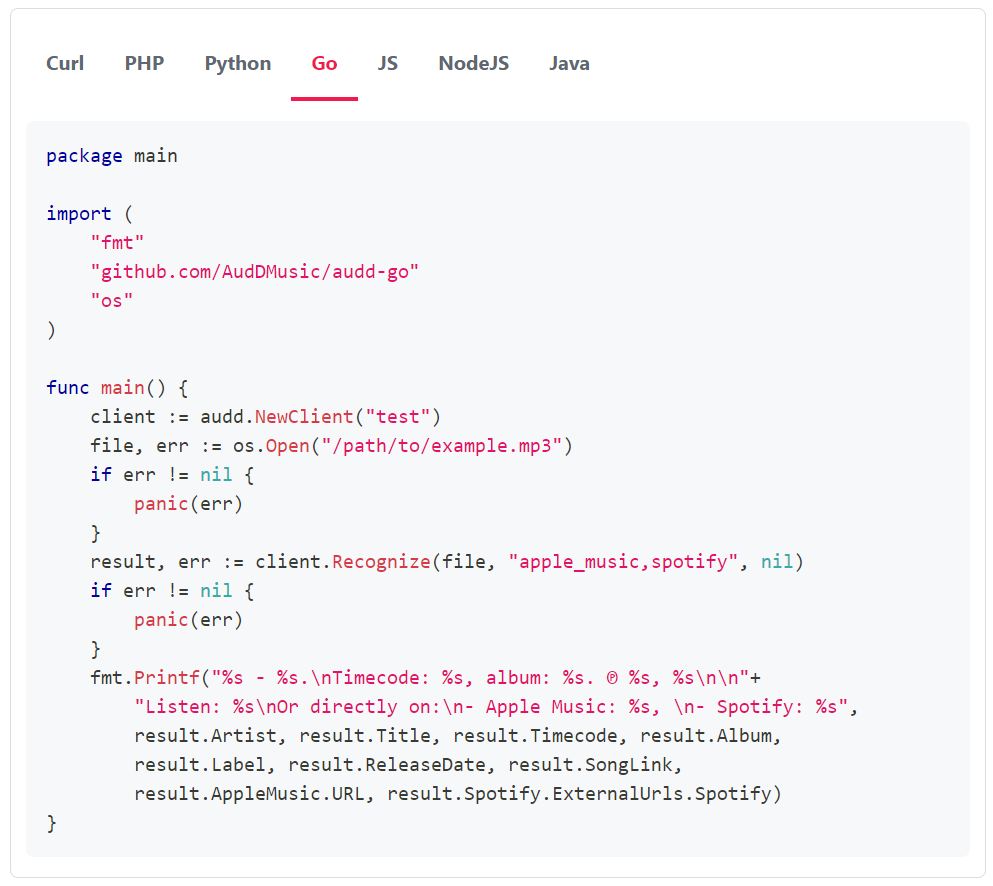
Start with the public test token. It works on the standard endpoint and allows 10 requests a day, which is enough to confirm the integration and see the response shape:
The test token won’t run a test set, and it doesn’t work on the enterprise endpoint. Get your own token at dashboard.audd.io for the rest of the week, and check which plan you’re on: ISRC, UPC, and the match score require a Startup plan or higher. If you plan to set thresholds on Day 5, you need score in your results.
Then write down, in one paragraph, the decision this pilot supports. “Can we auto-label the songs in user uploads, and what will it cost per month?” is a good one. “Is it accurate?” is not, because it has no threshold and no consequence. The paragraph decides which categories go into the test set and which metric matters most: a copyright filter cares about false matches, a “what’s playing” feature cares about match rate.
Day 2: build a labelled test set
A test set is audio plus the answer you expect. Aim for a few dozen clips in every category you care about; 200 to 500 clips in total is workable in a week. Take the audio from your own product (with whatever consent your privacy policy requires), not from a demo playlist.
Record the labels in a CSV:
- Leave expected_artist and expected_title empty for known non-matches.
- mode is standard for clips and enterprise for long files.
- duration_s is only needed for long files; it feeds the cost estimate.
- For long files, label one track you know is in the file. To score a whole tracklist, add one row per expected track with the same file.
Keep the standard-endpoint clips under 10 MB. The standard endpoint analyzes the first 12 seconds of what you send, so trim clips to the moment you want tested. Audio formats and quality lists the accepted formats.
Day 3: run the set
This script runs every row through the standard endpoint, or through the enterprise endpoint with a chunk limit for long files, and writes one row per input to results.csv. It records the outcome, the returned song, the score, the time each call took from your network, and the requests it spent.
A few things the script does on purpose:
- Matching by contained title and artist. Release titles vary (“Warriors” vs “Warriors - Remastered”), so an exact string match would count correct answers as wrong. Review every wrong_song row by hand; some are a different release of the same recording.
- A limit on every enterprise call. The enterprise endpoint bills one request per 12 seconds of audio it processes. Without limit, one long file can spend hundreds of requests. Raise ENTERPRISE_LIMIT once you have seen a few results. Enterprise cost control explains limit, every, and skip.
- Requests are an estimate on enterprise. The script works out chunks from duration_s and the sampling settings. Compare the total with the usage in your dashboard after the run.
- Errors are recorded, not retried. An error row is a finding (a format that’s rejected, a file over 10 MB). The SDK already retries the failures that are safe to retry.
- Sequential calls. Timing one call at a time gives a clean latency number. The standard endpoint has no rate limits, so for a large set you can run rows in parallel with a thread pool once latency is measured; if you plan a large volume, tell AudD in advance at [email protected].
The CLI alternative
If you’d rather not write code, the audd command-line tool runs a folder as a batch and prints JSON lines, one per file, followed by a summary with requests_spent:
The CLI caches results by file contents, so a second run of the same clips spends nothing and is marked "cached": true. Pass --no-cache when you want fresh timings. --max-requests N stops a run before it spends more than N requests. Full flags: docs.audd.io/cli.
Day 4: measure
Group results.csv by category:
Four numbers matter.
Match rate per category: correct / (correct + miss + wrong_song) over rows that have an expected song. Report each category separately. A good overall rate can hide a poor rate on phone recordings, and phone recordings may be most of your traffic.
False matches: false_match rows among known non-matches, plus wrong_song rows. For a copyright filter this is the number that decides whether you can act automatically. Look at the score on each false match; Day 5 uses it.
Latency on your network: the median and 95th percentile from the seconds column. These include upload time from where the script ran, so run the pilot from the region and network your service will run in. Sending a URL instead of bytes changes the number; test the way you’ll call it in production.
Cost per hour of audio. Requests are the unit; multiply by the per-request price of your plan from audd.io.
Then scale to a month. For example, 2,000 hours of uploaded video a month, scanned with every=1, skip=4, is 2,000 × 60 = 120,000 requests. The same volume scanned end to end is 600,000. Sampling trades completeness for cost: a short cue that falls in a skipped gap won’t be found. Your Day 4 results show whether the sampled run still catches what you need.
Streams are priced per stream per month instead of per request; see docs.audd.io/streams for the current price.
Day 5: choose the endpoint and set thresholds
Pick the surface by the shape of your input, then confirm it with your numbers.
The reasoning is in standard, enterprise, or streams.
Next, set thresholds. Sort the matched rows by score and mark each correct or not. The point above which almost everything is correct is your auto-accept threshold. The point below which almost everything is wrong is your reject threshold. The band between them goes to a human, or is shown with less confidence. A blocking flow wants a high accept bar; a display flow can accept nearly anything that comes back. AudD does not publish a recommended cutoff, so use the values your data gives you. Interpreting the recognition score has the code shape.
If the score column is empty, your plan doesn’t include it; upgrade to a Startup plan or higher for the pilot, or the thresholds you set won’t carry over to production.
Days 6–7: re-run failures and write up results
Listen to every miss, wrong_song, and false_match. Most fall into a few causes: the clip is too short or too quiet, the music is under loud speech, the recording is a cover or live version (recognition matches recordings, not compositions), or the track isn’t in the database. Fix what’s yours to fix (trim to a better moment, send more of the file) and re-run those rows. Whatever is left is a limit you write down.
A one-page write-up is enough:
- Decision and recommendation. The question from Day 1 and the answer.
- Test set. Size, categories, where the audio came from.
- Results by category. Match rate, false matches, median and p95 latency.
- Endpoint and settings. Standard, enterprise (with limit, skip, every), or streams, and why.
- Thresholds. Accept and reject scores, and the expected review volume at those values.
- Cost. Requests per hour of audio, requests per month at expected and peak volume, and the plan that fits.
- Known gaps. Categories that failed and what you’ll do about them (human review, a custom catalog for your own unreleased tracks, or accepting the miss).
Keep labels.csv and the script. When you change capture devices, add a market, or a new content type shows up, re-run the set and compare.
FAQ
How many clips do I need to evaluate a music recognition API? Enough that each category you care about has a few dozen examples. A total of 200 to 500 clips, split across known matches, known non-matches, and edge cases, is a practical size for one week. A single overall match rate hides the categories that fail.
Can I run the pilot on the AudD test token? Only the first call. The test token works on the standard endpoint for 10 requests a day, which is enough to confirm the integration but not to run a test set. Get your own token at dashboard.audd.io for the pilot itself.
How do I estimate the cost of recognizing an hour of audio? On the standard endpoint, count calls: each call is one request. On the enterprise endpoint, one hour of audio scanned end to end is 3,600 / 12 = 300 requests; with every=1 and skip=4 it is 60, and with every=1 and skip=9 it is 30. Multiply by the per-request price of your plan.
What accuracy should I expect? There is no single number that transfers to your audio, because results depend on what you send. Measure match rate and false matches on your own labelled clips, broken down by category, and use those numbers for the decision.
- Questions to ask before choosing a music recognition API
- Standard, enterprise, or streams: how to choose
- Interpreting the recognition score
- Enterprise cost control
- Command-line music recognition
- Music recognition API pricing