This recipe builds a Discord bot that, on a slash command, joins the voice channel the caller is in, captures a few seconds of audio, identifies the song with AudD, and replies with the artist, title, and a song_link your users can open. It’s for anyone running a community where music plays in voice — listening parties, DJ sets, co-watching — and people keep asking “what’s this track?”
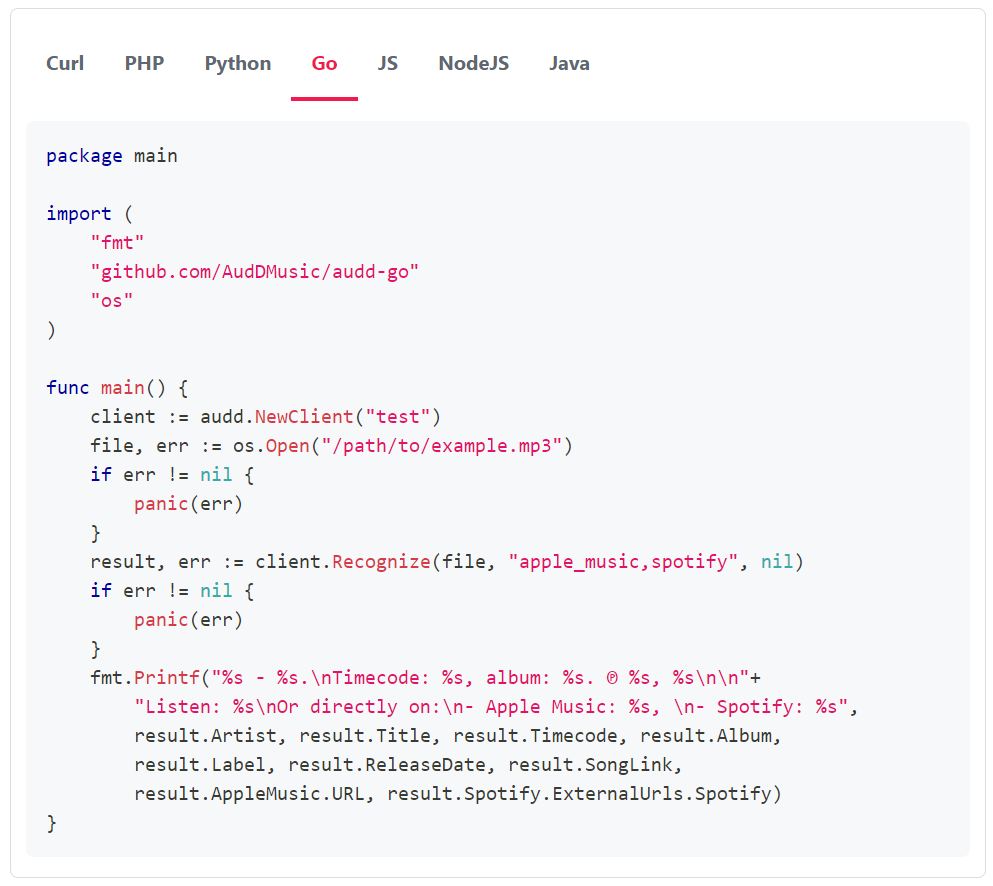
AudD maintains a reference implementation in Go, AudDMusic/DiscordBot, which is the reference version and worth reading if you want a production deployment. This walkthrough builds the same thing in Node.js with @audd/sdk and discord.js, because the Node toolchain is the most approachable starting point. The Go repo uses github.com/AudDMusic/audd-go if you’d rather build on that.
What you’ll build
A single slash command — /whatsong — that does five things in sequence:
- Reads which voice channel the caller is in and joins it.
- Subscribes to the channel’s audio and records a short window (about 6 seconds is plenty — AudD fingerprints a short clip).
- Decodes Discord’s per-user Opus packets to PCM, then encodes that buffer to a small WAV/MP3 clip in memory.
- Sends the clip to AudD’s standard recognition endpoint.
- Replies in the text channel with artist — title and the song_link, or “no match” when nothing was recognized.
The audio path is the only fiddly part, and it’s a discord.js / @discordjs/voice concern, not an AudD one. The AudD call itself is a single audd.recognize(buffer) — the SDK accepts raw bytes directly, so once you have a clip in memory you hand it straight over.
Use the standard endpoint, not enterprise, here. You’re sending one short clip and want one answer. The standard endpoint (POST https://api.audd.io/) responds in under 2 seconds and returns result: null (the SDK returns null) on no match. Enterprise is for long files where you want every track.
Use the standard endpoint, not enterprise, here. You’re sending one short clip and want one answer. The standard endpoint (POST https://api.audd.io/) responds in under 2 seconds and returns result: null (the SDK returns null) on no match. Enterprise is for long files where you want every track.
Prerequisites
- An API token from dashboard.audd.io. The first 300 requests are free; the test token works for a hello-world but is capped at 10 requests/day.
- A Discord application + bot token from the Discord Developer Portal, with the Server Members and voice privileged intents enabled and the bot invited to your server with the Connect and Speak permissions.
- Node.js 20 or newer.
- ffmpeg available on the host (@discordjs/voice and the encoding step shell out to it).
- The packages:
Walkthrough
Step 1: Confirm the AudD call in isolation
Before touching Discord audio, prove the recognition path with a known file. This is the exact call the bot makes at the end — only the input changes from a URL to an in-memory buffer.
Running this prints the artist, title, and a lis.tn link for the example track. A successful call that didn’t recognize anything returns null — that is not an error, it’s the “no match” verdict you’ll relay to chat.
Step 2: Register the slash command and join the voice channel
Wire up a discord.js client and a /whatsong command. When it fires, look up the caller’s voice channel from the guild’s voice state and join it with @discordjs/voice.
selfDeaf: false matters — a deafened bot receives no audio. When you run this and type /whatsong from inside a voice channel, the bot joins it.
Step 3: Capture a short audio window
Discord delivers voice as per-user Opus packets over the connection’s receiver. Subscribe to the audio, decode it to PCM with prism-media, and collect a few seconds into a buffer. Discord’s PCM is 48 kHz, 16-bit, stereo — encode that to a clip AudD can fingerprint.
A few realities of Discord voice receive worth knowing:
- Audio is per-user. receiver.subscribe(userId) records one source. For a music bot or a person streaming desktop audio into the channel, that user id is whoever is playing the music. A simple approach is to subscribe to the loudest speaker; the reference Go bot tracks speaking users and records the active one.
- EndBehaviorType.AfterSilence stops the stream after a gap, which is why the explicit setTimeout is there as a ceiling for continuous audio.
- The output is raw PCM, not a container. AudD needs a real audio file, so the next step wraps/encodes it.
Step 4: Encode the PCM to a clip and recognize it
Convert the raw PCM buffer to a small WAV or MP3 with ffmpeg, then pass the encoded bytes straight to audd.recognize. The SDK auto-detects that you passed a Uint8Array/Buffer and uploads it.
The 6-second 128 kbps clip is roughly 100 KB — far under the standard endpoint’s 10 MB cap. There’s no need to involve enterprise.
Step 5: Reply in chat and clean up
Tie it together in the interaction handler. Acknowledge the command first (recording takes several seconds, longer than Discord’s 3-second initial reply window), then edit the reply with the result.
Running the bot and typing /whatsong while music plays gets you a reply like Imagine Dragons — Warriors with a shareable link a few seconds later.
What you get back
audd.recognize returns a single result object (the top match) or null. The fields the bot uses:
To attach streaming-service links instead of just the lis.tn redirect, request provider metadata. Each provider adds latency, so request only what the reply needs:
Handling errors
A voice bot has a few distinct failure modes; keep them separate so users get a useful message:
- No match — recognize resolved to null. Not an error. Reply “no match”; common when the clip is mostly speech or silence.
- Authentication errors — bad or missing AudD token. Fail at startup, not per command; the SDK throws on construction if no token resolves.
- Quota errors — the account has no requests left (the test token caps at 10/day). Surface a “try again later” message and alert ops.
- Invalid audio — the encoded clip wasn’t decodable (empty recording, silence-only buffer). Treat as a user-facing “couldn’t capture audio” rather than a crash.
- Connection errors — transient network failure reaching AudD. The SDK retries pre-upload network errors; surface a generic retry message if it still fails.
The recording side fails independently of AudD: a deafened bot, a user with no audio, or a missing ffmpeg binary all surface before the recognition call. Validate that the PCM buffer is non-empty before encoding so you don’t ship a silent clip and burn a request on a guaranteed no-match.
Going further
- Record the active speaker, not the caller. Track connection.receiver.speaking events and record whichever source is actually producing audio — that’s what the reference Go bot does.
- Recognize a longer set. If people want to identify a whole DJ set rather than one track, capture to a file and send it to the enterprise endpoint (audd.recognizeEnterprise(buffer, { limit })) to get every song, not just one. Always set limit — enterprise bills per 12 seconds.
- Cache by audio fingerprint window. If the same track keeps playing, debounce repeat /whatsong calls within a short window to avoid spending a request on an answer you just gave.
- Read fields outside the typed surface. Any server field the SDK doesn’t expose as a typed property is available on song.extras.
- Build a copyright scanner for user-uploaded content
- Scan an archive of audio files and write metadata back
- Node.js SDK docs
- API reference