When AudD recognizes a song you can ask it to attach metadata from up to four external providers — Apple Music, Spotify, Deezer, and MusicBrainz — to the match. Each block mirrors that provider’s own track/album object, so you get a direct service URL, audio preview, artwork, and the provider’s own IDs without making a second call. The providers carry different fields, so each block is documented on its own page; this page covers what’s common — how to request them, the shared mechanics, and when song_link is enough instead.
The blocks
Napster metadata is no longer available: the platform ceased operations and napster was removed from the API (sending it adds warning #51).
Each per-provider page documents that block’s typed fields, how to read the ones developers actually use, and where to look up the provider’s complete schema.
On the HTTP API, list the providers you want in the return form field as a comma-separated string:
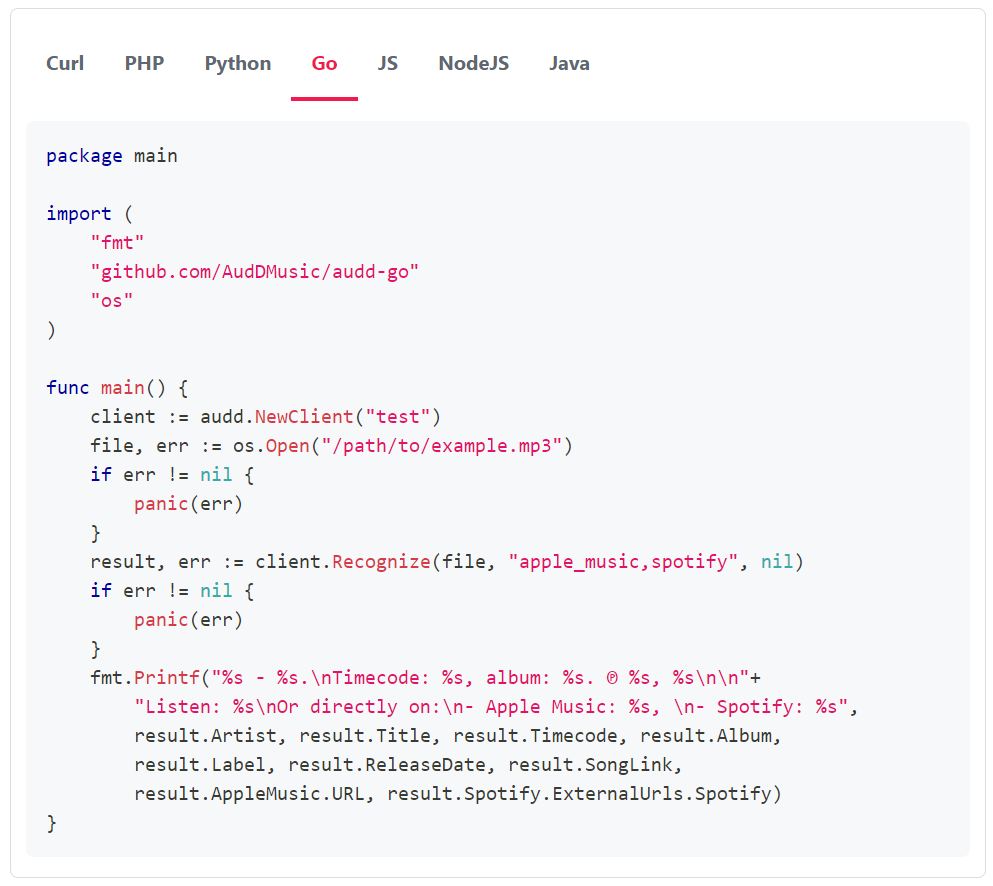
In the SDKs, the option is named returnMetadata (or the language’s idiomatic equivalent — return_metadata in Python). return is the raw API name; return_metadata/returnMetadata is the SDK name for the same thing.
Each block is read as the typed property on the result — result.spotify, result.apple_music, and so on (result.spotify in Node), with attribute access on the typed sub-fields. Fields beyond the typed surface round-trip through Pydantic’s model_extra (Python) / extras (Node). The per-provider pages show the access pattern for each block.
Three things to know before you request everything:
- Each provider you request adds latency. AudD looks the track up in each service you ask for. Request only the providers you will actually read.
- A block is null or absent when you didn’t request it (or when the provider has no match for that recording). The presence of apple_music is not guaranteed even when you ask — handle the missing case, and treat every sub-field as possibly absent or null too.
- The enterprise endpoint doesn’t return provider blocks by default. On enterprise matches, use song_link (below) to reach the services. If you need provider metadata on enterprise results, write to [email protected].
The market parameter sets the country code used for the Apple Music and Spotify lookups (defaults to us); it changes which catalog entry and which available_markets you get back. It does not affect the other blocks.
The simpler alternative: song_link
You don’t need a provider block just to send a user to a streaming service. Every match — standard or enterprise, with no return requested — carries a song_link: a universal lis.tn URL such as https://lis.tn/NbkVb that resolves to a page linking the song across services.
Append ?thumb to a song_link to get the cover art directly (https://lis.tn/NbkVb?thumb), without requesting any provider block.
So before adding providers to return, ask whether song_link already covers the need. Request provider blocks when you need a specific service’s direct URL, IDs, preview, or artwork in your own UI; reach for song_link when a cross-provider link and cover art are enough. See the lis.tn song link concept for the full behavior.
SDK helpers: streaming_url(provider)
The SDKs expose a helper that resolves a per-provider URL from a match: streaming_url(provider) in Python, streamingUrl(provider) in the camelCase SDKs. It returns the direct provider URL when you requested that block, and otherwise falls back to the lis.tn redirect for that provider — so it works whether or not you set return.
Valid provider identifiers: spotify, apple_music, deezer, youtube. (youtube resolves only through lis.tn — there is no youtube metadata block. MusicBrainz is a metadata database, not a streaming service, so it has no streaming_url either.)
Notes
- Requesting a provider does not guarantee its block appears: AudD returns it only when that provider has a match for the recognized recording. Always null-check before reading.
- The market parameter only affects Apple Music and Spotify lookups.
- ISRC is a reliable join key when you store metadata from more than one provider — the same ISRC appears across the Apple Music, Spotify, and MusicBrainz blocks for the same recording.
- Apple Music metadata block
- Spotify metadata block
- Deezer metadata block
- Napster metadata block (no longer available)
- MusicBrainz metadata block
- The lis.tn song link
- Result fields reference
- Glossary
- SDK docs