If your platform accepts audio or video uploads, you often need to know whether a file contains copyrighted music before you publish it. This recipe builds a scanner: a user uploads a file, your backend sends it to AudD’s enterprise endpoint, and you get back every recognized track with its label, ISRC, UPC, and the timestamps where it appears.
What you’ll build
A single backend endpoint — POST /scan — that accepts an uploaded file, forwards it to AudD’s enterprise endpoint, and returns a verdict: a list of matched tracks (with identifiers and timestamps) or an empty list when the file is clean. You decide the policy: block on any match, block above a score threshold, or queue for human review.
The enterprise endpoint is the right choice here (not the standard endpoint) for two reasons: user uploads are arbitrary length, and you want every song in the file, not just one. The enterprise endpoint chunks the file server-side and returns one match per recognized segment.
Prerequisites
- An API token from dashboard.audd.io. ISRC and UPC in responses require a Startup plan or higher.
- Python 3.10+ with the official SDK: pip install audd
- A few test files. https://audd.tech/example.mp3 is a known track you can use to confirm the happy path.
Walkthrough
Step 1: Scan one file
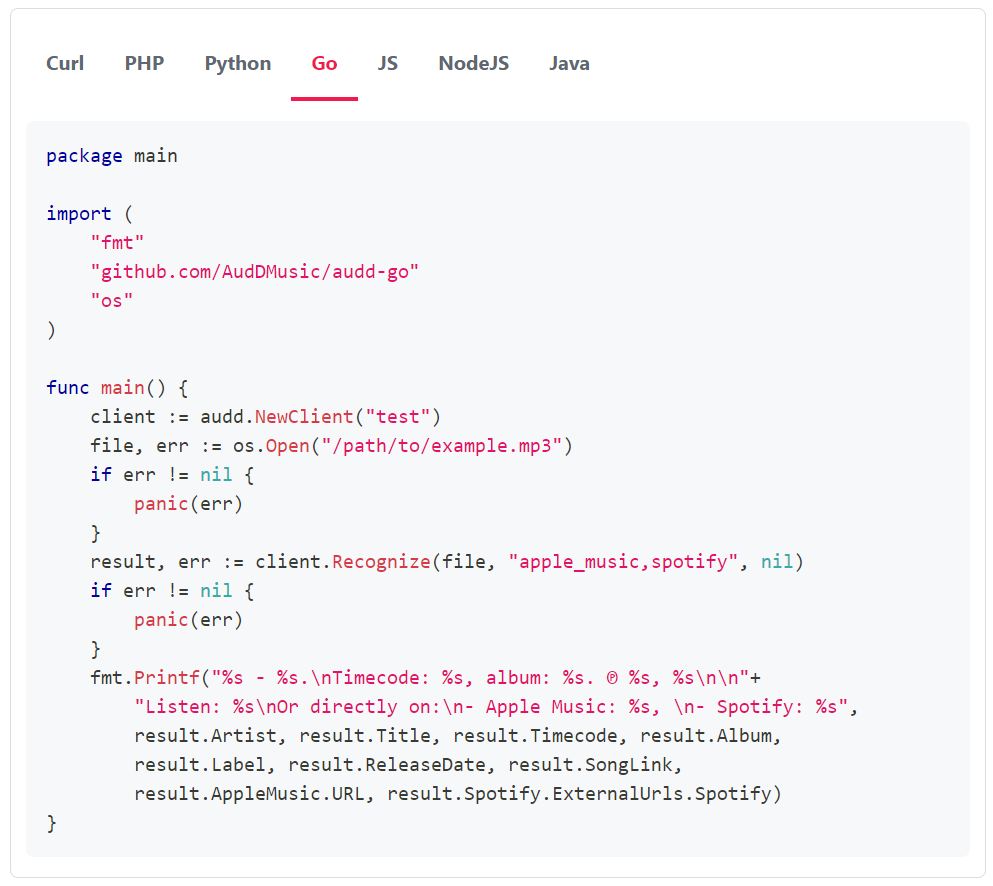
Start with the smallest possible scan: send a file to the enterprise endpoint and print what comes back. Always pass limit during development — the enterprise endpoint bills per 12 seconds of audio processed, and an unbounded call on a long file can ingest hours of audio.
When you run this against the example file you’ll see one match printed with its timecode, artist, title, and ISRC. A clean file returns an empty list — not an error.
Always set limit during development. The enterprise endpoint bills per 12 seconds of audio processed. An unbounded call on a multi-hour upload can produce hundreds of metered matches. Start with limit=10 and raise it only when you understand the cost on your real inputs.
Always set limit during development. The enterprise endpoint bills per 12 seconds of audio processed. An unbounded call on a multi-hour upload can produce hundreds of metered matches. Start with limit=10 and raise it only when you understand the cost on your real inputs.
Step 2: Accept an upload and forward it
Now wire it to an HTTP handler. The SDK accepts a file path, raw bytes, or a stream, so you can forward the uploaded bytes straight through without writing them to disk.
clean: true with an empty matches list is your “no copyrighted music detected” verdict.
Step 3: Apply a policy
The raw match list is the input to whatever moderation policy you run. Three common shapes:
Block-on-any-match is the strictest policy. Most platforms instead block only on commercial releases (a non-null label, or a present ISRC/UPC) and send everything else to human review.
Step 4: Keep cost bounded on long files
For long uploads where you only need a yes/no answer rather than a full tracklist, sample the file instead of fingerprinting every chunk:
every=5 cuts the metered audio roughly five-fold while still catching sustained use of a track. Use a full scan (limit high, no every) only when you need the complete tracklist for evidence.
What you get back
Each match in the list carries the core tags plus the identifiers that matter for a copyright verdict:
isrc and upc are populated on enterprise responses for accounts on a Startup plan or higher. If they come back null on every match, check your plan tier.
This scanner answers “does the file contain copyrighted music, and which tracks” — it does not place each match at a precise second in the file. If you need exact in-file timestamps (for a takedown filing or a tracklist), see Generate DMCA takedown evidence, which reads the per-chunk position the enterprise endpoint returns.
Handling errors
The scanner only needs to distinguish a few cases:
- Authentication errors (AudDAuthenticationError) — bad or missing token. Fail loudly at startup, not per request.
- Quota / subscription errors (AudDQuotaError, AudDSubscriptionError) — you’ve hit a limit or the enterprise endpoint isn’t enabled on your token. Surface to ops; don’t retry.
- Invalid-audio errors (AudDInvalidAudioError) — the upload wasn’t decodable audio/video. Treat as a user error: reject the upload with a “couldn’t read this file” message rather than a server error.
- Connection errors (AudDConnectionError) — transient. Retry with backoff; the SDK already retries idempotent calls.
Going further
- Store matches keyed by upload ID so you can re-run policy without re-scanning (re-scanning re-bills).
- For your own catalog (detecting leaks of unreleased tracks, or sample reuse), upload your tracks to a custom catalog first — see Detect samples in user uploads.
- To scan content that’s already live behind a URL (a TikTok, a YouTube video) rather than an upload, pass the URL instead of bytes — AudD parses the social URL server-side.
- From match to decision: allow, block, and review policies
- EU Article 17 and the DSA: where music recognition fits
- Standard, enterprise, or streams: how to choose
- Enterprise cost optimization
- Generate DMCA takedown evidence
- Python SDK docs
- API reference