- Blog
- Reactivation Email
How to Write a Reactivation Email That Wins Back Dormant Contacts
November 19, 2026
A reactivation email is a message to contacts who have stopped opening or clicking, written to earn one small action: a click, a reply, or a preference update. It works best as one step in a short, targeted sequence that ends with a clear decision about who stays on your list.
This guide shows you how to find dormant contacts, write the email, sequence it, build it in ActiveCampaign, and measure the result. It covers reactivating the contacts you already have. For the full multi-email flow, read the re-engagement email guide, and for customers who stopped buying, see win-back strategies.
What is a reactivation email?
A reactivation email is a targeted message sent to subscribers or customers whose engagement has dropped, designed to bring them back to your content, product, or store. It usually carries a clear reason to return, such as news, a useful resource, a preference check, or an offer. Teams also call it a win-back email or a re-engagement email, and the three terms overlap.
How the three terms usually differ:
Reactivation, re-engagement, and win-back emails compared
Reactivation reaches people who already know your brand, so it costs less effort than finding new contacts. It also tells you who still wants your emails, which keeps your engagement data and sender reputation honest.
A dormant contact is someone who is still subscribed but has not engaged with your emails or your site for longer than your normal sending rhythm would explain. Your business decides the cutoff. A weekly newsletter reaches that point much sooner than a brand that sells annual renewals.
Define dormant in five steps:
- Pick an inactivity window. A common starting point is about 90 days with no engagement. Adjust it to your send frequency and buying cycle.
- Combine signals. Check email clicks, site visits, purchases, and form fills, not opens alone. Mail privacy features can register opens that no person made.
- Exclude recent activity. Skip new subscribers, recent buyers, and anyone with an open deal or support conversation.
- Exclude contacts who cannot receive email. Filter out unsubscribed and bounced contacts first.
- Save the group as a segment. A saved segment keeps the audience current as contacts go quiet or come back.
Active does not mean engaged
In ActiveCampaign, a contact with the status Active has confirmed their subscription and has not unsubscribed or bounced. The status says nothing about whether they open or click, so build the dormant segment from engagement conditions as well.
Treat very old contacts differently from lapsing ones. Someone who went quiet three months ago may respond to one friendly reminder. Someone silent for a year or more is a risk to your deliverability, so reach out once with a clear choice or suppress them. The email list cleaning playbook covers how to validate addresses before you send.
When should you send a reactivation email?
Send a reactivation email when engagement starts to drop and before the contact disappears entirely. Waiting until every contact has been silent for a year means you email a list full of people who have forgotten you.
Timing signals worth acting on:
- A fixed gap since last engagement, such as three months with no click or visit.
- A contract or subscription date, such as a few days before a renewal.
- A seasonal moment, such as a sale or event that gives a retailer a real reason to write.
- A product change, such as a new feature that fixes a complaint the contact once had.
The most reliable way to apply the first signal is an automation. The diagram below starts a send three months after a contact's last engaged date, then ends the automation after one email.
What should a reactivation email say?
A reactivation email works when it gives one specific reason to come back and one easy way to do it. Keep it short, keep the tone friendly, and let the contact decide.
Write a subject line that names the gap
A good reactivation subject line is honest, specific, and light. It says that time has passed and hints at what is waiting. For wording to borrow, see these win-back subject lines and these re-engagement subject lines. Test two options against each other with subject line A/B tests before you send to the full segment.
Open with the reason to return
Start with what has changed or what the contact gets by coming back: a new feature, fresh content, a better product range, or a deadline on an offer. Remind them of the value they once found, in one or two sentences, and skip guilt. Pressure makes people unsubscribe or mark you as spam.
Ask for one action
Give the email a single call to action. Common one-click choices include:
- Stay subscribed: a button that confirms interest.
- Update preferences: a link to choose topics or frequency.
- Come back: a link to the new feature, product, or offer.
A preference link gives contacts who are tired of your volume an alternative to unsubscribing, and it hands you data about what they want.
Use incentives with care
Offer a discount only to contacts who have bought before and only when the margin allows it. Give contacts who never purchased content, early access, or a useful template instead. If you discount everyone, you teach your list to wait for the next offer.
Personalize with what the contact did
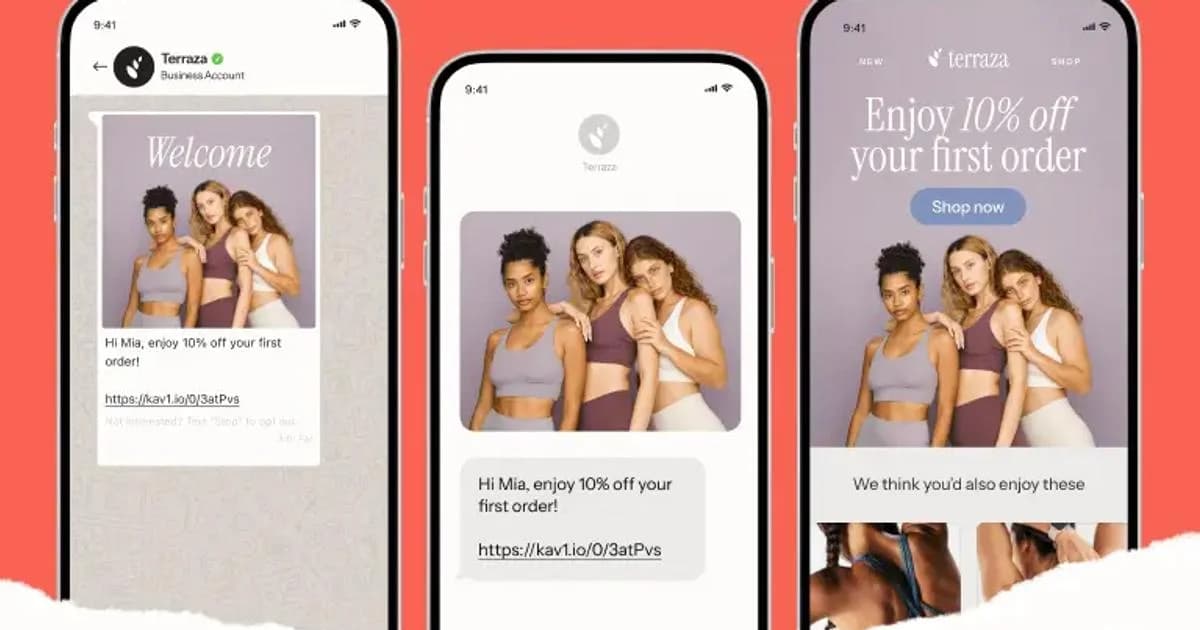
A first name is the minimum. A stronger version reflects what the contact did: the category they browsed, the product they bought, or the content they clicked. Dynamic content lets one email show different blocks to different segments, and this guide to personalized emails shows how to set it up.
Keep the design simple
Plain, mobile-friendly layouts often suit a message that should read like a note from a person. Write a preheader that extends the subject line, using the email preheader guide, and make the button impossible to miss. See how to format an email for layout options, and subject line tips for more on the first thing contacts see.
Mistakes that undermine a reactivation email:
- Sending to the whole list. Engaged contacts do not need the message and may find it odd.
- Guilt or fake urgency. A deadline needs to be real.
- A discount for everyone. It lowers margin and trains your list to wait.
- No end point. Without a final email and a suppression step, dormant contacts keep dragging down your engagement rates.
- Ignoring complaints. Gmail asks bulk senders to keep the spam rate reported in Postmaster Tools below 0.3% (see Google's sender requirements), and dormant contacts are the likeliest to complain.
Reactivation email template
Subject: It has been a while. Here is what changedPreheader: One click keeps you on the list.
Hi [first name], it has been a few months since you last opened one of our emails, and a lot is new. [One sentence about the new feature, product, or resource, with a link.]
[Button: See what is new]
If you would rather hear from us less often, [choose your topics here]. If now is not the right time, no hard feelings.
How do you build a reactivation sequence?
Build a reactivation sequence of two or three emails over about two to three weeks, and end it with a decision. One email can miss people on a busy day, while a long series wears out the contacts you are trying to win back.
A simple three-email structure:
- Email 1, the reminder. Lead with what is new or what they missed, plus one clear button.
- Email 2, the nudge. Send it a few days later to contacts who did not click. Add an incentive, a feedback question, or a preference link.
- Email 3, the last call. Say plainly that you will stop emailing unless they click to stay. A final email like this earns replies from people who meant to answer.
After email 3, move contacts who still have not engaged to a suppression segment and stop sending to them. Keep their history so you can reach them if they return, unless they ask you to delete their data.
Change one variable at a time when you test, such as the subject line, the offer, or the send time. The diagram below shows how a split divides contacts between two versions.
The result of each test tells you what dormant contacts respond to, and the A/B testing guide explains how to read it. Compare click rates before open rates, because opens are the less reliable signal.
How do you set up reactivation in ActiveCampaign?
ActiveCampaign is an AI platform for marketers, with Active Intelligence built into every plan. You decide who counts as dormant and what to say. Active Intelligence drafts the segment, the sequence, and the first version of the copy for you to review and approve.
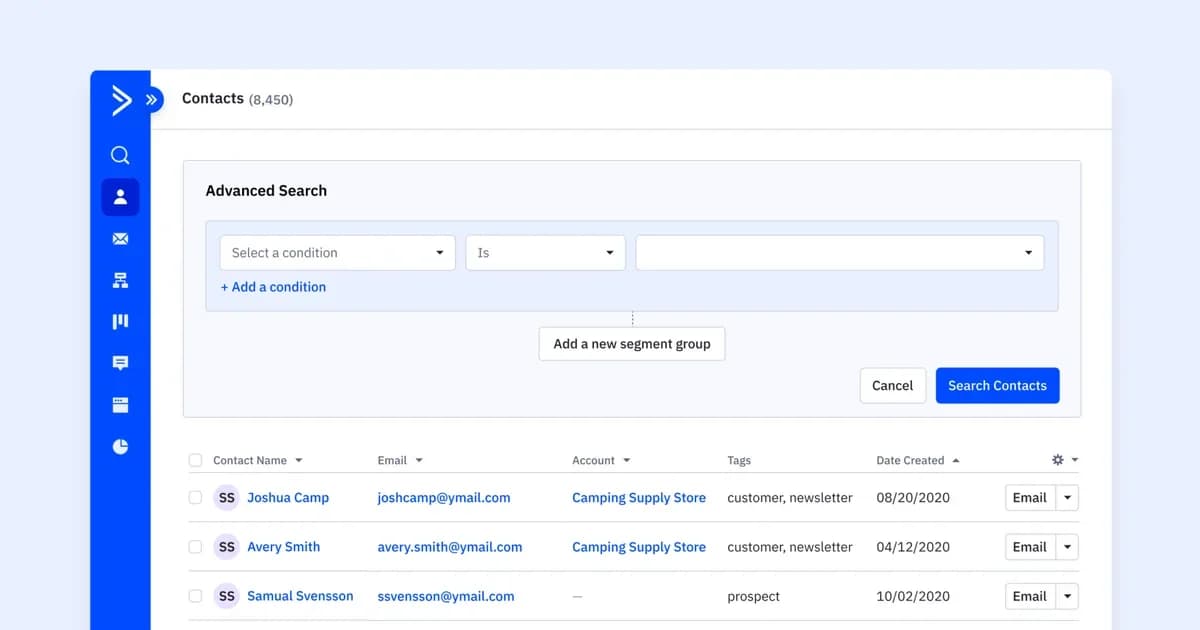
The segment builder lets you stack engagement conditions such as has not opened and has not clicked on a link. See audience segmentation for ways to layer them.
Set up the reactivation sequence in five steps:
- Create the dormant segment. Combine the engagement conditions with your inactivity window.
- Start an automation from the segment or a date. A date-based start, such as three months after a contact's last engaged date, adds contacts as they go quiet.
- Add the three emails with waits between them. Use a condition after each send so contacts who click leave the sequence.
- Tag contacts who respond. A tag such as Reactivated lets you move them back into your regular sends.
- Suppress contacts who stay silent. Tag them and exclude the tag from future campaigns.
Predictive Sending lets Active Intelligence pick a send time for each contact, which helps when your dormant group spans many time zones and habits. Learn more about marketing automation and segmentation in ActiveCampaign.
Pro tip
Build the dormant segment and the suppression segment before you write a word of copy. The sequence is only as good as the audience it reaches, and a suppression rule keeps the list healthy after you finish.
3 reactivation email examples and what each one teaches
These three emails use different reactivation techniques: humor with a reward, a feedback request with a prize draw, and a product update. Copy the technique, not the wording.
Grammarly: humor and a reward
Grammarly reminds the recipient that they installed the browser extension and then disappeared, and it hands them a playful badge for being away. The joke shows that the brand does not take itself too seriously, which is a friendly way to ask someone to return. The takeaway is to match a light tone to a low-stakes ask.
Shopify: feedback plus an incentive
Shopify asks the recipient for feedback about the platform and offers entry into a prize draw if they finish the survey before a deadline. The survey gives the contact a reason to click that is not a sales pitch, and the draw adds a real deadline. The takeaway is that asking for opinions makes a lapsed customer feel heard.
Asana: a product update
Asana opens with "We haven't seen you in a while. Is it us?" and follows with news about speed improvements. A contact who left because of a frustration has a fresh reason to look again. The takeaway is to tie your message to something that has changed since the contact last engaged.
How do you measure a reactivation campaign?
Measure a reactivation campaign by how many dormant contacts took an action after the sequence, not by how many opened the first email. Compare the result with the size of the segment you started with.
Reactivation metrics and what to try when each is low
Read these numbers as trends across several sends. A good result tells you which group of dormant contacts still pays off, and a poor result tells you where to stop. Contacts who ignore the whole sequence are costing you deliverability, because mailbox providers watch engagement. The guide to email engagement and deliverability explains the link, and 7 ways to increase email engagement covers what to do for contacts who are still active. For a follow-up to a single message, see how follow-up emails differ.
Build your reactivation sequence
Start your free ActiveCampaign trial and set up a dormant-contact segment and a three-email reactivation flow.
How long should a contact be inactive before you send a reactivation email?
A common starting point is about 90 days without a click, visit, or purchase. Adjust it to your send frequency and buying cycle. A weekly newsletter reaches that point sooner than a brand with annual renewals.
How many reactivation emails should you send?
Send two or three over about two to three weeks. The last email should tell contacts you will stop writing unless they click to stay, and you should then suppress anyone who stays silent.
What is the difference between a reactivation email and a win-back email?
A reactivation email targets contacts whose engagement has dropped, while a win-back email targets customers who stopped buying or cancelled. The two overlap, and the same sequence structure works for both.
Should a reactivation email include a discount?
Include a discount only for contacts who have purchased before and only when your margin allows it. Contacts who never bought respond better to useful content, early access, or a preference choice.
Do reactivation emails hurt deliverability?
They can if you send to contacts who have been silent for a very long time or never validate the list. Segment carefully, send a short sequence, and suppress non-responders so mailbox providers see engaged recipients.