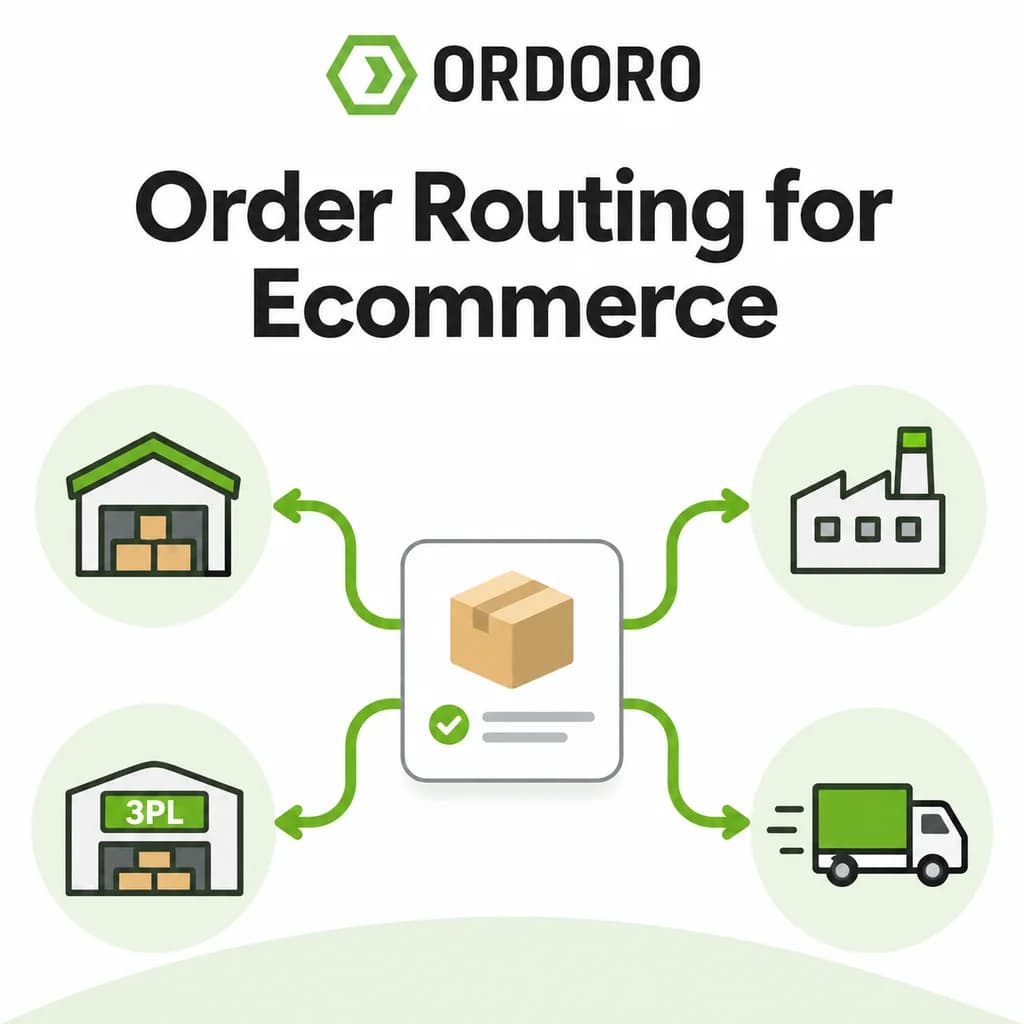
Order routing is the process of deciding which warehouse, supplier, 3PL, or fulfillment service should handle an eCommerce order. It weighs inventory availability, location, shipping cost, delivery speed, and your own business rules, then sends the order to the source best able to fulfill it.
With one warehouse, there’s nothing to decide. Once inventory spreads across locations, suppliers, a 3PL, or Amazon FBA, routing becomes a daily operational decision. One location may have the stock but sit far from the customer. Another may be closer but unable to ship every item.
This guide covers how routing works, the factors that drive it, when to automate it, and how it fits into broader order management software.
What Is Order Routing in eCommerce?
Order routing determines where an order is fulfilled: your own warehouse, another company location, a dropship supplier, Amazon FBA, or a third-party logistics provider. Many businesses use different paths for different products, channels, or order types.
Routing happens before any picking, packing, or shipping, which is why it’s the first step of eCommerce order fulfillment. At scale, routing across many sources is often called distributed order management.
A typical order routing workflow:
- Order received
- Inventory checked
- Fulfillment source selected
- Order routed
- Picked and packed
- Shipped
- Tracking returned to the sales channel
Order Routing Options: Comparing Fulfillment Sources
Each fulfillment source handles inventory, shipping, and tracking differently, and that determines how orders should be routed to it.
Most growing brands use two or more of these at once. Routing is what coordinates them.
Inventory Availability Comes First
An order can only be routed to a location that actually has the stock to fulfill it. Total inventory isn’t enough: 100 units company-wide might be 60 in one warehouse and 40 in another, with some reserved for subscriptions or wholesale.
That’s why routing depends on accurate eCommerce inventory management and multichannel inventory management. Virtual warehouses help here too: a “warehouse” in your system can represent stock assigned to a supplier, 3PL, channel, or subscription program, not just a building.
How Location Affects Routing
When more than one location has the stock, the one closest to the customer usually ships faster and cheaper. The Ship From address drives the carrier services, rates, and transit times available, which ties routing directly to shipping rate shopping.
Example: a customer in New York orders a product stocked in both Texas and Pennsylvania. Pennsylvania likely offers a shorter transit time and a lower rate.
Location isn’t the only factor. Staffing, carrier pickup schedules, and inventory commitments can outweigh distance. Ordoro’s warehouse inventory management software gives location-level visibility so you can make that call with real numbers.
Routing Orders to Dropship Suppliers
In dropshipping, routing is the handoff: the merchant makes the sale, sends the order to the supplier, and the supplier ships directly to the customer. Tracking then has to come back into the merchant’s workflow. Ordoro’s Dropshipping guide covers the full process.
In Ordoro, products are assigned to dropship suppliers, so new orders route to the right supplier automatically during import. Manual routing is available when the team needs to review or change a decision. Routine orders follow the rules; exceptions get a human look.
Can You Route Orders Based on Customer Location?
Customer location can be part of the fulfillment decision, especially when a business has multiple warehouses or suppliers in different regions. Shipping from a closer location may reduce transit time or shipping cost.
In Ordoro, orders can be routed manually, automatically to a product’s default dropship supplier, through process dropshipping, or through routing rules. However, Ordoro’s current support documentation does not show automatic “nearest supplier to the customer” selection as a built-in routing method.
You can learn more about Ordoro’s dropship routing options here:How to set up products for dropshipping in Ordoro
Routing Orders to a 3PL
A 3PL stores your inventory and handles fulfillment, but the merchant still decides which orders go there and needs tracking and stock visibility after the handoff. Some brands use a 3PL for one region or part of the catalog; others for nearly everything. See Ordoro’s 3PL Warehouses page for how outsourced fulfillment fits in.
Routing Non-Amazon Orders to Amazon FBA
Ordoro can route orders from Shopify, eBay, and other non-Amazon channels to Amazon FBA, automatically or manually. The workflow after routing:
- Ordoro sends the order to Amazon FBA.
- Amazon picks, packs, and ships it.
- Ordoro retrieves the tracking once Amazon ships.
- The order updates with tracking and delivery details.
- Shipping information syncs back to the original sales channel.
Routing isn’t finished when the order leaves; it’s finished when the tracking comes back. More in the Amazon Fulfillment guide.
Mapping Shipping Methods for Suppliers
A routed order also needs to tell the supplier how to ship. In Ordoro, the method the customer chose and the method sent to the supplier are handled separately. A customer can pick “Free Shipping” while the supplier receives a specific carrier service, and an imported option like “Expedited” can be mapped to the service name each supplier recognizes.
How Vendor Portals Keep Supplier Orders Visible
Ordoro’s Vendor Portals let suppliers receive routed orders and send shipment and inventory updates back. With several suppliers, that’s how you know whether an order was received, whether it shipped, and what tracking to pass to the customer.
What Happens When an Order Needs More Than One Source?
When no single location can fulfill the whole order, you have three options: wait until everything can ship together, transfer inventory, or split the order into multiple shipments.
[VERIFY] In Ordoro, [one sentence on how split orders are handled, e.g. splitting lines across warehouses or suppliers].
Deciding well depends on knowing what each location holds, which is where warehouse management and location-level visibility come in.
Order Routing Across Multiple Sales Channels
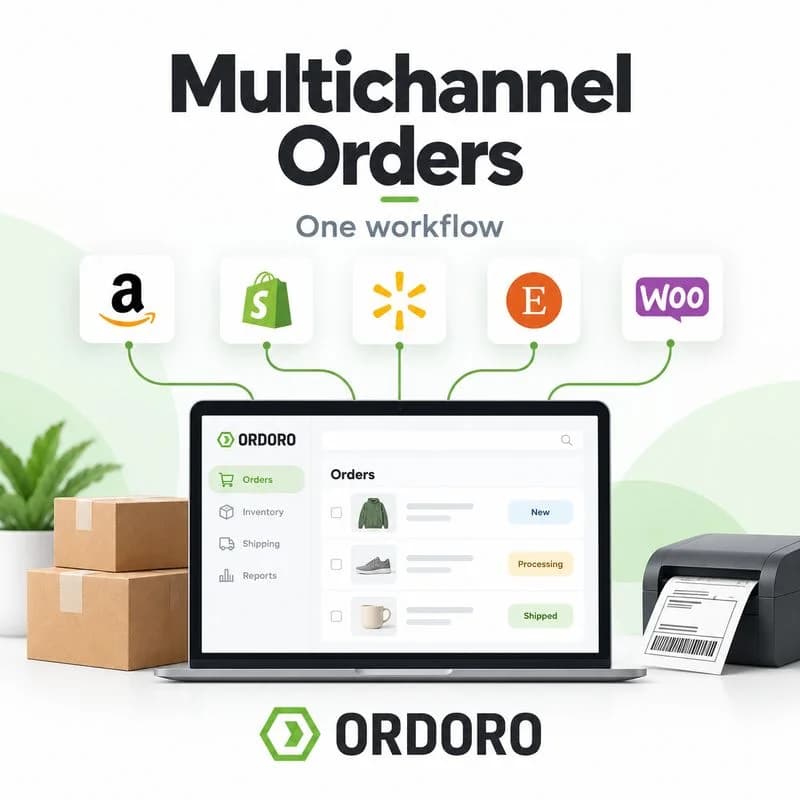
The fulfillment decision shouldn’t depend on where the customer clicked “Buy.” A Shopify, Amazon, and eBay order may all ship from the same warehouse or supplier.
Centralized multichannel order management pulls every channel into one workflow, so routing is based on inventory, location, and rules rather than a separate process per storefront. Routed orders then flow into the same picking and packing workflow as everything else at that location.
When Should You Automate Order Routing?
Automate routing when the rule is already clear and repeats on most orders. Keep human review where the right answer changes order to order.
Order routing rule examples:
- SKU assigned to Supplier A → route to Supplier A automatically on import.
- Non-Amazon order for an FBA-stocked SKU → route to Amazon FBA.
- Product normally shipped in-house, but warehouse is out of stock → flag for manual review.
- Order with items from two suppliers → review whether to split.
Common factors in order routing rules:
- Product or SKU
- Inventory availability
- Warehouse or supplier
- Fulfillment model
- Sales channel
- Customer location
- Shipping method
- Order priority
- Whether one source can fulfill the full order
You don’t need a rule for every factor. Good order routing software automates the repetitive decisions and surfaces the exceptions.
What Happens After the Routing Decision?
Routing decides who takes responsibility next. That location then picks, verifies, packs, selects a shipping service, creates the label, and returns tracking. Ordoro’s warehouse inventory management system page covers that receive-to-ship lifecycle.
How Ordoro Connects Order Routing to Fulfillment
Ordoro keeps routing in the same workflow as inventory, dropshipping, warehouse operations, and shipping. Products can be assigned to suppliers, orders can route to Amazon FBA, Vendor Portals coordinate supplier fulfillment, and teams can route manually when an order needs a different call.
Inventory determines what can ship. Routing determines who ships it. Picking, packing, and shipping determine how it leaves. Tracking closes the loop.
Frequently Asked Questions About eCommerce Order Routing
What is order routing in eCommerce?
Order routing is the process of deciding which warehouse, supplier, 3PL, or fulfillment service should handle an eCommerce order, based on inventory, location, and business rules.
What’s the difference between order routing and order fulfillment?
Routing decides where an order goes. Fulfillment is the picking, packing, and shipping that happens once it gets there.
What is distributed order management?
Distributed order management is routing orders across multiple fulfillment sources, such as warehouses, suppliers, 3PLs, and FBA, from one central system.
How does eCommerce order routing work?
The system checks product availability, supplier assignments, location, shipping requirements, and your rules, then sends the order to the matching fulfillment source.
Can orders be routed automatically?
Yes, when the rule is clear, such as a SKU always dropshipped by one supplier. Exceptions like stockouts or multi-source orders usually need review.
What does order routing software do?
Order routing software applies your routing rules to incoming orders from every channel, sends them to the right fulfillment source, and brings tracking back.
Can orders be routed to different suppliers?
Yes. Each product can be assigned to the supplier responsible for it, so orders route to the right supplier.
Can Shopify orders be routed to Amazon FBA?
Yes. Orders from Shopify, eBay, and other non-Amazon channels can route to Amazon FBA, and tracking syncs back to the original channel.
Can orders be routed based on customer location?
Customer location can inform the decision, especially when a business has suppliers in different regions. In Ordoro, you can dropship by location, but orders are not automatically routed to the supplier nearest the customer. Choosing the closest supplier is currently a manual routing decision.
For more detail, you can link to Ordoro’s support page on dropshipping management:Dropshipping Management in Ordoro
What is a split order?
A split order ships in more than one package or from more than one source, usually because no single location has every item.
How does order routing affect shipping costs?
The location you route to sets the Ship From address, which changes the carrier services, rates, and transit times available.
Send Every Order in the Right Direction
The customer sees one purchase. Behind it, you decide which inventory fulfills it, where that inventory sits, who ships it, and whether it needs to split. With one warehouse that’s easy; with suppliers, 3PLs, and FBA in the mix, routing is part of the daily workflow.
The goal isn’t more rules. It’s a clear path for every order from the sales channel to the right fulfillment source, and back again with tracking.
Ready to connect orders, inventory, suppliers, fulfillment, and shipping? Start a free trial of Ordoro and keep every order moving.