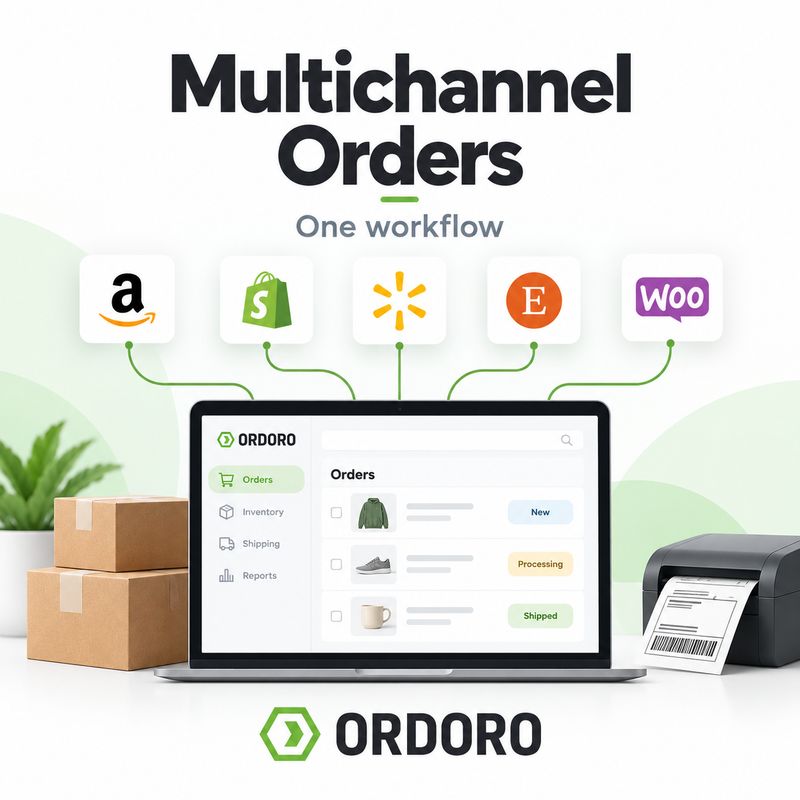
Selling through more than one channel can open the door to more customers. It can also create a lot more places to check.
An order comes in through Shopify. Another lands on Amazon. A third comes through eBay. The products may all come from the same inventory and ship from the same warehouse, but if each channel is managed separately, the team can end up repeating the same work in several different systems.
That is where multichannel order management comes in.
The goal is not simply to collect orders from different places. It is to bring those orders into a shared workflow where inventory, fulfillment, shipping, tracking, and exceptions can be managed without treating every sales channel like its own operation.
Multichannel order management is the process of receiving, organizing, fulfilling, shipping, and tracking orders from multiple sales channels through one central workflow.
Those channels might include a branded eCommerce store, marketplaces such as Amazon or eBay, wholesale channels, additional storefronts, or other places where customers can place orders.
Without a centralized process, the team may need to log in to each platform separately to review new orders, confirm inventory, create shipments, update order status, and return tracking information. That may be manageable when only a few orders are coming in. As volume and the number of channels grow, the repeated work becomes much harder to ignore.
A multichannel workflow changes the process from “Which platform do I need to check next?” to “Which orders need attention next?”
That is a small shift in how the work is organized, but it can make a big difference in day-to-day fulfillment.
Why Multichannel Selling Gets Complicated
Adding another sales channel does not just add another place to make sales. It also adds another source of orders, inventory demand, customer expectations, shipping information, and order updates.
The challenge is that those channels may all be drawing from the same underlying operation.
A product listed on Shopify may be the same product being sold on Amazon and eBay. If the last unit sells through one channel, the other channels need an accurate view of what is still available. Otherwise, the business risks selling inventory it no longer has.
This is why multichannel order management connects so closely to eCommerce inventory management. An order does not only affect the channel where the sale happened. It can change what the business is able to sell everywhere else.
Consistent SKUs help make those relationships easier to manage. When the same product uses the same SKU across channels, an inventory system has a much clearer way to recognize that the listings all point back to the same underlying product.
Bring Orders Into One Fulfillment Workflow
Centralizing orders gives the operations team one place to decide what needs to happen next.
Instead of processing Shopify orders in Shopify, Amazon orders in Amazon, and marketplace orders somewhere else, the team can work through a shared fulfillment queue. Orders can be reviewed, held when necessary, routed to the appropriate fulfillment location, picked, packed, shipped, and tracked through a consistent process.
That does not mean every order has to be treated exactly the same. Different channels may have different service requirements, shipping expectations, or exceptions. The advantage is that the team can manage those differences from one operational view instead of maintaining a completely separate process for each channel.
This is where multichannel order management connects directly to the broader eCommerce order fulfillment process. The storefront may determine where the order originates, but fulfillment still has to answer the same questions: Is the inventory available? Where should the order ship from? What needs to be picked and packed? Which shipping service makes sense? And how does tracking get back to the customer?
The easier it is to answer those questions in one workflow, the less time the team spends moving information between systems.
Keep Inventory Connected Across Sales Channels
Inventory is one of the biggest reasons multichannel operations become difficult.
Suppose you have 10 units of a product and list it on three different channels. You do not necessarily have 10 units available for Shopify, another 10 for Amazon, and another 10 for eBay. Those channels may all be selling from the same 10 units.
When one sells, the available quantity needs to reflect that sale everywhere the product is connected.
That gets even more complicated when the catalog includes kits and bundles. A component sold individually on one channel may also be part of a kit listed somewhere else. One sale can therefore affect the availability of several products across several storefronts.
A connected inventory workflow helps the business treat inventory as one operational picture instead of a collection of unrelated channel quantities.
It also makes stockouts easier to manage. If inventory changes are not reflected across channels quickly enough, several storefronts can continue accepting orders against the same remaining stock. Our guide to preventing eCommerce stockouts looks more closely at the inventory planning side of that problem.
Manage Fulfillment Without Bouncing Between Channels
Once orders are centralized, the fulfillment team can organize the work around the warehouse rather than around the storefront.
Orders can move into the same picking and packing workflow regardless of where the customer placed the order. Pick lists, batch workflows, barcode verification, packing slips, and warehouse processes can be built around what needs to ship rather than which channel produced the sale.
The same applies when more than one fulfillment location is involved. An order may need to ship from the main warehouse, another company location, a 3PL, or a supplier. Some businesses may also use virtual warehouses to separate inventory or fulfillment workflows without creating another physical facility.
The channel tells you where the order came from. It should not require you to rebuild the entire warehouse process around it.
That distinction becomes increasingly useful as order volume grows.
Keep Shipping in the Same Workflow
Shipping is another place where managing channels independently can create duplicate work.
The fulfillment team still needs to choose a carrier and service, confirm package information, create a label, and get tracking back to the customer. Doing that separately inside each sales channel can make it harder to create one consistent shipping process.
A centralized workflow lets the team handle shipping based on the order itself. Carrier options can be compared, package details can be confirmed, and labels can be created without making the sales channel the center of the decision.
That is where shipping rate shopping can become particularly useful. The lowest-cost service is not always the best choice, and having access to rate and delivery information gives the team more context before a label is purchased.
Once the shipment is created, the other side of the workflow matters just as much: tracking needs to get back to the channel where the order originated.
In Ordoro, tracking created for imported orders is written back to the connected sales channel so the channel can notify the customer. That closes the loop without requiring the fulfillment team to copy tracking numbers back into each storefront manually.
What About Multichannel Exceptions?
A good multichannel workflow is not only about making normal orders faster. It should also make unusual orders easier to find.
An item may suddenly be unavailable. An order could need to ship from a different warehouse. A supplier may not be able to fulfill something on time. An address may need attention. A shipment could require a different service than the one normally used.
Those exceptions are easier to manage when the team does not have to search several sales channels to find them.
Centralizing the operational work gives the team a clearer way to separate orders that can move through the normal process from orders that need a decision.
That is an important distinction as businesses grow. Automation should help routine orders move faster, but the team still needs visibility when something does not fit the rule.
When Channel-by-Channel Order Management Stops Working
There is no magic number of channels or orders that suddenly means a business needs multichannel order management software. The warning signs usually show up in the workflow first.
You may be ready for a more connected process if:
- Employees spend too much time logging into different sales channels to manage orders
- Inventory has to be updated or checked manually across storefronts
- Tracking numbers are being copied back into channels by hand
- The same product frequently shows different available quantities across marketplaces
- Each channel has developed its own fulfillment process
- Warehouse teams need to know which storefront an order came from before they know how to handle it
- Adding another channel feels like adding another set of operational tasks rather than simply another source of sales
The issue is not necessarily the number of platforms. It is the amount of duplicate work those platforms are creating behind the scenes.
How Ordoro Handles Multichannel Order Management
Ordoro brings orders from supported eCommerce channels into one operational platform so merchants can manage more of the work behind those orders together.
Connected sales channels can feed orders into Ordoro, where teams can manage fulfillment, inventory, warehouse workflows, shipping, and tracking. Ordoro can also synchronize inventory quantities back to connected channels when inventory writeback is enabled, helping shared stock stay aligned across storefronts.
That makes the sales channel the place where the customer buys while Ordoro becomes the place where more of the operational work happens.
The difference becomes especially useful for businesses that have outgrown a shipping-only workflow. Inventory, purchasing, warehouse management, kitting, dropshipping, and fulfillment can all affect how an order gets out the door.
Instead of managing those pieces separately for every storefront, the goal is to keep more of the process connected.
You can explore Ordoro’s Shipping and Order Management and Inventory Management tools to see how those workflows fit together.
Frequently Asked Questions About Multichannel Order Management
What is multichannel order management?
Multichannel order management is the process of bringing orders from multiple sales channels into one system so fulfillment, inventory, shipping, tracking, and exceptions can be managed through a shared workflow.
What is a multichannel order management system?
A multichannel order management system is software that connects orders from multiple eCommerce stores, marketplaces, or sales channels and helps businesses manage what happens after those orders are placed.
Why is multichannel inventory management important?
When several sales channels sell from the same inventory, a sale on one channel affects what is available everywhere else. Keeping inventory synchronized helps reduce the risk of overselling and conflicting stock quantities.
Can I manage Shopify and Amazon orders in one place?
Yes, if your order management platform supports both sales channels. Centralizing those orders allows the fulfillment team to manage them through one operational workflow instead of processing each channel separately.
Does multichannel order management include shipping?
It can. A connected order management platform may allow teams to manage fulfillment, compare shipping services, create labels, update order status, and return tracking information to the original sales channel.
What is the difference between multichannel and omnichannel?
Multichannel means a business sells through more than one sales channel. Omnichannel usually describes a more coordinated customer experience across those channels, such as allowing customers to purchase through one channel and interact with the business through another.
How does multichannel order management help prevent overselling?
When an order is received, the system can account for that committed inventory and update available quantities across connected sales channels. This helps prevent multiple channels from continuing to sell the same remaining units.
When should an eCommerce business use multichannel order management software?
A business may benefit from it when managing orders, inventory, shipping, or tracking separately across sales channels starts creating repetitive work, inconsistent information, or fulfillment errors.
One Workflow Behind Every Sales Channel
Adding sales channels should give customers more ways to buy from you. It should not require your operations team to build a new fulfillment process every time you add one.
The storefronts and marketplaces may be different, but much of the work behind their orders is the same. Inventory needs to be available. Products need to be picked and packed. Shipping decisions need to be made. Tracking needs to get back to the right place.
Multichannel order management brings that work together.
Instead of organizing operations around where an order was placed, teams can organize around what the order needs next.
Ready to bring orders from multiple sales channels into one workflow? Start a free trial of Ordoro and see how connected order, inventory, fulfillment, and shipping workflows can simplify the work behind every sale.