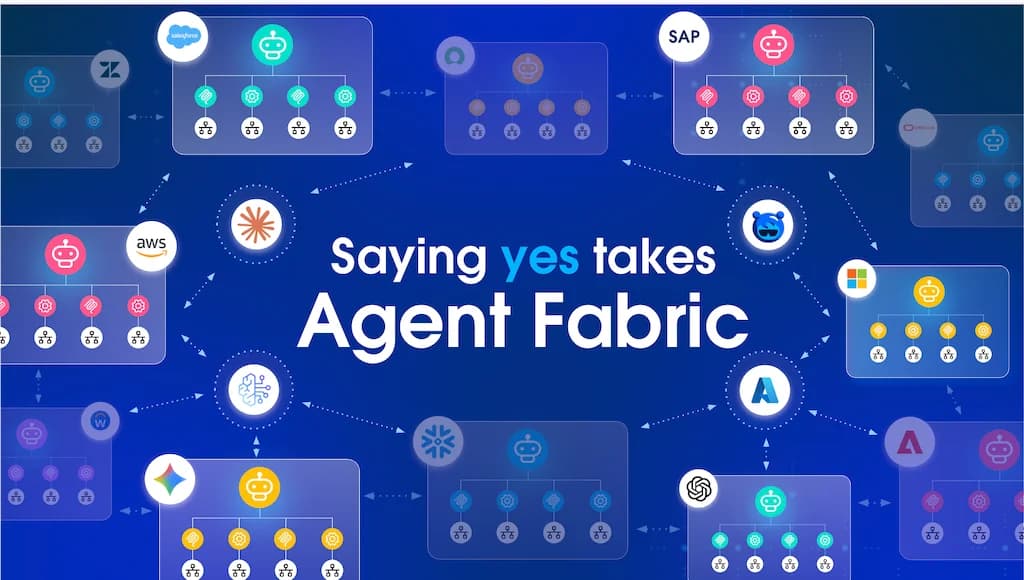
Your teams have built an agent network that answers real business questions. Now your employees want to ask those questions from the AI assistant they already use every day.
There’s just one problem. The assistant speaks only MCP. Your agent network understands only A2A. One side asks a question the other can’t understand, and the answer never arrives.
Image caption: The assistant speaks only MCP, the agent network understands only A2A, and nothing connects them.
So how do you bridge that gap? The answer needs no new service and no change to your broker. It fits inside the gateway you already run.
This article shows how a single gateway policy becomes that bridge. You’ll learn what problem it solves, how it works at a high level, and the two ways you can deploy it.
Terms used in this article
- MCP (Model Context Protocol): An open standard that lets AI assistants discover and call external tools.
- A2A (Agent2Agent protocol): An open standard that lets AI agents send tasks and messages to each other.
- Agent broker: A MuleSoft component that routes each request to the right agent in an agent network.
- API proxy: An endpoint on the gateway that applies policies, such as security, before forwarding traffic.
- Elicitation: An MCP feature that lets a server ask the user a question, through the assistant, in the middle of a tool call.
Why some AI assistants can’t reach your A2A agent broker
Agent brokers in MuleSoft Agent Fabric speak the A2A protocol. A2A is built for agents that hand work to other agents. It uses tasks, messages, and a shared conversation ID to keep track of each exchange.
Many popular AI assistants speak a different standard. ChatGPT, for example, connects to outside systems through the Model Context Protocol. They expect a list of tools they can call, not an agent they can message.
So your HR or IT agent network works well for other agents. But it stays out of reach for the assistants your people actually open. Without a bridge, every team that wants that connection has to build and run its own wrapper service.
Each wrapper adds code to maintain, another place to secure, and another service to monitor. Multiply that by every agent network, and the cost adds up fast.
What the MCP A2A bridge policy does
The MCP A2A bridge policy is a custom policy for MuleSoft Omni Gateway (Flex Gateway). It makes your agent broker look like an MCP server, with no change to the broker itself.
To an AI assistant, the broker now offers one simple tool, such as “ask the HR agent.” The assistant calls that tool with a plain-language question. The policy turns the call into an A2A message, sends it to the broker, and turns the answer back into a tool result.
Because the translation happens in the gateway, it sits next to the policies you already trust. You keep the same authentication, logging, rate limiting, and analytics. You don’t deploy or run a new service.
How the policy keeps conversations going
Real questions often come in a series. “Who is Jane Doe’s manager?” is often followed by “What is her manager’s email?”
Every answer the policy returns includes the broker’s conversation ID. The assistant passes that ID back on the next question, so the broker knows it belongs to the same conversation.
You guide this behavior with the tool description you set in the policy. Tell the assistant what the agent network covers and when to reuse the conversation ID. Good descriptions lead to better answers.
How the policy handles follow-up questions from the broker
Sometimes the broker can’t answer until it knows more. An employee asks, “Give me Taylor’s email address.” Your directory has more than one Taylor, so the broker replies with its own question: “Which Taylor do you mean?”
In A2A, the broker marks the task as waiting for input. The A2A task states call this “input-required.” Someone has to answer the question before the broker can finish the task.
AI assistants handle that moment in one of two ways. Some let the server ask the user directly, through a feature called MCP elicitation. Others, such as ChatGPT, don’t support elicitation, so the assistant has to ask the user itself. The bridge policy supports both.
Image caption: The policy returns the broker’s question to assistants without elicitation and asks it as a form in those with it.
Assistants without elicitation, such as ChatGPT
This is the default, and it needs no extra setup. The policy returns the broker’s question as a normal tool result. The result also carries the conversation ID and the task ID, with a short note on how to continue.
ChatGPT shows the question in the chat, and the employee types “Thomas Taylor.” ChatGPT calls the tool again with that answer and both IDs. The policy sends the answer to the same broker task, and the broker returns Thomas Taylor’s email address.
In this flow, the assistant owns the conversation. Your tool description matters most here, because it tells the assistant to send the IDs back.
Assistants with elicitation, such as MCP Inspector
Some MCP clients, such as MCP Inspector and apps built on the MCP SDKs, support elicitation. For them, the policy asks the broker’s question itself. The assistant shows a small form, and the employee types the answer there.
The policy sends the answer to the same broker task and returns the final result to the assistant. The assistant never handles the IDs, and the employee never leaves the conversation. If the employee declines or cancels the form, the policy ends that conversation cleanly.
Elicitation is an opt-in feature in the policy, and it’s turned off by default. You turn it on with one setting. It also needs a session store, which the next section covers.
One configuration for both kinds of assistants
You don’t need a separate proxy for each kind of assistant. When an assistant connects, it tells the server which features it supports. The policy reads that list and picks the right flow for each connection.
So with elicitation turned on, MCP Inspector gets the form, and ChatGPT still gets the question as a tool result. Both use the same URL and the same policy settings.
Why elicitation needs a shared session store
A person can take seconds or minutes to answer a question. A gateway policy can’t hold a response open that long, so the policy uses the resumable streams that the MCP Streamable HTTP transport defines. The assistant checks back every few seconds until the employee answers.
Omni Gateway spreads that traffic across several gateway copies, called replicas. The question, the answer, and the final result can each reach a different replica. So the policy keeps that state in a session store that every replica shares, which is its “remote” session store setting.
A managed Omni Gateway already includes this shared storage, so you don’t need to set anything up. On a self-managed gateway with more than one replica, you connect a Redis instance first. The PDK data storage guide explains how.
Two ways to deploy the MCP A2A bridge policy
You can apply the policy in one of two modes. Both use the same policy version, and both forward traffic to the same agent broker.
Mode 1: a dedicated MCP proxy next to your A2A proxy
In this mode, your agent broker keeps its existing A2A proxy for agent traffic. You create a second API proxy of type MCP that points to the same broker. You apply the bridge policy only to the MCP proxy.
A2A clients keep using the A2A URL. AI assistants, such as ChatGPT, use the new MCP URL. Each proxy forwards requests to the broker through its own set of policies.
Image caption: Mode 1. A2A clients use the A2A proxy, and AI assistants use an MCP proxy with the bridge policy.
Choose this mode when you want clear separation. You get distinct URLs, contracts, security settings, and analytics for agent traffic and assistant traffic. This is the recommended starting point.
Mode 2: one proxy for A2A and MCP clients
In this mode, only the agent broker’s A2A proxy exists. You apply the bridge policy directly to it and turn on its pass-through setting.
Now one URL serves both kinds of clients. When an AI assistant sends an MCP request, the policy answers it or translates it. When an agent sends a native A2A request, the policy passes it to the broker unchanged.
Image caption: Mode 2. One A2A proxy with the bridge policy serves both A2A clients and AI assistants on the same URL.
Choose this mode when you want a single endpoint for everyone, or when you can’t add a second proxy. Place the bridge policy after your authentication policies so that every request is checked first.
Which mode should you choose?
Getting started with the bridge policy
The bridge policy is a custom policy built with the Flex Gateway Policy Development Kit (PDK).
You can download the policy and its documentation here. You publish it to Anypoint Exchange once. After that, it appears in API Manager for both MCP and A2A API instances.
From there, getting started takes five steps:
- Pick your mode. Decide whether you want a dedicated MCP proxy or one shared proxy.
- Apply the policy. Add it in API Manager, after your authentication policies.
- Describe your tool. Write a clear tool name and description that tells the assistant what your agent network can answer.
- Secure the endpoint. Many AI assistants can’t send custom headers, so protect the endpoint with OAuth 2.0 from the included gateway policies.
- Decide on elicitation. Leave it off if your users only use assistants like ChatGPT. Turn it on, with the remote session store, if they also use assistants that support elicitation.
Then connect your AI assistant to the endpoint URL and ask your first question.
Open your agent network to every AI assistant
Your agent network is only as valuable as the people who can reach it. The MCP A2A bridge policy lets AI assistants and other agents use the same agent broker. You don’t need to rebuild the broker or run another service.
Start with one agent network and one assistant. Measure how your people use it, then roll it out to the rest of your agent networks.
Learn more about building your own gateway policies in the PDK custom policy documentation.