Eric Xu
November 13, 2026 | 14 mins read
Imagine making a one-line change to your agent workflow. To see whether it worked, you wait several minutes for it to build, publish, and deploy, and then you do it all over again for the next tweak. Now picture the workflow finally working as designed, but your users are still waiting while your broker checks one system, then the next, then the next.
When we introduced guided determinism in Agent Broker, you got control over which parts of your agentic workflows run predictably every time and which parts benefit from LLM reasoning. That control is what makes agent orchestration something you can trust. But the bigger your agent graphs get, the more it matters how quickly you can iterate on them and how quickly they run.
The latest enhancements help with both, without giving up control. You can now deploy and test your agent network locally, right next to your code, and see the impact of every change in seconds. Parallel action execution lets your brokers call independent agents and tools at the same time, so your users wait for the slowest action instead of the sum of all of them. And new connection options make it easier to plug Agent Broker into the systems you already run. The result: you build, test, and run trusted agent orchestrations faster.
Deploy and test agent networks locally
Graph-based workflows are incredibly powerful, but they’re also complex. You’re managing multiple routing paths, passing variables between nodes, and handling intricate state logic. Because these architectures are so rich, perfecting a guided determinism workflow naturally involves a lot of precise tweaking and experimentation to dial in the exact agent behavior you want.
With local deployment and testing, you can deploy your entire agent network, including every broker, to your own machine directly from Anypoint Code Builder. Then you can chat with each broker over the Agent-to-Agent (A2A) protocol, inspect requests and responses, and debug, all without publishing or deploying.
Local deploy brings a faster, safer development loop to Agent Broker: iterate in seconds, code and test in one window, and fine-tune agent behavior before going live.
Iterate in seconds with local refreshes
The standard build, publish, and deploy process is highly reliable, and it handles the heavy lifting of getting your broker ready for a full environment. But when you just need to test a minor routing change or a quick node tweak, running through that full deployment cycle takes several minutes.
Local deploy creates an express lane for those minor tweaks. It brings instant local refreshes directly to your machine, so you can cycle through ideas in seconds and keep your development momentum going. Make a change, redeploy locally, and send your next test message.
Code and test in a single workspace window
Until now, verifying a broker meant using an external chat interface to interact with your agent. That’s an excellent way to simulate a true end-user environment, but configuring a separate interface adds an extra step to the early development phase.
With local deploy, those two worlds come together. A Deploy and Test panel opens right beside your code in Anypoint Code Builder, so you can develop and test at the same time in a single, unified workspace. Switch between the brokers in your network from a dropdown, review each broker’s agent card, and chat with it directly. Expand the details on any response to see its task state, response time, and message, context, and task IDs, along with the raw JSON for both the request and the response. Runtime logs for your brokers, agents, and MCP servers stream right into the IDE, so you can trace exactly how your graph moved from one node to the next.
Author your broker on the left, test it on the right, and trace every node transition in the logs below, all in one window.
Fine-tune behavior before going live
Local deploy also gives you a dedicated sandbox. Managing complex graph variables and multi-path routing usually takes careful coordination before a live deployment. Now you have a safe space to validate node context and observe behavioral changes before your broker ever reaches production infrastructure.
Think of it as a pre-flight check. Let’s say you’re refining a support triage broker and want to make sure that a message like “someone changed my password and I didn’t do it” is always classified as critical and routed to a human. You can run that scenario locally, confirm the routing, and adjust your instructions until the behavior is exactly right. When you’re ready for a full deploy, you’re pushing a thoroughly tested workflow with confidence.
Reduce latency with parallel action execution
In Agent Script, the A2A agents and MCP tools that your broker can call are all actions. An orchestrator or subagent node often needs to call several of them at once. Imagine a user asks your broker for a full view of a customer account. The LLM decides it needs to call a billing agent, a support agent, and a CRM tool. None of those actions depends on the others, but until now, the broker ran them one after another. If they take 4, 3, and 5 seconds, the user waits about 12 seconds.
With parallel action execution, the broker runs independent actions at the same time and waits for all of them to finish. In the same example, the user waits about 5 seconds, the time of the slowest action. The more independent actions a step calls, the more time you save.
With parallel action execution, a step takes as long as its slowest action instead of the sum of all of them.In keeping with guided determinism, you stay in control. You can turn on parallel action execution for your whole broker, then turn it off for specific nodes where order matters, like a node that needs to create a ticket before it notifies the on-call team with the ticket number. The LLM still decides which actions to call, and your downstream nodes behave exactly as before.
More enhancements for enterprise-ready orchestration
Along with local deploy and parallel action execution, this release makes it easier to connect Agent Broker to the systems you already run, and makes your brokers more reliable.
- OAuth 2.0 client credentials for LLMs: Many enterprises secure their LLMs behind an internal gateway or proxy that uses OAuth 2.0 instead of static API keys. Agent Broker now supports OAuth 2.0 client credentials authentication for LLM connections, just as it already does for MCP and A2A connections.
- Authentication for dual egress agent cards: You can now configure authentication for agent cards that use dual egress upstreams. For more information, see the Agent Network YAML Reference.
- SSE transport for MCP servers: You can now reuse existing MCP server assets in Exchange that use SSE transport, so more of the tools you’ve already built are ready to orchestrate.
- Reliability fixes: Brokers now pause and resume correctly when a subagent asks the user for more information, and executor nodes keep the full A2A task an agent returns, so later nodes can use its state and output.
For the full list of updates and fixes, see the Agent Networks release notes.
Build, test, and run agent orchestrations you can trust
That’s what the latest Agent Broker enhancements put in your hands.
Local deploy and testing lets you iterate on your agent workflows in seconds instead of waiting through a full deployment cycle. Parallel action execution means your users wait only as long as your slowest action. And guided determinism keeps you in charge of which steps stay predictable, so you never trade control for speed.
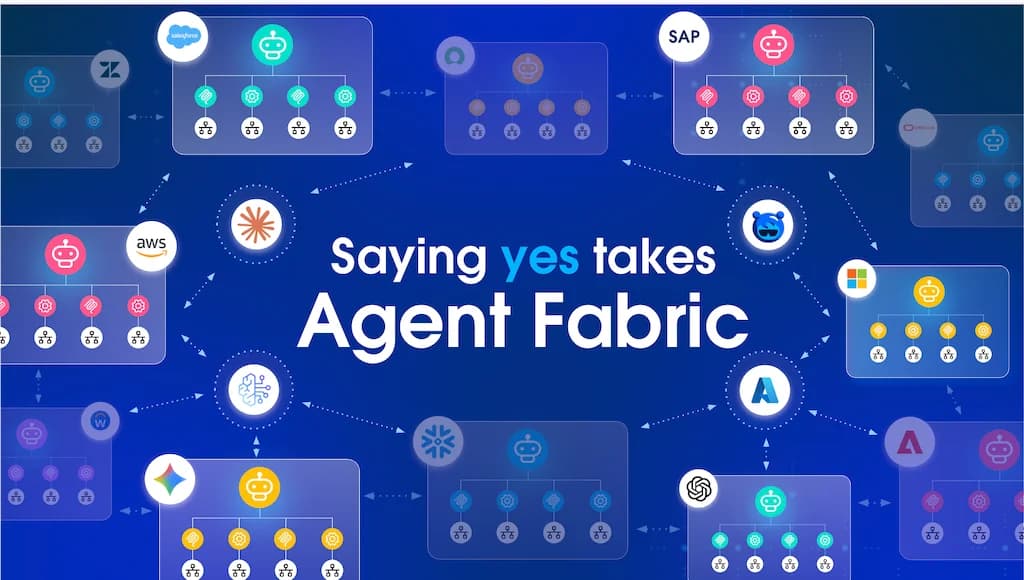
Agent Fabric already helps you discover and govern your agents and MCP tools, and Agent Broker lets you orchestrate them. Now you can build, test, and run those orchestrations faster, and trust them when they go live.
Ready to give it a try?
Your next workflow tweak doesn’t need to take several minutes to test. Open Anypoint Code Builder, deploy your agent network locally, and see the result in seconds. Then turn on parallel action execution and give your users answers as fast as your slowest action.
New to Agent Broker? Building Agent Networks for Agent Fabric has everything you need, including an Agent Script file reference and a full working example. Just make sure Docker is installed, and you’re ready to go.