The hardest part of targeting isn't building the audience. It's figuring out who belongs in it, then getting it into every tool you run campaigns from, and keeping it fresh.
A lifecycle marketer has a goal for next month: move more free users onto a paid plan. She has a hunch about who to target. The data that would confirm it is in the warehouse, which she can't query. So she writes a brief and files a ticket.
The analyst pulls a first cut. It's too broad, so they go another round. Eventually there's a CSV of emails. Someone reformats it for Braze, then again for Meta, then again for Google Ads. Each upload takes a day or two to process. The campaign goes live weeks after the idea, on a list that was stale before it shipped.
That delay changes behavior. When every audience costs a ticket, marketers ask for the safe, simple segments and stop proposing the ones that would take three rounds of back-and-forth.
Today we're introducing Rudder Lookout, an AI-native audience builder for marketing teams. You analyze the customer data in your warehouse to find the segments worth targeting, build an audience straight from that analysis, and activate it to every channel you use, all in one workflow. It takes you from "who should we target?" to a live audience in minutes. You don't wait on analysis, and there's no SQL and no CSV.
Building the audience isn't the hard part
There are plenty of agentic audience builders now. Most of them do one thing: you describe an audience, and they build it. That helps once you already know who you want. But campaigns rarely start with a finished definition. They start with a goal and a rough idea of who might respond.
Most of the time goes into turning that idea into a definition: which signals predict an upgrade, where the cutoff should sit, which customers to exclude. That's the back-and-forth between the people running campaigns and the people who can query the data. After that, someone still has to move the list into every tool by hand.
Lookout covers the whole sequence in one session. It works like an analyst who explores the warehouse with you, surfaces segments worth targeting, builds the audience from that analysis, and pushes it to your destinations. The marketer doesn't hand off to anyone along the way.
What Lookout does
Lookout runs in three steps, and they all happen in the same conversation.
1. Analyze: find the audience worth building
Start with the campaign goal rather than a filter tree. Ask Lookout something like "Which free-plan accounts look most like the ones that upgraded last quarter?" or "Which customers have gone quiet but used to buy every month?" Lookout works out which tables and fields matter, writes and runs the queries against your warehouse, and explains what it found.
This is where you find segments you wouldn't have thought to ask for. If the first cut is too broad or too small, you change the question and go again, in seconds instead of another ticket.
2. Build: turn the analysis into an audience
When you find a segment worth targeting, Lookout turns it into an audience. You don't have to rewrite anything in a separate builder. Each audience has a readable definition, a set of conditions you can inspect and edit, so you can see who's in it and why.
Before you sync anything, you can calculate the audience size, preview the members, and open the generated SQL. To change the audience, ask Lookout in plain language ("exclude anyone who bought in the last 30 days") or edit a condition directly.
3. Activate: send it everywhere you run campaigns
Sync the audience straight to the tools your team already uses:
- Paid media: Meta (Facebook Custom Audiences), Google Ads Remarketing Lists, LinkedIn, Reddit, TikTok
- Engagement and lifecycle: Braze, Iterable
- In-product: Gainsight PX
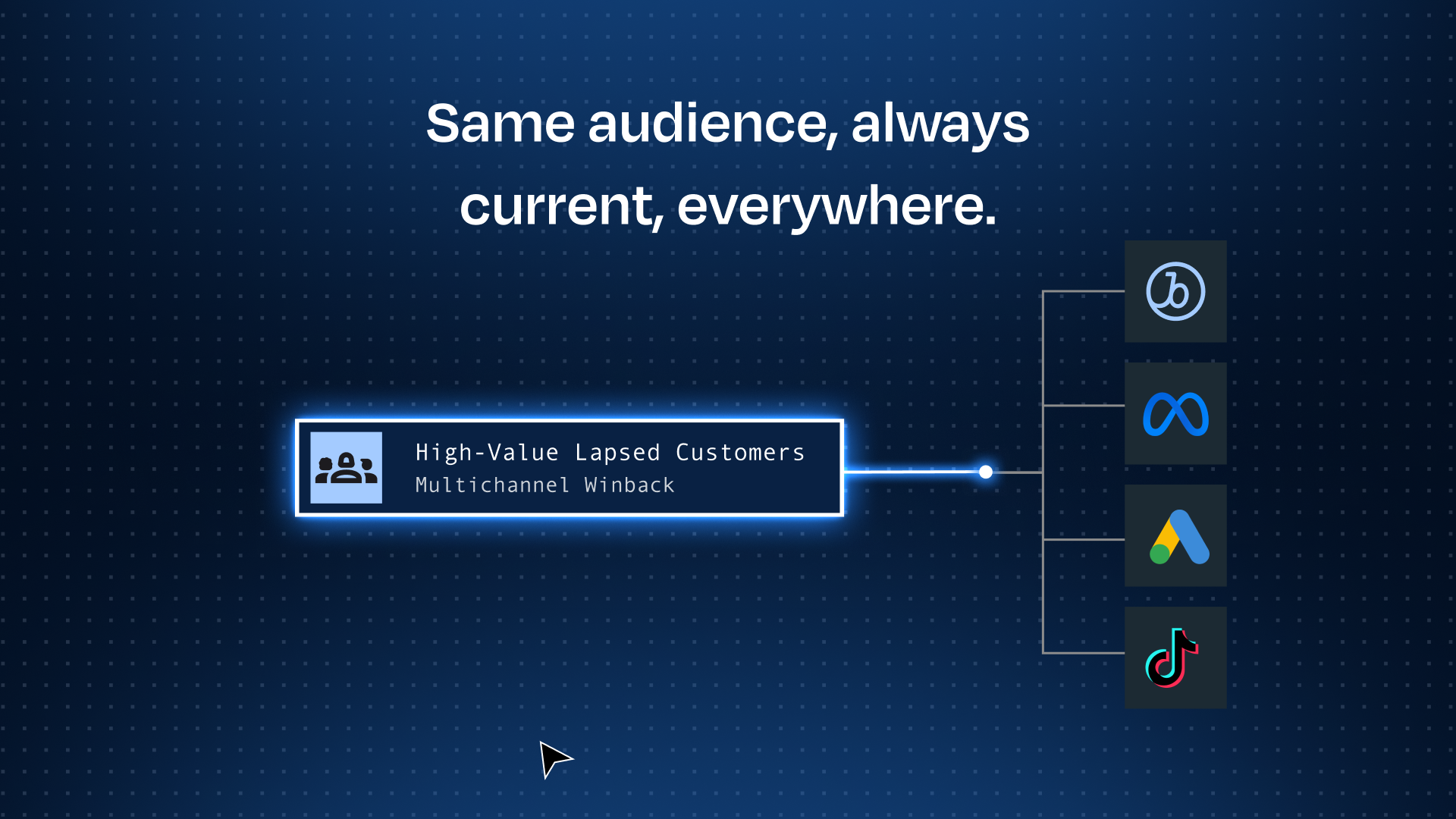
You define the audience once and use that one definition in every destination. Audiences sync directly and stay up to date as the underlying data changes, so the suppression list Meta uses on Friday reflects Thursday's purchases. There are no exports and no per-platform reformatting.
Here's a small example from our own team. We built an audience of everyone who has created or joined a Lookout workspace, so we could suppress them from an in-app signup prompt. Lookout found the right join keys, built three conditions, sized the audience at 248 people, and the sync to Gainsight PX took a couple of clicks.
Context that connects the data and the business
An agent pointed at raw warehouse tables will build audiences, but often on the wrong definitions. Does "active customer" mean a login in 30 days or a purchase in 90? Is status = 2 churned or paused? And a lot of what decides a good audience isn't in the data at all: who's excluded from promos, which suppression rules apply on paid, what counts as an MQL this quarter.
Lookout reads from both places:
- Your data team's definitions. It pulls from what the data team already maintains: warehouse table and column descriptions, modeling code in dbt, LookML and Cube, and semantic layers in Snowflake and Databricks. Marketing asks questions on top of the data team's metrics and entities rather than inventing its own.
- Your marketing playbook. The Context Hub holds what marketing knows, written as notes and skills: exclusions, suppression rules, naming conventions, how the team defines each lifecycle stage.
- What it learns as you work. Lookout keeps memories from each session, so it gets more accurate about your data and your business the more audiences you build.
That's why a marketer can build an audience without a data person in the room, and the data team can still trust what goes out.
Built on your warehouse, not a copy of it
Lookout queries your warehouse directly. It doesn't keep a second customer store, run a proprietary processing layer, or create a copy that has to be reconciled. Every audience can use every customer signal you have, not just the slice that was piped into one tool.
- Warehouses: Snowflake, Databricks, BigQuery, Redshift, ClickHouse, and Postgres.
- Use it with or without the rest of RudderStack. If you already collect events with RudderStack, Lookout builds on that behavioral data from day one. If you don't, connect your warehouse and start.
- Bring it into your own tools. The Lookout MCP server lets you work with Lookout from MCP clients like Claude Desktop and VS Code.
- Security. Lookout runs on AWS Bedrock with zero data retention. Your data isn't stored by the model provider or used to train models.
What this means for you & your team
An audience request usually passes through three groups: the marketer with the idea, the ops team that turns it into a list, and the data team that owns the data underneath. Lookout shortens that chain for all three.
Campaign marketers (lifecycle, CRM, performance). You go from a campaign idea to an audience syncing in Braze or Meta within one working session, which is fast enough to test, adjust, and test again. You can build on definitions ops and the data team have already set, so you don't have to ask and they don't have to worry. For paid media, that includes suppression lists that stay current, so spend doesn't go to people who already converted.
Marketing ops, RevOps, and GTM ops. You can clear more requests yourself, or hand audience building to the teams that ask for it and keep control of the definitions. Each audience has one definition synced to every destination and updated automatically. You stop rebuilding the same list for each tool and fixing every copy when a schema changes. A request that arrives in Slack can be syncing to Braze minutes later.
Data teams. Routine audience tickets stop landing in your queue, and new models and fields still come to you. Marketing works on top of the metrics and entities you maintain, and customer data stays in the warehouse instead of leaving in spreadsheets. Your team extends the model, and marketing asks questions on top of it.
Try it for free
Rudder Lookout is available in public beta today. Connect your warehouse and try one of these as your first prompt:
- Win-back: "Find customers who bought at least three times last year but haven't purchased in 90 days, and build an audience for Braze."
- Freemium upgrade: "Which free-plan users look most like the accounts that upgraded last quarter? Build an audience from the strongest segment."
- Suppression: "Build a suppression list of everyone who purchased in the last 30 days and sync it to Meta and Google Ads."
- Lookalike seed: "Show me our top 5% of customers by lifetime value and turn them into a seed audience for LinkedIn."
Then look at the definition, check the size, and sync it. Start to finish should take a few minutes.
Try the Lookout sandbox for free or Book a Demo with our team.