Introduction: The many-to-one challenge
Ever found yourself needing to display a neat, comma-separated list of tags, names, or categories on a single screen? It’s a common scenario: you have a one-to-many relationship in your data and want to present all those "many" records inside a single, clean text field.
For instance, you might want to:
- List all instructors teaching a school course.
- Show multiple degrees earned by a student.
- Aggregate customer emails for a specific city.
While you could fetch the primary record and run separate calls or loop through logic in your OutSystems client layer, that quickly tanks performance. Solving this directly inside the database using Advanced SQL keeps your app snappy, avoids multiple network fetches, and keeps your front-end logic clean.
Quick teaser: Want to skip writing raw SQL altogether? OutSystems Mentor can generate the entire screen, server action, and database query for you in under 2 minutes using natural language! Stick around — we’ll show you exactly how that magic happens at the end of this article!
Now, let’s break down the manual SQL techniques you need in your toolkit.
The modern standard: STRING_AGG()
If you're working on a modern database setup, STRING_AGG() is your primary, most efficient, and cleanest method for concatenating rows into a single string.
Step-by-step implementation in OutSystems
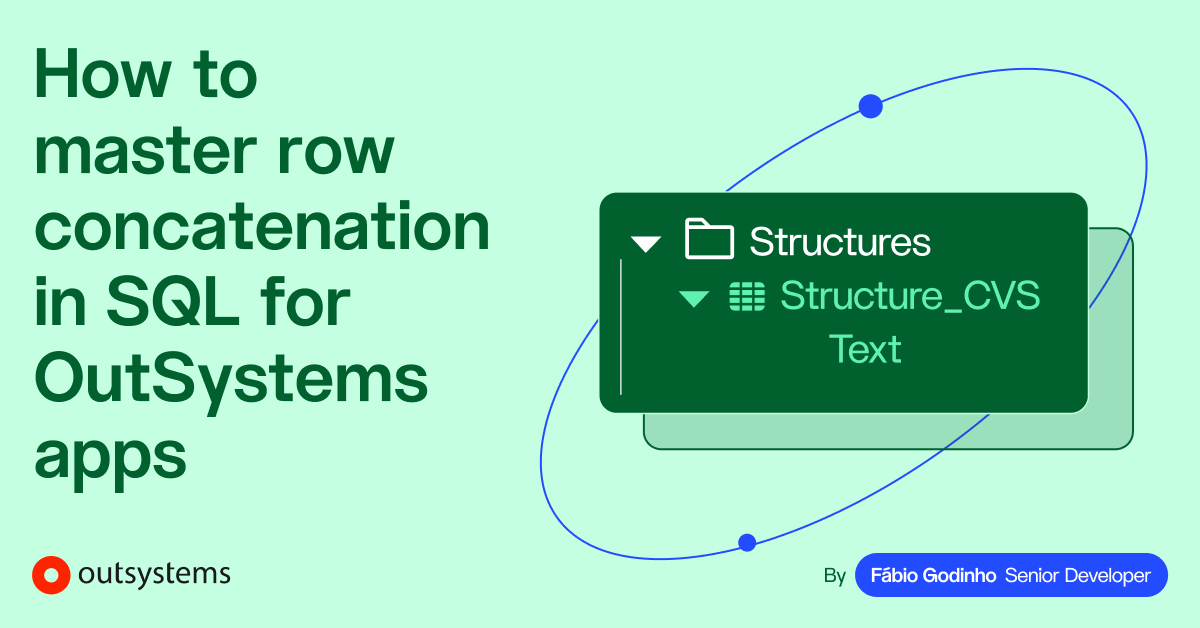
- Create a Structure: Add a new Structure in OutSystems with a single Text attribute to hold your concatenated string.
- Define query outputs: Include your target entity along with your newly created structure in your advanced SQL query's output parameters.
- Write the JOIN sub-query: Build a sub-query using STRING_AGG() to group and join records. STRING_AGG() conveniently ignores NULL values, so you won't end up with awkward trailing commas.
- Map the alias: Give the concatenated column an explicit alias (e.g., INSTRUCTORS_LIST_IN_CSV) matching your Structure attribute and ensure the sub-query itself has an alias (e.g., TEMPSUBQUERY).
- Add the alias: Add the column alias to your main SELECT statement to map it to your Structure.
Code example
Note: Both databases use STRING_AGG(). However, when ordering concatenated items, PostgreSQL places the ORDER BY clause directly inside the STRING_AGG() arguments, whereas SQL Server requires the WITHIN GROUP (ORDER BY ...) clause appended to the function.
Query output
Here is an example of what the data would look like coming out of that query:
101
Introduction to Computer Science
Alan Turing, Grace Hopper
102
Modern Art History
Bob Ross, Frida Kahlo, Pablo Picasso
103
Calculus I
Isaac Newton
104
Independent Study
NULL
The legacy workaround: STUFF() and FOR XML PATH()
If you're supporting OutSystems 11 environments connected to SQL Server 2016 or older, STRING_AGG() won't be available and will throw an error.
In SQL Server, developers historically relied on STUFF() combined with FOR XML PATH().
How it works
- FOR XML PATH() concatenates values into a single XML-formatted string. However, it leaves an unwanted leading separator (like ,) and encodes special characters, meaning & will become &.
- STUFF() strips out the leading comma and space by deleting two characters starting at position 1.
- Appending .value('(./text())[1]', 'varchar(max)') decodes any escaped XML entities back to raw text.
Code example
Note: PostgreSQL has natively supported STRING_AGG() since version 9.0, meaning legacy workarounds like SQL Server’s FOR XML PATH() are never needed on PostgreSQL instances.
Note: We need ', ' + to prevent the sub-query from pushing every degree name together, resulting in an unbroken block of text lacking any spacing or punctuation.
Query output
Here is an example of what the data would look like coming out of that query:
500
Sarah Connor
Bachelor of Arts, Master of Business Administration
501
Tony Stark
Bachelor of Engineering, Master of Science, PhD in Physics
502
Bruce Wayne
NULL
Head-to-head: STRING_AGG() vs. STUFF() + FOR XML PATH()
Both approaches get the job done, but they differ significantly in syntax, performance, and compatibility.
Pros
✅ Simpler, cleaner syntax.✅ Better performance (no XML parsing).✅ Automatically handles NULLs.
✅ Compatible with legacy SQL Server (2005+).✅ Highly flexible subquery control.
Cons
❌ Requires modern SQL engines (SQL Server 2017+ or PostgreSQL)
❌ Complex, hard-to-read syntax.❌ Slower on large datasets.❌ Requires manual XML character unescaping.
The API alternative: Structuring data as JSON
When building backend endpoints or preparing records for REST APIs, you often need a structured JSON array rather than a plain comma-separated string.
How to achieve it
- SQL Server uses the built-in FOR JSON PATH clause to convert query results into JSON strings.
- PostgreSQL uses JSON functions such as json_agg() combined with json_build_object() or row_to_json() to return structured JSON arrays.
Use case 1 - Concatenating into a JSON string column
If you want your query output to contain standard columns alongside one attribute containing a JSON array string:
Note: In PostgreSQL, json_agg() aggregates nested rows into a JSON array, and json_build_object() formats each row into key-value pairs.COALESCE() function gets a valid (though empty) JSON string, later avoiding "cannot read property of null" errors.
Note: In SQL Server 2016 and later, FOR JSON PATH handles formatting implicitly based on column names.
When zero rows match, the entire subquery returns 0 rows, evaluating to NULL at the scalar subquery level. Thus, COALESCE must sit outside the subquery:
Use case 1 - Output example
500
501
502
Use case 2 - Generating a full API payload
If you want to wrap an entire dataset into a single structured JSON response body directly from the database:
Note: json_build_object('Students', ...) is used to wrap the top-level array inside an outer object.
Note: SQL Server uses the ROOT('Students') clause to wrap the top-level array inside an outer object.
JSON_QUERY() will ensure SQL Server treats the nested array as raw JSON rather than an escaped string.
Use case 2 - Output example
This query produces a complete JSON like this:
In summary, FOR JSON PATH produces the standard format used by most web APIs where the output needs structured, nested data rather than a flat, delimited string.
The ultimate speed hack: Let OutSystems Mentor do it for you
Now that you understand how these queries work under the hood, let's look at how you can
bypass manual Advanced SQL coding entirely.
With OutSystems Mentor, the AI assistant in OutSystems Developer Cloud (ODC), you can get this entire feature designed and implemented in under two minutes using simple natural language prompts like simply typing: ‘Create a screen that lists all instructors for each course but shows one row per course using Advanced SQL to optimize the data fetch’.
What Mentor does
When you write the above prompt, Mentor doesn't just write a raw snippet – it builds the entire feature end-to-end:
- Creates the UI Screen: Generates the frontend table layout with all required controls.
- Defines the Structure: Automatically creates the output data structure needed for the aggregated list.
- Implements the Server Action: Generates optimized, production-ready Advanced SQL tailored specifically for ODC's Aurora PostgreSQL database engine.
Here is the clean, efficient code Mentor generated to group the records and concatenate the rows:
Why Mentor's approach is impressive
Mentor follows enterprise development best practices:
- STRING_AGG(): Correctly aggregates instructor names into a clean CSV string.
- COALESCE(): Prevents NULL values on screens by returning empty strings for courses without assigned instructors.
- Smart Joins: Uses LEFT JOIN chains to ensure courses without instructors still show up in the list.
Compare, learn, and iterate
Even better, if you have your own SQL draft, you can ask Mentor to run a comparative analysis. It breaks down differences in join behaviors, query efficiency, performance tradeoffs, and readability so you can learn while you build!
By using natural language, you save time, see justified technical approaches, and can even ask for comparisons. It’s how OutSystems turns AI generation into mission-critical software — landing business value quickly while preserving your flexibility to customize.
Conclusion: Choose the right tool for the job
This article explored powerful SQL techniques you can use to master row concatenation, from the modern standard to legacy workarounds and API-focused solutions.
By understanding these techniques you can fetch related data efficiently and build high-performance, responsive OutSystems applications. Depending on your setup:
- Use STRING_AGG() for modern database setups (ODC PostgreSQL or SQL Server 2017+).
- Use STUFF() + FOR XML PATH() when maintaining legacy SQL Server databases.
- Use JSON aggregation functions (json_agg or FOR JSON PATH) when building REST API models.
- Use OutSystems Mentor whenever you want to turn natural language into full-stack, mission-critical software in seconds.
Join the OutSystems Community to discuss how-tos, ask questions, talk to OutSystems professionals, and so much more!.
Fábio brings 12 years of Advertising and Marketing experience, now driven by a deep-seated passion for IT, Digital Strategy, and UX. He is recognized for his structured thinking, logical reasoning, and meticulous attention to detail, refined through rigorous coding and OutSystems training. A skilled communicator, Fábio excels at sharing knowledge and training peers to drive collaborative success.
See all posts from this author