An agentic development environment
Agentic AI AI JetBrains JetBrains AI
How Cloud-Based Agent Sandboxing Works in Air
Recently, we released a preview of cloud agents in JetBrains Air. Cloud agents let you run AI agents remotely in a JetBrains-managed cloud environment, giving them an isolated place to work without relying on your local machine.
Here’s what that looks like in practice. In this video, I start a task in IntelliJ IDEA, follow it from the browser and my phone, and review the agent’s changes when it’s done.
Cloud agents are currently available to organizational users via Air in IDEs and Air Teams in the browser, with a broader release for individual users planned later. But they are also part of a bigger question: how to run AI agents safely when they can read files, execute code, use tools, and interact with external services.
In this article, I’ll explain what agent sandboxing means, why it matters, what execution options exist today, and how cloud-based execution fits into the broader sandboxing picture.
Why AI agents need sandboxing
Sandboxing an AI agent is the practice of running the agent inside an isolated and tightly controlled environment that restricts what resources it can access and what actions it is allowed to perform. Rather than granting unrestricted access to the host system, network, or sensitive data, a sandbox enforces predefined boundaries around files, APIs, and external services, while applying least-privilege permissions, resource limits, audit mechanisms, and tracing.
This approach is important because modern AI agents can execute code, use tools, and act autonomously, which introduces risks such as unintended system modifications, data leakage, and exploitation if the agent behaves unexpectedly or is compromised. By containing the agent within well-defined security boundaries, sandboxing limits the impact of failures or attacks and provides a safer and more reliable foundation for deploying AI agents in development, enterprise, and production environments.
Five ways to run AI agents — and their security trade-offs
We can identify five main scenarios for launching agents, which can be grouped into two broad categories: local and remote.
Five ways to run an agent
Local setups share your machine. Remote setups move the agent somewhere else and isolate it by default.
Mode
Isolated from your machine by default
Who sets it up
Local
Local workspaceWorks in your own working copy
Isolated by defaultNo – it can leave the working directory
Who sets it upNothing to set up; the client must enforce any limits
Git worktreeWorks in a separate copy on your machine
Isolated by defaultPartly – its file changes stay apart from yours, but it can still leave the directory
Who sets it upThe client creates the worktree
Remote
SSHWorks on a machine you provide, over SSH
Isolated by defaultYes
Who sets it upYou, manually
DockerWorks in a new container for each task, locally or on a remote host. Docker Sandboxes use a microVM per agent.
Isolated by defaultYes
Who sets it upThe client, or org admins through Docker Sandboxes
CloudWorks in a new VM, microVM, or container for each task. Air uses a container inside a VM.
Isolated by defaultYes
Who sets it upAutomatic, from settings your team or org admin defines
By default, in local scenarios an agent can easily escape its current working directory either unintentionally or due to prompt injections. Their file system and network access can be limited via OS-level sandboxing tools (landrun on Linux, sandbox-exec on macOS, and Sandboxie on Windows). However, it is then up to the client (the program that the user uses to interact with an agent or CLI tool like Claude Code or Codex) to wrap the launched agent and enforce required policies.
Remote execution provides better guarantees by default: The agent’s environment is isolated from the developer’s. The agent’s access to resources can be restricted via filesystem and network controls, limiting the area of impact.
The main difference between the approaches lies primarily in the amount of manual configuration required. The SSH host requires a machine provided by the user and needs to be configured manually. Docker can be configured either by the client or by organization admins. Docker Sandboxes go a step further and run each agent in its own microVM. Cloud solutions should handle the configuration of the environments automatically based on the settings your team or organization admin defines.
How cloud agent sandboxing works in Air
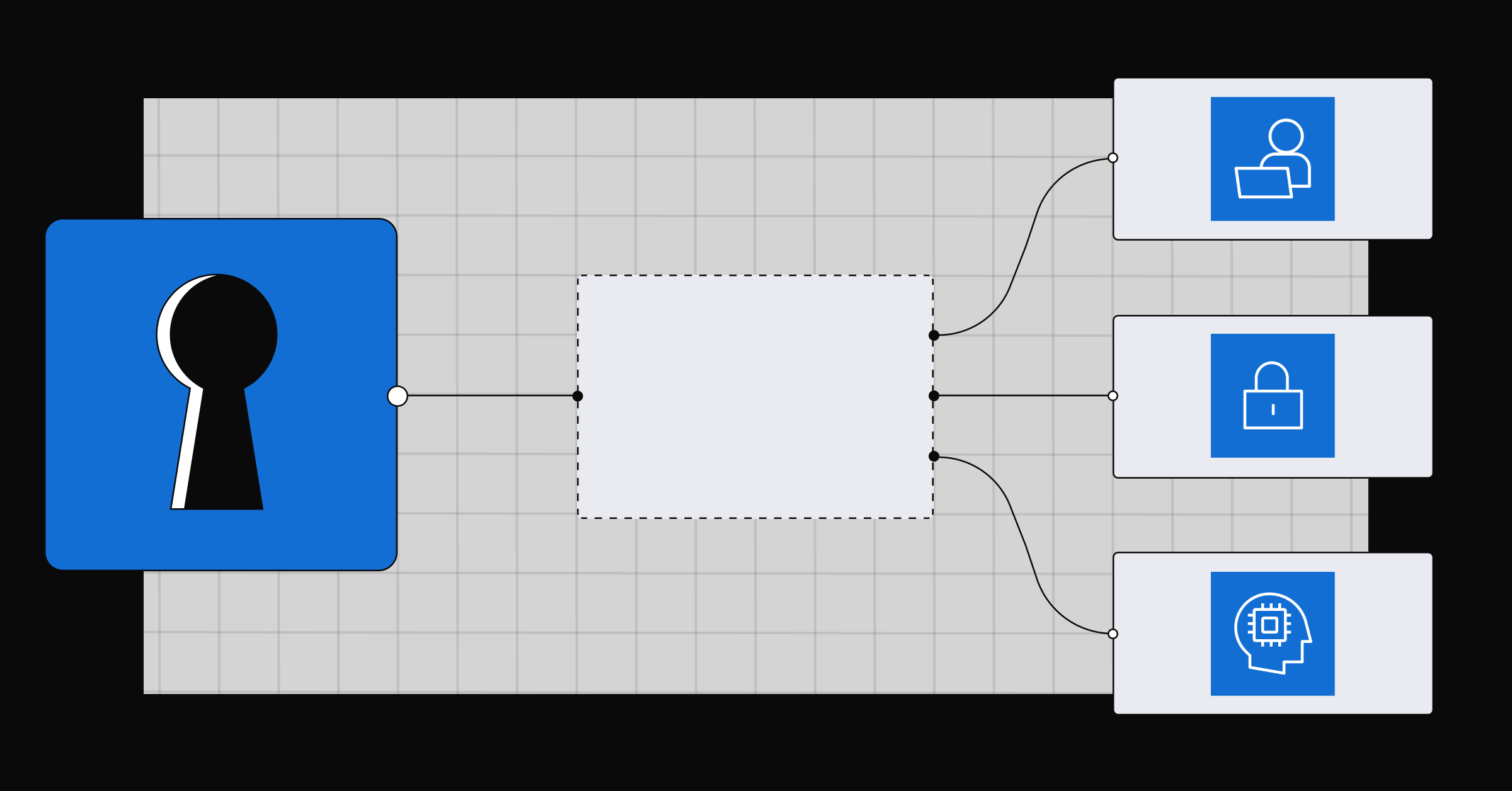
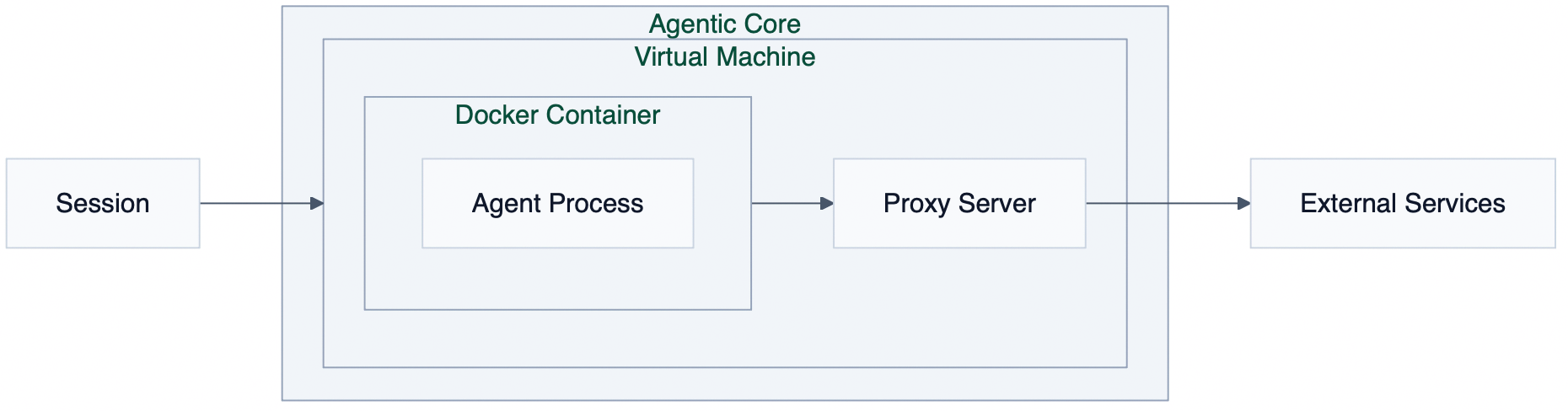
The agentic core that powers cloud agents in Air follows the approach used by Docker Sandboxes. Each task starts a VM in the cloud (microVMs are coming soon), and the agent runs in a Docker container within that VM. The VM is considered untrusted: It is not reused between tasks and is allowed to access only limited internal resources. A proxy is set up in the VM, so all connections from the agent container are routed through it.
By default, the proxy allows connections only to a preset list of trusted source control and package registry domains, such as npm. You can add domains for your toolchains, package managers, or internal services, allow all domains, or turn internet access off completely.
Secrets are stored encrypted and exposed to the task as environment variables. Teammates can use a shared secret without seeing its value, and personal secrets stay private. Each task also acts within the developer’s own repository permissions, so it never sees a repository the developer can’t already access.
Where an agent runs matters as much as what it can do
Agent sandboxing is becoming an important part of working with AI agents safely. As agents become more capable and autonomous, the question is no longer only what they can do, but also where they run, what they can access, and how much impact they can have if something goes wrong.
Cloud-based execution is one way to provide stronger isolation by default, reduce local setup requirements, and give organizations more control over network access, environment configuration, and task execution policies.
Developers working in organizations can already try cloud agents in Air in JetBrains IDEs and Air Teams in the browser.
Have a question or feedback? Tag us on X at @getsome_air – Dennis and the Air team read mentions and reply.