Healthcare organizations depend on reliable communication across a wide range of environments. Administrative teams meet across departments and facilities. Staff gather in shared spaces for cross-team collaboration, continuing education and training. IT and AV teams support rooms that can differ significantly in size, layout and purpose.
In that environment, even small points of technology friction can make communication and collaboration more challenging than they need to be. Logitech’s role is to support the workflows healthcare teams already rely on with technology that is easy to use and practical for IT and AV teams to deploy and manage.
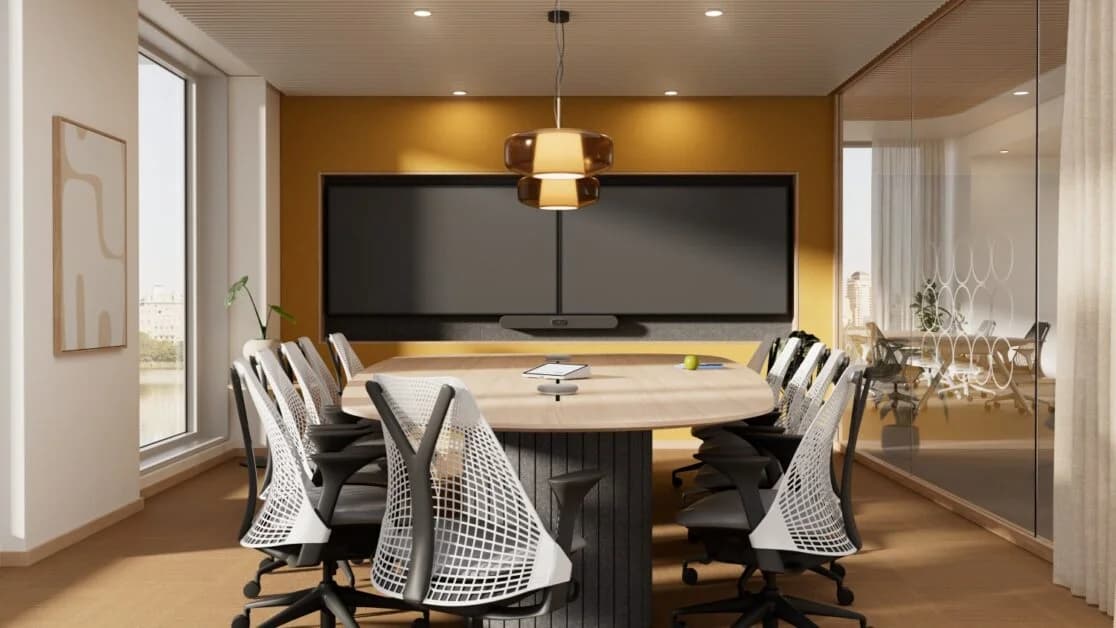
Logitech’s next generation of AV solutions expands the options healthcare organizations have for supporting those shared environments, from everyday conference rooms to larger, more flexible spaces.
Supporting Communication and Collaboration
Healthcare teams rely on shared spaces for everything from administrative meetings and complex case consultations to continuing education. Across those different scenarios, people need to see and hear one another clearly, share information easily and get into the conversation without spending time troubleshooting the room.
Rally Bar 2 brings those capabilities together in a single video bar designed for these high-use environments. A new 1-inch imaging sensor and ultra-wide 115-degree field of view help capture participants across different room layouts, while RightSound 3 and a new four-speaker system are designed to make conversations clearer and more natural for people in the room and joining remotely. Rally Bar 2 also works across Microsoft Teams, Zoom and Google Meet.
For AV and IT teams supporting those environments and managing rollouts, auto-provisioning through Logitech Sync preconfigures settings as devices connect, simplifying multi-room management.
Designing for Spaces That Need More Flexibility
Larger healthcare facilities are rarely one-size-fits-all. Executive boardrooms, clinical lecture halls, and complex case-review rooms each demand a tailored layout of cameras, microphones, and speakers.
Rally System 2 Pro gives AV teams a modular foundation to build custom setups for these unique requirements. Its components, including Rally AI Camera Pro, RoomMate 2 Pro, Rally Speaker 2, and Rally Mic Pod 2, can be mixed and matched based on room size and acoustics.
Logitech Link connects components using standard category cabling to simplify cabling and installation, while centralized management through Logitech Sync lets IT monitor hardware across the entire health system.
This gives IT teams a scalable answer whenever an all-in-one video bar can’t deliver the audio or visual coverage a room demands.
Reducing Friction for Staff Using the Room
Healthcare staff may move between conference rooms, team spaces and training environments across a facility or health system. They should not need to learn a different process for starting a meeting every time they enter a new room.
Tap IP 2 provides intuitive, one-touch meeting controls and integrates with Logitech collaboration solutions, helping create a more consistent experience across healthcare facilities. Users can join meetings and access controls such as content sharing, mute and camera settings through the touchscreen interface.
Tap IP 2 also adds a brighter display, enhanced motion sensing and auto-provisioning.
Helping Teams Find the Right Space Faster
In a busy healthcare facility, shared conference rooms and training spaces may serve different teams throughout the day. Staff need a quick way to see what is available, reserve a room and move on to the work at hand.
Tap Scheduler 2 helps healthcare staff identify and reserve meeting rooms, training spaces and shared collaboration areas. Room availability displays help reduce scheduling conflicts and improve visibility into space utilization.
Brighter status lighting makes availability easier to see from farther away, while an ultra-responsive touchscreen lets staff reserve an available space directly at the panel. The result is a more straightforward path from finding a space to using it.
A More Manageable Collaboration Environment for Healthcare IT
Healthcare organizations do not need every room to look or function the same. A conference room, training space and larger specialty collaboration environment each have different requirements.
Rally Bar 2, Rally System 2 Pro, Tap IP 2 and Tap Scheduler 2 give healthcare organizations different ways to address those needs while keeping the focus on clear communication, practical deployment and technology that staff can use without unnecessary friction.
Learn more about the full announcement and Logitech’s next generation of collaboration solutions here.