If you're still gaming on a four- or five-year-old PC, modern AAA releases have a way of making your hardware ‘feel’ old. Heavy ray tracing, sprawling open worlds to explore, and dense city sims push older CPUs and GPUs past their limits — and with massive upcoming titles like GTA 6 on the horizon, an upgrade is hard to put off for much longer.
Prebuilt gaming desktops have become one of the most practical, high-value ways to make that jump.
Today, AMD processors power 47.41% of Windows gaming PCs on Steam, while capturing a 34.9% unit share of the overall desktop x86 CPU market. Its platform longevity is one factor for this popularity, and AMD once again confirmed at Computex 2026 that it’ll continue to support the AM5 socket with new CPUs through at least 2029!
This means buying an AM5 prebuilt designed around several standard, off-the-shelf components gives you plug-and-play reliability right now and potentially a drop-in upgrade path down the road as long as AMD supports these chipsets on their newer processors.
So, let’s get right into picking the right Team Red prebuilt for your setup.
Standard Ryzen vs. 3D V-Cache: Do You Need an X3D Chip?
But before we begin, it’s important to consider the biggest processor decision when it comes to AMD: standard Ryzen chips or Ryzen X3D processors with 3D V-Cache?
In a standard CPU, the processor needs to frequently fetch game-state data, like physics calculations, NPC routines, and world simulation, from your system RAM. AMD's 3D V-Cache stacks a massive 96MB pool of L3 cache directly onto the processor package to allow for much faster retrieval of this data. Since your CPU can now grab a lot more data without waiting on system memory, it drastically reduces frame-time spikes and boosts your 1% low frame rates.
If you're playing at 1080p or 1440p where your graphics card is already doing most of the heavy lifting in cinematic single-player games, a standard Zen 4 or Zen 5 chip — like the Ryzen 5 8400F, Ryzen 7 8700F, or Ryzen 7 9700X — offers fantastic everyday gaming value and keeps mid-range GPUs fully fed.
Where 3D V-Cache earns its fantastic reputation is in CPU-heavy games and high-refresh rate setups. In independent third-party testing across more than 100 games, the AMD Ryzen 7 9800X3D outperforms the non-X3D Ryzen 7 9700X by 20% on average and leaves all other competitors in the dust.
So, if you play simulation-heavy games like Factorio, competitive shooters, or want the extra CPU headroom for upcoming open-world games like GTA 6, an X3D chip offers a noticeable difference in smoothness and overall performance.
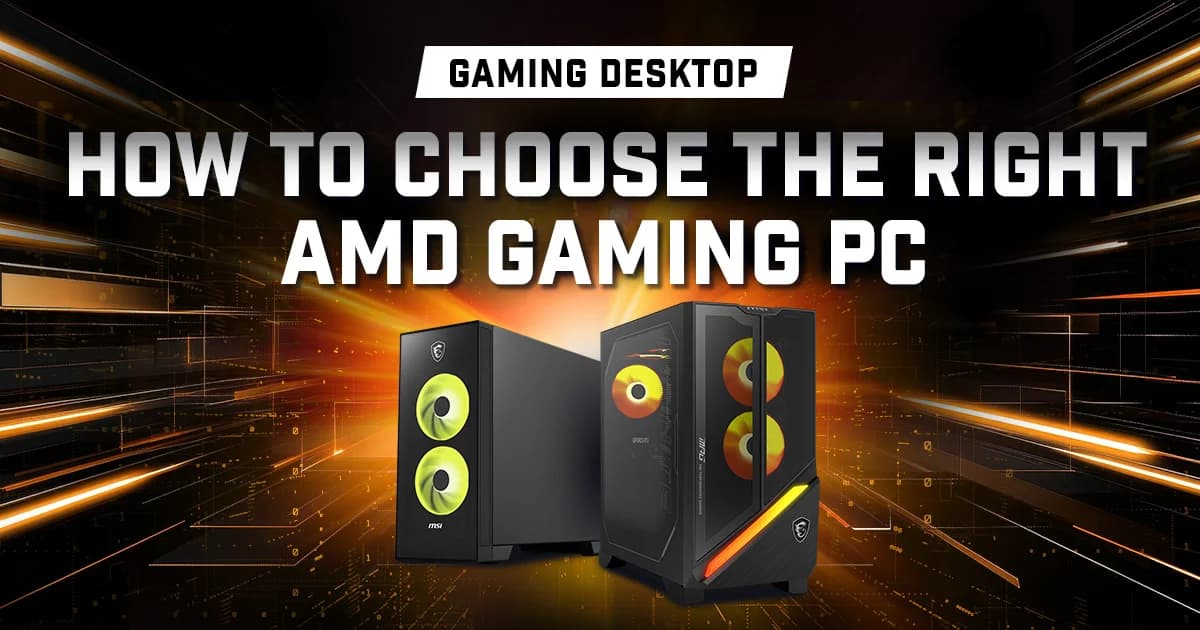
Compact Value vs. Flagship X3D Power: MAG Infinite Z 8B vs. MPG Infinite Z3 X3D
Choosing the right prebuilt isn't just about the CPU and GPU sticker on the box, it's also about picking a chassis, cooler, and power supply that match your monitor resolution and future upgrade plans.
The Compact, High-Value Sweet Spot: MSI MAG Infinite Z 8B
If you want a well-balanced rig for 1080p or 1440p gaming that doesn't take over your desk, the MAG Infinite Z 8B is the sweet spot.
Built around the AMD B840 chipset in a compact (175 x 447.35 x 399.55mm) mid-tower chassis, it pairs air-cooled AMD Ryzen processors, ranging from the AMD Ryzen 5 8400F and Ryzen 7 8700F up to the formidable AMD Ryzen 7 9700X, with NVIDIA's RTX 50-series GPUs, scaling from the RTX 5050 and RTX 5060 Ti (8GB or 16GB) up to the RTX 5070 (12GB) and RTX 5070 Ti (16GB).
Despite its compact footprint, MSI builds it for easy maintenance. You get two DDR5 U-DIMM slots (supporting up to 64GB), two PCIe Gen4 x4 M.2 slots, either a 500W 80 Plus Bronze or 850W 80 Plus Gold PSU, and tool-less features like thumbscrew side panels, an EZ PCIe Clip II for swapping graphics cards, and EZ M.2 Clips for adding storage in seconds.
The Top-Tier X3D Flagship: MSI MPG Infinite Z3 X3D
If you're chasing ultra-smooth 1440p or 4K gaming or pairing a high-end GPU with AMD's fastest gaming silicon, the MPG Infinite Z3 X3D steps up every part of the platform.
Built on the AMD B850 chipset, it's configured specifically around AMD’s X3D chips – offering the Ryzen 7 7800X3D and Ryzen 7 9800X3D, paired with GPUs starting at the RTX 5070 (12GB) and RTX 5070 Ti (16GB) and scaling all the way to the RTX 5080 (16GB) and flagship RTX 5090 (32GB).
To keep those top-end parts running cool and quiet under heavy gaming loads, the larger (235.1 x 481.23 x 485mm) chassis houses a 360mm AIO liquid cooler, an 850W or 1200W 80 Plus Gold PSU, four DDR5 slots (up to 128GB), one blazing-fast PCIe Gen5 x4 M.2 slot alongside two PCIe Gen4 M.2 slots, and up to Wi-Fi 7 connectivity.
Upgrader's Tip: When picking your config, check the power supply wattage alongside the GPU. Starting with a higher wattage PSU gives you enough headroom for a newer graphics card or next-gen AM5 processor a few years down the line.
Side-by-Side Spec Comparison: Which AMD Ryzen Desktop Fits Your Setup?
Feature
MSI MAG Infinite Z 8B(Compact AMD Value)
MSI MPG Infinite Z3 X3D(Flagship AMD X3D)
Processor Options
AMD Ryzen 7 9700X / Ryzen 7 8700F / Ryzen 5 8400F
AMD Ryzen 7 9800X3D / Ryzen 7 7800X3D
Chipset & Platform
AMD B840 (AM5 socket)
AMD B850 (AM5 socket)
GPU Options
NVIDIA GeForce RTX 5050 up to RTX 5070 Ti (16GB)
NVIDIA GeForce RTX 5070 up to RTX 5090 (32GB)
Memory Support
2x DDR5 U-DIMM (Up to 64GB)
4x DDR5 U-DIMM (Up to 128GB)
M.2 SSD Slots
2x PCIe Gen4 x4 M.2
1x PCIe Gen5 x4 M.2 + 2x PCIe Gen4 x4 M.2
Cooling & Power Supply
Air Cooler; 500W Bronze or 850W Gold PSU
360mm Liquid AIO Cooler; 850W or 1200W Gold PSU
Dimensions (W x D x H)
175 x 447.35 x 399.55 mm
235.1 x 481.23 x 485 mm
How to Make Your Call
- Pick the MAG Infinite Z 8B if you want a high-value, compact AMD gaming desktop that handles modern 1080p and 1440p games with ease, fits neatly on or under a smaller desk, and gives you tool-less access plus an AM5 upgrade path through 2029.
- Pick the MPG Infinite Z3 X3D if you want top-tier frame-time consistency for competitive shooters, complex sims, or upcoming heavyweights like GTA 6 at 1440p and 4K — backed by AMD's 3D V-Cache, a 360mm liquid cooler, and GPU options up to the RTX 5090.
- If you’d prefer a prebuilt that’s designed around Intel’s platform or would like to explore other models, you can find our latest options here.
Ready to lock in your upgrade? Check the exact GPU, RAM, and power supply configurations on MSI's official pages for the MAG Infinite Z 8B and the MPG Infinite Z3 X3D to match your monitor's resolution and refresh rate.