A practical guide to privacy, offline access, performance, cost, and the CPU-GPU-NPU mix behind modern AI laptops.
Cloud AI runs models on remote servers, local AI runs them on your laptop's own CPU, GPU, or NPU, and hybrid AI splits one workflow between the two. Where it runs shapes privacy, offline access, speed, cost, and the laptop you need. For many mixed workflows, hybrid is the most flexible choice: keep selected work on the laptop and use the cloud when you need more scale.
Should You Choose Cloud, Local, or Hybrid AI?
Choose cloud AI for larger models, connected services, and easier scaling; choose local AI for supported low-latency, offline, or data-sensitive work; choose hybrid AI when one workflow benefits from both.
MSI offers three starting points: everyday productivity and cloud AI, lighter local AI and content creation, and advanced local AI and professional creation.
What Is Cloud AI?
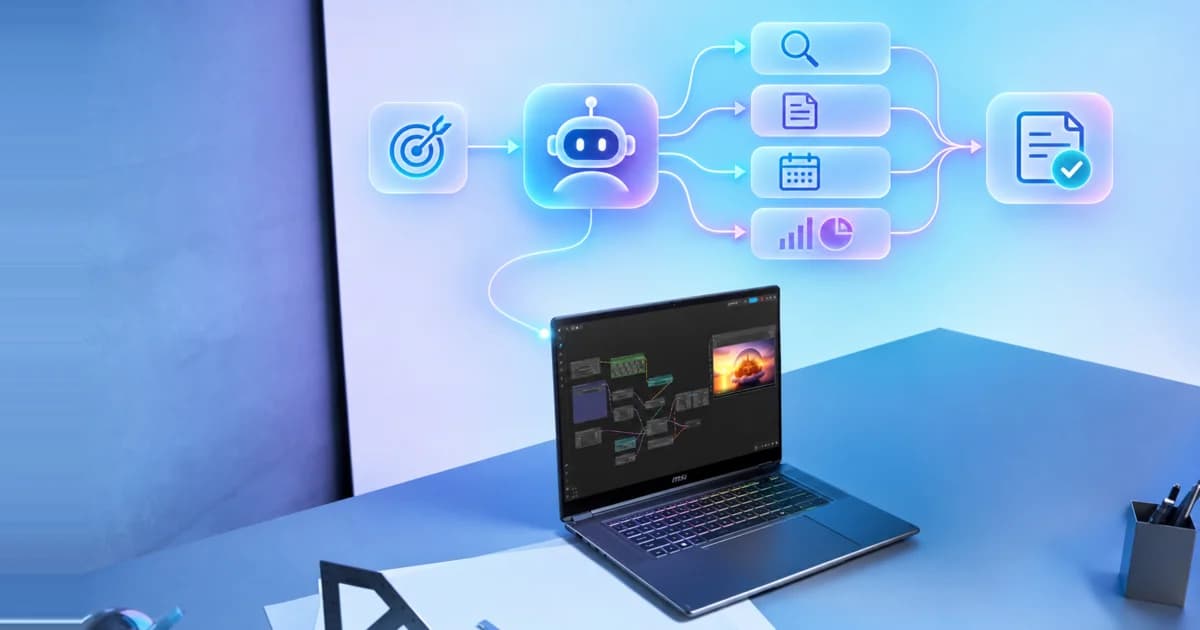
Cloud AI runs the model on a remote server, so your laptop mostly handles the interface, security, and connection. That's why it has the lowest hardware bar: most cloud AI services work on a modern laptop with a supported app or browser and a reliable internet connection.
For example:
- Office workers and students: cloud AI tools such as ChatGPT or Copilot use large language models (LLMs) to help draft emails and reports, and meeting tools like Copilot's meeting recap handle summaries — the computation happens online, so the laptop just runs it smoothly.
What Is Local AI?
Local AI — also called on-device AI — means the AI model runs right on your laptop's own CPU, GPU, or NPU, instead of on a server somewhere else.
For example:
- Indie game developer or robotics hobbyist: want to prototype an AI teammate or test a robotics idea without paying for every cloud inference call? A smaller language model running locally in Ollama or LM Studio can help prototype dialogue and logic.
- Professional creator or filmmaker: need to work on a 4K edit during a flight or keep client footage on the device? DaVinci Resolve Studio and Topaz Video use GPU acceleration for local AI effects and enhancement. Activation, model downloads, and updates may still need an internet connection.
What Is Hybrid AI?
Hybrid AI is an approach that splits one workflow between local and cloud AI — an app might keep one step local and hand another off to the cloud, depending on what's built in, what you choose, or what company policy says.
For example:
- Content creator fielding a growing inbox of brand partnership requests:cloud automation sorts incoming requests by type and urgency, while a local model checks each one against her private rate card and availability. Only the details approved for sharing move to a cloud assistant to draft a reply in her voice — and nothing is sent until she reviews it. This example combines compatible local and cloud tools and requires setup.
Cloud AI vs. Local AI vs. Hybrid AI: Key Differences
Cloud AI
Local AI
Hybrid AI
Runs on
A remote server
Your laptop
Both, split by task
Needs internet?
Yes for the service
Not for most installed local features
Only for the cloud steps
Data path
Usually sent to the service provider
Can remain on the device
Depends on each step and app
Model size
Can be very large
Limited by your hardware
Local models plus larger cloud models
Typical cost
Subscription or usage fees may apply
Upfront hardware, plus software and operating costs
A mix of local and cloud costs
Main strength
Scale: the largest models and shared services
Low latency and offline use, with data kept closer to home
Each step runs where it fits best
Main trade-off
No connection, no cloud AI; usage costs and data governance to manage
Limited by the laptop's RAM, VRAM, battery, and thermals
More moving parts, and the data path is harder to see
Best for
Large models, connected services, easy collaboration
Offline work, low latency, greater data control
Workflows that benefit from both
These are general tendencies — the exact app you’re using always has the final say.
How Do CPU, GPU, and NPU Affect AI Features on a Laptop?
Your laptop's hardware affects how smoothly AI runs, which tasks it can handle locally, and how much power it uses. The CPU, GPU, and NPU contribute in different ways.
Processor
Primary Strength
What It Affects
CPU
Flexible, general-purpose processing.
Keeps the app and OS responsive, prepares data, and can run light AI models directly.
GPU
High parallel throughput; a discrete GPU adds dedicated VRAM.
Local generative AI, image and video effects, 3D, and development — VRAM often decides what fits.
NPU
Power-efficient, sustained inference.
Runs supported camera, audio, caption, translation, and search features power-efficiently.
Even cloud AI still leans on your laptop for the interface, security, and networking. Don't pick an AI laptop on TOPS alone — CPU, GPU, NPU, RAM, VRAM, storage, cooling, and battery life all shape the real experience. For how much GPU and VRAM each workload needs, see the Laptop GPU Buying Guide.
Which MSI Laptop Fits the Way You Use AI?
Start from the examples above. MSI groups its AI laptops by where the AI runs and how much GPU memory it needs, so each scenario points to a clear starting point.
Writing, meetings, and everyday cloud AI
Like the office worker above, most of your AI runs in ChatGPT or Copilot, with back-to-back calls in between. MSI's Everyday Productivity & Cloud AI tier fits this day: cloud AI runs on every Prestige, Venture, and Modern laptop with no particular NPU required, and on Copilot+ PCs, including every Prestige model from 2026 onward, the 40+ TOPS NPU also runs Windows Studio Effects, Live Captions translation, and Improved Windows Search (semantic file search) on the device.
Recommended: Prestige / Venture / Modern · cloud AI on every model; Copilot+ PC features on models with a 40+ TOPS NPU
Hybrid workflows, streaming, and light local AI
Like the content creator above, you keep private files on the laptop while cloud AI drafts the replies, or you stream and touch up photos and video. Dedicated VRAM gives compatible local AI and creative workloads more headroom, which is what MSI's Hybrid to Local AI & Content Creation tier adds: small local chatbots, NVIDIA Broadcast, and entry creative AI. Cyborg brings accessible AI gaming in a compact build, Katana is the dependable mainstream pick, Crosshair adds fast, precise performance, and an entry-level Stealth is a thin-and-light portable AI studio.
Recommended: Stealth (entry-level configurations) / Crosshair / Katana / Cyborg · RTX 5070 & Below, 8GB
4K editing, local development, and offline pro work
Like the filmmaker and the indie developer above, you edit 4K on a flight, keep client footage off the cloud, or prototype with local models and coding assistants. That calls for MSI's Advanced Local AI & Professional Creation tier. Titan is the edge AI workstation for the heaviest local AI, Raider is the AI powerhouse for creators and streamers, and a Stealth in higher-end configurations keeps that power portable.
Recommended: Titan / Raider / Stealth (higher-end configurations) · RTX 5070 Ti & Above, 12–24GB VRAM
*Specifications, configurations, and availability may vary by market. For VRAM detail by workload, see the Laptop GPU Buying Guide; for series-by-series positioning, see Which MSI Gaming Laptop Is Right for You? For Prestige, Venture, and Modern, see Which MSI Business Laptop Is Right for You?
FAQ
Is local AI better than cloud AI?
Neither is universally better. Local AI can improve responsiveness, offline continuity, or control for supported tasks. Cloud AI offers larger models, connected services, and easier scaling. Hybrid AI is often the most practical choice because it assigns different steps to the environment that fits them best.
Does local AI require a discrete GPU?
No. Local AI can run on a CPU, integrated GPU, discrete GPU, NPU, or a combination. A discrete GPU becomes more valuable when compatible workloads require higher throughput or dedicated VRAM, but small models and efficient features may run on other processors.
Is local AI automatically private or secure?
No. Local processing can reduce external data transfers for selected tasks, but privacy and security still depend on application behavior, permissions, identity, encryption, endpoint protection, telemetry, retention, updates, and organizational policy.
What is an NPU, and do I need a Copilot+ PC for AI?
An NPU (Neural Processing Unit) is a processor built for power-efficient AI inference. You don't need one to use cloud AI tools like Copilot or ChatGPT, but a Copilot+ PC — an eligible Windows 11 PC with a 40+ TOPS NPU that meets Microsoft's other minimum hardware requirements — adds on-device Windows features such as Live Captions translation, Windows Studio Effects, and Improved Windows Search. Selected features can keep working offline once the required language packs or search indexes are installed; availability varies by feature, device, region, and language. Eligibility depends on the configuration, not the model name, so check each model's spec sheet for the 40+ TOPS NPU and Copilot+ PC badge.
Which MSI Gaming Laptop Is Right for You? — MSI's official series-by-series positioning.
Which MSI Business Laptop Is Right for You? — MSI's official Prestige, Venture, and Modern positioning.