This page is for teams that operate live video for other people: creator channels, live shopping, fitness and dance classes, online courses, ticketed events, gaming. Many channels go live and offline at once, and recorded music ends up in them: a playlist under a workout class, a track behind a product demo, a song in a gaming stream. AudD’s audio streams API recognizes songs in a live HLS stream and tells your server which recording played on which channel. Pair it with the enterprise endpoint to check the recording before it becomes a replay.
If you are an individual streamer rather than a platform, see AudD for Twitch streamers.
What you can do
Know what music played on each channel
When a channel goes live, your backend calls addStream with the channel’s HLS playback URL and a radio_id, an integer you map to that channel. AudD pulls the stream, recognizes the songs, and POSTs each match to one callback URL for your whole account. Every match carries the radio_id, so your receiver knows which channel it came from. When the broadcast ends, you call deleteStream.
This works with any host that gives you an HLS URL and a “went live / ended” signal: Amazon IVS state-change events through EventBridge, Mux live-stream webhooks, Cloudflare Stream live-input notifications, or your own media server’s publish hooks.
Show viewers what’s playing
Pass callbacks="before" when you add a stream and the match arrives when a song starts, not when it ends. Cache the latest match per channel and render it in your player. A song’s song_link with ?thumb appended gives you cover art. Each stream also has a longpoll_category you can give to a frontend so it can read results without your API token.
Keep a music-use log per channel
Store each match with the channel, the time, and the artist, title, album, and label. With the default callback timing (at song end) the match also carries play_length, the seconds the song played. A per-channel log gives you facts to bring to a licensing conversation: which recordings appeared, on which channels, how often. ISRC and UPC are available on request (see the streams docs) and need a Startup plan or higher.
Flag streams for review
Your platform decides what a match means. A fitness class on a “no recorded music” policy and a DJ channel with a venue licence need different rules. Route matches to a review queue, notify the creator, or have your player mute the audio, according to each channel’s policy. AudD only reports what it recognized. It doesn’t act on the stream.
Check replays before publishing
After a broadcast, extract the recording’s audio and send it to the enterprise endpoint (https://enterprise.audd.io/). It returns every recognized segment with its position in the file, so you can publish, edit, or hold the replay. Enterprise bills one request per 12 seconds of audio processed. Set limit on every call, and use every/skip to sample when a yes/no answer is enough.
How the pieces map to your needs
Things to plan for
- Concurrency, not channel count. The streams docs have you set a maximum number of concurrent streams on the dashboard. What you size is how many channels are live at once. Decide what happens when a go-live would exceed it, and consider monitoring only channels where music matters. Prices are on the streams docs page. For platform volumes, email [email protected].
- Callback rate. With fewer than 500 streams, AudD sends at most 3 callbacks per second (burst 15). Beyond that, callbacks queue and arrive late. Estimate your peak from concurrent channels and how often songs change.
- Playback URLs AudD can reach. AudD fetches the URL from its servers for the whole broadcast. Signed or expiring URLs, origin-bound tokens, IP allowlists, and cookies can all break that. Test with a real broadcast, and swap in a fresh URL with setStreamUrl if yours expire.
- Latency. Measure it on your own streams: the time from a song starting to your callback arriving. This page doesn’t quote a number.
- Private channels. Decide whether sending a private class’s or event’s audio to a third party fits your terms and privacy policy.
What AudD doesn’t do
- It doesn’t mute, block, or take down streams or replays. Your platform does.
- It doesn’t license music, name rights holders, or say whether a use is permitted. A match tells you which recording played.
- It matches recorded music. Covers, live performances of a song, humming, and AI-generated soundalikes are not what it detects.
- It doesn’t look at video. It can’t spot a restream of someone else’s video by its picture.
- Using it doesn’t make a platform compliant with any law or platform rule.
Where to start
- Monitor your users’ live streams for music is the build: the IVS, Mux, and Cloudflare Stream events to listen for, a FastAPI handler that adds and removes streams, the callback receiver that routes by radio_id, radio_id allocation, signed URLs, sizing, and the replay scan.
- Flag and remove music in a live-event recording turns enterprise matches into a report and a muted or cut copy of the recording.
- How to identify music in live audio streams using an API covers the streams model in general: callbacks, longpoll, formats, reliability.
- Show recognized music on a Twitch stream shows the viewer-facing side if some of your creators also stream to Twitch.
Code teaser
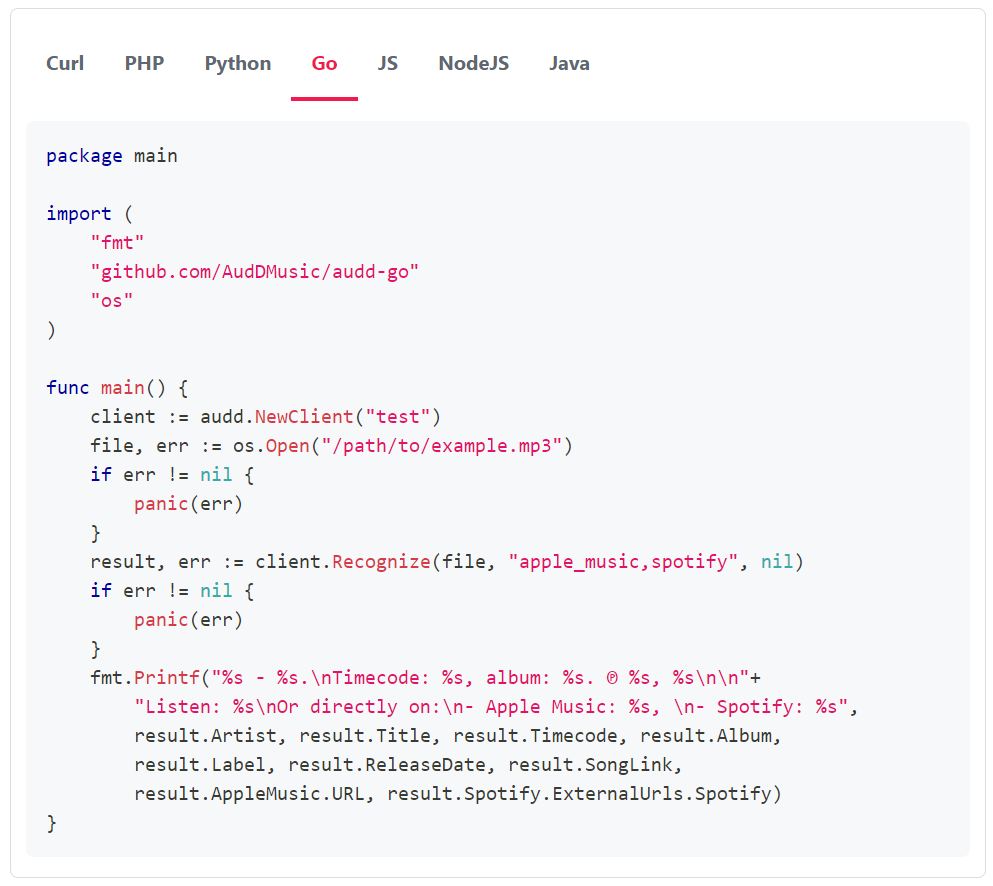
When the host says a channel went live, start monitoring it. Every match then arrives at your one callback URL, tagged with that channel’s radio_id.
The callback receiver reads each POST with audd.streams.handle_callback(request), which returns a match (with radio_id, timestamp, and song.artist / song.title / song.label / song.song_link) or a stream-health notification (650 can’t connect, 651 no music). The integration guide has the full receiver.
- Monitor your users’ live streams for music
- AudD for video platforms and UGC moderation
- AudD for Twitch streamers
- Webhook callbacks vs longpoll for stream results
- Agent notes: streams and longpoll
- Streams API reference