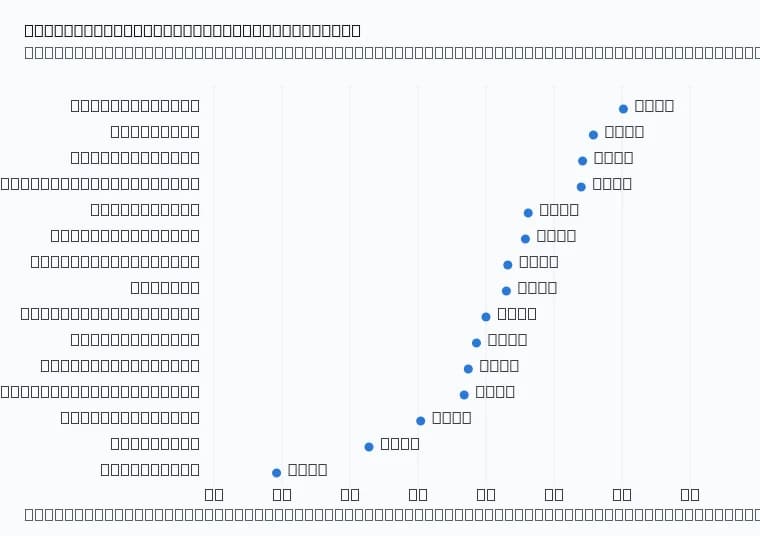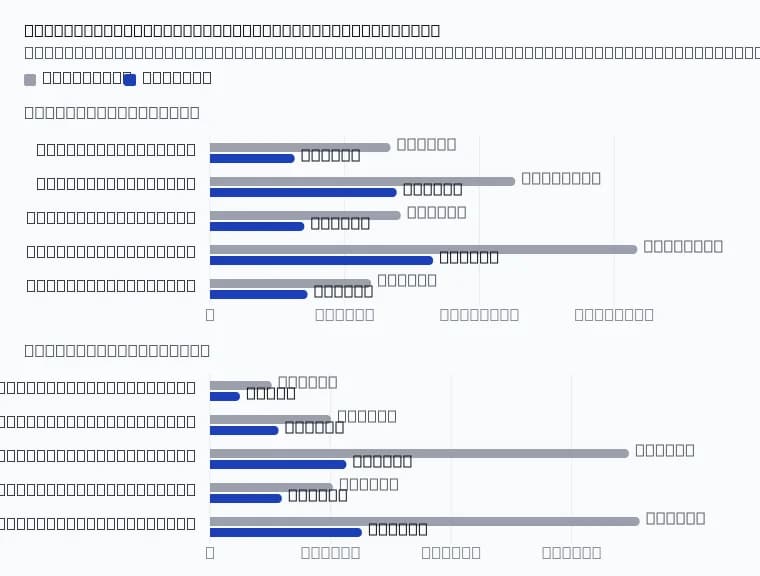
This week the Datalab API got faster at the parts that are not document processing: accepting your upload, and answering when you check for a result. At the median, submitting a document to /api/v1/marker takes 314 ms, down from 670 ms last week. A result check takes 62 ms, down from 128 ms. The slowest 1% of result checks dropped from 869 ms to 283 ms.
We also released version 0.9.1 of the Python SDK. It checks for your result every 0.3 seconds for the first 8 seconds, so it picks up a finished page sooner.
You don’t need to change anything to get the faster API. To get the faster polling, upgrade the SDK.
What changed
Every API call to Datalab has three parts:
- Submit. You upload a file and get back a request ID.
- Process. We parse or extract the document.
- Check for the result. You poll the request’s check URL until the result is ready.
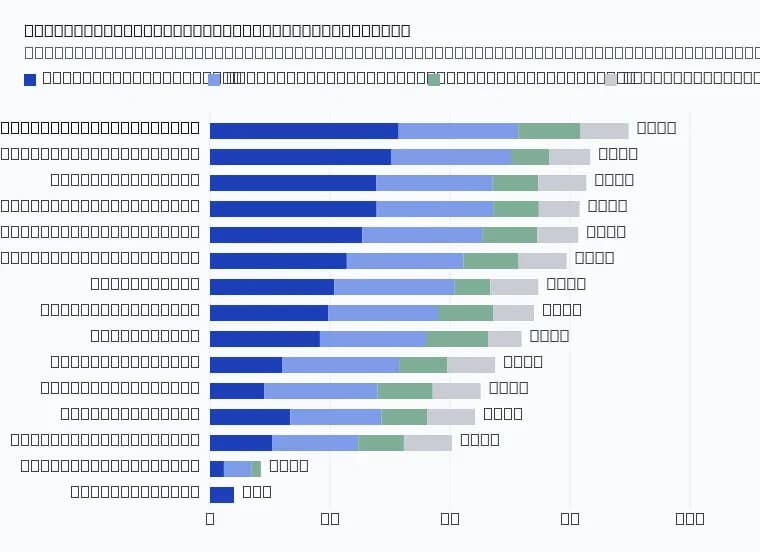
This post covers parts 1 and 3. Here are the server times from our production request traces, comparing Oct 29–31 with Nov 3–6:
These are times measured on our servers. Your upload time over your own network comes on top of them, so a large file on a slow connection still takes longer to submit.
We also measured the whole wait outside processing for single-page jobs, from the moment we accept the request to the moment its result is ready, minus the processing time. That fell from 1.30 s to 1.19 s at the median. Processing time per page did not change this week. We have covered model speed separately, most recently in the Chandra 2.6 post.
Why it matters
A single page in fast mode is ready in a few seconds, so a second of overhead is a large share of the wait your user sees. The gains add up in three places:
- Submits. Each submit returns about 350 ms sooner. If one worker submits documents one after another, it saves about an hour per 10,000 documents.
- Result checks. A check returns about twice as fast at the median, and the slow ones stopped being slow. If your client polls hundreds of requests at once, it spends less time waiting on the API.
- Polling interval. If you poll once a second, a finished result waits 0.5 s on average before your next check sees it. At 0.3 s, it waits 0.15 s on average.
How to use it
Python SDK
Upgrade to 0.9.1:
You don’t need to change your code. The client checks every 0.3 seconds for the first 8 seconds of a request, then every poll_interval seconds (1 second by default):
The time budget is the same as before: the waits between checks add up to max_polls * poll_interval seconds. If you set poll_interval above 1 second, for example for long batch jobs, the client skips the fast checks:
We raised the result-check rate limit to three times its old value, so a team at its request limit can poll every 0.3 seconds without getting 429 responses.
Your own HTTP client
If you call the API directly, start with a short interval and increase it slowly:
The quickstart shows the same request with cURL and the SDK.
Example use cases
- Upload in your app. Your user drops in a scanned receipt and waits for the fields. With a faster submit, faster checks, and the 0.3 s polling in SDK 0.9.1, most of the wait is the parsing itself.
- Agents that read documents. An agent that calls /extract once per page in a loop pays the submit and check time on every page. The median submit for /extract dropped from 708 ms to 350 ms.
- High-volume single-page jobs. Pipelines that send many one-page images, such as ID cards, shipping labels or forms, spend a large share of their time in submits and checks. They get the largest relative gain.
Try it
- Upgrade the SDK with pip install -U datalab-python-sdk.
- Read the API docs.
If you see slow responses from the API, email [email protected] with the request ID, and we’ll look at the trace.