TL;DR: No-code AI tools let you build software, automate tasks, or generate content by describing what you want in plain language. Most can get you to a first draft quickly, so if you’re building an app to run as a business, focus on what comes after: whether you can understand and change what was built, and what it costs to keep changing it.
You have an idea for an app, like a marketplace or an AI product, but you don’t write code. That’s what no-code AI tools are for: You describe what you want in plain language, and AI helps turn it into a working app.
There are plenty of these tools now, and “no-code AI” covers a lot of ground. A tool that sorts your email and one that builds a full app with logins and payments can both go by that name, even though they do very different jobs.
The sections below sort no-code AI tools into four types and explain what each does well and where it falls short. From there, the guide turns to Bubble: how the Bubble AI Agent plans and builds an app, what it can build on its own, and how it compares with ChatGPT, Lovable, and Cursor, along with pricing and four ways to get started.
What are no-code AI tools?
No-code AI tools are platforms that let you build software, automate tasks, or generate content by describing what you want in plain language, with no code required. The AI turns your instructions into something that works, whether that’s an app or an automated workflow. Most fall into one of four types: AI app builders, AI automation tools, AI coding tools, and AI assistants.
Types of no-code AI tools
Each type is built for a different job:
- AI app builders: These platforms build full web or mobile apps from a plain-language description, sometimes after a short planning session. You get the screens plus the database and logic behind them. Start here if you want software customers log in to, like a booking marketplace or a client portal.
- AI automation tools: Tools like Zapier AI connect apps you already use. Ask for a workflow, like saving email attachments to a folder, and the AI sets it up. They’re best when your apps already exist and need to talk to each other.
- AI coding tools: Tools like Lovable, Bolt, and Replit write an app’s code from a prompt and run it for you, often with hosting and visual screen editing included. Underneath, the app is code, so they suit people who can read it or want a quick prototype.
- AI assistants: Chatbots like ChatGPT and Claude write text and code snippets, and ChatGPT makes images too. They’re handy for drafting copy or brainstorming features, but you still have to build their output into a working app.
What no-code AI tools do well and where they fall short
No-code AI tools are good at getting you past the blank page. They can turn an idea into a working first draft quickly, which lets you test a concept before you commit much time or money to it.
The trade-offs appear after the first draft:
- Changes get harder when you can’t read the output: Many AI tools generate traditional code behind the scenes. If you don’t read code, every change to the logic becomes a new prompt that costs credits, and it’s hard to see what that prompt actually changed.
- Credit-based pricing can be hard to predict: Many tools charge credits for each prompt. An app that needs a lot of small fixes can end up costing more to build than you expected.
- Generated apps can look alike: When many people start from similar prompts, the first versions tend to share layouts and styling. Making yours look like your brand takes deliberate editing.
- Moving to another tool can be costly: Your app, data, and hosting may all live on one vendor’s platform. Before you build something you’ll depend on, find out what it would take to move it.
The tools that hold up best over time keep their output visible, which lets you see how the app works and change it yourself. Bubble is built that way: The logic and data are visual along with the design, and the rest of this guide takes a closer look.
What is Bubble AI?
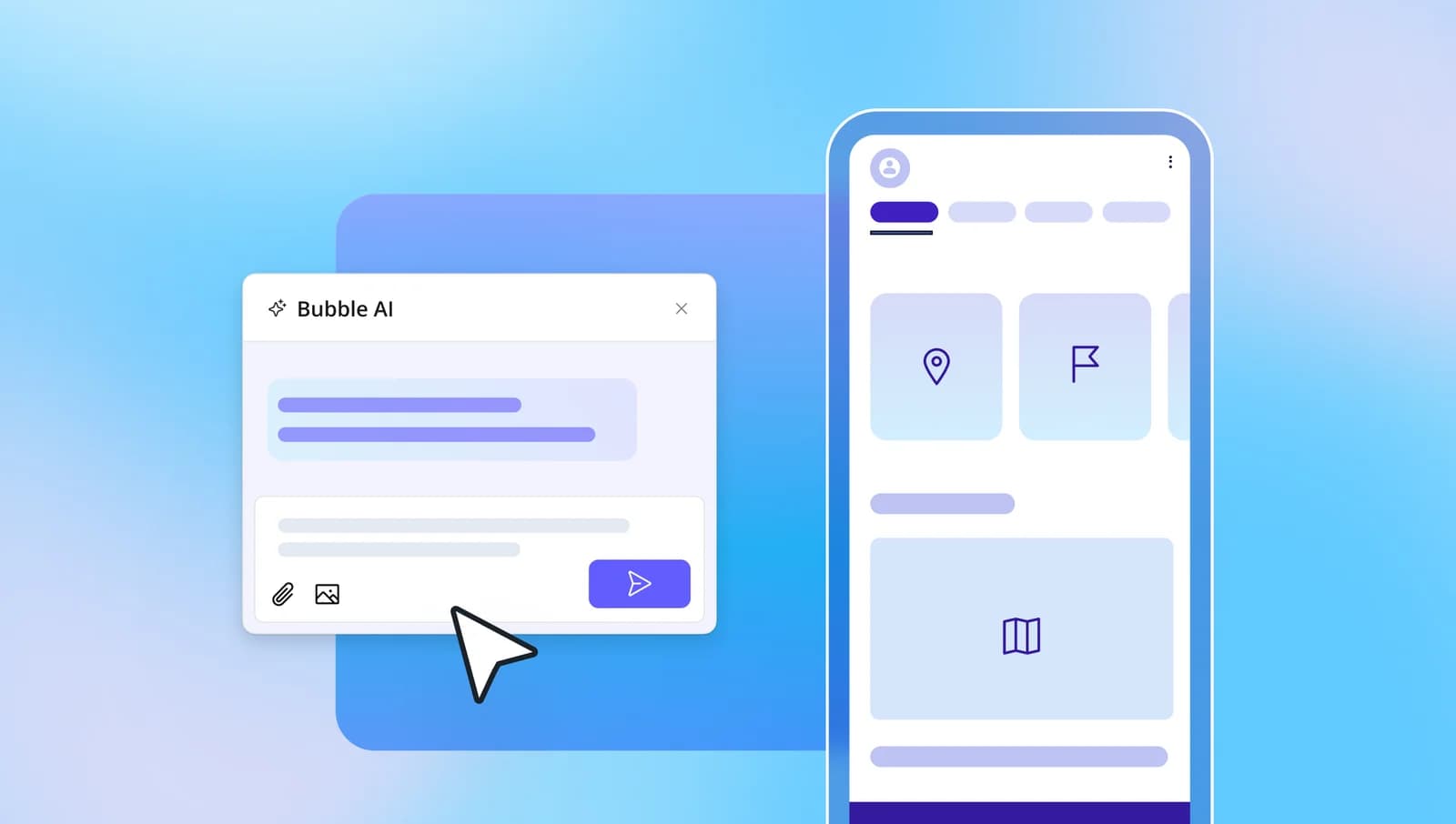
Bubble AI is the AI technology built into Bubble, where you build web and native mobile apps visually. You work with it through the Bubble AI Agent: You describe an app idea in plain language and get a working app you can edit right away, including the design, database, workflows, and privacy rules, with no code required. You can build in three ways:
- The Agent: Your build partner from the first conversation. It plans and generates your app with you, then keeps helping as you add features or ask how something works.
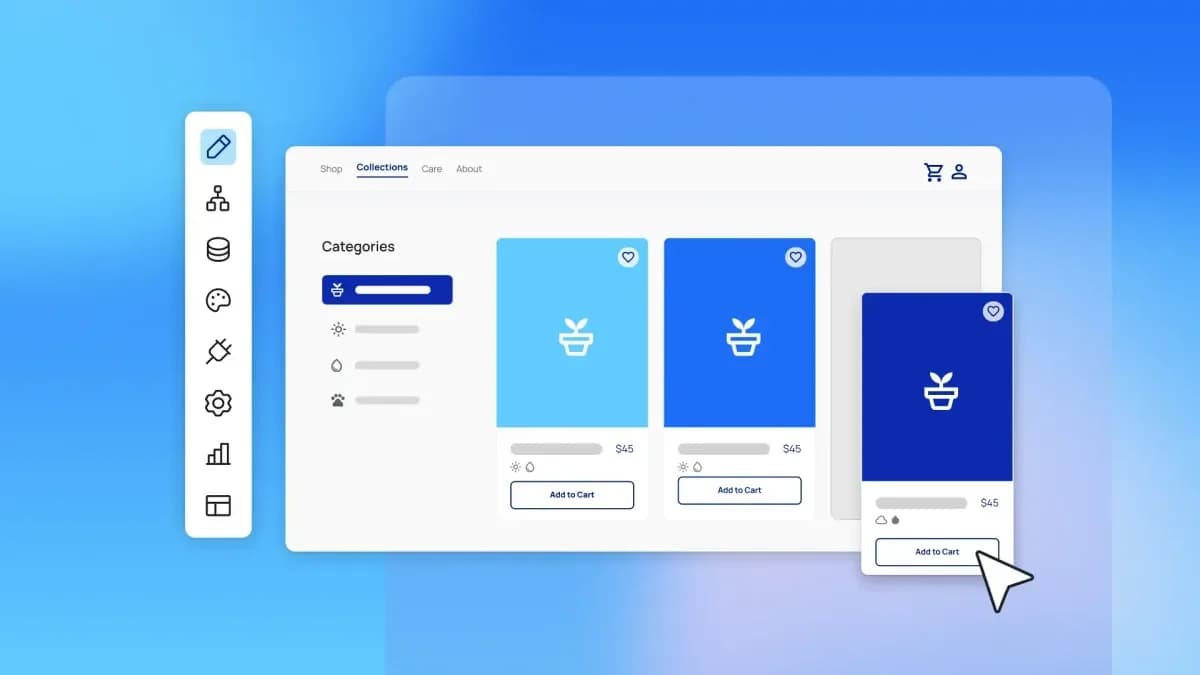
- The visual editor: Every layer of your app is visible here, from the design to the privacy rules, and you can change any of it by hand. Workflows read as plain-language steps, like “When someone signs up, send a welcome email.”
- The Bubble MCP (beta): Build from AI tools you already use, like Claude, ChatGPT, or Codex. Everything they create stays visual and editable on Bubble.
You can switch between these in any order, as often as you like.
How Bubble AI works
Step 1: Describe your idea to the Bubble AI Agent
Start by describing your app in plain language. The Agent begins with a planning session: It suggests features and user stories, asks clarifying questions, and drafts a blueprint you can refine before anything is built. If you already know what you want, you can skip ahead and generate right away.
Once you approve the plan, the Agent generates your app’s foundation: pages and UI elements, a database structure, workflows, and preconfigured logic. Any data that might be sensitive gets privacy rules by default, which control who can see it. You can review and change those rules in the editor anytime.
The more specific your description, the more useful the first version will be. “A marketplace where freelancers list services and clients book and pay” gets you further than “a marketplace app.” Nothing the Agent generates is locked in, and you can change every element afterward.
Step 2: Build with the Agent
Once your app is generated, keep chatting with the Agent in the same conversation. It already knows how your app fits together and which page or element you’re looking at. When you ask for a change, it updates only that part.
Here are a few things you might ask for:
- Add a feature: “Add a reviews section to the freelancer profile page.” The Agent builds the section along with the data and workflow behind it.
- Update your data structure: “Add a billing address field to the User data type.” The field shows up in your database, ready to use on any page.
- Modify a workflow: “Show a success message after a booking is confirmed.” The Agent adds that step to the workflow, and you can see exactly where it lands.
- Explain how something works: “Walk me through what happens when a user submits this form.” You get a plain-language rundown of each step, which is handy when you’re looking at part of the app someone else built.
You can watch the Agent work as it goes: New workflows and database fields show up in the editor as they’re created. If you don’t like the plan it proposes, cancel it before anything changes, or tweak the result yourself afterward.
Step 3: Refine in the visual editor
The Agent handles the first build, and you can keep refining with it for as long as you like. Everything it builds shows up in the visual editor, so you can always see exactly what it did.
If you’d rather make a change yourself, like moving an element on the page or changing when a workflow step runs, you can do it right in the editor without writing a prompt.
Step 4: Launch
When your web app is ready for users, you can publish it with one click. Bubble hosts it for you and scales it as more people
For native mobile apps, Bubble helps you generate and manage iOS and Android builds from the editor. You still need developer accounts for the App Store and Google Play Store, and you still have to complete each store’s configuration, testing, and review. If you’d like help with any of it, you can hire a Bubble Developer.
What the Bubble AI Agent builds and how it shows its work
The Agent builds most of an app right in the editor, and it tells you what it changed every time.
What can the Agent build versus only describe?
The Agent can build and edit pages, elements, frontend and backend workflows, database structure, privacy rules, and API Connector calls directly in the editor. It can also install plugins from the Bubble Marketplace. With native mobile app generation (beta), it can build iOS and Android apps from a prompt.
For anything it can’t build yet, the Agent walks you through making the change yourself in the visual editor. You’ll come away knowing how that part of your app works, which makes the next change easier.
Does the Agent explain what it changed after each edit?
Yes. Before the Agent makes a change, it shows you what it’s about to do, and if a request could mean more than one thing, it asks you first instead of guessing. When it finishes, it sums up what changed in plain language, so you can follow how your app works after every edit.
What happens when the Agent gets something wrong?
Everything the Agent builds is visual. You can open the editor, see how the logic or design is set up, and fix it yourself without writing another prompt.
You can also ask the Agent to track down the problem and fix it. If you give it access to your sample data in the AI tab of your app’s settings, it can look at that data too, which helps it debug more accurately.
If an experiment doesn’t work out, version control lets you roll back to an earlier version of your app.
What can you build with Bubble AI?
Bubble builders have launched SaaS products, marketplaces, internal tools, and client portals for web and native mobile, many with AI built in.
Full-stack web apps
When you generate an app with the Agent, you get the full stack: the UI, database, user authentication, workflows, and logic, all editable from the start. Apps built on Bubble include:
- My AskAI: An AI assistant for customer support teams that answers questions using a company’s own help content.
- VoiceDrop: An AI voice and ringless voicemail platform, built and scaled on Bubble.
AI-powered features within your app
Once your app is built, you can hook it up to outside AI models through Bubble’s API Connector or the plugin directory and give your end-users AI features of their own. A few projects to try:
- Product description generation: A storefront sends each new catalog item to a large language model (LLM), which writes a draft description. You review and tweak each one before it goes live, so descriptions stay consistent as your catalog grows.
- Custom support chatbots: A chatbot answers customer questions using your own documentation. It’s a good fit when the same questions come up every day and the answers already live in your help docs.
- Personalized recommendations: Your app shows each user content or products based on what they’ve viewed or bought. You store that activity in your database and send it to an AI model, which picks what to show next.
OpenAI, Runway, and ElevenLabs all publish API docs, so you can connect to them directly with the API Connector.
Can the Bubble AI Agent generate a native mobile app?
Yes. The Agent can generate full native iOS and Android apps in the same kind of conversation you use for web, and your mobile and web apps share one editor and one backend. Bubble for native mobile apps is built on React Native, the framework used by Amazon, Coinbase, and Discord, so your apps are true native apps instead of web wrappers.
You can test your app in the browser with the Simulated device preview, and on a paid plan, you can also test on a physical device with dev builds. When you’re ready to launch, Bubble helps you generate and manage your iOS and Android builds from the editor. Publishing to the App Store and Google Play Store still requires developer accounts, store configuration, testing, and review.
Bubble AI vs. ChatGPT, Lovable, Cursor, and other AI tools
These tools differ most in what the AI produces and how you change it afterward. Some leave you with code to read and maintain, while on Bubble, the design, logic, data, and privacy rules are all visual and editable. Here’s how Bubble compares with AI coding tools at a glance:
Building on Bubble vs. coding an app with ChatGPT
ChatGPT can help you brainstorm features or draft copy, and it can write code for an app too. To turn that code into a working product, you’d put the files together and set up a database and hosting yourself. Each time something needs to change, you’d go back to ChatGPT with a new prompt.
On Bubble, the Agent builds right inside your app, with the database and hosting already in place. If you’d rather work from ChatGPT, Bubble’s plugin in ChatGPT lets you build your Bubble app there, and everything you make shows up in the visual editor.
Bubble vs. AI coding tools like Lovable, Bolt, and Replit
AI coding tools like Lovable, Bolt, and Replit have inspired millions of people to build, and they get a first version up fast. Many handle hosting and databases and let you edit screens visually. The logic and data are still code, though, so changing how the app works takes another prompt (and more credits) or a trip into the code editor.
Repeated prompting has limits. In a December 2025 study, AI models’ debugging ability dropped 60–80% after just two or three attempts.
On Bubble, the logic and data are visual. When the Agent builds a workflow, you can read each step and change it yourself.
Bubble vs. coding agents like Cursor
Cursor is a coding agent built for developers. It works inside a codebase and expects you to review its edits the way an engineer would, which assumes you can read code.
If you don’t write code, Bubble fits better: The Agent builds everything visually, so there’s no codebase to manage. And if you’d rather keep working in an AI tool you already use, the Bubble MCP connects your Bubble app to Claude, Claude Code, ChatGPT, Codex, and VS Code with GitHub Copilot.
Bubble AI pros and cons
The right tool depends on what you’re building. For a quick proof of concept you don’t plan to grow, an AI coding tool might get you there faster. If you plan to keep growing your app, weigh these pros and cons alongside what it takes to run a business on Bubble, which the next section covers.
Can you run a business on a Bubble app?
Yes. Apps built on Bubble handle more than $1 billion in transactions a year, and more than 6 million builders use the platform, from solo founders to organizations like Seagate.
Here’s what Bubble includes:
- Built-in hosting and automatic scaling: Your app runs on Bubble’s infrastructure, so there are no servers to set up or manage as more people use it.
- SOC 2 Type II compliance: When customers or partners ask how their data is protected, you can point them to Bubble’s SOC 2 Type II report.
- Version control with rollback: If a change breaks something, you can roll back to an earlier version of your app.
- SSO on the Enterprise plan: Members of an organization can log in to Bubble with SSO, which makes it easier for IT to manage who has access.
VoiceDrop, an AI voice and ringless voicemail platform, reached seven-figure ARR in 12 months on Bubble, fully bootstrapped. Co-founder Nadav Boaz points to the development time and cost Bubble saves: “That’s the difference between building a business and watching someone else build it first.”
Pro tip: Run Bubble’s security dashboard before you launch. It comes with every paid plan and flags things like exposed API keys and missing privacy rules while they’re still easy to fix. For some issues, like exposed keys, Fix in the editor takes you right to the spot.
Bubble AI pricing
Bubble AI is built into every plan, and each plan comes with a monthly allowance of AI credits. You never depend on AI credits to build: You can describe your idea to the Agent and generate an app on any plan, including the Free plan.
Here’s what uses AI credits and what doesn’t:
The visual editor keeps working even if you run out of AI credits, and on a paid plan, you can buy more anytime.
Getting started is free, and paid web plans start at $32/month billed annually ($39/month billed monthly). Upgrade when you’re ready to go live, use a custom domain, publish native mobile apps to the App Store or Google Play Store, add capacity, or use plan-specific features. You can compare all plans at bubble.io/pricing.
How to get started with Bubble AI
Where you start depends on how well you know Bubble and whether you’ve already built something elsewhere.
Never built on Bubble before? Start with the Agent
If you’d like to look around before building from scratch, templates are a good place to start. They’re prebuilt apps you can import and explore. A few AI-focused ones worth trying:
- Microsoft Azure OpenAI: A beginner-friendly way to build your own ChatGPT clone with custom responses. It shows how an app sends a prompt to an AI model and displays the reply.
- Ez Dashboard + OpenAI: A template with prebuilt OpenAI features. Open its workflows to see how each request is set up, then adapt one for your own app.
- AI Dashboard: A paid template for building your own custom prompts. Try the preview first to see whether the layout fits what you have in mind.
Already know your way around Bubble? Try a plugin
If you’re an experienced builder and want to add AI features to an existing app, the plugin directory on the Bubble Marketplace has dozens of community-built options. Eden AI is a good starting point. It gives your app access to AI models from dozens of providers, like OpenAI, Google, and Mistral. You set up one plugin and one account instead of connecting to each provider separately.
Individual plugins are also available if you want to focus on one area. Plugins may be free, subscription-based, or one-time purchases, and some rely on outside API services that charge separately.
Ready to build custom integrations? Use the API Connector
Bubble’s API Connector connects your app to outside REST APIs, including AI services like OpenAI and Claude. Once you set up a call, you can use it anywhere in your workflows, and the Agent can set up calls for you if you ask.
Already built an app with another AI tool? Import it
If you started your app with an AI coding tool, universal import brings it into Bubble as a fully visual app. Choose Import from code and upload your project as a .zip or .html file, or bring it in through the Bubble MCP. Bubble rebuilds it as a new app, and you can read and edit every layer, including the design, logic, data, and privacy rules.
It’s also a good way to get to know an app you didn’t build yourself, and you can keep growing it on Bubble from there.
Build your first AI app on Bubble
Most no-code AI tools can take a plain-language description and give you a working first version of your app. If you’re planning to run a business on it, the bigger question is whether you can see how it works and change it yourself as it grows.
On Bubble, you can turn an idea into software you understand, control, and keep improving as your business changes. Start by planning your app with the Agent, then refine the details in the visual editor and launch to web and native mobile from the same place.
Getting started is free, and generating an app doesn’t use AI credits. Start building for free and describe your idea to the Bubble AI Agent.
Frequently asked questions
What’s the difference between low-code and no-code AI platforms?
No-code platforms let you build entirely with visual tools and, more and more often, AI that works from plain-language descriptions, while low-code platforms expect you to write some code for custom logic and integrations. If you don’t write code, a no-code platform is the better fit, and if you do, low-code can give you more room to customize in code.
Do I need to know how to code to build an AI app on Bubble?
No, on Bubble you build with the Bubble AI Agent and the visual editor instead of code, and the Agent explains what it built in plain language to help you through the learning curve. If you’d rather have someone build the app for you, a Bubble Expert or a professional Bubble Developer can help.
What happens if I run out of AI credits?
Your app and the visual editor keep working, since the editor doesn’t use AI credits, and the Bubble AI Agent keeps any work it has already finished. On paid plans, you can buy more AI credits when you need them.
Can I build a Bubble app from ChatGPT or Claude?
Yes, the Bubble MCP (beta) lets you build and edit your Bubble app from Claude or ChatGPT through Bubble’s connector in Claude and Bubble’s plugin in ChatGPT. Everything it makes appears in the visual editor, where you can read it and change it.
Can I bring an app I built with another AI tool into Bubble?
Yes, universal import brings an app built with an AI coding tool, such as Lovable, Bolt, or Replit, into Bubble as a fully visual app when you choose Import from code. Once the app is on Bubble, you can read and edit its logic, data, and design in the visual editor, or keep building with the Bubble AI Agent.
Is Bubble AI free to use?
Getting started is free: Every plan, including the Free plan, comes with a monthly allowance of AI credits, and generating an app with the Bubble AI Agent doesn’t use any. You’ll need a paid plan to go live, and paid web plans start at $32/month billed annually.
Can I export a Bubble app to code?
Bubble doesn’t output code, but you can export your app with the Bubble MCP (beta), which lets an AI agent like Claude Code or Codex rebuild it in code you own and host. Your data comes with you through the MCP or a CSV or JSON export.
Start building with a free account
Build your app on Bubble's Free plan. No need to upgrade until you're ready to launch your app.
Join building