TL;DR: AI app builders differ less in generating a first version than in what comes after, especially whether you can understand and change logic and data yourself. Compare them on control, production readiness, mobile support, security, portability, and pricing predictability.
Most AI app builders can turn a one-line description into a first version of your app. The differences between them show up later, when a customer asks for a change or you need to show that the app keeps their data safe.
If you plan to run a business on the app, or your team will rely on it at work, those later moments matter more than how the first draft got made. The right builder is one that lets you understand your app and keep changing it long after launch.
Below, you’ll compare Bubble, Softr, Lovable, Bolt.new, Replit Agent, v0, and Retool on control over logic and data, native mobile support, security and compliance, data portability, and pricing. You’ll also see what each platform does well and where it falls short.
What’s the difference between code-first and visual AI app builders?
Code-first AI app builders generate code, while visual AI app builders keep more of the app editable in a visual interface. That decides how much of your app you can change without code. Code-first tools like Lovable, Bolt.new, v0, and Replit Agent let you make some UI edits visually, like text and styling, but most layout, logic, and backend changes go through prompts or the code itself. Visual builders like Bubble, Softr, and Retool vary in how far that goes: Some center on screens and templates, and others make the logic and data visual too.
Labels don’t always match the approach, either. Lovable and Base44, for example, call themselves no-code while generating code.
The difference shows up after the first version, when customers depend on the app and you need to change exactly what you meant to. On code-generating tools, fixing an issue in the logic or data usually means spending credits or tokens on another prompt or opening the code editor. Re-prompting has its limits too: A December 2025 study found that AI models’ debugging ability drops 60–80% after just two or three attempts. When you can see exactly how your app works, you can fix it yourself.
On Bubble, the logic, data, and privacy rules are visual along with the screens, and you can switch between the Bubble AI Agent and the visual editor anytime.
What to look for in an AI app builder
An AI app builder creates functional apps from natural-language prompts. It generates either code you can deploy and modify or a visual app you can edit directly. What separates these platforms is what you can do with the output: whether you can customize it precisely, maintain it yourself, and launch it without rebuilding.
Seven factors matter most once you start iterating, customizing, or launching to production:
- Control beyond the prompt: Some platforms let you directly edit design, logic, data, and privacy rules. Others let you edit parts of the UI, while logic and backend changes still depend on prompts or code.
- Production readiness: Most platforms now include a database, authentication, and hosting. Check whether you can see and change the database structure and privacy rules yourself, or whether they live in generated code you’d need to read.
- Platform scope: Some builders focus on web apps, while others also build native iOS and Android apps. Check whether the mobile app shares a backend with the web version or starts as a separate project.
- Security and compliance: These become critical as soon as people create accounts and store data in your app. Look for SOC 2 Type II compliance, strong privacy-rule controls, and vulnerability scanning built into the platform today, instead of promises that you can add security later.
- Data ownership: Check whether you can export your code and data if you outgrow the platform, and what that export actually includes.
- Pricing models: Find out what draws on credits. When building, hosting, and in-app AI share one balance, costs can spike during heavy iteration, while plans priced on app capacity tend to scale more predictably as your user base grows.
- Initial build speed: A quick first version helps you test a concept or show stakeholders an idea early. It only pays off if the platform also handles what you’ll need after that first demo.
AI app builder comparison
This table compares all seven AI app builders on what each is best for, mobile support, backend, and starting price.
This second table compares the same platforms on what matters after the first version: how you change the logic and backend, what you can take with you, security, and how pricing works.
If something in these tables looks out of date, let us know and we’ll update it.
Each platform below has its own sweet spot. Some prioritize code ownership, others work best when you need to connect to existing data sources, and Bubble pairs the Agent with a visual editor for both web and native mobile.
Bubble: Best for web and native mobile apps you can understand and change yourself
Bubble is a fully visual app builder for web and native iOS and Android apps.
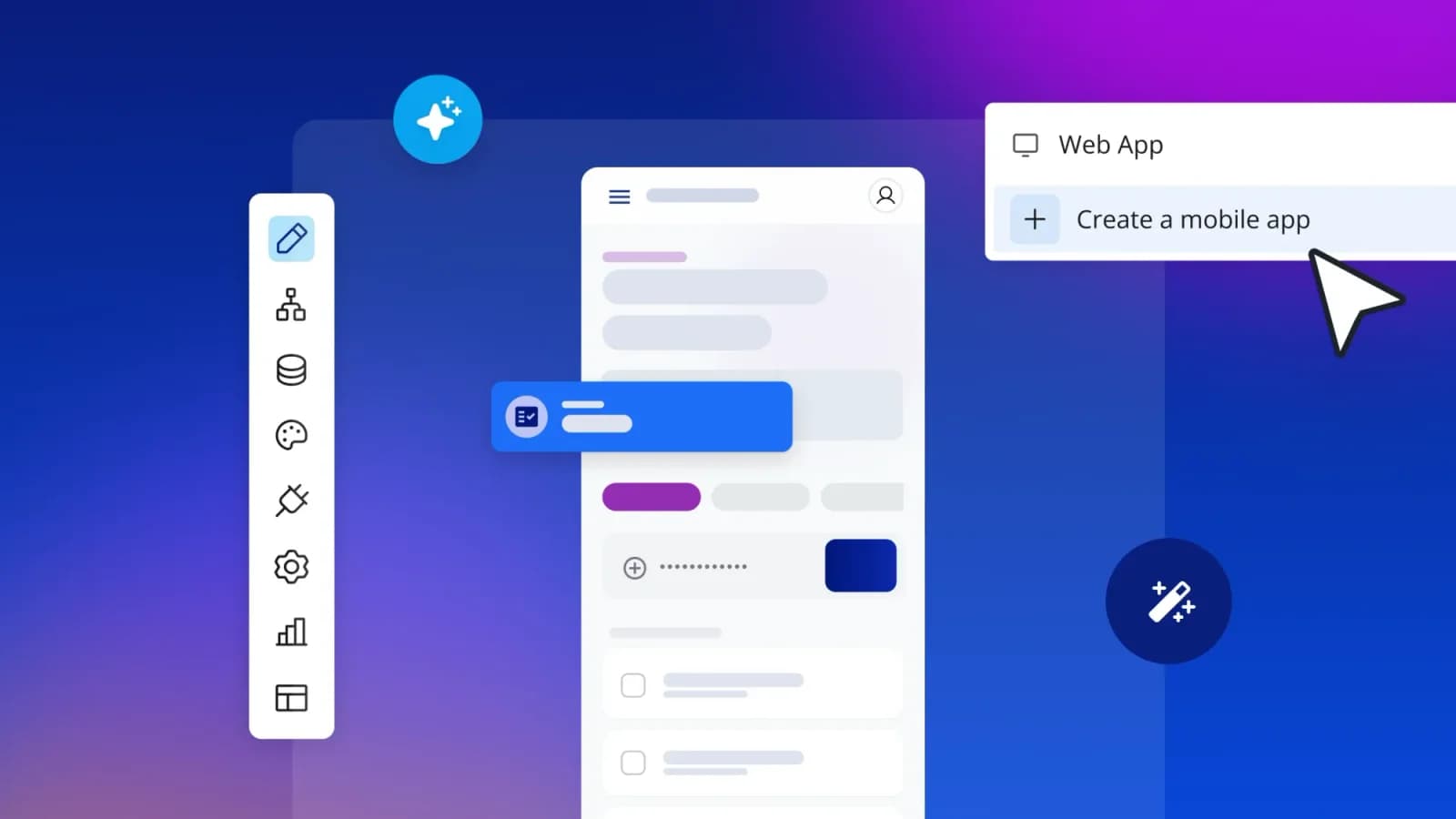
Building with AI on Bubble starts when you describe your idea to the Bubble AI Agent. It begins with a planning session, asking clarifying questions and drafting a blueprint with you before it generates the screens, logic, and database. With native mobile app generation (beta), the Agent builds iOS and Android apps from a prompt too.
As it works, the Agent shows what it’s about to do and summarizes what changed in plain language. You can follow along step by step or jump into the visual editor any time you want more control.
Everything the Agent builds stays visual, and you can read and change it yourself. Your prototype can grow into your production app without a rebuild. If you started in Lovable, Bolt.new, Replit, or v0, universal import brings that app into Bubble as a new, fully visual app you can keep building with the Agent or by hand.
Key features
- Understand how your app works: Workflows read as plain-language steps, like “When someone signs up, do this.” When something behaves unexpectedly, you can trace why and fix it yourself.
- Refine with AI or by hand: Use AI when you want speed or edit by hand when you want precision. You can ask the Agent for a new feature, then adjust the exact field, condition, or layout it touched in the visual editor. You can also build your Bubble app from Claude, Codex, or ChatGPT with the Bubble MCP (beta). If a change doesn’t work out, version control with rollback takes you back to an earlier version.
- Build for web and native mobile: Your iOS, Android, and web apps share one editor and one backend. A change to your data structure applies everywhere, with no separate codebase to keep in sync.
- Scale on built-in infrastructure: The database, authentication, hosting, and privacy-rule controls come with the platform, so the app you launch is the app you keep growing. Bubble is SOC 2 Type II compliant, and paid plans include a security dashboard. Your own compliance still depends on how you design and run your app.
Best for
- Cross-platform builders who need web and native mobile apps from one platform, without maintaining separate projects.
- Founders building apps they plan to run as a business. When a customer asks for a change, you can make it yourself the same day instead of waiting on a developer.
- Organizations that need security and automatic scaling. SSO comes with the Enterprise plan, and infrastructure scales as usage grows.
- Hands-on builders who want to understand how their app works and edit the logic themselves.
Because Bubble apps are visual instead of code, reading their logic takes some learning if you’re new to Bubble. That learning is worth it: Once you can read how your app works, you know what a change will do before you make it. The Agent helps by explaining what it built in plain language as you go.
Being visual also means there’s no source code to download. If you ever need your app in code, the Bubble MCP lets an AI agent like Claude Code or Codex rebuild it in a codebase you own and host, and you can export your data as CSV or JSON.
Getting started is free. Every plan includes a monthly AI credit allowance, and generating an app and editing visually don’t use AI credits.
If you run out, the visual editor keeps working, the Agent keeps the work it finished, and nothing is charged automatically. Paid plans can buy more AI credits, and app capacity is measured with the workload unit (WU) model.
Starter Web costs $32/mo billed annually or $39/mo billed monthly, and annual pricing goes up to $549/mo for Team Web & Mobile. Enterprise plans add custom infrastructure, advanced security, scalability, and SSO for organizations.
Softr: Best for AI-generated business apps with built-in permissions
Softr added AI Co-Builder, its AI building tool, in March 2026. Describe your app, and AI Co-Builder generates a database, role-based permissions, and pages, either from scratch or by connecting to an existing Airtable base or Google Sheets document. The output runs on Softr’s portal and directory templates, which suits structured business apps more than fully custom ones.
Key features
- AI Co-Builder: Turns a plain-language prompt into a working database, UI, and business logic, asking clarifying questions about your audience and use case along the way.
- Spreadsheet-first integration: Connect directly to Airtable or Google Sheets if you already manage data there, with no migration required.
- Role-based permissions: Access control is part of the initial spec, which helps with portals where different users should see different records.
- Native database option: Softr Database supports up to 1 million records on the Business plan for teams building beyond spreadsheets.
Best for
- Service firms that manage client data in spreadsheets and need a professional frontend. Connecting an existing Airtable base gives clients a polished view of their records without moving the data.
- Operations teams who are building portals for external users. Role-based permissions control which records each partner, vendor, or client sees.
- Teams starting from scratch who can prompt the Co-Builder to generate the database and app in one pass. That skips the step of migrating data before building.
- Teams that need to launch a portal without managing their own infrastructure. Hosting and permissions come with the platform.
Advanced business logic and custom UI usually mean workarounds or outside tools, especially for workflows that step outside Softr’s portal, directory, and membership-site templates. There’s no native mobile app generation either.
Softr offers a Free plan and paid Basic, Professional, and Business plans, plus Enterprise. It counts all users, team and client, toward a single total limit.
Lovable: Best for prompt-to-code generation with GitHub export
Lovable’s core distinction is generating deployable web applications as React/TypeScript code with a Supabase backend already wired in. That helps if you want a working MVP with a database and authentication without connecting those services yourself, and you can keep refining through conversation or export the code straight to a development team. The tradeoff is that the app is code: Once you’re past what conversational prompting handles well, going further takes developer skills.
Key features
- Code ownership: Generated React/TypeScript code syncs to GitHub, GitLab, or Bitbucket, and you own the codebase.
- Supabase backend included: Database and authentication come built in, so you start with working logins and stored data.
- Conversational iteration: Refine your app through continued prompting. You can edit text visually, while other UI changes go through chat or preview sketches that use credits.
- Platform independence: Exported code runs independently of Lovable if you outgrow it.
Best for
- Non-technical founders who want to validate a web app idea through prompting. A working MVP with logins and stored data is often enough to learn whether people will use it.
- Dev-handoff teams who want editable codebases they can hand to developers. The generated React/TypeScript code syncs to GitHub, so engineers can pick it up with the tools they already use.
- Portability-focused projects that need code ownership from day one. Teams that already work in GitHub can review and deploy the code with their usual process.
- Prompt-first builders who’d rather chat than edit. Most changes, including logic and backend, go through prompts or code instead of a visual editor.
Credits add up fast during heavy iteration, since every change beyond a text edit goes through chat or the code. Complex backend work and long-term maintenance usually mean more prompting or a developer.
Lovable builds web apps and doesn’t have a built-in flow for publishing to the App Store or Google Play Store.
Lovable has a free tier, and Pro starts at $25/month. Building, Lovable Cloud usage, and built-in AI all draw from one credit balance. The Business plan adds governance features such as SSO.
Bolt.new: Best for fast prototypes with editable code
What sets Bolt.new apart is watching your interface update in real time as you prompt it, which makes it a strong fit for stakeholder demos and quick UI iteration. Bolt builds web apps and can also build React Native mobile apps with Expo, though publishing to the app stores happens outside Bolt. Its strength is frontend work, though hosting, databases, and authentication are built in through Bolt Cloud.
Key features
- Real-time live preview: The interface updates in real time as you prompt, which helps when you’re testing layouts with stakeholders.
- Frontend-focused generation: Strong for UI prototyping and design exploration.
- Bolt Cloud backend: Hosting, Bolt Database, and authentication are built in, with Supabase as an option on paid plans.
- Accessible code: Generated code is visible and editable for teams comfortable working with it directly, and you can download it or sync it to GitHub.
- Security checks: Bolt reports SOC 2 Type II compliance, and paid plans include a project security audit that doesn’t use tokens.
Best for
- Product teams who are prototyping interfaces and user flows. The live preview makes it quick to compare versions of a screen.
- Designers who need working demos for stakeholder reviews. A clickable prototype often answers questions a static mockup can’t.
- Frontend-focused projects that prioritize polish and visual design over complex backend logic. Landing pages and clickable interface demos are a natural fit.
- Backend-flexible teams who are comfortable handling the backend separately or using Bolt Cloud. Teams that already run their own database or API can pair it with a frontend built in Bolt.
Scaling complexity beyond UI prototypes becomes challenging, and you’ll eventually need developers to maintain the generated code. Visual edits cover text, colors, font size, and alignment. Even with Bolt Cloud built in, other UI, logic, and backend changes go through prompts or the generated code.
Bolt pricing is token-based. Free plans have a 300,000-token daily limit, while paid plans remove it and roll over unused tokens for up to two months.
Pro costs $25/month, and Teams costs $30/month per member, billed monthly. Teams adds admin controls, SSO, and centralized billing.
Replit Agent: Best for autonomous development with built-in hosting
Replit Agent acts like an autonomous developer: Hand it a task, and it writes the code, tests it, fixes errors, and deploys the result with little supervision. That suits builders who’d rather delegate the building process than write code line by line, and hosting and database options come built in too. Replit’s Visual Editor handles direct UI changes like text, colors, layout, and images, but the rest of the output is code, so fixing anything beyond Agent’s reach means reading that code yourself or bringing in a developer.
Key features
- Autonomous multi-step execution: Describe what you want, and Agent writes, tests, fixes, and deploys it.
- Built-in hosting and deployment: No separate infrastructure setup required.
- Visible development process: Watch Agent work in real time and see each change it makes to the code.
- Database and environment included: Database options and an execution environment come with the platform.
- Security controls: SOC 2 Type II compliance, Enterprise SSO, security scans on paid plans, a pre-publish check that can block critical issues, and secrets management are part of the platform.
Best for
- Code-curious teams who want to learn while building. Watching Agent work shows how each part of the app is put together.
- Learning-oriented projects that benefit from seeing the development process, like internal experiments or training exercises.
- Moderately technical teams who know concepts like environments, dependencies, and deployments, and want Agent to handle the routine work.
- Builders who want the code and the place it runs in one tool. Agent writes code in the same hosted environment where the app runs and deploys, so there’s no separate server to set up.
Credits can add up fast during complex builds. More ambitious features usually mean reading and adjusting the code Agent writes, so a technical background helps with debugging and complex customization.
Replit can build React Native mobile apps with Expo and publish to the App Store, though not yet to the Google Play Store. Configuring your app’s own security is up to you, and taking it to production means understanding the code and infrastructure Agent creates.
Replit’s Starter plan is free. Core costs $18/month billed annually (or $20/month billed monthly) and includes $20 of monthly credits.
Pro, which replaced the earlier Teams plan, costs $90/month billed annually (or $100/month billed monthly), with $100 of monthly credits and up to 15 collaborators. Credits cover Agent work, deployments, and storage, while Free Mode and direct Visual Editor edits don’t use them.
v0 by Vercel: Best for React and Next.js apps in the Vercel ecosystem
v0 generates working React and Next.js code, covering both frontend and backend behavior, built around Vercel’s deployment and GitHub workflows. That helps teams already in the Vercel ecosystem: Product and design can prototype the interface, then hand the code to engineers who extend it inside existing projects. The tradeoff is that it’s tied to a specific stack, so teams outside React/Next.js and Vercel get less value from it.
Key features
- Production-ready React and Next.js output: Modern patterns and libraries engineers can extend inside existing projects.
- Vercel ecosystem integration: Tight integration with Vercel’s deployment infrastructure.
- Design-to-engineering handoff: Product and design teams prototype, and engineers extend the code.
- Full-stack generation: Frontend and backend behavior through Next.js and Vercel, with database connections running through integrations.
Best for
- Product and design teams who work with React-based engineering teams and want prototypes engineers can build on directly. The prototype becomes the starting code for the feature, not just a reference mockup.
- Vercel-based projects that already deploy on Vercel infrastructure. Generated apps fit into the deployment workflow those teams already use.
- System-building teams who build component libraries and design systems, where consistent React components matter. Generated components can be reviewed and added to the library like any other code.
- Split-team organizations that keep frontend and backend development separated, with engineers owning the code after handoff. Product and design shape the interface in v0, and engineers take it from there.
v0 assumes React/Next.js stack choices, and maintaining generated code requires developer expertise. Design Mode lets you adjust styles, text, and layout visually, while other changes go through prompts or code. v0 focuses on web apps and doesn’t build native mobile apps.
v0 offers Free, Plus ($30/user/month), and Business ($100/user/month) plans, plus Enterprise with custom pricing. For Enterprise compliance details, check Vercel’s security documentation.
Retool: Best for building data-heavy internal tools
Retool’s defining trait is connecting directly to the databases and APIs you already have, though it also offers Retool Database (a managed PostgreSQL option) if you want one built in. That matters for teams building internal tools like admin dashboards and support panels who need to plug into production data quickly, and it supports native mobile apps too. The tradeoff is that it’s built for internal, operational software first, so general-purpose app development sits outside its focus.
Key features
- Pre-built data connectors: PostgreSQL, MySQL, MongoDB, REST APIs, GraphQL, and more out of the box.
- Drag-and-drop UI components: Tables, charts, forms, and other components built for internal tools.
- Enterprise governance: SOC 2 compliance, audit logs, granular permissions, and access controls.
- Visual query building: Write and test database queries visually.
Best for
- Larger organizations building internal operations tools, like admin panels or approval dashboards that sit on top of existing systems.
- Multi-source projects that require connections to multiple data sources and APIs. One tool can pull from a production database and a third-party API side by side.
- Governance-focused organizations that have strict compliance requirements and need audit logs and granular access controls.
- Developer-led teams who need to ship internal tools quickly and are comfortable adding JavaScript where needed.
Retool also supports external-user and portal-style use cases on some plans. Advanced logic may require JavaScript, and pricing can get expensive as the number of builders and end-users grows.
Retool offers Free, Team, Business, and Enterprise plans. Enterprise plans include advanced governance and dedicated support.
Which AI app builder is right for you?
The right platform depends on what you’re building:
- Bubble: Choose Bubble if you need web and native mobile apps on one backend, and an app you understand well enough to change yourself. Because the logic and data are visual, you make changes without reading code. If you built a first version in Lovable, Bolt.new, Replit, or v0, universal import brings it into Bubble as a fully visual app.
- Softr: Choose Softr if you’re building a business app or portal, with or without existing spreadsheet data. Its AI Co-Builder can generate the database, permissions, and app from a prompt, or connect to your existing Airtable or Google Sheets data.
- Lovable: Choose Lovable if you want to validate an idea with a prompt-to-code MVP and hand the code to developers later. It builds in a Supabase backend for the database and authentication.
- Bolt.new: Choose Bolt.new for a similar code-first approach with a frontend-first lean. Its real-time live preview is stronger for rapid UI iteration and stakeholder demos, and Bolt Cloud covers backend needs with built-in hosting, databases, and authentication.
- Replit Agent: Choose Replit Agent if your team wants to build with an autonomous agent while seeing the code. It builds apps and sites from natural-language prompts, shows progress in the Replit environment, and includes hosting and deployment options.
- v0: Choose v0 if you work within React/Next.js and Vercel. It generates React code and full-stack app prototypes for engineering handoff.
- Retool: Choose Retool if you’re building data-heavy internal tools with governance requirements. Its connectors and enterprise controls are purpose-built for that use case.
Start building with the right AI app builder
Every platform here can get you to a first version. Far fewer give you an app you understand well enough to trust with your customers’ data and keep changing as your business grows.
The best way to see how a platform holds up is to try building a small feature from start to finish: a database relationship, a privacy rule, or a custom workflow, deployed to your first users. That tells you more than any demo.