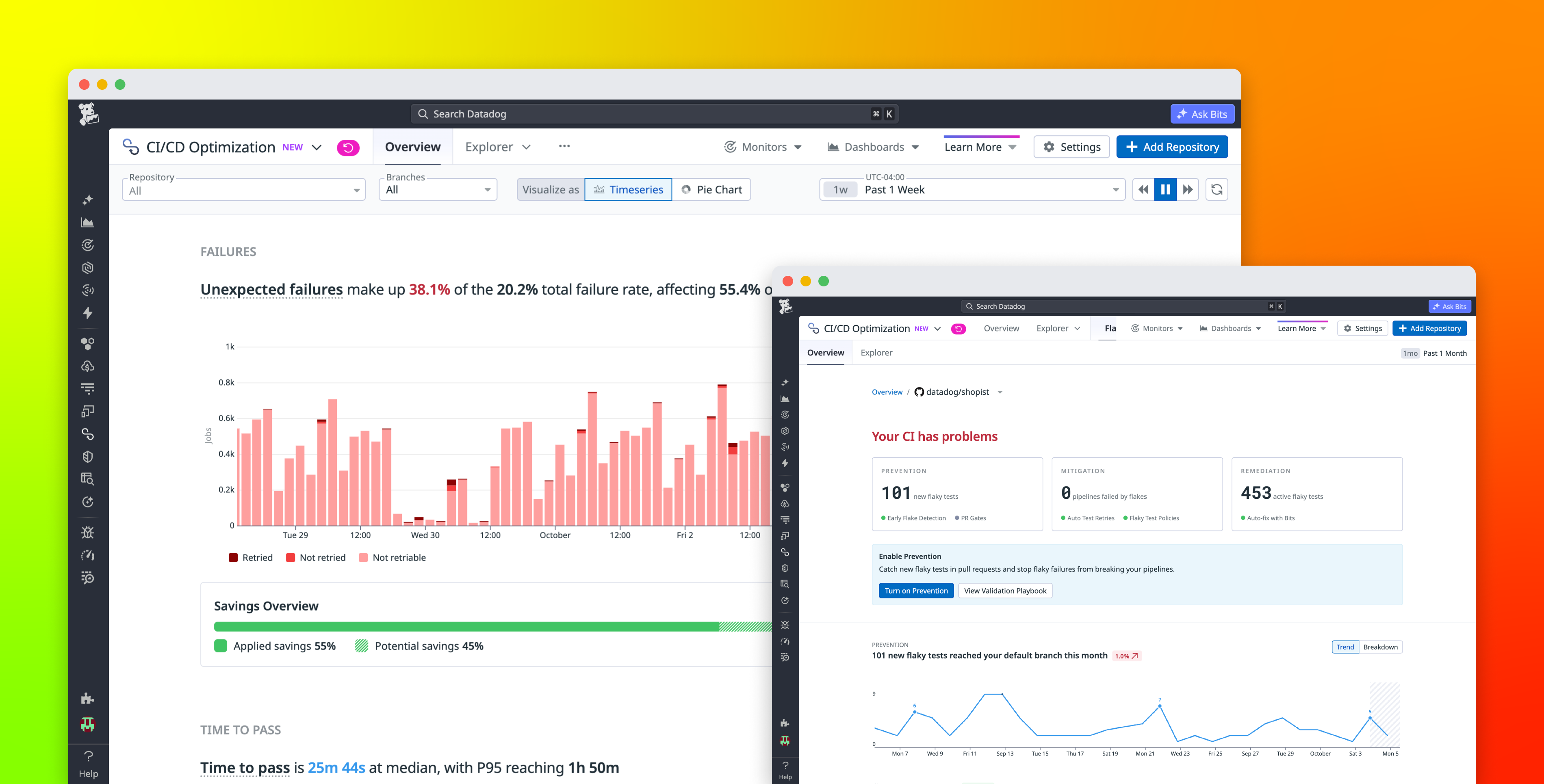
AI-assisted development can increase the rate at which teams produce code, but teams only realize those velocity gains if CI can keep pace. More pull requests (PRs) mean more builds, tests, and pipeline executions. Slow jobs leave developers and coding agents waiting for feedback, flaky failures consume time in reruns and investigations, and unnecessary test execution increases runner demand as delivery volume grows.
Datadog CI/CD Optimization helps platform, DevEx, and DevOps teams turn faster development into more software shipped. It brings pipeline and test data together with the commits, logs, runners, and infrastructure behind each run, helping teams shorten feedback loops, improve the reliability of CI results, and keep compute spend from growing at the same rate as pipeline volume. Developers can get changes through CI sooner, while platform teams spend less to process each unit of delivery work.
In this post, we’ll explain how CI/CD Optimization helps you:
- Accelerate delivery by clearing CI bottlenecks
Accelerate delivery by clearing CI bottlenecks
- Improve CI reliability by reducing flaky tests
Improve CI reliability by reducing flaky tests
- Scale delivery without scaling CI costs
Scale delivery without scaling CI costs
- Investigate pipelines and tests in one place
Investigate pipelines and tests in one place
Accelerate delivery by clearing CI bottlenecks
Reducing pipeline duration starts with finding where time actually accumulates. A job that spends several minutes waiting for a runner requires a different response from one whose execution time has regressed, so adding capacity does not necessarily address the underlying problem.
CI/CD Optimization tracks pipeline execution time, queue time, failure rates, and reliability trends across CI environments. Platform teams can use these signals to identify the pipelines and jobs that have the greatest impact on delivery. From an individual execution, they can investigate the stages and jobs that contribute to total duration and connect performance changes with relevant commits, errors, logs, runners, and infrastructure metrics.
That distinction helps teams choose the right fix. If a job is slow because it waits on an undersized runner fleet, additional capacity may help. If the job itself has become slower, teams can investigate the code, dependency, test, or infrastructure change behind the regression instead of paying to run the same slow work on more runners.
CI/CD Optimization also helps teams catch regressions before they hold up more changes. CI/CD and test monitors can alert teams when pipelines or jobs fail or degrade, giving responders a path from the alert to the affected CI data. Rather than learning about a shared bottleneck after developers begin reporting it, platform teams can investigate changes in pipeline health as they occur.
The result is a more concrete answer to “Why is this merge taking so long?” Every minute that teams remove from a frequently executed critical path is a minute developers and coding agents get back across many changes. As those savings compound, teams can move more PRs through CI and ship more without simply adding runner capacity. Using Datadog, Betterment reduced average build duration from almost 40 minutes to under 10 minutes, and The Browser Company reduced CI pipeline time by 50%, shortening the time between a code change and actionable feedback.
Improve CI reliability by reducing flaky tests
Faster pipelines only increase delivery velocity when developers trust the result. A flaky test can turn a valid build red, trigger a rerun, and require an engineer to determine whether the failure reflects the code change. When this happens repeatedly, time saved elsewhere in CI is lost to investigation and repeated execution.
Flaky Management in CI/CD Optimization surfaces flaky tests alongside measures such as pipeline failures, CI time wasted, and failure rate, so teams can prioritize the failures that consume the most developer time and compute.
Teams don’t have to wait until every flaky test has been fixed to keep those tests from blocking delivery. Auto Test Retries automatically retries failing tests up to a configurable limit, stopping when a test passes or the available retry attempts are exhausted. This helps prevent an intermittent test failure from failing an entire build and requiring a developer to restart it manually.
To block known flaky tests while fixes are in progress, teams can use Early Flake Detection and PR Gates to help keep newly introduced flakes from reaching the default branch. These controls address different points in the flaky-test life cycle: Retries reduce immediate disruption, policies keep known failures from repeatedly blocking unrelated changes, and detection helps stop the backlog from growing.
The Flaky Management Explorer makes the impact of this work visible at the pipeline level. It tracks metrics such as failures caused by flaky tests, CI time lost to those failures, pipelines saved through automatic retries, and time saved through test-execution improvements.
Every manual rerun that developers can avoid returns attention to product work, and every flaky failure that stops blocking a valid change helps more code move through CI without another full pipeline execution.
Scale delivery without scaling CI costs
As development accelerates, CI has to process more changes. Adding runners can increase capacity, but it does not address unnecessary work. If every commit still executes an oversized test suite, a larger runner fleet can run the same irrelevant work faster while increasing infrastructure costs.
Test Impact Analysis reduces the amount of work that enters the pipeline. Datadog maps tests to the code that they cover and uses that information to determine which tests are affected by a change. Tests that are not relevant to the change can be skipped, shortening the feedback loop and avoiding the compute they would have consumed.
For example, a PR that only updates a README file may not need to run application tests. Running the full suite adds CI time without validating changed application code and can expose the build to unrelated flaky failures. By determining which tests are affected by a change, Test Impact Analysis can keep that unnecessary work off the critical path.
Test Parallelization then helps the tests that do need to run finish sooner. It uses expected test duration to execute the needed tests in the most efficient fashion. Instead of splitting tests by count and leaving one runner processing long-running tests after others have finished, it estimates the optimal number of CI workers and then splits the tests between them to complete validation as soon and as cheaply as possible.
Together, these capabilities in CI/CD Optimization help teams run less work and finish the necessary work sooner. Developers and coding agents get a verdict faster, while the same runner fleet can process more changes. As development volume grows, teams can ship more without requiring runner and compute spend to increase at the same rate.
Investigate pipelines and tests in one place
Pipeline health and test health are often two views of the same delivery problem. Separating an oversized test suite from a flaky test forces engineers to spend time correlating data when the goal is to get the change through CI and into production.
CI/CD Optimization brings pipeline and test data together in the same Datadog experience, so teams can move between pipeline executions, jobs, and tests while investigating delivery problems. If a PR is blocked by a failed pipeline, an engineer can immediately open the execution and identify the failing test job. They can then examine the test’s failure history to see whether the same failure occurred before the change. You can explore the underlying capabilities in the CI Visibility documentation and Test Optimization documentation.
Because CI data is part of the Datadog platform, teams can also connect pipeline failures with logs and infrastructure metrics. For example, an engineer investigating a slow job can determine whether its duration increased alongside a runner infrastructure problem rather than assuming the job itself is the source of the regression.
CI/CD Optimization also supports teams whose environments span CI providers such as GitHub Actions, GitLab CI/CD, Jenkins, Azure DevOps, CircleCI, and Buildkite, as well as cloud and self-hosted runners. Teams can evaluate pipeline and test performance across those environments instead of limiting their analysis to provider-specific dashboards.
Bringing pipeline and test data together means fewer minutes waiting, fewer runs repeated, and less compute spent per change. That gives teams more capacity to move software through CI as AI-assisted development increases the volume of code waiting to ship.
Ship faster without scaling CI costs at the same rate
Datadog CI/CD Optimization helps teams ship faster by making CI more reliable and more cost-efficient as development volume grows. Teams can find the bottlenecks holding up the most changes, automatically retry flaky tests that would otherwise fail builds, skip tests that do not need to run, and use Test Parallelization to finish the remaining test workload sooner.
That combination helps developers and coding agents spend less time waiting for CI while giving platform teams a path to process more pipeline and test volume without runner costs growing at the same rate. To get started, explore the CI/CD Optimization documentation and Test Impact Analysis documentation.
If you don’t have a Datadog account, sign up for a free 14-day trial to ship faster with reliable, cost-efficient CI.