If you’ve played Super Mario, you know the moment: the timer’s running down, you’ve missed the same jump twice, and you’re deciding whether to try again or find another route. You make the call and deal with the result.
Projects put you in similar situations. When work falls behind, you could move the deadline, pay for extra help, or reduce the scope. But in this case, your choices affect other people’s budgets and commitments. So making those decisions also requires the authority to act. You need to know which changes you can authorize and which need someone else’s approval.
A project governance framework sets those rules before work begins. Here’s how to build one, with real examples showing how teams handle changes and approvals.
TL;DR: Project governance defines who can approve decisions, when teams must escalate, and how sponsors review whether a project is still worth funding.
Build your framework by naming approvers, setting limits for cost, schedule, scope, and risk, and agreeing on response deadlines. Keep approval requests and decisions in a shared record, and review the rules at each project stage.
For low-risk projects, a basic charter, approval limits, and decision log may be enough. Add formal reviews and oversight as financial exposure, dependencies, or regulatory requirements increase.
What Is Project Governance?
Project governance is the framework of roles, decision rights, and controls that keeps a project aligned with the organization’s goals from approval to closure.
PMI describes governance as an oversight function that spans the project life cycle and aligns with the organization’s governance model. In simple terms, governance sets the direction and decision rules. Project management covers the day-to-day planning and delivery within those rules.
The framework also defines who reviews whether the project’s still worth funding as costs, risks, and expected benefits change. The sponsor uses the business case, which records the project’s expected benefits, costs, and reasons for investment, to assess whether continuing makes sense as conditions change.
How does tolerance-based project governance work?
Tolerance-based governance gives you room to manage work and timelines within agreed limits. If you expect to exceed an agreed limit, raise the issue with the designated approver.
Those limits apply to specific plans. You might have separate tolerances for the whole project, each stage, and individual work packages. Staying within the overall budget or deadline doesn’t give you authority to exceed a stage’s limits.
PRINCE2 calls this approach manage by exception. Here’s how it could work during a website relaunch:
- The approved plan: Testing should take three weeks, with up to one extra week allowed
- The forecast: Halfway through testing, the QA lead estimates it’ll take five weeks in total, exceeding the four-week limit
- The decision: You propose running remaining work in parallel to protect the launch date, but the steering group must approve the revised stage plan under this project’s rules
Running the remaining work in parallel may keep the launch on time, but testing would still take longer than the four weeks allowed. And that means you still need the steering group’s approval to change the testing plan. Once the group approves the revised plan and limits, you manage the day-to-day work within them.
Project Governance vs. Project Management: What’s the Difference?
A project manager and a sponsor can look at the same change and see different problems.
For the manager, a delayed handoff means finding a new way to finish the work. For the sponsor, it may mean deciding whether a later launch is worth the business cost. Both have a stake in the result, but they don’t make the same calls.
Across several projects, a project management office (PMO) may set shared reporting and approval standards. That doesn’t give it authority over every funding or scope decision. Our guide to the PMO governance framework explains its wider role.
What Are the Components of a Project Governance Framework?
Project governance rests on three core pillars: organizational structure, people, and information, as described in Harold Kerzner’s Project Management 2.0. Structure covers reporting lines and approval routes; people hold the roles and decision rights; and information provides the evidence they need to make decisions.
To put these pillars into practice, a PMI conference paper offers eight governance components you can adapt. The checklist below shows what each one covers and the records or processes you’ll need to maintain.
For approvals, check whether your records go beyond assigning work. A RACI matrix can show who’s accountable for a deliverable, but it won’t necessarily specify who can approve extra spending or a later deadline. Record that authority in your decision rights, then use a change control process to define how requests reach the approver.
You’ll also need to distinguish risks from issues: a risk might happen; an issue already exists. A potential supplier delay is a risk. A missed delivery is an issue that needs a response. Track them in a risk register template and issue log, or use a RAID log with separate categories and owners.
Pro Tip: The RACI vs. RAID guide explains how RAID brings risks, assumptions, issues, and dependencies into one record.
Who Is Responsible for Project Governance?
The project sponsor typically owns the business case and remains accountable for the project’s value. The project manager delivers within agreed limits, with a steering committee or PMO providing oversight as needed.
The roles you need depend on the project’s complexity and risk. A small project may need only a sponsor and project manager. Work that spans departments may also need a steering committee to resolve competing priorities and review major changes.
Before you send a request to a steering committee, check whether it can approve the change or only recommend it. A committee might support an extra $30,000 to fix data quality issues, while final spending authority rests with the CFO. In that case, you’ll still need the CFO’s approval before committing the funds.
Document these boundaries in the project charter or governance plan, including where unresolved disagreements go for a final decision. For urgent requests, name a backup approver whose delegated authority covers the decision.
How to Build a Project Governance Framework in Six Steps
Start with the project charter and approved plan, then use these steps to define the rules you’ll follow during delivery.
Step 1: Identify decisions that may need approval
List decisions that could affect the project’s funding, scope, delivery, or expected benefits. Include planned approvals, such as permission to start the next stage, and decisions triggered by changes, such as whether to continue when the business case changes.
For each decision, record:
- Trigger: The condition that makes a decision necessary
- Evidence: The information needed to assess the options
- Deadline: The latest point at which a decision can be made before options narrow or delivery is affected
Leave routine task choices with the people managing the work.
Step 2: Set tolerances for cost, schedule, scope, and risk
Tolerances define how far results can vary from an approved plan within your existing authority. Agree on these limits with the sponsor or governing body before the work begins.
Your project has an approved budget of $420,000. The sponsor sets a 5% cost tolerance and authorizes you to use an extra $21,000, bringing your spending limit to $441,000. A forecast of $440,000 stays within your authorized limit. If the forecast rises to $448,000, seek sponsor approval before committing to the extra spending.
Define the other limits just as clearly:
- Schedule: How much completion dates can shift before approval is needed
- Scope: Which requirements or deliverables you can change within your authority
- Risk: The level of exposure you can accept and the events that require immediate review
Tie each tolerance to the plan it covers. A risk management plan can help you set risk thresholds. Depending on the project, you may also need explicit limits for quality, benefits, or sustainability.
Step 3: Assign decision rights to named people
Return to your decision list and name an approver for each item. Then identify who’ll prepare the recommendation and whose input is needed.
Separate these responsibilities:
- Recommendation owner: Gathers evidence, assesses options, and proposes a response
- Approver: Authorizes or rejects the proposal within their delegated authority
- People consulted: Provide expertise or explain how the decision would affect their work
For committee decisions, document how agreement is reached and who records the outcome. Also name an authorized backup, with clear rules for when they can step in.
Step 4: Define the escalation path and response times
An escalation should give the approver enough information to make a choice. Use a short exception report covering:
- The agreed limit and latest forecast
- The likely impact on the project
- Available options and your recommendation
- The deadline for a decision
Set the response deadline around when you need to act. If a supplier needs an answer on Friday, requesting approval by Thursday leaves time to carry out the decision.
Plus, decide what happens if that deadline is missed. Name the next authorized contact and specify whether affected work must pause. These escalation matrix templates provide starting layouts you can adapt to your project’s approval process.
Step 5: Make pending decisions easy to find
Give approvers a shared view of requests awaiting their attention. Each entry should show what needs a decision, who owns it, and when it’s due. For an exception, include the forecast and the limit at risk. Keep supporting evidence linked to the request, where the approver can review estimates, impacts, and options.
A live view, like those in these project dashboard examples, can help you track requests as conditions change. Regular status reports can still cover milestones and progress, but don’t bury approval requests in task updates.
You can build a project dashboard that brings deadlines, blockers, and performance metrics into one view in under 15 minutes. Here’s a quick walkthrough to help you get started:
Step 6: Record decisions and review the framework
Capture each decision when it’s made, including the approver, date, options considered, rationale, and follow-up actions.
Approval may require updates to the budget, schedule, or scope baseline. Make those changes through change control, link the revised records to the decision log, and tell everyone affected which plan they’re now working to.
At each stage review, assess whether the framework helped you make timely decisions:
- Did approvers respond before action was needed?
- Were responsibilities and approval limits clear?
- Did routine changes trigger unnecessary escalation?
- Were any significant concerns raised too late?
Use the answers to propose changes to the framework. Revised tolerances or decision rights need approval too. Once they’re agreed, share them through a communication plan before the next stage begins.
How Much Governance Does Your Project Need?
The six steps apply to any project, but the level of oversight should match its cost, risks, dependencies, and the consequences of a wrong decision. PRINCE2 calls this tailor to suit the project.
For example, a one-team pilot may need only a sponsor and a clear approval route. If it starts handling payment data, you may need a formal security review, even though the team’s size hasn’t changed.
The table below offers a starting point for choosing your setup. Treat the sizes as examples, not fixed rules based on team count or project duration.
Aim for the lightest setup that gives decision-makers enough information and authority to act. Record your choice in the project charter, then revisit it if scope or risks change.
Project governance in practice: University of Manchester’s CRM launch
The University of Manchester’s Graphene Engineering Innovation Centre needed a CRM to track inquiries and manage customer onboarding. The CEO initiated the project, the Business Development Director led the project board, and project manager Nathan Lumb managed delivery.
The team set a software cost ceiling of £20 per user per month and required support for up to 50 users. The published case study describes how approvals and stage reviews shaped the work:
- Define requirements before buying. Lumb prepared the project brief and an outline plan for approval. Stakeholders then agreed on the customer-onboarding process before the team procured a CRM
- Set checkpoints for delivery. The team organized procurement, configuration, testing, deployment, and handover into stages. Stakeholders reviewed the plan and agreed on reporting and work packages
- Resolve approval delays. Conflicting stakeholder opinions slowed agreement on the process. Lumb set feedback and approval deadlines to obtain a decision
- Handle the security review. IT questioned the cloud-based system’s security, delaying procurement sign-off. The team answered IT’s questions and waited for approval. The project manager handled the issue without seeking a revised stage plan because the response stayed within the plan the board had already approved
- Use feedback during rollout. Slow vendor responses left users waiting for answers. The team maintained a lessons log, shared answers weekly, and provided additional training
When oversight needs stronger evidence: Crossrail
Crossrail shows a different governance problem: leaders had formal oversight but lacked a realistic delivery plan.
According to the National Audit Office’s 2019 report:
- 2010: The announced funding package was £14.8 billion
- From 2015: Problems began emerging, but the programme continued working toward its planned December 2018 central-section opening
- August 2018: Crossrail announced that it would miss that opening date
- December 2018: The funding package increased to £17.6 billion, £2.8 billion above the 2010 level
The NAO identified a compressed schedule, contractual arrangements, and the absence of a realistic plan among the causes of additional costs. Its conclusion was direct: Crossrail “clung to the unrealistic view that it could complete the programme to the original timetable.”
The takeaway: The University of Manchester example illustrates how agreed stages and approval routes guide delivery. Crossrail shows why those controls also need credible forecasts: decision-makers cannot assess whether to continue with a plan if the reported schedule is unrealistic.
How Does Project Governance Work in Agile Teams?
Agile teams need room to adjust priorities as they learn. Governance defines the goals, funding, and approval limits within which they can make those choices.
In Scrum, the Product Owner orders the Product Backlog, and Developers plan how to deliver the work selected for each Sprint. During the Sprint Review, the Scrum Team and stakeholders inspect the outcome and discuss what to do next.
These discussions can reveal changing business needs or risks to the Product Goal. A Sprint Review doesn’t, however, replace approval for extra funding or changes beyond the team’s authority.
For example, user feedback shows that an app’s checkout process is confusing. The Product Owner can move checkout improvements higher in the backlog. If the changes require more funding or would push delivery beyond an agreed limit, the team needs approval through the project’s governance process.
Common Project Governance Mistakes and How to Fix Them
Getting approval doesn’t always mean execution will go smoothly. Reviewers may miss gaps in the evidence, overlook concerns from users, or approve work with conditions that go unnoticed.
Watch for these five mistakes as you put your framework into practice:
How to Run Project Governance in ClickUp
When a forecast crosses an agreed limit, your sponsor needs more than a warning. They need the expected impact, options, and a deadline to decide. ClickUp lets you keep that request alongside the evidence and the project work it affects.
Keep approval rules close to the work
Start with the ClickUp Governance Plan Template. It includes a Roles and Responsibilities view and a Decision Authority custom field that you can adapt to your approval process.
Use ClickUp Docs to document tolerances, escalation routes, and response times. Link the plan to approval tasks, giving reviewers a way to check the rules behind each request.
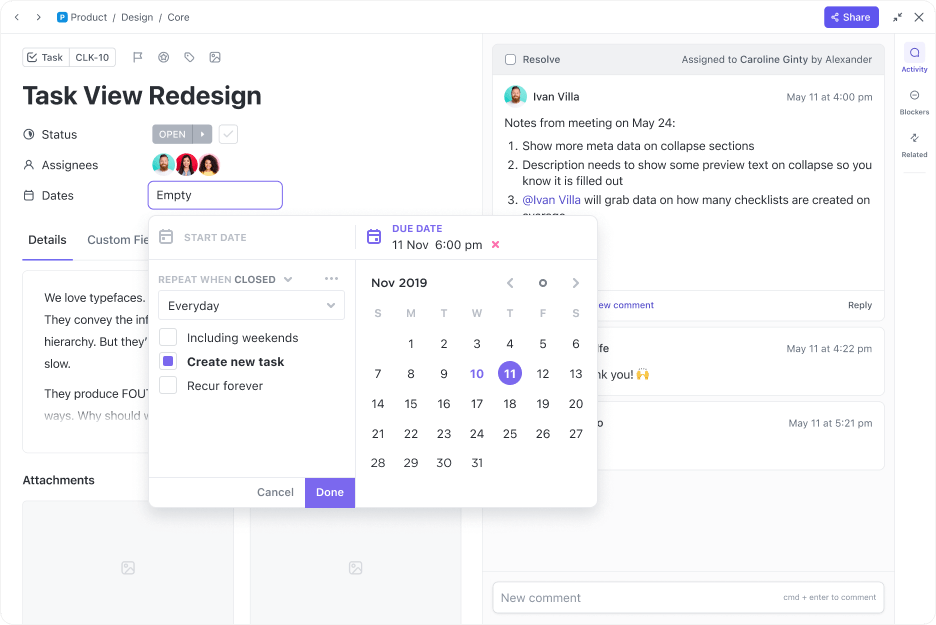
Turn exceptions into approval requests
From there, you can set up a workflow for exceptions. Let’s apply the example from Step 2, where the project manager can authorize spending up to $441,000.
- Track the forecast: Add a Number or Money Custom Field to the project task for its expected total cost
- Route the exception: Add an Approval Required dropdown field to the project task. When the project manager flags a forecast above $441,000 for approval, use a ClickUp Automation to assign the task to the sponsor and change its status to Pending Approval
- Review the request: Link the vendor estimate and proposed options to the task. The sponsor can review the evidence, record a decision, and assign the follow-up work
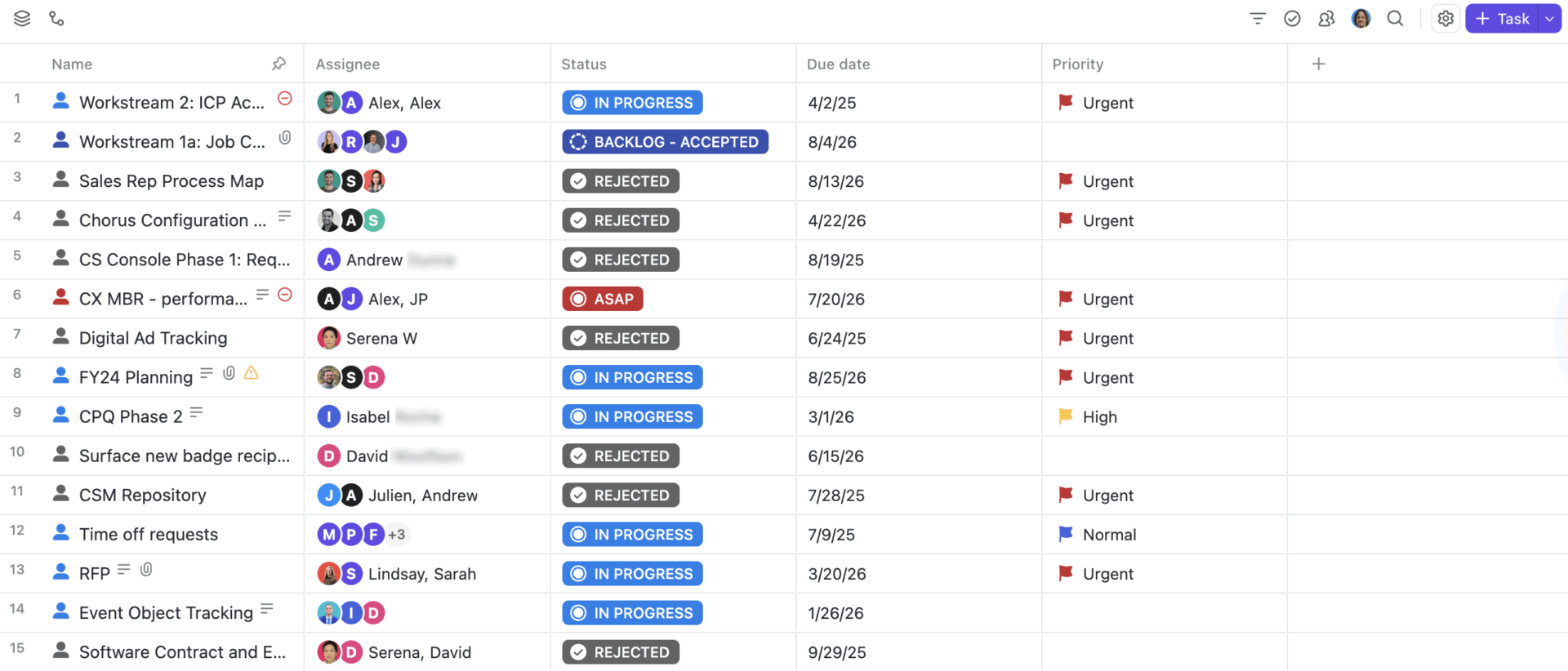
For ongoing oversight, ClickUp Dashboards can bring the information into one view. Use a Calculation card to show the forecast cost and a Task List card filtered to pending approvals. Display the owner, deadline, and relevant Custom Fields, so the sponsor can open each request and review its details.
When an approved change affects delivery, the project manager can update the relevant tasks and dates without losing the rationale for the decision.
For a smaller project, the governance plan and a shared approval List may be enough. Add Automations and Dashboards as the number of requests grows.
ClickUp pricing
Free Forever
Free Free
Key features
60 MB Storage
Unlimited Tasks & Subtasks
Unlimited Free Members
Collaborative Docs
Kanban Boards
Calendar View
Core
$9 $12
user / mo · billed yearly
Everything in Free Forever, plus:
Custom Fields & Task Types
Unlimited Storage and Spaces
Unlimited Forms
Unlimited Gantt Charts
Unlimited ClickUp Chat
1K Automations
Popular
$17 $25
user / mo · billed yearly
Everything in Core, plus:
Advanced Dashboards
Webhooks & Automation Integrations
10K Automations
Resource Management
Google SSO + SMS 2FA
Private Views
Enterprise
Custom Custom
Talk to our team
Everything in Business, plus:
White Labeling
1M Automations
Unlimited Custom Roles
Enterprise Permissions & Governance
Advanced SSO, SCIM, SAML
Audit Logs & Session Management
MAX
The full Max AI engine plus every Enterprise-grade control.
$100 $120
user / mo · billed yearly
Everything in Enterprise, plus:
ClickUp Brain²
Maximum Premium Model Usage
Custom Skills
Context Engine & Auto-Memory
Max AI Engine
Unlimited AI Fields
Unlimited Notetaker
Unlimited AI Image Generation
Everything in Enterprise:
White Labeling
1M Automations
Audit Logs & Session Management
* Prices when billed annually
The world's most complete work AI, starting at $9 per month
ClickUp Brain is a no Brainer. One AI to manage your work, at a fraction of the cost.
Try for free
What do ClickUp users say?
At Savills, the regional IT team oversees software rollouts, infrastructure projects, and vendor deliveries across 14 regions in Asia.
Before: Project managers gathered updates from different countries and combined around 20 PowerPoint presentations into a monthly CIO report. Leadership depended on that reporting cycle for a consolidated view.
With ClickUp: Shared project records feed directly into a live CIO dashboard. Leadership can see which projects are progressing and which need attention, while teams work from the same records of requests, changes, and issues.
The result: The 10-person project team saves over 50 hours each month by handling vendor questions and handoffs in task discussions. Project managers spend less time coordinating across time zones and preparing reports, while leadership has a current view of the portfolio.
Best for: Cross-functional teams managing frequent change requests and approvals, where sponsors need access to project forecasts, supporting records, and decision history without chasing updates across teams.
Skip it if: You need a dedicated governance, risk, and compliance (GRC) system for formal audits and regulatory controls, or your project is small enough to manage with a basic charter and decision log.
How Much Governance Should You Put in Place?
For a small, low-risk project with one team and a clear decision-maker, a basic charter, approval limits, and decision log may be enough. You don’t need a separate steering committee or detailed governance plan.
Use a more formal project governance framework when decisions cross departments, involve significant spending, affect regulatory obligations, or could cause costly delays. Name the approvers, set escalation thresholds, and agree on review points before work begins.
ClickUp lets you keep approval requests, supporting evidence, and recorded decisions alongside the project so teams can trace what was approved and why.
Frequently Asked Questions About Project Governance
What is the difference between project governance and project assurance?
Project governance defines who makes decisions and the authority they have. Project assurance checks whether plans, reports, and controls provide reliable information to those people. For example, an independent assurance review might assess whether a project is ready to launch before the steering committee decides.
How do you measure whether project governance is effective?
Track how long approval decisions take, how often deadlines for decisions are missed, and whether actions agreed at stage reviews are completed on time. You can also check how often changes go ahead without the required approval. Review these trends across project stages to see whether governance is helping teams make timely, informed decisions.
What happens if a project sponsor leaves mid-project?
The organization should appoint an interim or replacement sponsor and confirm their decision-making authority. The project manager can then brief them on the business case, current risks, pending approvals, and funding commitments. Until authority is formally transferred, the team shouldn’t assume another executive can approve the same decisions.
How does project governance work with external vendors?
External vendors can report risks, recommend changes, and manage work within their contracts. However, changes to agreed costs, scope, or delivery terms must follow the contract’s change control process and the organization’s approval rules. Define who can accept deliverables, authorize contract changes, and resolve disputes before vendor work begins.
What’s the difference between a project milestone and a stage gate?
A milestone marks an important event or completed deliverable, like finishing user testing. A stage gate is a decision point where authorized stakeholders review the evidence and decide whether the project can proceed. Reaching a milestone doesn’t automatically mean the next stage has been approved.
Everything you need to stay organized and get work done.