AI is now the top reason teams start shopping for project management software.
Capterra’s 2025 PM Software Trends survey of 2,545 buyers found that 55% named new AI functionality as the top trigger for buying PM software.
The problem is that “AI” on a pricing page can mean four different jobs. Some tools draft your status updates. Some schedule your week. Some predict which project will slip. A newer group runs agents that take assigned work and act on it. A feature list rarely tells you which one your team needs.
This guide sorts 10 tools by the job their AI actually does, with one honest limit per tool. The short version: the AI is only as good as the project data it can see, so pick the tool where your work already lives.
TL;DR: In project management tools, “AI” usually means one of four jobs. Work out which job you need, then pick a tool where your project data already lives.
- Drafts updates and reports: ClickUp Brain², Notion Agent
- Schedules work onto the calendar: Motion, Microsoft Planner
- Flags risk, overload, and budget overruns: Wrike, Smartsheet, Teamwork.com
- Takes assigned work and acts on it: ClickUp Super Agents, Asana AI Teammates, monday.com agents, Rovo Agents in Jira
Before you buy: Many tools put agents on higher plans or charge per credit or request. Estimate what a busy month costs, not a quiet one.
10 Best AI Project Management Tools
Which AI Project Management Tools Are Best at a Glance?
How we review software at ClickUp
Our editorial team follows a transparent, research-backed, and vendor-neutral process, so you can trust that our recommendations are based on real product value.
Here’s a detailed rundown of how we review software at ClickUp.
What Should You Look for in AI Project Management Software?
Look for AI that reads live project data and acts on it, then check what that AI costs at your usage. The same Capterra survey found the most valued AI benefits are task automation (48%), predictive analysis (37%), and risk management (28%). Use these questions to test any shortlist:
- Which job does the AI do? Name it before the demo: drafting, scheduling, predicting, or acting on its own
- What data can it see? Check whether it reads tasks only, or also docs, chat, calendars, and connected apps through enterprise search
- Can you review what it did? Reject an agent you cannot edit, undo, or audit after it changes a task
- How is usage metered? Find the credit, request, or action unit and estimate a busy month, not a quiet one
- Which plan unlocks the agent? Many tools show AI on every tier but gate agents to upper plans or add-ons
- Does it respect permissions? Confirm the AI only answers from items each person is allowed to open
Which Kind of AI Does Your Project Actually Need?
Start with the task that takes your team the most time each week. Each type of AI handles a different kind of work:
- Draft: Your team spends hours writing status updates, briefs, or meeting recaps. Drafting AI, such as Notion Agent and ClickUp Brain², writes them from the tasks and docs already in your workspace
- Schedule: Deadlines slip because work doesn’t fit the calendar. Scheduling AI, such as Motion and Planner’s Project Manager agent, puts tasks into open time slots and moves them when plans change. This is the job of project scheduling software
- Predict: You find out about problems too late. Predictive AI in tools like Wrike, Teamwork.com, and Smartsheet flags projects running behind, people with too much work, and budgets about to run over
- Act: Routine follow-ups take up your day. Agents such as ClickUp Super Agents, Asana AI Teammates, monday.com agents, and Rovo Agents take an assigned task, like sorting new requests or chasing updates, and complete it
Agents need the most checking before you buy. McKinsey’s State of AI 2025 survey found that 23% of organizations were scaling an agentic AI system, but no more than 10% were scaling agents in any single business function. So few teams have changed how their work runs around agents yet. Our explainer on ambient AI agents covers how always-on agents differ from chat assistants.
Agents also need clean task data. An agent reading tasks with owners, due dates, and linked docs can write a useful update. The same agent reading a board where half the tasks have no assignee writes an update that sounds right but isn’t.
Antonio Nieto-Rodriguez, former chair of the Project Management Institute, described the same effect in a 2025 interview:
In project management, we often assume that more technology means more control. In reality, AI exposes the underlying mess faster.
In project management, we often assume that more technology means more control. In reality, AI exposes the underlying mess faster.
In project management, we often assume that more technology means more control. In reality, AI exposes the underlying mess faster.
What Are the Best AI Project Management Tools?
This shortlist compares 10 tools by the job their AI does, the plan it requires, and the teams it fits. Each entry covers pricing, ratings, and the point where the tool stops fitting.
1. ClickUp (Best for AI that works across tasks, docs, and chat in one workspace)
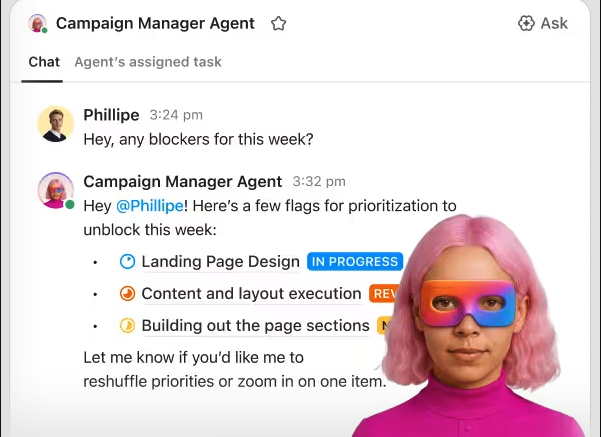
ClickUp’s AI handles the draft, predict, and act jobs inside the workspace where the project already runs. ClickUp Brain² uses the tasks, Docs, Chats, and connected-app data each person has permission to see. It also remembers your role, the people you work with, and your preferences from one conversation to the next. ClickUp Super Agents take assigned work like a teammate. Each agent has its own instructions, Skills, knowledge, tools, and model. An agent runs when someone @mentions it, assigns it a task, or messages it, and it can also run on a schedule or from an Automation.
For example, an agency owner can set up a Super Agent that checks for overdue tasks and tasks due that day every morning. It posts the three priorities before the first meeting. The briefing uses task owners and due dates across Spaces, so it reflects the current state of the work rather than someone’s memory of it.
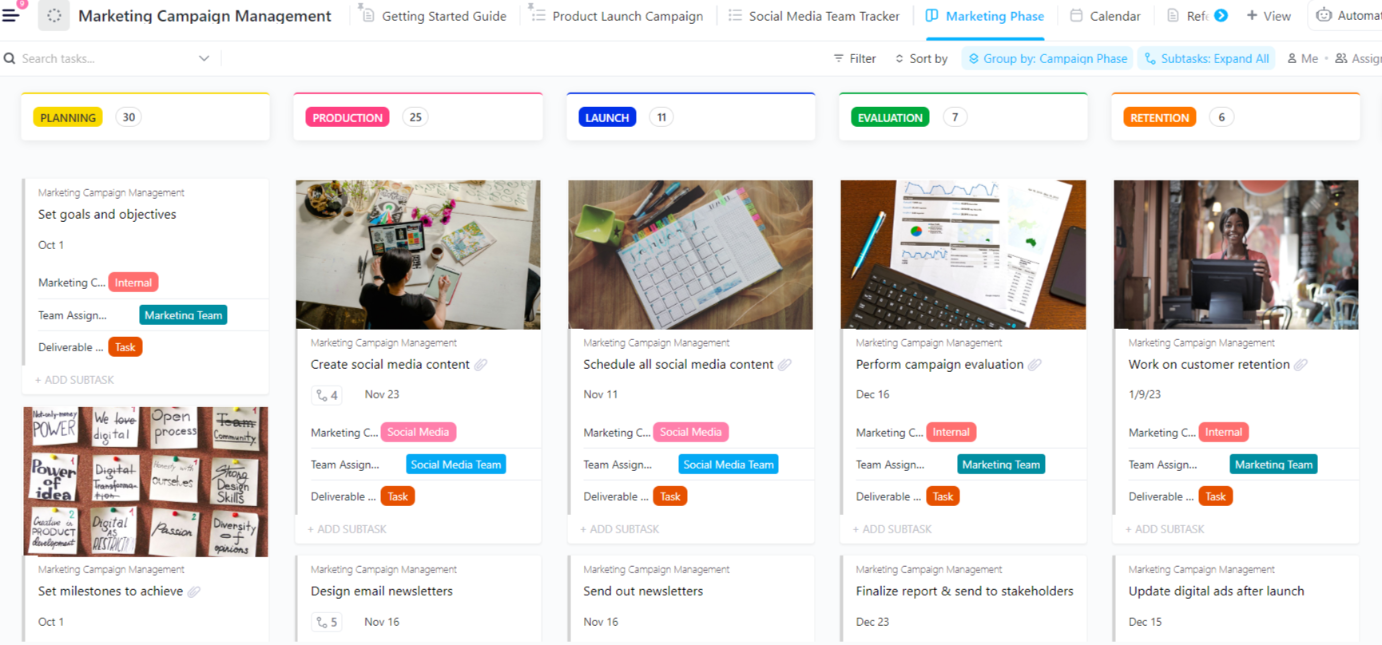
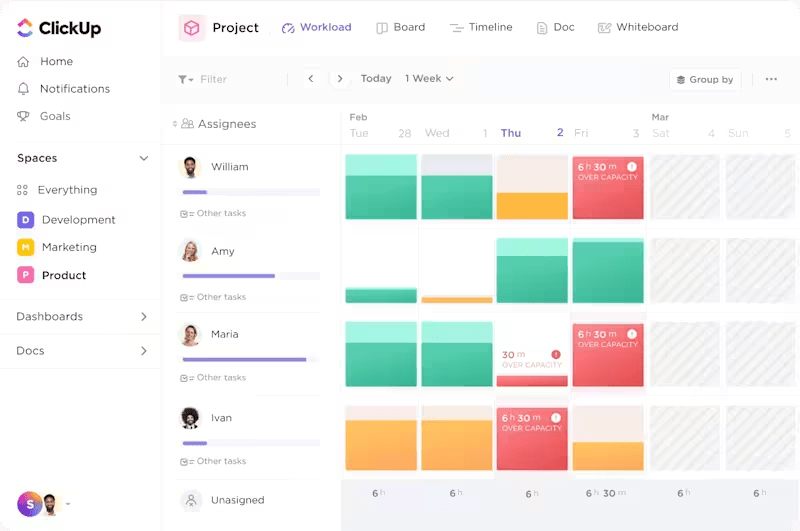
The same workspace covers the rest of a project’s life. A single prompt can build a delivery plan in a new List with Gantt and Workload views, a scope Doc, and a kickoff deck. While the work runs, AI Fields keep each task’s summary and progress update current. AI Assign and AI Prioritize set owners and priorities from rules you write in plain language. At reporting time, Brain can find tasks stuck in progress, check team capacity, and write the project update or executive summary for a List and time period.
Standout features
- MCP in both directions: Brain and Super Agents use tools from connected MCP servers, and external tools can work with your ClickUp data
- AI Notetaker: Joins Zoom, Google Meet, and Microsoft Teams calls through your connected Google or Outlook Calendar, and SyncUps
- Multi-model Brain²: Max is the default model, and you can switch to models like ChatGPT, Claude, or Gemini without losing Workspace context
- Connected Search: Answers questions using files from apps like Google Drive, SharePoint, Jira, GitHub, and Slack, and respects each app’s permissions
Pricing
Free Forever
Free Free
Key features
60 MB Storage
Unlimited Tasks & Subtasks
Unlimited Free Members
Collaborative Docs
Kanban Boards
Calendar View
Core
$9 $12
user / mo · billed yearly
Everything in Free Forever, plus:
Custom Fields & Task Types
Unlimited Storage and Spaces
Unlimited Forms
Unlimited Gantt Charts
Unlimited ClickUp Chat
1K Automations
Business
Popular
$17 $25
user / mo · billed yearly
Everything in Core, plus:
Advanced Dashboards
Webhooks & Automation Integrations
10K Automations
Resource Management
Google SSO + SMS 2FA
Private Views
Enterprise
Custom Custom
Talk to our team
Everything in Business, plus:
White Labeling
1M Automations
Unlimited Custom Roles
Enterprise Permissions & Governance
Advanced SSO, SCIM, SAML
Audit Logs & Session Management
MAX
The full Max AI engine plus every Enterprise-grade control.
$100 $120
user / mo · billed yearly
Everything in Enterprise, plus:
ClickUp Brain²
Maximum Premium Model Usage
Custom Skills
Context Engine & Auto-Memory
Max AI Engine
Unlimited AI Fields
Unlimited Notetaker
Unlimited AI Image Generation
Everything in Enterprise:
White Labeling
1M Automations
Audit Logs & Session Management
* Prices when billed annually
The world's most complete work AI, starting at $9 per month
ClickUp Brain is a no Brainer. One AI to manage your work, at a fraction of the cost.
Try for free
- AI Super Credits: $10 per 10,000 credits
Ratings
- G2: 4.6/5 (14,900+ reviews)
- Capterra: 4.6/5 (4,600+ reviews)
Where it taps out: ClickUp’s flexibility means the AI inherits whatever structure you build. Teams coming from a single-purpose to-do app face real setup decisions about Spaces, statuses, and fields before agents produce useful output.
Best for: AI that works across tasks, docs, and chat in one workspace
Skip it if: Your team only needs a shared task list and will never connect docs, chat, or dashboards to it.
What real-life users are saying about ClickUp
A user review says:
As someone new to the use of AI agents, I have learned so much through their help and it has allowed me to grow my business.
As someone new to the use of AI agents, I have learned so much through their help and it has allowed me to grow my business.
This walkthrough covers the ClickUp AI tools mentioned in the first entry:
2. Asana (Best for cross-functional teams that want ready-made AI Teammates)
Asana’s agents arrive prebuilt: the pricing page lists 30+ AI Teammates, each with a defined skill, and Asana Dash routes work to the right one and surfaces what comes next.
Teams that want agents without designing them from scratch get a running start, because the Teammates already know Asana’s Work Graph of tasks, projects, and goals. Take a marketing operations lead who connects an intake form to a project. A Teammate turns each submission into a task with the right owner and fields.
AI Studio is the second layer. It is a no-code builder for smart workflows that embed AI steps into rules, and Starter includes 50,000 AI Studio credits per billing account per month. The structure fits companies where several departments share one Asana instance and need the same rule to behave the same way across teams.
Standout features
- AI Teammates: 30+ ready-to-go agents that pick up assigned work with context from your projects
- Asana Dash: Summarizes meetings, emails, and tasks and hands complex work to the right Teammate
- AI Studio: No-code builder for AI-powered workflow rules, with credits included on paid plans
- Automatic goal progress: Goals update from completed tasks, so AI summaries reflect real status
Pricing
- Personal (free)
- Starter: $13.49/user/month
- Advanced: $30.49/user/month
- Enterprise: Custom pricing
- AI requests: $0.60 per request
Ratings
- G2: 4.4/5 (14,000+ reviews)
- Capterra: 4.5/5 (13,600+ reviews)
Where it taps out: AI Teammates and Dash share an included allowance of five requests per user per month, capped at 50 per account on Starter and Advanced. Teams that hand agents real volume move to prepaid packs or on-demand billing quickly.
Best for: Cross-functional teams that want ready-made AI Teammates
Skip it if: You want agents to handle most of the team’s routine work from day one without a separate AI budget line
What real-life users are saying about Asana
A user review says:
The AI features in workflow automations were a nice surprise. They take care of routine steps that used to need manual follow-up.
The AI features in workflow automations were a nice surprise. They take care of routine steps that used to need manual follow-up.
3. monday.com (Best for no-code teams building AI into boards)
A 10-person operations team gets dozens of requests a day on one board. They add an AI column that reads each new request and tags its priority, the coordinator then sorts the board without opening every item.
That’s how monday.com handles AI: it sits inside the board columns teams already use. AI columns summarize updates, categorize requests, or pull out details row by row. The AI agent workforce takes on specialized tasks across boards. Sidekick, the built-in assistant, answers questions and runs actions without leaving the board.
Because AI shows up as another column type, teams new to automation can add it without learning a separate tool. The Vibe app builder goes a step further and turns a plain description of a business need into a small custom app. Our monday.com review covers the rest of the platform.
Standout features
- AI columns: Run summaries, categorization, and extraction across every row on a board
- AI agent workforce: Agents that take on specialized tasks across boards using included credits
- AI meeting notetaker: Turns calls into action items on the board
- AI workflow builder: Chains agents, triggers, and actions into multi-step flows
Pricing
- Free
- Basic: $12/seat/month
- Standard: $14/seat/month
- Pro: $24/seat/month
- Enterprise: Custom pricing
- Included AI credits: 1,000 per month on Basic, 2,000 on Standard, 3,000 on Pro
Ratings
- G2: 4.7/5 (17,200+ reviews)
- Capterra: 4.6/5 (6,100+ reviews)
Where it taps out: Credits are consumed by task complexity, so information extraction and agent runs drain the monthly allowance faster than simple column fills. Several recent G2 reviewers say credits ran out quickly once their teams used AI daily.
Best for: No-code teams building AI into boards
Skip it if: Your team plans to run AI on every item across many boards and needs a predictable monthly AI cost.
What real-life users are saying about monday.com
A user review says:
I’ve built an agent that follows up on my tasks and tells me what’s next to do. My agent is linked to my WhatsApp, so anything I need is just a simple chat away. I can upload work documents, and the AI agent knows exactly which task they belong to and automatically checks the completion box. Also, the initial setup was extremely easy; all I did was tell the AI sidekick what I needed, and it got done in less than 10 minutes.
I’ve built an agent that follows up on my tasks and tells me what’s next to do. My agent is linked to my WhatsApp, so anything I need is just a simple chat away. I can upload work documents, and the AI agent knows exactly which task they belong to and automatically checks the completion box. Also, the initial setup was extremely easy; all I did was tell the AI sidekick what I needed, and it got done in less than 10 minutes.
4. Wrike (Best for governed enterprise delivery with AI agents)
In a PMO running dozens of multi-phase programs, the first question after an agent acts is what it changed and who allowed it. Wrike is built around that question. Wrike says its agents work inside the same roles, permissions, and access controls as people, so their actions show up in the same auditable record as any team member’s.
Before a steering meeting, a program lead can ask Wrike Copilot for a project’s blockers instead of reading through every task. AI insights then show which work is drifting off schedule, so the lead walks in knowing which programs need a decision.
Wrike also runs its own MCP server, so outside assistants like Claude can act in Wrike and still leave a record. That suits enterprises that have standardized on one AI assistant but need to see everything it touched.
Standout features
- AI agents: Run inside role-based permissions so actions stay auditable
- Wrike Copilot: Answers questions and summarizes work inside projects
- MCP Server: Connects outside AI assistants such as Claude directly to Wrike
- AI Essentials: Comment summaries, board AI, and plain-language automation rules on Team
Pricing
- Free
- Team: $10/user/month (billed yearly)
- Business: $25/user/month (billed yearly)
- Pinnacle: Custom pricing
- Apex: Custom pricing
Ratings
- G2: 4.2/5 (4,500+ reviews)
- Capterra: 4.4/5 (3,000+ reviews)
Where it taps out: Agent capacity lives on Business and above, and Wrike sells Business plans and higher as annual subscriptions only. Smaller teams testing agents for a month or two have no short commitment path.
Best for: Governed enterprise delivery with AI agents
Skip it if: You need to trial agents on a monthly plan before committing for a year.
What real-life users are saying about Wrike
A user review says:
The AI summary on projects / tasks etc is also super helpful. Integration with Claude enables more efficiency also.
The AI summary on projects / tasks etc is also super helpful. Integration with Claude enables more efficiency also.
5. Smartsheet (Best for spreadsheet-native PMOs)
Smartsheet uses AI to generate formulas and analyze project data in sheets. Every plan includes Smart Assist, Smart Columns, an AI dashboard builder, formula generation, and data analysis. A PMO that already runs projects as linked sheets can ask questions of that data instead of writing formulas by hand. Teams moving from Excel project management keep the mental model they know.
For example, a program manager tracking 40 rows of deliverables asks Smartsheet to write the formula that flags overdue items owned by one vendor, then builds a dashboard from the result.
You can also add connections to external AI tools, including Anthropic’s Claude, Microsoft Copilot, OpenAI’s ChatGPT, and Google Gemini Enterprise. That suits organizations that already standardized on one assistant and want it to read their project sheets. Workload tracking and baselines give the AI planned-versus-actual data to analyze rather than a single snapshot.
Standout features
- Generate formulas: Describe the calculation and get a working formula for the sheet
- AI dashboard builder: Builds a dashboard from existing sheet data on every plan
- Smart Columns: Fill or classify column values with AI across rows
- External AI connectors: Claude, Copilot, ChatGPT, and Gemini Enterprise read sheets (Business and up)
Pricing
- Pro: $12/member/month
- Business: $24/member/month
- Enterprise: Custom pricing
Ratings
- G2: 4.4/5 (22,700+ reviews)
- Capterra: 4.5/5 (3,500+ reviews)
Where it taps out: Smartsheet’s AI is strongest on structured rows and weaker on unstructured project knowledge spread across documents and conversations. Teams whose decisions live in docs and chat get less from it; our Smartsheet vs. ClickUp comparison covers that trade-off.
Best for: Spreadsheet-native PMOs
Skip it if: Most of your project context lives in documents and chat threads, not in rows
What real-life users are saying about Smartsheet
A user review says:
The AI-generated formulas are also a big plus as they help quickly tie sheets and data together.
The AI-generated formulas are also a big plus as they help quickly tie sheets and data together.
6. Jira (Best for software teams that want AI inside the issue tracker)
A product designer wants to know which tickets block next week’s release and what the team last decided about a feature. In Jira, that answer used to take a hand-built JQL filter and a search through Confluence. With Rovo, Atlassian’s AI, she asks in plain language and gets an answer drawn from the issues and pages the team already maintains.
Rovo works from Atlassian’s Teamwork Graph, which links Jira, Confluence, and connected apps. That means one answer can pull from a ticket and the spec page behind it. Because Rovo reads the same issues, sprints, and pages developers already keep current, nobody has to copy status into another tool for the AI to see it.
That makes Jira with Rovo a good fit for engineering teams whose project record already lives in the issue tracker. Teams comparing Jira with newer trackers can see our Linear vs. Jira breakdown, and our guide to creating a Gantt chart in Jira covers its timeline view.
Standout features
- Rovo Search: Finds issues and pages across Jira, Confluence, and connected apps in plain language
- Rovo Chat: Answers questions about project status using the Teamwork Graph
- Rovo Agents: Agents that act within Jira on paid plans, metered by included credits
- AI in automation: Describe a rule and generate the automation instead of configuring each step
Pricing
- Free
- Standard: $9.70/user/month (for a 100-member team)
- Premium: $19.60/user/month (for a 100-member team)
- Enterprise: Custom pricing
Ratings
- G2: 4.3/5 (7,900+ reviews)
- Capterra: 4.4/5 (15,500+ reviews)
Where it taps out: Jira’s schemes, fields, and workflows reward technical teams and slow down non-engineering teams. Marketing or operations teams sharing the instance often find the configuration heavier than their work requires.
Best for: Software teams that want AI inside the issue tracker
Skip it if: Most of the people on the project work outside engineering.
What real-life users are saying about Jira
A user review says:
Jira SaaS feels innovative, especially in the way Rovo is tightly coupled with Jira. It makes it easier to find and understand project information using natural language processing.
Jira SaaS feels innovative, especially in the way Rovo is tightly coupled with Jira. It makes it easier to find and understand project information using natural language processing.
7. Microsoft Planner (Best for Microsoft 365 organizations already paying for Copilot)
Planner’s AI is the Project Manager agent, which automates plan creation and task execution. You assign a task to the agent the way you would to a colleague. Microsoft’s documentation describes the agent chat (previously “Copilot in Planner”) as a natural-language way to update plans and get summaries.
An operations lead in a Microsoft 365 company can create a plan with the Project Manager agent, ask it to generate tasks for each goal, then assign research tasks to the agent while the team works the rest in Microsoft Teams. Users without a Copilot license can still collaborate on the plan but cannot assign tasks to the agent.
The appeal is reach: Planner is already inside Teams, Outlook, and SharePoint, and Planner and Project Plan 3 brings advanced dependencies and resource requests. Our guide to the Microsoft Planner Gantt chart covers the premium planning views.
Standout features
- Project Manager agent: Creates plans and executes assigned tasks (Microsoft 365 Copilot license required)
- Agent chat: Natural-language updates and summaries from plan content
- Microsoft 365 reach: Plans live inside Teams, Outlook, and SharePoint where staff already work
- Premium plans: Timeline, dependencies, and sprints from Planner Plan 1
Pricing
- Free (Planner in Microsoft 365)
- Planner Plan 1: $10/user/month
- Planner and Project Plan 3: $30/user/month
- Planner and Project Plan 5: $55/user/month
Ratings
- G2: 4.2/5 (200+ reviews)
- Capterra: 4.3/5 (200+ reviews)
Where it taps out: The agent requires a Microsoft 365 Copilot license on top of the Planner license, and premium features need Planner Plan 1 or higher. Teams end up managing a licensing stack before the AI does anything.
Best for: Microsoft 365 organizations already paying for Copilot
Skip it if: Your organization does not already license Microsoft 365 Copilot.
What real-life users are saying about Microsoft Planner
A user review says:
What i like most about Microsoft Planner is the simplicity of organizing tasks. I like the ability to be able to create tasks, set due dates, and see your progress.
What i like most about Microsoft Planner is the simplicity of organizing tasks. I like the ability to be able to create tasks, set due dates, and see your progress.
8. Notion (Best for docs-first teams that plan inside their wiki)
For docs-first teams, the project plan is a page. The brief, the decisions, and the task database all sit in the same wiki. Notion’s AI works from there. Notion Agent completes multi-step tasks using context from those pages, connected apps, and the web, so it drafts against the actual plan instead of a blank prompt.
A consultant can keep each client’s project in a Notion database with subtasks and dependencies. After a meeting, she asks the Agent to pull the key points from Slack and draft a report for the client. AI Meeting Notes captures the call itself without a bot joining, so the notes land next to the project they belong to.
Custom Agents take on repetitive work, like triaging requests or updating a database.
Standout features
Pricing
- Free
- Plus: $12/member/month