Our MCP server is out of public beta and generally available. Since launch, thousands of builders have used the server as we’ve continued to add capabilities. Admins can now monitor MCP token spend in the AI monitoring dashboard and use an expanded toolset that allows for updating access to groups, roles, and permissions. The MCP server can also now inspect and update permissions to workflows. For the latest capabilities, visit the MCP docs.
For the latest capabilities, visit the MCP docs.
What would you do if an AI agent could securely interact with your company’s production data and systems? I’ve been discovering answers to that question ever since Retool’s MCP server became available.
Among Retool’s MCP capabilities, the most popular and powerful one is running ad hoc resource queries, which lets me automate work without building a custom app for every one-off task. I can also combine the context accessible via Retool resources with other data sources, like a git checkout, or files on my computer.
In this post, I’ll share how I use agent-driven Retool queries for debugging and analysis, and to automate actions that may be cumbersome to do one at a time in an app. My workflows are specific to my job as a software engineer, but I hope the techniques will inspire you to connect your business data to AI or empower your users to do so.
First, I connected my coding agent of choice to Retool. I provided Retool’s MCP URL to Cursor and it started a secure web-based authorization flow (OAuth). This works basically the same way in all AI agent software.
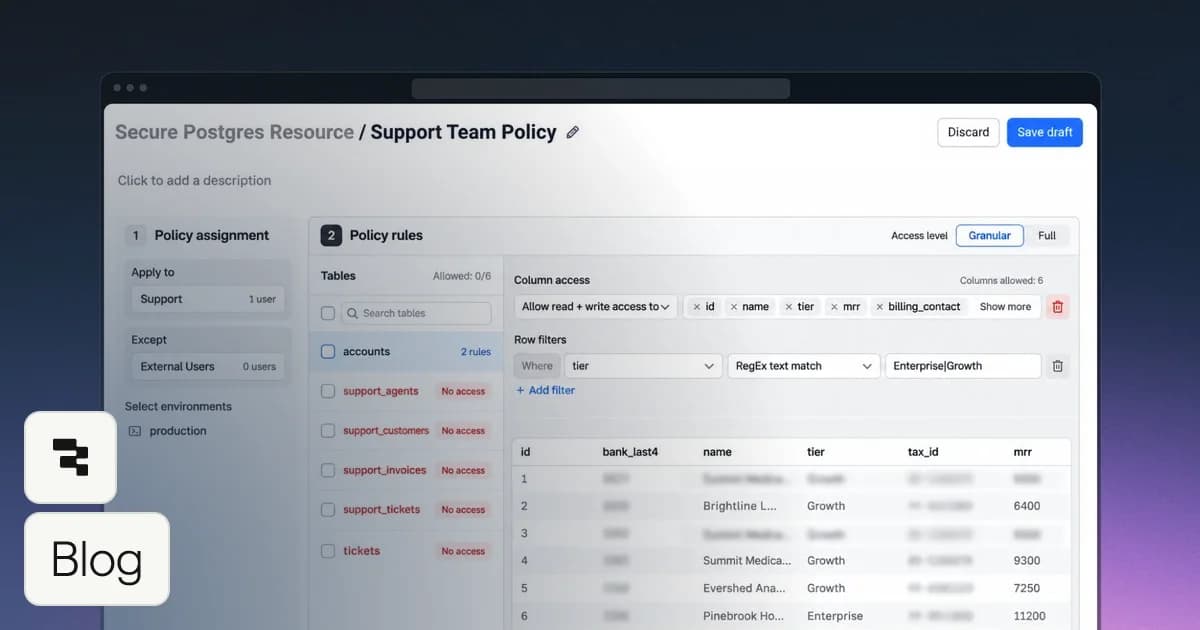
Once connected, the agent gains capabilities including the ability to run queries on Retool resources. The one-time authentication grants my agent access to every supported resource on which I have at least Edit permission, meaning I’m allowed to create and edit queries for the resource. If the resource has any fine-grained access policies, those are also applied to any query my agent writes. Permission and policy changes are immediately applied to my agent, just as they would be if I were building a Retool app, and queries are audit logged, as they always are across the Retool platform.
A cool aside: because Retool is an AI app-building platform and not just an authorization gateway, it can execute TypeScript code that mixes and filters data across multiple resources rather than sending raw query results to the LLM. That saves tokens (read: time and money) because the agent gets exactly the data it needs.
My agents can query Retool’s production platform database using a resource that was set up by our Cloud infrastructure team. The resource credential has read-only access with sensitive columns filtered out, so it’s impossible for my agent to take destructive actions or expose customer secrets. It was originally set up for our internal apps, and is now available to agents.
Here are some kinds of tasks that I’ve completed with agents using this production database and other data sources:
- Debugging customer issues by walking through code, knowing exactly which feature flags are enabled, and when those feature flags were rolled out.
- Finding customers affected by a bug that caused some resource settings to get into a state that was inconsistent with organization settings. The agent provided a data remediation query but did not have permission to execute it. The remediation was performed manually by escalating a request to staff with higher privilege.
- Responding to an abuse incident by detecting usage patterns of spam signups.
I also use the MCP server to adapt apps to the way I want to work, like taking bulk actions that they were not designed to handle. For example, I had my agent read our internal app source control repository to understand how our incident tracker app works. Then I had the agent synchronize action items and status across the tracker database, postmortem Google docs, and Linear issues.
If you want to try this yourself, think about what untapped resources you already have access to in Retool, and how an agent could combine context and take action across multiple resources. A great starting point is existing apps that work across resources.
Once you establish your own patterns and workflows with Retool’s MCP server, don'‘ keep them secret. Record what you and your agent learn in agent skills (opens in a new tab) and share them with colleagues. (If you’re not sure how, ask your agent.) When I started using the Cloud platform database to work with feature flags, I made a skill that explained how the resource environments correspond to our production and pre-production deployments, and how to understand the feature flag data. Another engineer built upon this by generalizing a skill for accessing the Cloud database for other purposes.
As an IT administrator, you can’t anticipate every creative way people will use resources, but you can think about who should have access to what systems, with what guardrails, and what business value might be unlocked by expanding access.
Retool’s MCP server is a secure, efficient, governed gateway that can be used to grant agents access to sensitive data and systems, while keeping resource owners and IT administrators in control.
Check out this video to get started with Retool’s MCP server today.