The apps your teams build in Retool sit directly on top of your most important systems: customer databases, payment platforms, HR records, production infrastructure, and more. Those systems already have careful rules about who can see and change what because your security and data teams spent years getting those rules right. Those rules are also where things break: more than one in five organizations reported a breach involving their AI models or applications in the past year, and 92% of them had no proper access controls in place for AI, according to IBM’s 2026 Cost of a Data Breach Report (opens in a new tab).
But AI has changed how fast apps get built. An internal tool that used to take a sprint now takes an afternoon, the people building them are no longer only engineers, and the number of apps touching production data is growing faster than any security team can review one at a time. Every one of those apps is another place your governance rules have to hold.
What happens when governance breaks down for AI-generated apps?
When an app breaks those access rules, it usually comes down to one of three causes:
- An honest mistake, like a missing role check or a query that returns too much
- Access that outlives its owner, when someone changes roles or leaves but their apps and credentials keep running
- A deliberate attempt to reach data, steal a credential, or manipulate an AI agent
Whatever the cause, the damage tends to show up in one of four ways:
- The app sees more than its users should. It connects through a shared account with broader access than the person using it.
- Data escapes the rules. Once it’s copied, cached, or exported, the source system’s permissions no longer protect it.
- Changes go unchecked. Security tends to focus on who can read data, but the costliest incidents usually involve who can change or delete it.
- Problems go undetected. Without a record of who ran what against which data, problems are found late or not at all.
Question
How most AI app builders handle it
How Retool does it
Why that's safer
Where are rules set?
Each app brings its own login and permission checks
Group access is set once in Retool, with memberships synced from your identity provider. For PostgreSQL, Data Access Enforcement (public beta) applies table, column, and row rules to every query
For PostgreSQL, a check missed in one app doesn't open a gap
Where do credentials live?
In or alongside each app
Never in app code. When self-hosted, in your own infrastructure or the secrets manager you already use
Credentials can't leak through the apps people build
What stops a bad change?
Scans that flag common issues
Checks as the AI writes code and again at publish, plus approval for functions that change data
Known unsafe patterns are blocked before an app goes live
Can you see what happened?
Logs of sign-ins and admin actions, not the queries that touch your data
Query-level audit logs you can export or stream to your security tools
You can reconstruct who ran which query, against which resource, and when
All of these failures share one root cause. When enforcement lives inside each app, every new app introduces more risk. Every builder, every query, and every AI agent has to get it right, every time. That doesn’t scale with the number of apps being built.
Retool takes a different approach and puts most of that responsibility in the platform instead of in each app. Your rules are set once and apply everywhere they’re needed. Credentials stay out of the apps people build. Risky changes are checked before they reach production, and there's a record of what happened when you need it.
How Retool maintains governance for AI-built apps
Let’s take each failure in turn, covering what Retool handles and where your team still has a role.
1. When an AI-built app has more access than its users should
When an app connects to a database or warehouse, it usually does so with one shared login. Whatever that login can see, everyone using the app can see too. The only thing narrowing access back down is whatever checks the builder remembered to write into that app. In many other tools, every new app also brings its own login setup and permission logic to get right, and as more apps get built, more of those checks get missed.
Retool ties access to the person instead of the app. Users sign in through your identity provider, and group memberships sync automatically. Each group’s access to apps and data sources is set once in Retool and can differ between production and staging. For data sources that support it, each person connects with their own account, so the app sees only what they’d see in the source system.
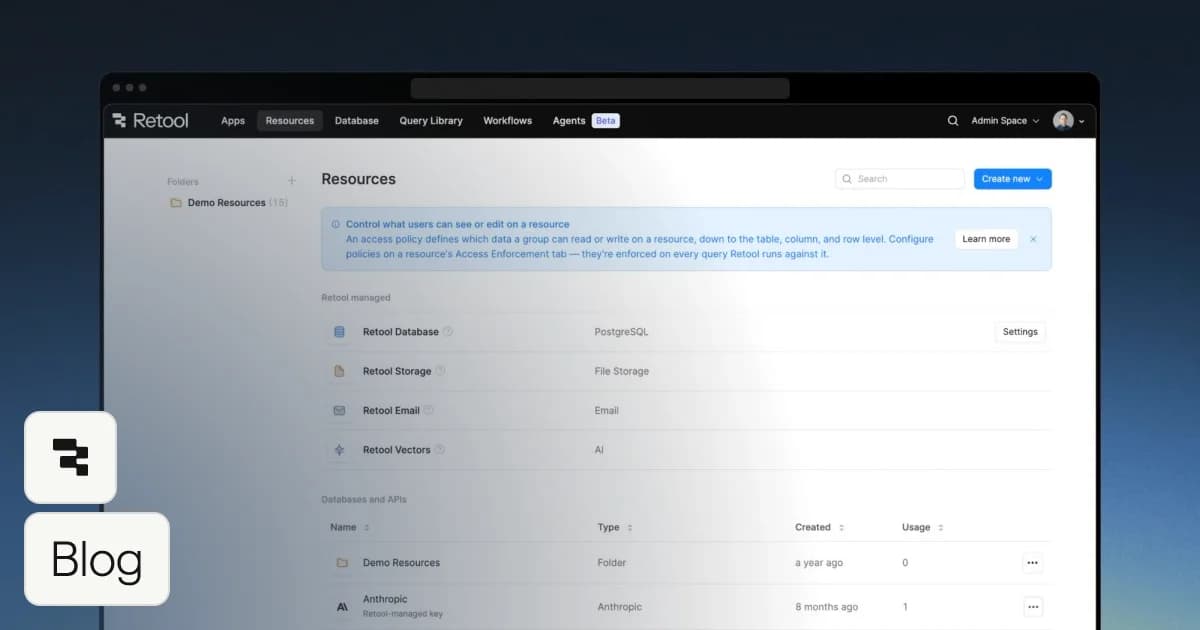
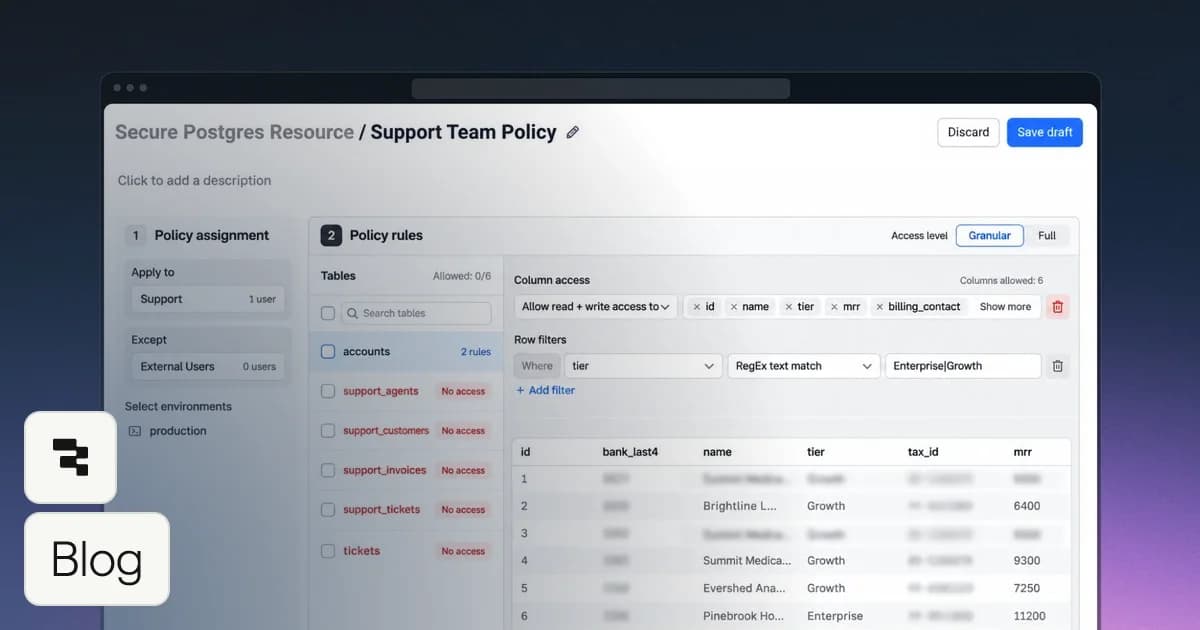
For PostgreSQL databases, Data Access Enforcement (now in public beta) lets you set table, column, and row rules once on the resource, and they apply to every query from every app and agent. If a builder, or the AI, forgets a check, it doesn’t open a gap. Some jobs, like a scheduled overnight workflow, have no signed-in user to act as, so they still need a shared connection. For those, give the connection only the access the job needs.
2. When data is copied outside your access rules
Your databases and business systems already know who’s allowed to see what. Those rules only protect data while it stays where it is. Once an app copies data into its own database, caches it, or passes it through another service, the original permissions don’t come with it. Many other tools work this way by default. Apps store data in a database the vendor hosts, and credentials for your systems live on the vendor’s servers. Every copy becomes one more place the data has to be protected, usually with weaker rules than where it came from.
Retool apps query your systems directly by default, so each request goes back to the source and the source’s rules apply every time. The credentials that connect to those systems never reach the code in an app, and published apps never send the data they display through an AI model.
Self-hosted deployments go further. The whole platform runs in your own infrastructure, so your data and credentials never pass through anyone else’s, not even through Retool. Credentials can also stay in the secrets manager you already use, such as AWS Secrets Manager, GCP Secret Manager, or HashiCorp Vault. With scoped secrets, you can limit each secret to specific resources or workflows, so a credential is only available where it’s actually needed.
3. When changes to production data go unchecked
Most access control is about who can read data, but the incidents that cost the most usually involve data that was changed or deleted. A bug, a bad query, or an AI agent that gets something wrong can overwrite records in seconds. Many other tools handle this by scanning apps after they’re built and flagging what they find. A scan can catch common mistakes, but it doesn’t stop an app from shipping, and it can’t confirm the app is safe.
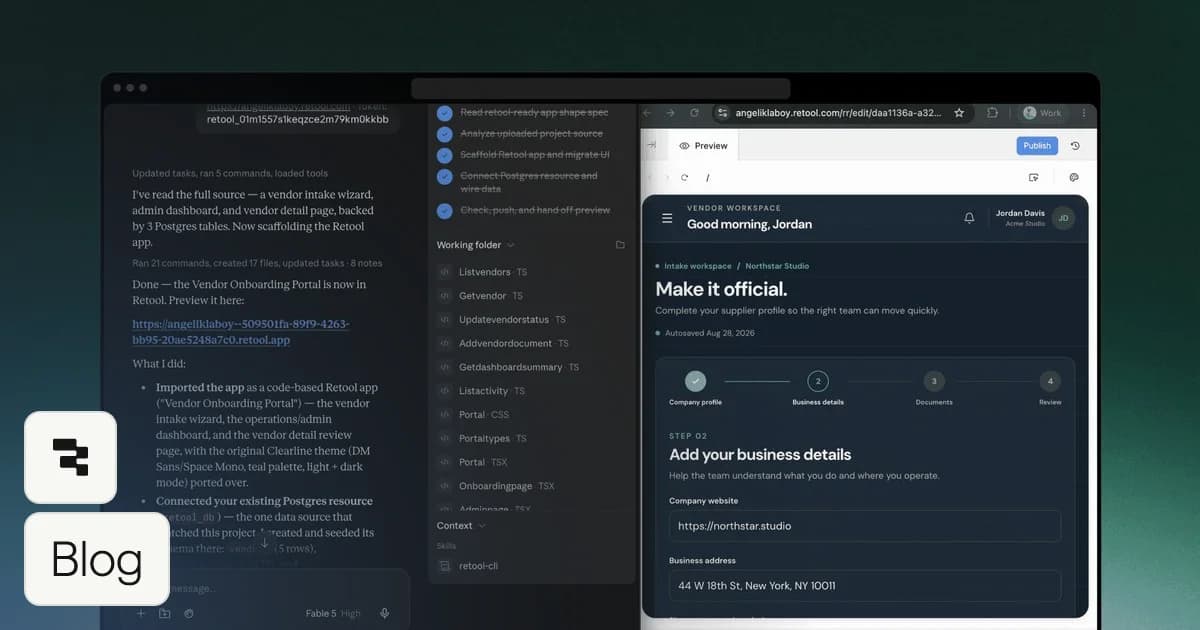
Retool adds checkpoints wherever changes happen, starting before any code is written. In Plan mode, the AI drafts a detailed plan for the changes it intends to make, including any changes to your data model, so you can review and edit before it builds anything. Once it does start writing code, Retool checks it as it’s written and rejects unsafe patterns before they’re saved, such as queries built in ways that risk injection, or code that tries to reach credentials or get around Retool's data layer.
The same checks run again at publish, so unsafe code can’t reach a live app. By default, any function that changes data asks for approval before it runs, and every function has to be approved before an app is published. Every change, whether a person or the AI made it, is saved as a version you can review and roll back. Separate environments keep test changes away from production data, and Source Control lets teams review changes before release. What Retool can’t decide is whether a change is right for your business. Rules about what counts as a valid value still belong in your database and app logic, and database constraints are a good second layer.
4. When access problems go undetected because nothing was logged
No set of controls catches everything, and when something does go wrong, what matters is how quickly you find out and whether you can piece together what happened. Many other tools keep only part of the picture. Some keep logs for just a few weeks, some offer them only on their top plan, and some track sign-ins and admin actions but not the queries that actually touch your data.
Retool records activity down to the individual query. Audit logs show who ran which query, against which resource, and when, across every app built on the platform. With Data Access Enforcement on PostgreSQL resources, changes to access rules are logged too, along with any queries those rules blocked or narrowed. Logs can stream to the monitoring and security tools your team already uses, and self-hosted customers set their own retention.
AI activity is visible the same way, so admins can see usage and spend by user and model instead of treating AI-driven work as a blind spot. What Retool can’t decide is what counts as suspicious in your environment. Retool keeps the record and sends it wherever you need it. Your team decides what to alert on and who responds.
Your teams are going to keep building more apps, faster, and AI will only speed that up. Whatever platform you choose, it’s worth asking four questions before you trust it with production data. They’re also a useful lens if you’re comparing Retool with prompt-to-app builders or AI coding agents that build in the browser.
- Does a rule have to be set up in every app, or just once? If access depends on each app getting it right, every new app is another chance for a gap.
- Where do credentials live? Find out whether they sit in app code, on the vendor’s servers, or somewhere you control.
- What stops a bad change before it ships? Flagging problems after an app is built is not the same as blocking them before it goes live.
- If something goes wrong, can you see exactly what happened? Ask whether logs capture the queries that touch your data, not just sign-ins, and how long they’re kept.
- Can you undo it? Find out whether you can roll back an app to an earlier version, whether that history lives somewhere you control, like your own Git repository, and how your data gets restored from backup.
Some decisions will always belong to your team, like how each connection is set up, what people do with data they’re allowed to see, and what counts as a valid change for your business. Retool’s job is to make those decisions easier to make once and easier to enforce everywhere. To go deeper on any of this, visit our Trust Center or talk to our team.