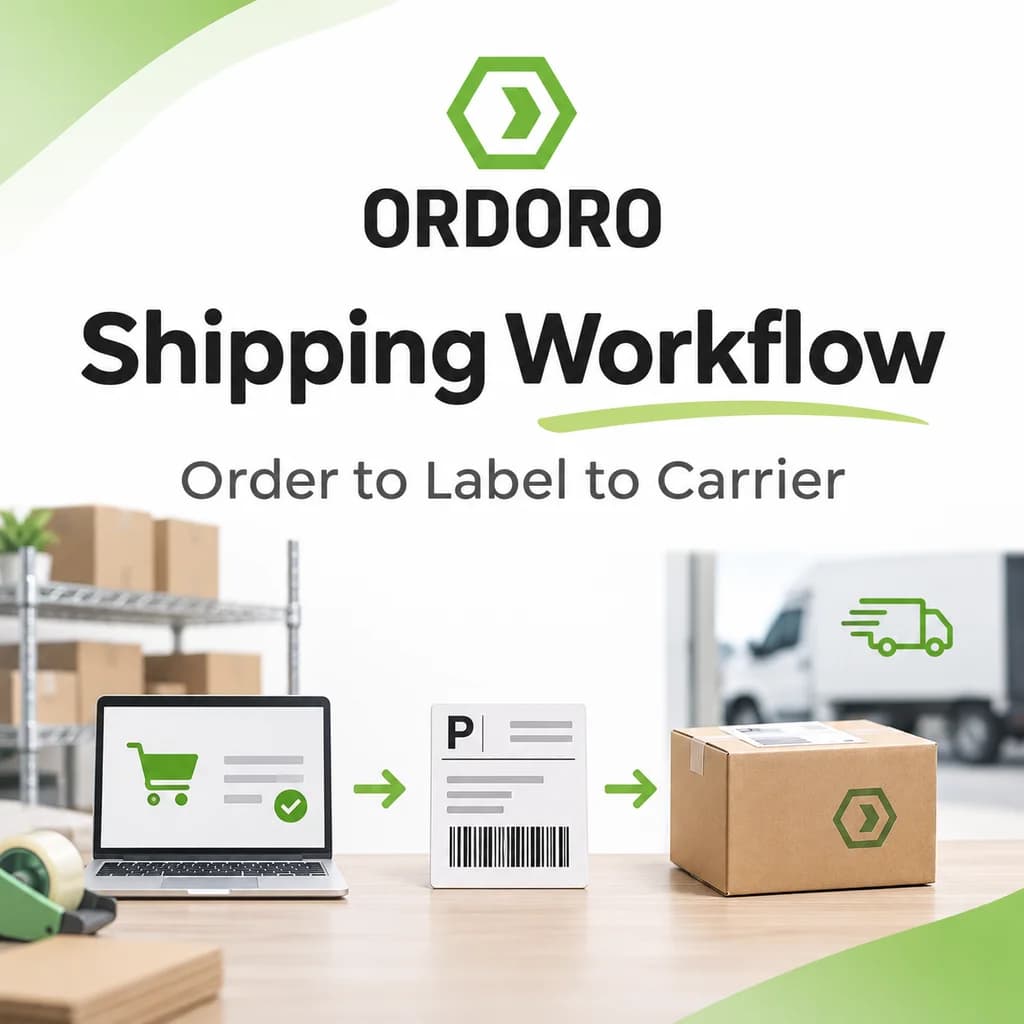
An eCommerce shipping workflow is the series of steps that moves an online order from the sales channel to the carrier and sends tracking back to the customer. Most eCommerce shipping processes follow the same 10 steps:
- Bring orders into one workflow
- Decide where the order ships from
- Pick the products
- Pack the order and confirm package details
- Compare shipping services
- Create the shipping label
- Batch similar shipments
- Automate repeat decisions with presets
- Hand packages to the carrier
- Send tracking back to the sales channel
Each step affects the next. The wrong warehouse changes available inventory. Wrong dimensions change the rate. A picking mistake becomes a return. Missing tracking creates support tickets even when the package shipped on time.
With a few orders a day, these steps feel simple. As you add channels, carriers, warehouses, and people, how you ship eCommerce orders becomes a workflow that has to stay connected end to end. The goal is fewer manual steps, fewer mistakes, and clear visibility from purchase to delivery.
Step 1: Bring Orders Into One Shipping Workflow
Every order needs to land in one place before fulfillment starts. Checking Shopify, Amazon, eBay, and Etsy separately is how orders get missed or handled inconsistently.
Centralized multichannel order management gives the shipping team one starting point no matter where the order came from. Ordoro’s Shipping and Order Management tools pull orders from connected channels into one queue alongside your carriers and ship-from locations.
Step 2: Decide Where the Order Ships From
Each order needs a fulfillment source before anyone picks it: a warehouse, a dropship supplier, a 3PL, or Amazon FBA. With one warehouse that’s automatic. With several, it depends on inventory, location, supplier assignments, and your rules.
We cover that decision in depth in Order Routing for eCommerce. In Ordoro, automation rules can also assign orders to a ship-from warehouse based on the destination state or country.
Step 3: Pick the Right Products
Picking pulls the exact items on the order from inventory and gets them to the packing station before a label exists. At volume, warehouse layout, pick lists, batching, and barcode checks make the biggest difference. See How eCommerce Picking and Packing Works for the full process.
A fast label doesn’t help if the wrong product is already in the box. On select plans, Ordoro’s barcode scanning lets pickers and packers scan each item against the order, and it rejects an item that doesn’t match.
Step 4: Pack the Order and Confirm Package Details
Packaging protects the product and sets the shipping cost. Weight and dimensions determine the rates and services a carrier offers, and an oversized box can trigger dimensional weight pricing even for a light item. Ordoro’s Packaging Guide covers box choice and dimensional weight in detail.
Before buying a label, confirm the carrier has:
- Ship-from address
- Delivery address
- Package weight
- Package dimensions
- Package type
- Any carrier-specific options (signature, insurance, customs info)
Step 5: Compare Shipping Services
Compare rates once the ship-from location, destination, weight, and dimensions are known, because each one changes the services and prices available. The cheapest rate isn’t always right: a promised delivery date may require a faster service, while a flexible order can take a slower, cheaper one.
We cover this decision in Shipping Rate Shopping for eCommerce. In Ordoro, you compare rates across connected carriers right from the order before creating the label. To check rates outside your account, try the free shipping rate calculator.
Step 6: Create the Shipping Label
The label carries everything the carrier needs to move the package: ship-from and delivery addresses, the service, a barcode, and the tracking number. Ordoro’s Shipping Labels Guide breaks down each element.
In Ordoro, you select the order, open the Shipping Label panel, confirm the settings, and create the label. Carrier-specific options such as insurance and international customs information are available where they apply.
Step 7: Batch Similar Shipments
Batching processes many labels at once instead of repeating the same clicks order by order. It works best when orders share similar packaging, carriers, or services.
Ordoro lets you select multiple orders, apply settings like presets, weight, dimensions, or ship-from warehouse in bulk, refresh the rates for the whole group, and create every label in one step. Batching doesn’t mean every order gets identical settings; it means repetitive work gets grouped.
Step 8: Automate Repeat Decisions With Presets
If your team makes the same shipping choice on hundreds of orders, automate it. A shipping preset saves a combination of carrier, service, package, and options. Automation rules apply presets to orders the moment they import, based on conditions you set.
Examples of shipping automation rules in Ordoro:
Automation removes the decisions your business has already made, so your team’s attention goes to the exceptions. See Automated Shipping for more.
Step 9: Hand Packages to the Carrier
A label doesn’t mean the package has shipped. From the customer’s view, shipping starts when the carrier scans it in, whether through a scheduled pickup, a daily warehouse pickup, or a drop-off.
For USPS, Ordoro creates SCAN forms, so the carrier scans one barcode instead of every package. Plan this handoff during peak season, when hundreds of labeled packages need to leave the building on schedule.
Step 10: Send Tracking Back to the Sales Channel
The workflow ends when tracking reaches the customer, not when the box leaves. If tracking never syncs, a shipped order still looks unfulfilled in the storefront.
Ordoro writes tracking back to the sales channel automatically when the label is created. The update is immediate for channels like Shopify, BigCommerce, and eBay; Amazon can take a little longer to show it. The sales channel then notifies the customer. If a writeback fails, Ordoro tags the order so it can be retried, and tracking can also be added manually for orders shipped outside Ordoro.
What Does a Good eCommerce Shipping Workflow Look Like?
A good shipping workflow doesn’t depend on someone remembering what to do next. Whether you ship 30 orders a week or thousands a day, strong workflows share the same traits:
- Every order enters the same process.
- Each order has a clear fulfillment source.
- Package details are accurate before rates are requested.
- Repeat shipping decisions are automated.
- Labels can be created in batches.
- Tracking reliably returns to the sales channel.
Where Shipping Workflows Break Down
Shipping problems usually build gradually: another channel, another carrier, a second warehouse, a few new employees. Most aren’t carrier problems; they’re workflow problems.
How Ordoro Connects the eCommerce Shipping Workflow
Ordoro keeps all 10 steps in one system. Orders from every connected channel land in one queue. Teams route, pick, verify, and pack them, compare rates across carriers, and create labels one at a time or in batches. Presets and automation rules handle repeat decisions, and tracking writes back to the sales channel automatically.
For businesses that also manage inventory, purchase orders, kitting, dropshipping, or multiple warehouses, those operations stay connected to shipping instead of living in separate tools. Learn more about Ordoro’s eCommerce shipping tools.
Frequently Asked Questions
What is an eCommerce shipping workflow?
It’s the process that moves an online order from the sales channel through fulfillment to the carrier: order import, routing, picking, packing, rate selection, label creation, carrier handoff, and tracking.
What are the steps in the eCommerce shipping process?
The 10 steps are: bring orders into one workflow, choose the ship-from location, pick, pack, compare shipping services, create the label, batch similar shipments, automate repeat decisions, hand off to the carrier, and send tracking back.
How do you ship eCommerce orders efficiently?
Centralize orders from every channel, confirm package details before rating, use presets and automation rules for repeat decisions, and create labels in batches.
When should you compare shipping rates?
After the ship-from location, destination, weight, and dimensions are known, since each one changes the services and prices available.
Can eCommerce shipping be automated?
Yes. Shipping presets, automation rules, warehouse assignment, batch label creation, and tracking writeback can all run without manual input once they’re set up.
What is batch shipping?
Batch shipping means creating labels for many orders at once instead of one by one. It works best when orders share similar packaging or carrier needs.
Why do package dimensions matter?
Carriers price many shipments by dimensional weight, so an oversized box can cost more than a light product suggests. Accurate dimensions mean accurate rates.
What happens to tracking after a label is created?
The tracking number stays attached to the shipment and is sent back to the sales channel, which updates the order status and notifies the customer.
What’s the difference between fulfillment and shipping?
Fulfillment covers everything needed to get an order to the customer, including routing, picking, packing, and shipping. Shipping is the part focused on the carrier service, label, handoff, and tracking. See our eCommerce Order Fulfillment Guide for the bigger picture.
From Order to Carrier Without the Extra Chaos
Shipping looks like the last step of an order, but a lot happens before a package reaches the carrier. The order reaches the right team, the right products get picked, the package is prepared correctly, the label is created, and tracking makes its way back.
As volume grows, the biggest gains rarely come from speeding up one step. They come from making all 10 work together.
Ready to simplify the work between receiving an order and getting it out the door? Start a free trial of Ordoro and bring your orders, shipping, fulfillment, and tracking into one workflow.