This is a guest post from Anirudh Coontoor, co-founder and CTO of Supernova, with Shubh Porwal and Sai Vasudatta. Supernova is based in Bangalore and builds consumer apps for people who learn and work in English.
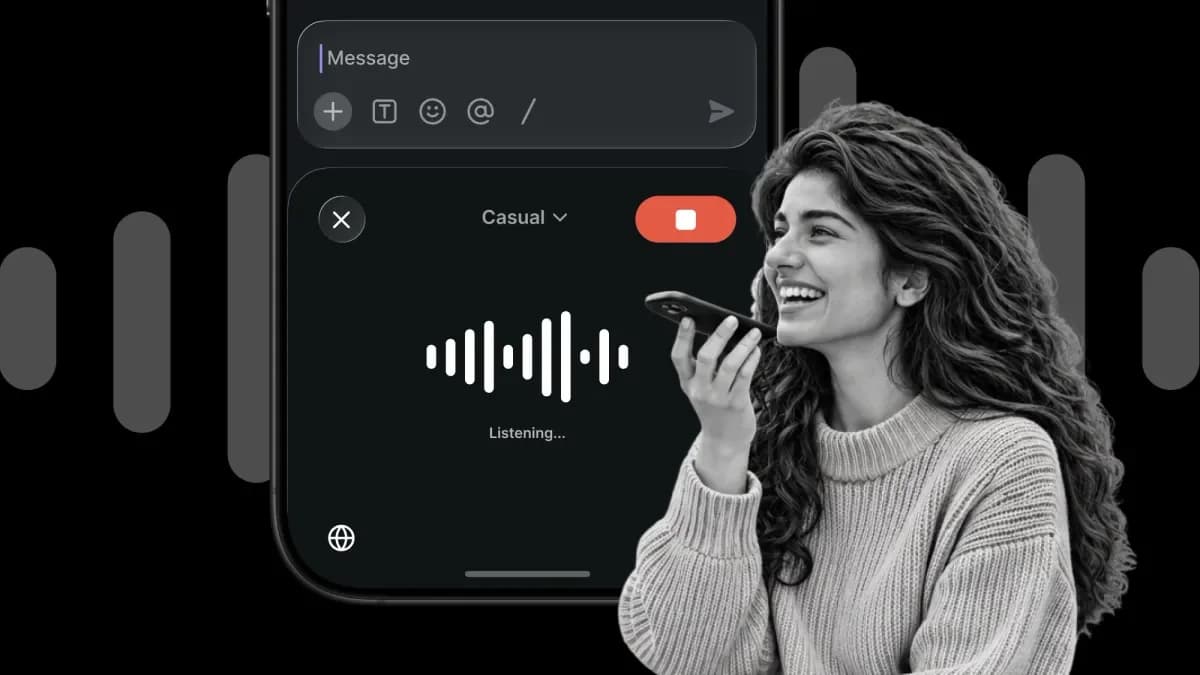
A florist in a small city in southern India gets WhatsApp inquiries from clients who expect polished English. He speaks Telugu. With Superflow, he speaks Telugu into his keyboard and sends a clean English reply.
Superflow is one of three apps our team at Supernova builds and runs. On iOS, its keyboard extension is about 17,000 lines of Swift, and it lives in the same Expo project as the rest of the app. We use Continuous Native Generation (CNG) to generate the native projects, and we build and ship with Expo.
We're five developers, and before Superflow none of us had written native iOS or Android code. Agents wrote the first drafts of it, and telemetry from real phones told us what to fix. We never had to leave Expo to do any of it. This post covers how we run three apps from one codebase, how we drop down to native code where the product needs it, and how we made that code reliable.
How we got here
We started as an education company, building live classes and quizzes on the web. When GPT-4 came out, we prototyped a conversational English tutor and wanted it on phones. We looked at Flutter, and at wrapping a web view with Capacitor or Ionic. We picked React Native and Expo because we already worked in TypeScript and React every day. At the time, I was close to the only developer.
That tutor became the Supernova app. It has about 26 million downloads and 3.5 million monthly active users. It's a top 10 app on Google Play in India, and it has been number one in the Education category on the App Store in India.
We figured we'd outgrow Expo eventually. 26 million downloads and three apps later, we're still waiting.
The whole codebase is TypeScript now: React Native for the apps, React on the web, and Node on the backend, deployed mostly serverless on Vercel and Cloudflare. Everyone on the team is full stack. Nobody owns an app, and whoever picks up a task works on whatever part of the system it touches.
Every new app starts with what the last one built
Building Supernova taught us which parts every consumer app in India needs, and we built each of them once. They live in shared packages in our monorepo, managed with Bun workspaces and Turborepo, and every new app starts with them.
- Login: phone number autofill, one-tap Truecaller verification, and SNA through carriers. Most users never type their number.
- Payments: UPI and gateways that work for every app out of the box, plus RevenueCat for App Store and Play billing, one-tap checkout, subscriptions, trials, and invoices.
- Notifications and engagement: push, re-engagement campaigns, and reminders.
- Error monitoring and telemetry: Sentry for crashes, plus our own structured telemetry (more on that below).
- Config plugins: every native SDK (Razorpay, Singular, and others) is set up through a config plugin in a shared package, so a new app adds one line to its config instead of editing native projects.
- Server-driven onboarding forms, our UI kit, and the experiment system.
- Over-the-air updates with Expo Updates.
Superflow got all of that on day one, so we only had to build what was new. We developed Superflow for about three months, and it's already at a $1M revenue run rate. Our third app, Sonic, is an AI call assistant that picks up spam and delivery calls for you.
Superflow started as a copy-paste workaround
Most Supernova learners are working professionals. They want to speak confident English for a promotion or a job interview. The same problem showed up in their writing. At work, most communication has to be in English, and typing it is as hard as speaking it. Their workaround was to explain what they meant to ChatGPT, then copy the answer into WhatsApp or email. Superflow removes that step. You speak in your mother tongue and get polished English in the field you're typing in.
Adding a second app still meant real work, mostly in the backend. Every request now carries an app ID. Users, subscriptions, payments, experiments, and push tokens are all scoped to an app, so paying for Supernova doesn't unlock Superflow, and each app gets its own free trial. Push credentials, store billing keys, OTP templates, and home and update config are per app too.
On the client, the work was small. Each app registers an ID, and the shared shell picks its theme, navigator, and config from it. Superflow's navigator reuses shared screens like login, payments, and profile, and adds its own for dictation, dictionary, and permissions.
The parts that had to be native: the iOS keyboard and the Android widget
Most of Superflow is the same React Native app on both platforms. The part people use all day is what sits on top of other apps: a custom keyboard on iOS, and a floating bubble on Android. Those had to be native. On Android, the bubble is an overlay widget plus an accessibility service.
The iOS keyboard is a full keyboard engine with dictation. The keyboard alone is about 17,000 lines of Swift. Across iOS and Android, Superflow has roughly 68,000 lines of native code, plus 36,000 more in native tests.
A keyboard extension also plays by stricter rules than an app. It runs in its own process with a small memory budget, and iOS kills it without warning when it goes over. It can't reach the network or share data with the app until the user turns on Full Access. It only sees the text around the cursor. And it can't use the microphone, which is awkward for a voice keyboard.
So the app records. When you tap the mic, the keyboard asks Superflow to start. If the app is running in the background, recording starts right away. If it isn't, the keyboard opens it, and it sends you straight back to where you were typing. An Expo module we wrote handles the recording, a Live Activity while you talk, and the messages between the keyboard and the app through a shared App Group. The React Native side handles everything else: auth, transcription, history, and retries.
Adding the extension itself takes one config file, thanks to Evan Bacon's @bacons/apple-targets plugin:
Our own config plugins set up the rest of our native dependencies, including OTP login providers, payment SDKs, and Truecaller. CNG generates the native projects from that config, so Superflow uses the same setup as our other apps, including over-the-air updates for the JavaScript parts. Ask Shubh Porwal, AI Engineer at Supernova, what the best thing Expo has done for us is, and he'll say CNG before you finish the question.
Widgets, the Live Activity you see while dictating, and support for Apple's on-device LLM all came the same way: a new folder of Swift, a few lines of config, and no Xcode project to look after.
We never had to move away from Expo to get here. When we needed something Expo doesn't do, like a keyboard extension, a floating widget, or an accessibility service, we wrote it natively and plugged it in as an Expo module or a config plugin. The rest of the app stayed the same. Now that agents can write Swift and Kotlin, some people argue you should skip React Native and go fully native. For us, that would mean building and testing every login screen, paywall, and onboarding flow twice. With Expo, we build a feature once and test it on one platform, and for common UI we're confident it works on the other. We write native code only where the product needs it. Choosing Expo hasn't cost us any native capability.
How the keyboard got good: agents, telemetry, and shipping often
Agents got first versions working quickly. Knowing whether they worked on real phones was harder, because a keyboard or a floating widget fails quietly. Android kills the service to save battery, a phone maker's settings revoke a permission, or the text never lands in WhatsApp. None of that shows up as a crash.
Before Expo Observe launched, we built telemetry into the native code to answer the questions we cared about:
- Did the widget appear? We log when the bubble attaches to the screen, when its window dies while the service is still alive, and when a revoked permission blocks it, plus a heartbeat. Every event carries permission state, battery and power-saving state, memory, thermal state, network, and the OS's last exit reason for the process (ANR, crash, low memory).
- Did the text land? Every auto-paste records whether we confirmed the text in the other app's field, and which app it was.
- Did dictation work? We track microphone start failures, a silent mic (a watchdog fails the recording after 15 seconds of zero audio), streaming reconnects, and transcription latency. We also record whether the user accepted, edited, or rejected the result.
- On iOS, the keyboard hands recording off to the host app. There we log which start path ran, how long the start took, and the audio session state when it failed.
Events go through one telemetry module with the same API in TypeScript, Swift, and Kotlin. They queue in an outbox on the device, so nothing is lost when a process dies. The keyboard writes its events to the shared App Group, and the app uploads them. Our backend forwards everything to Axiom, and errors go to Sentry.
Here's what this caught. For some users, our first Android widget simply disappeared, and nothing showed up in crash reports. The heartbeat data showed it had several separate causes. On some phones, the widget never came back after the screen turned off, which hit about 1,700 users. On Android 12 and later, the OS refused to restart our service from the background, which hit about 2,500 users a week.
The hardest case to spot: Android Settings showed our accessibility service as on, but after repeated crashes the OS had quietly stopped running it. Nothing threw an error, and the widget just never showed up. The only way to catch that is to compare the Settings flag with whether the service is actually running. Now we check every 15 minutes. When the two disagree, we log it and send the user a notification to turn the service back on.
The backend acts on this data too. When a widget's heartbeat has been silent for an hour, a job sends a silent push that restarts it. Paste confirmations showed us which apps needed fallbacks.
Each fix shipped the same way. JavaScript fixes go out as an over-the-air update. Native changes go out through a tag-triggered build on Expo Workflows, and Fingerprint tells us which kind a change is. Tests on every PR (435 in Swift, about 1,650 in Kotlin) catch regressions in the native code, and we compare Play Console crash and ANR rates between builds before rolling out further.
Agents also check their own work. With agent-device, an agent drives the simulator, taps through the change, and takes screenshots. We first used it to test telemetry across all three apps, and now use it for the keyboard and the widget.
Open source
A few things we built are now open source: expo-phone-number-hint for SIM number autofill at login, expo-truecaller for one-tap verification, and expo-ruler, which brings Spotify's Ruler to Expo so you can see what's taking up space in your Android app.
Ruler is how we took Supernova's Android download from 63 MB to 33 MB. While reading its report, Shubh noticed React Native's GIF and WebP decoders were still bundled even though we use expo-image. He upstreamed an option to Expo, so from SDK 58 any app can turn them off in expo-build-properties.
If you're a small team
Treat your first app as the foundation for the next one. Shared packages for login, payments, and experiments are why our newest app takes about a month to launch.
Go native only where the product needs it. For us, that was a keyboard and a floating bubble. Everything else stayed shared. When you do need native code, write that part in Swift or Kotlin as an Expo module. We did it with no native experience. AI agents wrote first drafts, and our tests caught what the agents missed.
Give your agents a way to check their own work before a person reviews it. For us, that means agent-device driving a simulator, tests on every PR, and telemetry from real phones.
If you want to try it, start with the Expo Modules API.