Picture a single customer’s inbox on an average Tuesday. Loyalty has a renewal reminder they need to send, regional marketing has a seasonal promo, and the lifecycle team has a new-season alert going out. No one owns the call on which message actually wins that moment, so whichever gets scheduled first usually sends, or the customer is bombarded by all three at once. Some teams catch this by tracking campaign timing in a shared spreadsheet, but keeping it updated across every team and every send is its own full-time job.
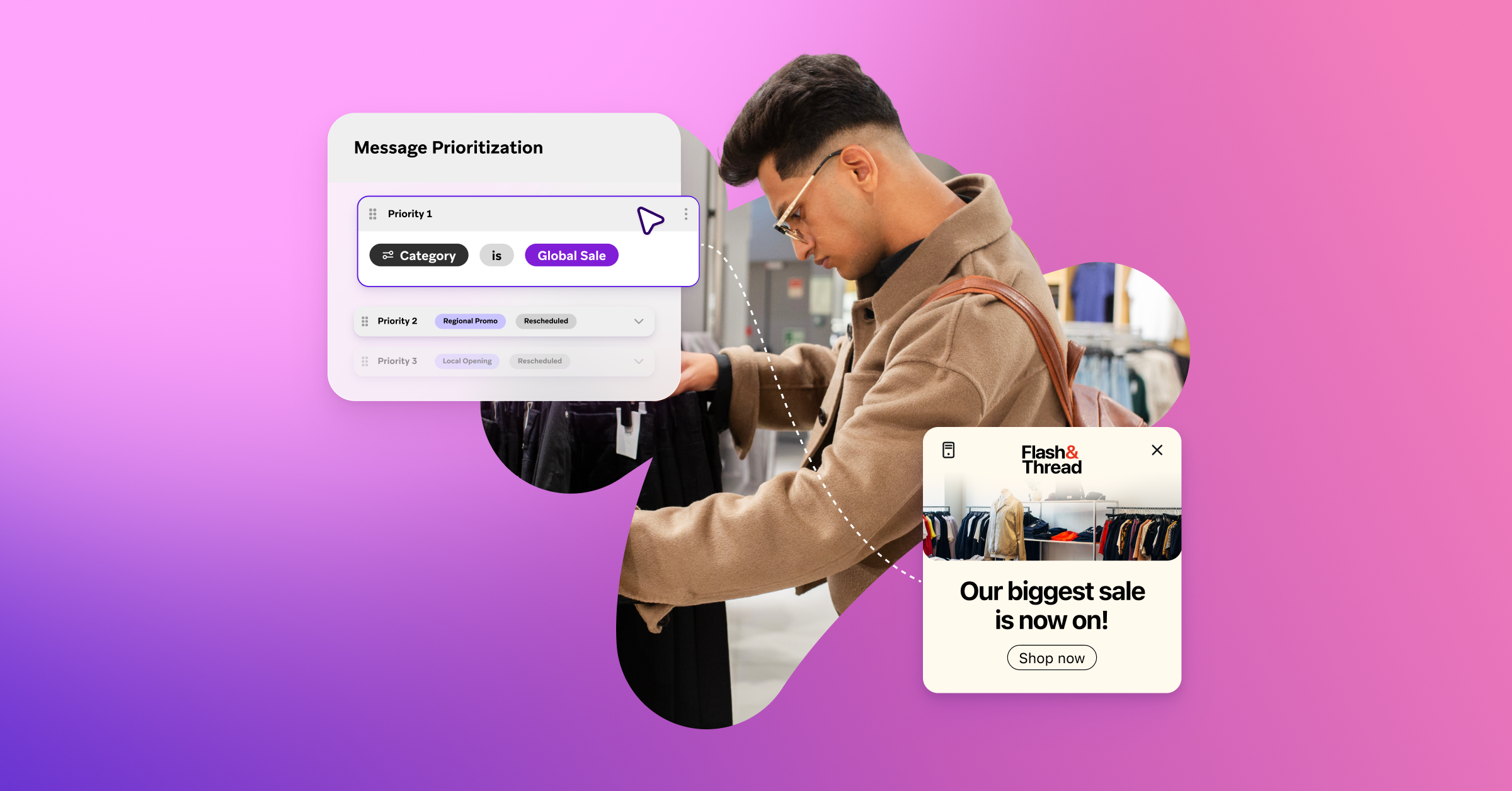
That’s the problem that Message Prioritization, now generally available, was built to solve. Instead of leaving send order up to the team that scheduled first, you set custom priority rules and rank your campaigns and Canvases by importance, so the message that matters most takes precedence, regardless of when it was scheduled.
Let’s dig into how it works and what it means for marketers.
The cost of no coordination
Both frequency capping and rate limiting exist today, but those only solve for volume. They stop a user from being overloaded and keep your systems from crashing on a big send. What neither one can do is tell an important subscription renewal from a nice-to-have promo, as every message competing looks the same.
That gap shows up as customer fatigue, wasted sends, and marketers falling back on spreadsheets to sequence campaigns by hand across teams and regions. And the stakes are real: 74% of customers stop buying from a brand when they feel overwhelmed.
Message Prioritization closes that gap. Think of it as a smarter frequency cap, where instead of a flat ceiling that sends whatever message gets there first, it decides which message actually earns each slot.
How it works
Message Prioritization runs in four steps:
- Opt in and categorize. Add a campaign or Canvas to Message Prioritization and assign it a category, like VIP, lifecycle, or promotional, based on however your team already thinks about messaging.
- Rank by category. You decide the order. P1 beats P2, P2 beats P3, and so on, within your existing frequency capping rules.
- Compare at send time. When it's time to send, Braze compares every eligible message against the others competing for the same customer and the same cap, looking ahead so a lower-priority message doesn't take a slot a higher-priority one will need later.
- Send, retry, or drop. The top-priority message goes out, and the rest either retry automatically within a window you configure (up to three days) or get skipped for that cycle.
Built to work with what you already use
If you're already using rate limiting and frequency capping, Message Prioritization builds on both. The three work together instead of competing:
- Rate limiting paces the outflow, controlling how fast messages leave Braze for the sake of your servers or your users' inboxes.
- Frequency capping sets the ceiling, the maximum a customer can receive in a given window.
- Message Prioritization decides which message wins within that ceiling, ranking every message eligible so the most important message is the one that actually sends.
One requirement to call out is that Message Prioritization needs an existing frequency cap to run against it. It doesn’t work on its own, it decides which message fills a ceiling that’s already in place.
It supports scheduled and action-based campaigns and Canvases across push, email, SMS, RCS, WhatsApp, LINE, and webhooks. Opt-in and rule configuration happen right in your existing campaign and Canvas setup flow, so there’s no need to log an engineering ticket for help getting started.
Seeing it in practice
Picture a retail brand on a Tuesday morning, looking at four messages all eligible to send to the same shopper: a two-factor login code, a price-drop alert on an item sitting in their cart, a reminder that they’re one purchase away from the next loyalty tier, and a generic weekend sale alert. The workspace allows one prioritized message per day.
The login code always sends and is opted out of frequency capping entirely, the way any must-send message should be. Between the rest of the messages, the price-drop alert is ranked P1, since it's tied to something the customer has already shown intent to buy, and it fills the one available slot. The loyalty tier reminder, ranked P2, steps aside and retries automatically the next day. The weekend sale blast, ranked P3 with no retry window set, gets skipped for this cycle.
Nothing about the four messages changes, but after creating categories and rankings, the highest-value message is sent instead of whichever happened to be scheduled first.
Seeing what happened
Report Builder shows how many messages were deprioritized or retried, right alongside your other campaign analytics. In the Messaging Diagnostics Dashboard, you can click into any individual message and see exactly why it did or didn't send, whether it lost out on priority or hit a capacity limit, so you can easily get a sense of if the ranking you set is actually working.
What customers are saying
BandLab Technologies, a music creation platform, is already putting Message Prioritization to work and seeing the benefits.
What BandLab describes is the shift most teams are looking for. Instead of negotiating the send order across teams or sequencing campaigns in a spreadsheet, you set the hierarchy once and Braze applies it whenever campaigns overlap.
The messages you've ranked highest get right of way, and lower-priority messages get another shot through retry windows instead of disappearing. For your customers, that means a mix of messages that feels intentional instead of whichever one happened to be scheduled first.
Getting started
You don't need to feel like you have to map your whole messaging program on day one. Start with campaigns you know have been competing for the same send slot, whether that’s lifecycle versus promotional, or a regional team against a global one. Set one overall frequency cap, then rank just two or three categories within it.
After a week, look at what actually sent versus what you expected to send. The gaps between the two tell you where your ranking could need some adjusting. From there, try adding a tag, shortening or extending a retry window, or bringing in a third category based on what you find. The logic gets more precise as you learn what your customers are actually telling you through the data.
The teams that get the most out of Message Prioritization treat it the same way. They start with one real conflict, let it run, and build from there.
Learn more here about getting started with Message Prioritization or talk to your Braze account team.