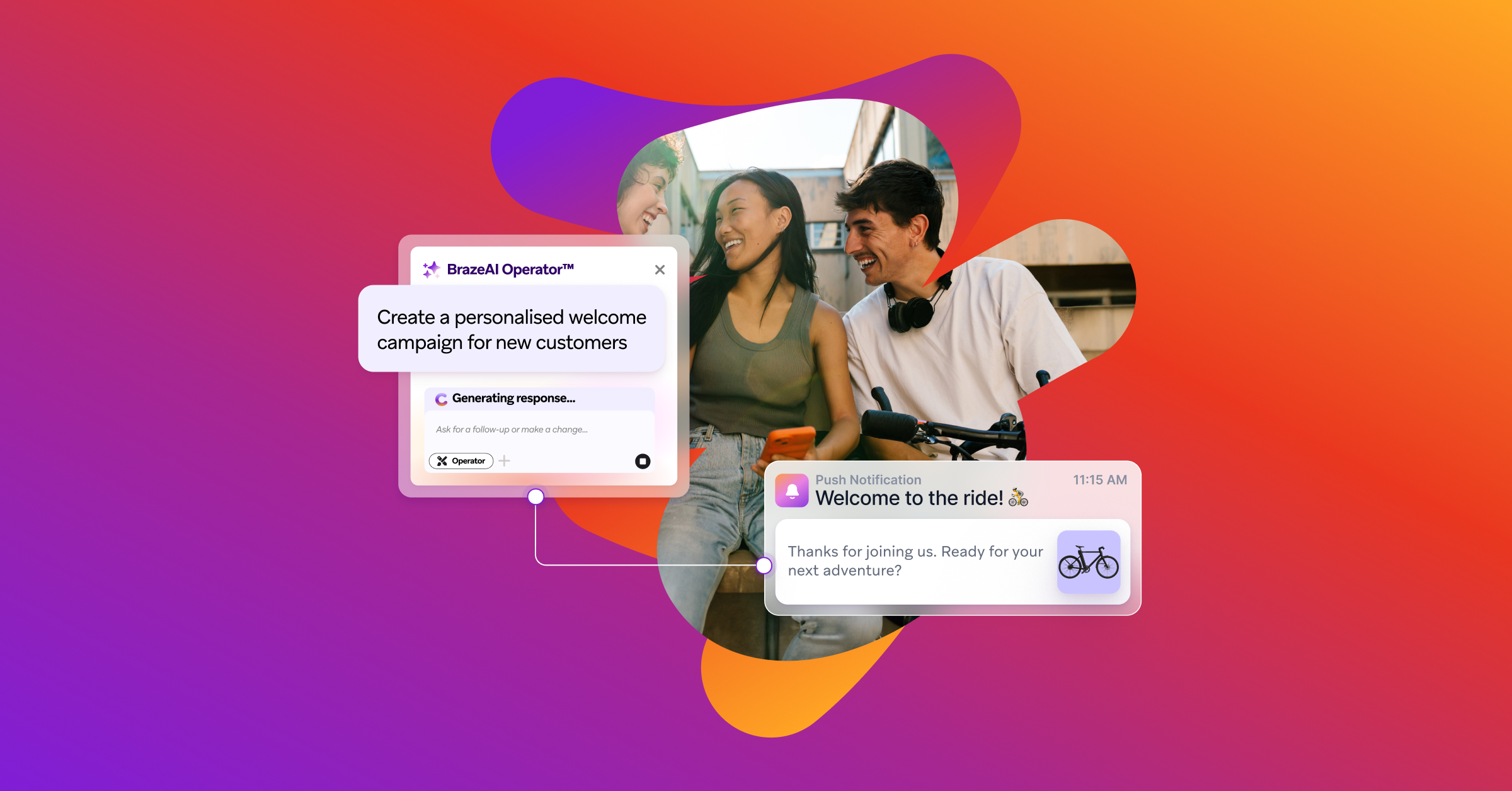
Anyone evaluating a customer engagement platform weighs capability against a number of things, including ramp time, developer time, and data integration complexity. You need to know what the work looks like day to day. BrazeAI Operatorᵀᴹmoves that daily work from "figure it out" to "get it done" with a prompt-based, context-aware assistant inside the dashboard that drafts campaigns, segments, and content for human review.
Teams like Virgin Media O2 have already cut campaign build time from six hours to seconds, and brought workflow iterations down from two days to roughly 15 minutes.
We'll show you four BrazeAI Operatorᵀᴹ use cases: The prompts marketers type, what the Operator drafts back, the timings, and what your technical team will check before sign-off.
TL;DR
- BrazeAI Operatorᵀᴹ is a prompt-based assistant inside the Braze dashboard. It drafts campaigns, segments, content, reports, and agents, and presents every change for you to approve.
- Three workflows show what that looks like: Launching a cross-channel campaign, building a segment, and QA'ing before you send.
- Your security team gets documented answers on data handling, permissions, and audit trails, plus direct connectors to Snowflake, Redshift, BigQuery, Databricks, and Microsoft Fabric.
- Virgin Media O2 cut campaign build from six hours to seconds and learn-to-launch on new features from months to hours. Cleo rebuilt its welcome series and saw an 81% drop in unsubscribes.
What BrazeAI Operator™ does
BrazeAI Operatorᵀᴹ is an AI assistant built into the Braze dashboard and available to all Braze customers, with a prompt-based interface rather than a menu of settings to configure. It answers "how do I" questions, drafts campaigns, Canvases, segments, and content, and troubleshoots problems, all from a plain-language prompt. It also builds reports and dashboards, and creates agents in BrazeAI Agent Consoleᵀᴹ, so the agentic AI that runs inside your Canvases can be built from a prompt. That extends to work most teams would otherwise scope as a project, like localizing a campaign into a dozen markets, or handling inbound SMS conversations.
Two things separate Operator from a general-purpose chatbot. It understands where you are in the dashboard, so a short prompt in the Canvas builder doesn't need you to explain that you're building a Canvas. And it can look up your custom attributes, events, catalog data, and existing campaign configuration, so what it drafts is grounded in your workspace.
Review-and-approve is the default
Operator proposes; you decide. When Operator shows options to you, presents each change as an action card you review and approve, displaying the previous value and the proposed value side by side. Decline it, and nothing happens. Approve it, and the change is applied to the dashboard, though it still needs saving or launching before it goes live.
That applies to everything Operator does, including moving users to a new page. Teams who want to work faster can turn on auto-approve, which executes suggested actions immediately—and even then, generating images and changing workspace-level settings always require explicit approval.
Operator also only acts within the permissions set at the user level.usesIt cannot see data or take actions that the provisioned user could not take themselves.
The three workflows below cover the work that fills a lifecycle marketer's week: Building campaigns, defining audiences, and checking everything before it sends. Each one starts with a prompt, each one ends with a person deciding what goes live, and each one takes the busywork out of the middle. The point is to scale creativity, not effort.
Workflow 1: How to launch a campaign with AI in Braze
You need to launch a new cross-channel campaign, and you need engineering to be able to build anything for it. You want it personalized, you need the journey assembled, and you're waiting on a place in a sprint queue you don't control.
A marketer can build and launch that campaign in Braze without writing code or filing an engineering ticket. You describe what you want in a prompt, BrazeAI Operatorᵀᴹ drafts it—copy, personalization, targeting, and timing—and you review each change before anything is saved.
Step 1: Write the prompt. Select Create with Operator when you create a campaign, and describe what you want in plain language. For a multi-step journey, ask from any page, and Operator takes you to Canvas. Our prompt library gives you lots of examples to begin with.
Step 2: Operator drafts the campaign. Describe a full campaign brief, and Operator builds a draft that includes copy, images, personalization, targeting, and send-time recommendations. For a journey, it assembles entry criteria, steps, delays, and messages. Attach your brand guidelines as context, and the copy, templates, and images it generates will follow your brand's voice, tone, and style. Liquid personalization is where campaigns usually need a specialist. Operator generates the Liquid for you, looking up attribute, event, and catalog values in your workspace so the logic references real data rather than placeholders.
Step 3: Review the draft. Operator summarizes what it plans to do, then presents each proposed change as an action card to approve or decline. Where it's changing something that already exists, the card shows the previous value and the proposed value side by side. Review the draft in the campaign composer and refine it with follow-up prompts: "Rewrite this subject line in a more casual tone."
Step 4: Quality assure it. On the Test tab for SMS, Android push, iOS push, and traditional in-app messages, select Review with Operator. By default, it checks for spelling and grammar errors, off-brand or inappropriate tone, offensive language, and stray code, test content, or unrendered Liquid, and recommends how to fix what it finds.
Step 5: Launch it. Approved changes are applied, but they remain pending until you manually save or launch. Nothing reaches a customer without human oversight.
At Virgin Media O2, updating a catalog-based campaign used to take two full days each time. Operator guided the team through adopting Catalogs in a single session and brought time-to-launch down to roughly 15 minutes.
Workflow 2: How to build a segment in Braze with AI
You need a new audience defined, and segmentation logic has always meant either a specialist or a SQL query. So the segment waits, or it gets simplified down to something you can build yourself.
A marketer can define that audience in a sentence. You describe who you want to reach, BrazeAI Operatorᵀᴹ builds the filter logic, and you review it before saving.
Step 1: Write the prompt. Select Create with Operator when you create a segment, and describe the audience in plain language. Such as: "Draft a segment of users who abandoned their cart in the last 7 days." Opening Operator from the page you're working on gives you context-aware assistance, so it already knows where you are and what's on screen.
Step 2: Operator builds the filter logic. Describe the audience and Operator helps you build the filter logic, including attribute conditions, event history, and catalog lookups. It also suggests the right customer attributes to use, drawn from the data already in your workspace.
Step 3: Review the logic. Operator summarizes what it plans to do, then presents the segment as an action card for you to approve or decline. You can expand its reasoning steps to see how it arrived at the definition, and keep refining with follow-up prompts until the audience is right.
Step 4: Go further when you need to. For audiences that need SQL, Operator drafts the query behind a Segment Extension for you to review before you save it. It can also edit an existing segment's filters when your targeting strategy changes.
Workflow 3: How to QA campaigns and build reports with AI
A single customer journey can carry dozens of messages and hundreds of individual elements, each needing a check before it goes out. Once it's live, you need the reporting to tell you how it did. Both jobs usually need someone else—a second pair of eyes, or a place in the data team's queue.
Step 1: Run the review. Open the Test tab on an SMS, push, or traditional in-app message and choose Review with Operator. Its default pass covers spelling and grammar, tone that reads off-brand or inappropriate, offensive language, and anything left behind—stray code, test content, Liquid that didn't render—with a suggested fix for each.
Step 2: Direct the review at what worries you. You can tailor the check in your prompt. Such as: "Review this push notification for spelling, grammar, and tone, and flag any unrendered Liquid or leftover test content before I send it."
Step 3: Build the report yourself. Describe the metrics, channels, and date range you want, and Operator drafts a Report Builder report or a Dashboard Builder dashboard for you to review before saving. "Build me a report that shows my workspace SMS engagement over the last 30 days" is enough to start.
Step 4: Keep the judgment where it belongs. Content review is a guide rather than a verdict. Tone analysis is subjective and offensive-language detection can produce false positives, so proofread the message yourself, and use Operator's suggestions to catch what you'd otherwise miss.
At Virgin Media O2, QA on a single Canvas ran to six hours against a manual spreadsheet, with 50 or more messages and over 150 elements to verify. The team's first experiment was to see if Operator could replicate one of those checks. It finished in around ten seconds and successfully identified and fixed any errors.
Speed is only half of it. At Cleo, a global family care platform, senior lifecycle marketing manager Holly Jacobson found Operator catching things before they reached QA at all.
What your security and engineering teams will check
Braze is a marketer-operated platform powered by a complex foundation. Engineering owns that foundation—SDK integration, data ingestion, identity strategy, event and attribute modeling—with an engineer or technical point of contact owning it from start to finish. Marketing owns the campaigns, segments, journeys, and QA that follow, and that work continues without engineering in the loop. The first happens once. The second happens every week.
How Operator handles your data
Operator’s access to customer data is strictly event-driven and invocation-scoped, not persistent. Each user message or navigation event while Operator is open triggers a discrete HTTP request to OpenAI. There is no standing connection or persistent data feed.
OpenAI does not have direct access to Braze data stores or the full User Table. The LLM receives only the specific payload associated with the active request.
Governance and access
Access is controlled by a granular permission. Without it, the interface is suppressed and the backend endpoints stay secured. Operator inherits the permission profile of whoever is signed in. It can't view data or take actions that a person couldn't already take themselves, and it doesn't query the database independently, only using the same backend endpoints as the rest of the dashboard with that user's session credentials.
Every request is logged in the Security Event Report, giving an audit trail of what was asked and by whom.
Braze data warehouse integration
Cloud Data Ingestion, part of the Braze Data Platform, connects directly to Snowflake, Redshift, BigQuery, Databricks, and Microsoft Fabric, syncing user attributes, events, and catalog data on a schedule you set.
The Braze MCP server uses OAuth tied to the signed-in dashboard user rather than a shared API key, so access follows existing permissions. No tools expose user-level personal data, and it isn't compatible with dashboard IP allowlisting.
Braze time to value: Why easier to implement doesn't mean faster to value
Setup time across different tools is generally easy to measure and, so it often gets marketed as a key factor in the consideration process. But a platform that's quick to set up is optimized for your first week. What really matters is a platform that's still working for you at month six. Can you run multi-step journeys across channels, test properly, and personalize from the data already in your warehouse? If not, that quick setup wasn’t much use in the long run.
That depth has usually come with a ramp-up penalty. The features that make a platform worth having are the ones that take the longest to learn, so teams either wait to use them or never get to them. BrazeAI Operatorᵀᴹ removes that ramp and radically lowers the barrier to entry to the deeper features. It's AI built for outcomes, not output. The measure is what you ship and what it earns, not how much the assistant generates.
Virgin Media O2 is a good example of what happens when that ramp is removed:
- Learn-to-launch on new Braze features dropped from months to hours;
- In-app surveys went from unfamiliar to built in a single session, with Operator explaining the feature as the team used it; and
- No training scheduled, no internal expert queue, no waiting for documentation to be read.
And Cleo shows the compounding effect of depth and speed together. Their senior lifecycle marketing manager rebuilt the welcome series with multi-criteria conditional logic she couldn't have coded alone. Unsubscribes fell 81%, app opens rose 284%, and push engagement lifted 124%.
See BrazeAI Operator™ build against your own use cases—get a demo.
Ready to get started?