Most two-factor authentication examples put the second factor at login. This protects against stolen passwords, but it does less for another common problem: an attacker who already has a valid session cookie.
Once a user has signed in, a Django session can remain valid for days or weeks. If someone gets hold of that cookie, they don't need to go through your login flow again. As far as the application is concerned, they're already authenticated.
Django is a high-level Python web framework that encourages rapid development and clean, pragmatic design. It ships with built-in authentication, session handling, an ORM, and a form validation system. This tutorial touches all four of those pieces.
For some applications, the useful place to introduce a second factor is therefore not at login, but immediately before a sensitive action. Good examples of sensitive actions that you might want to introduce an additional authentication factor before are: transferring a ticket, transferring money, rotating an API key, or changing a payout account.
This pattern is usually called step-up authentication. The user signs in normally and can use the low-risk parts of the application without interruption. When they try to perform something more sensitive, the application asks for an additional verification step.
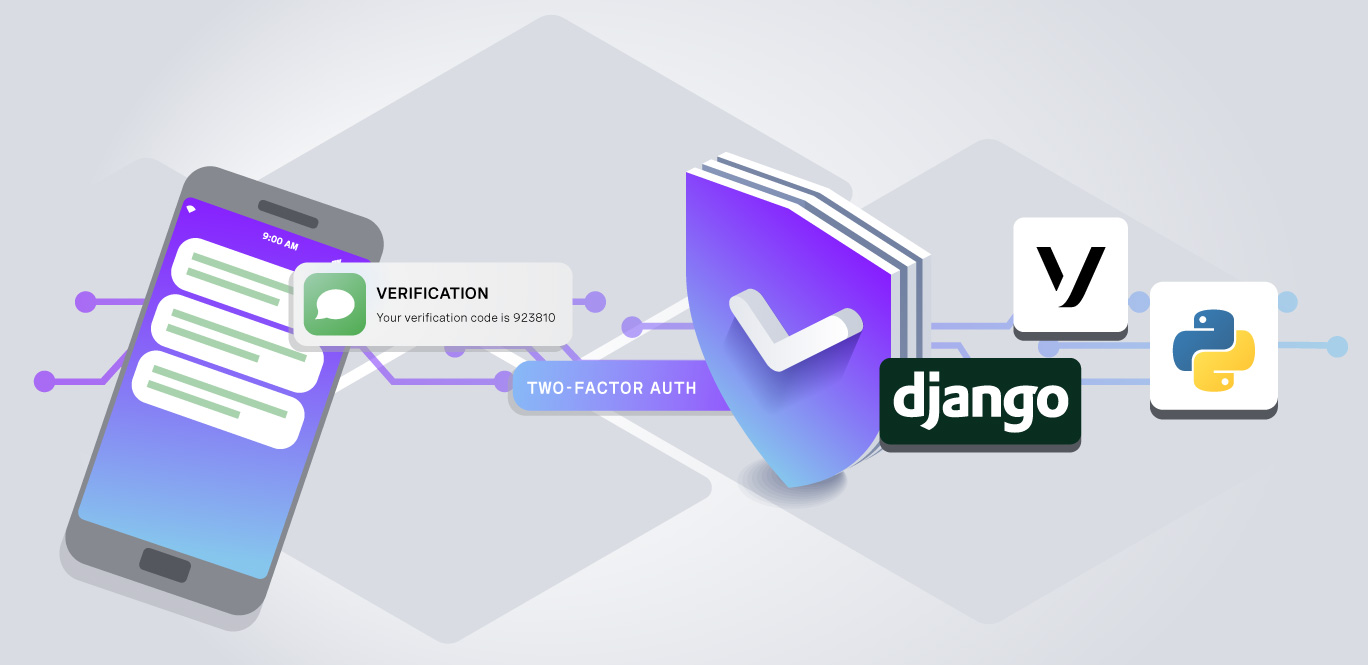
In this tutorial, we'll build this step-up authentication flow in Django using the Vonage Verify API. A successful verification will be stored on the current session for five minutes and consumed after one protected action. We'll also handle the main API failure cases and test the full flow without sending any real messages.
tl;dr: View the quickstart guide on the Vonage Community GitHub repository.
tl;dr: View the quickstart guide on the Vonage Community GitHub repository.
The Setlist code entry page showing a masked destination number and a wide monospaced input containing the digits 9 1 4 8 9 7.
Background
Step-Up Authentication vs Login 2FA
Login 2FA protects access to the account itself. Every new session requires the second factor, whether the user is opening a billing console or reading a help page. That's appropriate when most of the application is sensitive. Banking applications and administrative systems are the usual examples.
Step-up authentication takes a different approach. Normal activity uses the existing authenticated session, while specific high-risk actions require a recent second-factor check. This can be useful when only a small part of the application needs stronger protection. It also keeps the extra friction close to the action that justifies it.
Many systems use both approaches. Login 2FA can protect account access, while step-up authentication adds another check before especially sensitive operations. For this tutorial, we'll focus on the second part.
What You'll Build: A Django Ticket Transfer App
The sample application is called Setlist. It holds concert tickets. A user signs in, views their tickets, and can transfer a ticket to another user. The ticket transfer is the sensitive operation in this example because it moves something with resale value out of the account and cannot be undone by the sender.
Here is the full flow from the user's perspective:
- Ada signs in normally and browses her tickets—no extra verification needed.
Ada signs in normally and browses her tickets—no extra verification needed.
- Ada clicks Transfer on a ticket. Because this is a protected action, the application redirects her to the verification flow.
Ada clicks Transfer on a ticket. Because this is a protected action, the application redirects her to the verification flow.
- If Ada already has a confirmed phone number on file, Vonage sends a code to that number. If not, she enters one first.
If Ada already has a confirmed phone number on file, Vonage sends a code to that number. If not, she enters one first.
- Ada enters the six-digit code. Vonage confirms it is correct.
Ada enters the six-digit code. Vonage confirms it is correct.
- The application records the verification, rotates the session key, and completes the transfer—the ticket now appears in Grace's account.
The application records the verification, rotates the session key, and completes the transfer—the ticket now appears in Grace's account.
- If Ada tries to transfer another ticket immediately after, she must verify again. A single code cannot authorize multiple transfers.
If Ada tries to transfer another ticket immediately after, she must verify again. A single code cannot authorize multiple transfers.
Browsing tickets uses the normal authenticated session. Transferring one requires a verification code. The VerificationRequiredMixin enforces this rule: without a recent verification on the session, any attempt to reach the transfer view redirects straight to the verification flow.
The reusable part lives in a Django app called stepup. It doesn't contain any ticket-specific logic, so the same code can be applied to other protected actions later.
The Setlist my-tickets page listing four concert tickets, each showing venue, date, seat, order reference, and a face value between $62 and $145, with a Transfer button.
Setup
Prerequisites
You'll need:
- Python 3.12 or newer. The sample was built against Django 5.2.17 LTS and version 4.8 of the Vonage Python SDK.
Python 3.12 or newer. The sample was built against Django 5.2.17 LTS and version 4.8 of the Vonage Python SDK.
- A Vonage API account.
A Vonage API account.
- A phone that can receive SMS. While your account is in trial, messages can only be sent to numbers you've added as test numbers. Add your phone under Your numbers before testing the flow.
A phone that can receive SMS. While your account is in trial, messages can only be sent to numbers you've added as test numbers. Add your phone under Your numbers before testing the flow.
Set Up and Run the Django App
Clone the repository and create a virtual environment:
Install the dependencies:
Copy the example environment file:
Then add your Vonage credentials:
Create the database and load the demo data:
Start Django:
Open http://127.0.0.1:8000/ and sign in as ada with the password setlist-demo. There's also a second account, grace, which we'll use as the recipient when transferring tickets.
That's it! The app is ready to use!
What the Vonage Verify API Handles for You
Before getting into the Django code, it's worth separating the responsibilities of the application from the responsibilities of Vonage Verify.
If we implemented verification codes ourselves, we'd need to generate them, store them, expire them, enforce retry limits, compare submitted values safely, and decide what happens after too many incorrect attempts. Verify handles those pieces. The application starts a verification by sending a phone number to the API and receiving back a request ID. Later, it submits that request ID together with the code the user entered—Verify decides whether the code is valid and the whole request lifecycle is managed on Vonage's side.
As a result, this project doesn't need a codes table, an expiry column, or a cleanup task.
Verify can also handle channel fallback. Its workflow is an ordered list of delivery methods. If the first channel doesn't result in a completed verification within channel_timeout, Vonage can move on to the next one. A single SMS channel is enough for the sample. If you want fallback, you can add VoiceChannel(to=number) after it so the same verification can continue with a phone call if the SMS doesn't arrive.
Build the Step-Up Authentication Flow
Store the Verified Phone Number
Django's default user model doesn't have a phone-number field. For a new project, you might decide to add one to a custom user model. In an existing application, though, replacing the user model can be a much larger change than the authentication feature itself.
For this sample, the phone number lives in a one-to-one model inside the stepup app:
Use settings.AUTH_USER_MODEL here rather than importing django.contrib.auth.models.User directly. A direct User import works as long as the project keeps Django's default user model. Using the setting means this app continues to work if the project uses a custom model instead.
The distinction between number and confirmed_at is also useful. A number entered into a form isn't necessarily a verified number yet. In this application, an unconfirmed number stays in the session while the verification is in progress. The database is only updated after the user successfully submits the code that was sent to that number.
Store the Verification in the Django Session
The session is where the step-up state belongs. A first implementation might set this after a successful verification:
The problem is that the value would remain valid for the lifetime of the session unless something explicitly removed it. Django sessions commonly live much longer than the verification should. The default SESSION_COOKIE_AGE is two weeks.
For step-up authentication, we want to know not just whether a verification happened, but when it happened. The sample stores a timestamp:
The default Time-To-Live (TTL) in the sample is five minutes. That gives the user enough time to receive the message, enter the code, and finish the protected action without turning the verification into a long-lived permission.
Keeping this state on the session also matters when the same user is signed in on more than one device. If the user verifies on their laptop, their phone's session should not become verified automatically. Session-scoped state gives us that behavior without any additional device tracking.
Validate the next Redirect Parameter
The verification flow needs to send the user back to the page they originally requested. A common way to implement that is with a next parameter. The important detail is that next is user-controlled input.
This is unsafe:
An attacker could construct a URL such as:
The user would visit the real application, complete its real verification flow, and then be redirected to an attacker-controlled site.
Django provides url_has_allowed_host_and_scheme() for this case:
This function keeps redirects on the current host and also catches forms such as protocol-relative URLs like //evil.example. It's the same kind of check Django's login flow needs for its own next parameter.
Protect Django Views With a Verification Mixin
Next we need a guard that can be attached to sensitive views.
The mixin extends LoginRequiredMixin rather than replacing it. In Django, mixins are a way to compose reusable behaviors into class-based views—each mixin adds a focused piece of logic, and multiple mixins can be combined on a single view. That keeps two conditions separate here: an anonymous user needs to sign in, while an authenticated user with no recent step-up verification needs to complete the verification flow. Django already knows how to handle the first case, so this mixin only adds the second.
Protecting a view then becomes straightforward:
Views that don't need step-up authentication continue using LoginRequiredMixin. In Setlist, TicketListView and TicketDetailView remain ordinary authenticated views. The user can browse their tickets without having a phone available.
Integrate the Vonage Verify API in Django
Configure the Vonage Python Client
All Vonage-specific code lives in one module. The Django views call a small interface rather than knowing how SDK requests, errors, or response objects work.
Verify v2 supports JWT and Basic authentication. Passing an API key and secret selects Basic authentication, which keeps this sample limited to two environment variables. For production, application ID plus private key is the better default, and it's also required if you want asynchronous status callbacks.
Start a Verification
The first API call starts the verification:
There are two try blocks because the function has two different failure points. I ran into this while testing the invalid-number case. The Vonage SDK v4 request objects are Pydantic models, so something like:
can raise pydantic.ValidationError while the request object is being constructed. No HTTP request has happened at that point, so HttpRequestError will never see it. Keeping model validation and HTTP errors in separate blocks makes that distinction explicit and prevents malformed input from turning into an unexpected 500 response.
Check a Code
Submitting the code takes less work:
The SDK raises an exception for failed checks, so the application doesn't need to inspect a separate success flag.
Handle Vonage Verify API Errors
The main question for the UI isn't just which HTTP error occurred. We need to decide whether the user can keep working with the current verification request or whether that request is finished and they need to start again. The helper returns both a message and a restart flag:
A False value means the existing verification request is still usable. The user remains on the code form and can try again. A True value means the application should clear its pending state and return the user to the start of the verification flow.
The HTTP 410 case is particularly useful because Verify is enforcing the incorrect-attempt limit for us. We don't need to maintain a separate counter in Django.
Starting a verification has its own error mapping. For example:
A 401 or 403 indicates a problem with the application's Vonage credentials or permissions—see the Vonage API error reference for the full list of error codes. The full detail belongs in the server logs rather than in the message shown to the user.
A 409 is another case worth handling. It can happen when a verification is already in progress for the same number, such as when someone submits the start form twice.
Build the Verification Views in Django
The browser flow has two steps:
- Start a verification for a phone number.
Start a verification for a phone number.
- Submit the code received by that phone.
Submit the code received by that phone.
The Phone Number View
The first view handles the phone number and creates the Verify request.
There's an important security constraint in the first branch. Once a user has a confirmed phone number, this view does not allow them to supply a different one. Otherwise, an attacker who has the user's password could sign in, enter their own phone number, and complete the second factor themselves. Changing a confirmed number needs to be a separate account-management flow, ideally protected by verification against the existing number.
For a new number, the application also doesn't write anything to VerifiedPhone yet. The submitted value remains in the session until the code sent to that number has been verified.
The Code Entry View
The second view checks the code:
The call to cycle_key() deserves some attention. Django rotates the session key during login to protect against session fixation. If an attacker managed to establish a known session ID before authentication, the old ID becomes useless after the user signs in. A successful second-factor verification is another authentication boundary, so the sample rotates the session key there as well.
Polish and Pitfalls
Improve One-Time Code Entry on Mobile
The verification form also gives the browser a couple of useful hints:
inputmode="numeric" encourages mobile browsers to show a numeric keyboard. autocomplete="one-time-code" lets supported mobile platforms offer the incoming SMS code directly from the notification. It's a small addition that removes the most tedious part of the verification step.
Two Django Gotchas to Avoid
While building the sample, two issues came from Django itself rather than the Verify API. Neither is complicated once you know what's happening, but both are straightforward to miss.
Normalize the Phone Number Before Field Validation
People often type numbers with spaces or a leading plus sign:
That's fine input for a form even though the value we eventually send to Vonage should be digits only. My first instinct was to normalize it in clean_number(). The problem is that Django runs field validators before the form's clean_<field> method. That means the E.164 regex sees the original value, including the + and spaces, and rejects it with the validator message ("Enter your number in international format, digits only") before clean_number() gets a chance to modify anything.
A custom field's to_python() method runs earlier:
By the time the validators run, they receive the normalized representation.
Don't Load Protected Objects in dispatch()
The first version of the ticket transfer view loaded the ticket in dispatch():
This behaves incorrectly for anonymous requests. For an anonymous user, request.user.pk is None. The ticket lookup fails and returns a 404 before LoginRequiredMixin, which also works through dispatch(), gets an opportunity to redirect the user to the login page.
A better approach is to let the access mixins handle dispatch() and load the object later:
The view can then use self.ticket from get() and post() after authentication has already been checked.
Consume the Verification After the Transfer
A recent verification gets the user into the ticket-transfer view, but there's one more policy decision to make. Should that verification authorize every sensitive action performed during the five-minute TTL, or only the action the user originally intended to perform?
For this sample, one verification authorizes one transfer. The transfer itself happens in a database transaction:
Once the transfer succeeds, the step-up state is removed from the session. If the user wants to transfer another ticket, they'll complete the verification flow again. That is stricter than relying only on the five-minute TTL, but it matches the policy we're implementing: the code approved one high-risk operation.
The Transfer record also stores the Verify request ID associated with the action. That gives the application an audit trail connecting the transfer to a particular verification request. If the transfer is disputed later, the record contains more useful evidence than a bare boolean saying the session happened to be verified at the time.
Authentication can help secure important actions for your users, like transferring tickets.
Testing Without Sending an SMS
The project has 47 tests. None of them touch the network, need credentials, or send a message.
That works because Vonage HTTP exceptions wrap a requests.Response. A test can build one by hand and pass it to the same exception class the SDK would have raised:
Inject this http_error() factory into start_verification() or check_code() and every branch of the error mapping becomes a three-line test: wrong code, expired request, too many attempts, rate limit, concurrent request, and bad credentials. The repository also has the tests that assert the security policies themselves, including that a confirmed user cannot redirect codes to a new number.
Run the complete suite with:
Next Steps
The stepup app is intentionally small and self-contained. To use the same pattern elsewhere, add VerificationRequiredMixin to the views that need stronger authentication. That could include password changes, adding a payout method, deleting an account, rotating an API key, or revealing a secret.
It's worth including sensitive reads in that review as well. Displaying an API key or recovery credential can be just as consequential as modifying one.
There are a few things this sample deliberately leaves out. The first is account recovery. As written, losing access to the confirmed phone also means losing the ability to transfer tickets. A real application would usually need backup codes, a support-assisted recovery process, or another recovery factor.
The second is changing the confirmed phone number. That should be a dedicated flow, normally protected by verification against the existing number.
The application should also add its own endpoint rate limits. Verify protects the API side of the verification process, but that doesn't stop someone from repeatedly submitting requests to your Django endpoint.
Finally, Verify supports Silent Authentication. Silent Authentication can verify a phone number through the carrier without requiring the user to type a code, with SMS available as a fallback when silent verification isn't possible. The overall application flow remains similar, but the user interaction can be smoother.
The complete source is available on .
In Summary
This tutorial built a step-up authentication flow in Django from scratch. Here's what the finished implementation covers:
- The Vonage Verify API handles code generation, delivery, expiry, retry limits, and attempt enforcement. The application only needs to start a verification request and later check the submitted code.
The Vonage Verify API handles code generation, delivery, expiry, retry limits, and attempt enforcement. The application only needs to start a verification request and later check the submitted code.
- VerificationRequiredMixin makes protecting any class-based view a one-liner. It chains onto LoginRequiredMixin so anonymous users are redirected to login, and authenticated-but-unverified users are redirected to the verification flow.
VerificationRequiredMixin makes protecting any class-based view a one-liner. It chains onto LoginRequiredMixin so anonymous users are redirected to login, and authenticated-but-unverified users are redirected to the verification flow.
- Session-based state with a short TTL keeps the verification scoped to a single device and a five-minute window. No cross-device leakage, no long-lived permission.
Session-based state with a short TTL keeps the verification scoped to a single device and a five-minute window. No cross-device leakage, no long-lived permission.
- One verification, one action. Consuming the step-up state after the transfer means a single code can't silently authorize every ticket in the account.
One verification, one action. Consuming the step-up state after the transfer means a single code can't silently authorize every ticket in the account.
- Safe redirects, session rotation, and phone-number locking close the most common implementation gaps: open redirect attacks, session fixation, and credential redirection.
Safe redirects, session rotation, and phone-number locking close the most common implementation gaps: open redirect attacks, session fixation, and credential redirection.
- 47 tests, zero real SMS messages. The http_error() factory lets every error branch be tested by injecting a fake HTTP exception, keeping the suite fast and credential-free.
47 tests, zero real SMS messages. The http_error() factory lets every error branch be tested by injecting a fake HTTP exception, keeping the suite fast and credential-free.