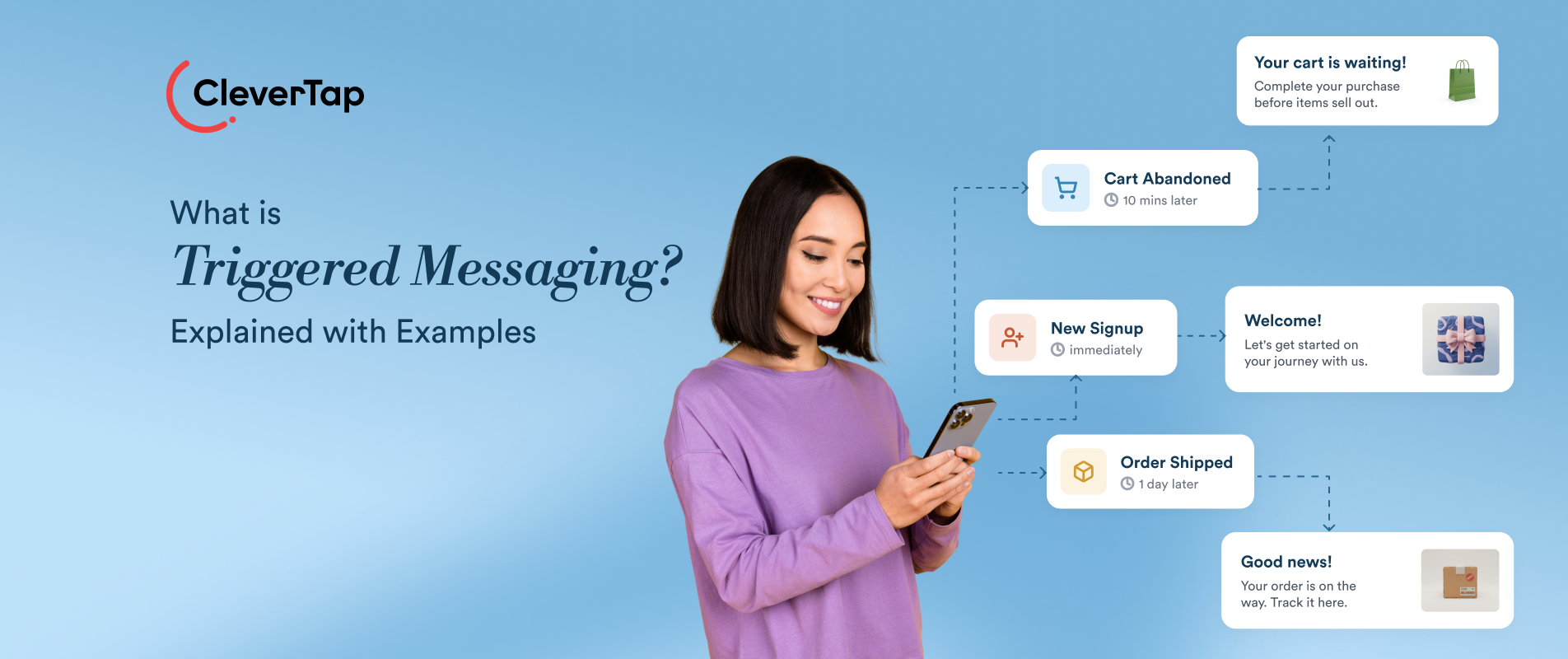
Triggered messaging is a core customer engagement approach that helps brands deliver relevant communications based on customer behavior, lifecycle changes, and contextual events. Unlike fixed campaign schedules, triggered messaging responds to real-time customer behavior and lifecycle events, creating timely opportunities to engage users when a message is most relevant.
A customer who abandons a cart, completes a purchase, or becomes inactive, for example, can receive a communication tailored to that specific action. This approach helps marketers move beyond one-size-fits-all campaigns and create more contextual customer experiences.
In this guide, we’ll explore what triggered messaging is, how it works, common triggers and channels, practical examples, best practices, key metrics, and how an all-in-one engagement platform like CleverTap enables real-time triggered campaigns.
Triggered messaging is a marketing automation approach that delivers personalized communications in response to a customer’s actions, behaviors, lifecycle changes or real-time events. Instead of sending messages according to a predetermined schedule, marketers define triggers that automatically initiate communication when a specific condition is met. For example, a customer might receive a welcome email after creating an account, a cart reminder after abandoning a purchase or a re-engagement message after becoming inactive.
Because triggered messages are tied to individual customer context, they can reach people when the information is most relevant. This timely, personalized approach can create more useful customer experiences while helping marketers improve engagement, conversions and retention.
Triggered Messaging vs. Scheduled Campaigns
Triggered messaging and scheduled campaigns differ primarily in what initiates the communication and when it is delivered.
Triggered messaging does not replace scheduled campaigns. Marketers often use both as part of the same engagement strategy. Scheduled campaigns are useful for planned communications that need to reach a wider audience, while triggered messages respond to individual customer behavior or context as it occurs.
Triggered Messaging vs. Transactional Messaging
Both triggered and transactional messages can be initiated by customer events, but their purposes differ. Transactional messaging primarily delivers essential, expected information, such as order confirmations, shipping updates or password resets. Triggered marketing messages are designed to encourage engagement or action, such as recommending a related product after a purchase or reminding a customer about an abandoned cart.
The key distinction is therefore one of purpose rather than automation. Transactional messages can also be triggered by customer events, but their primary purpose is to deliver necessary information or complete a requested interaction. Triggered marketing messages use similar event-driven logic to encourage engagement, conversion, retention, or another marketing outcome.
Why Triggered Messaging Matters
Triggered messaging allows marketers to respond to customer intent instead of relying only on campaign calendars. Because each message is tied to a relevant action, lifecycle stage, or customer condition, communication can arrive closer to the moment when a customer is likely to find it useful.
This can help marketers:
- Increase relevance: Connect messages to what customers have recently done or may need next.
- Respond faster to customer intent: Engage customers around moments such as signup, abandonment, purchase, inactivity, or renewal.
- Scale lifecycle engagement: Automate recurring interactions across onboarding, conversion, retention, and loyalty journeys.
- Improve personalization: Combine the trigger with profile, behavioral, transactional, and preference data.
- Optimize customer journeys: Use subsequent customer actions to determine what communication should happen next.
The value of triggered messaging therefore comes not simply from automation, but from using customer context to determine when communication should happen and what the next interaction should be.
How Triggered Messaging Works
Triggered messaging follows an event-driven workflow that turns customer behavior into timely, personalized communication. The process starts when a qualifying event or condition occurs, evaluates whether predefined criteria are met, and uses the resulting customer context to determine what message to send. The customer’s response then becomes another data point, allowing the journey to adapt over time.
A Triggering Event or Condition Occurs
The process begins when a qualifying event or condition occurs. This could be a customer action such as signing up, viewing a product, or completing a purchase; an inaction such as not returning to the app for a defined period; a lifecycle milestone; or a contextual event such as a price drop or upcoming renewal. The engagement platform captures or evaluates this signal along with the relevant customer data.
Trigger Conditions Are Evaluated
The platform evaluates the event against predefined trigger conditions. These rules can be simple, such as sending a welcome message after signup, or more complex, such as sending a cart reminder when a customer adds an item but does not purchase within 30 minutes. When the conditions are met, the trigger activates.
A triggered workflow can combine an initiating event with additional conditions, exclusions, and time windows. For example, “Added to Cart” may start the evaluation, while “Did Not Purchase Within 30 Minutes” determines whether the customer ultimately receives the reminder.
Audience and Context Are Determined
Once a trigger fires, the platform identifies the customer and gathers relevant context. Profile attributes, past behavior, preferences, and event data can determine which message the customer receives. For example, an abandoned-cart message can include the specific products the customer left behind.
Personalized Message Is Delivered
The platform delivers the message through the appropriate channel, such as email, push notifications, SMS, or in-app messaging. Content, timing and personalization can be tailored to the customer and the triggering event, making the communication more relevant to their immediate needs.
Customer Response Shapes Future Engagement
Triggered messaging does not end when a message is delivered. The customer’s next action, whether they open, click, purchase, ignore, or dismiss the message, can become another event that influences the next step. For example, a purchase can automatically remove a customer from an abandoned-cart journey, while a click without conversion can trigger further nurturing. This feedback loop makes triggered messaging adaptive rather than a one-time automation.
What Can Trigger a Message?
A triggered message can be initiated by almost any meaningful change in a customer’s behavior, lifecycle stage, or context. The right trigger depends on what the customer has done, what they may need next, and the business objective behind the communication. Common triggers include:
Customer Actions and Behaviors
Actions such as viewing a product, clicking a link, searching for an item, or adding something to a cart can trigger messages. These triggers typically support engagement and conversion by responding to demonstrated interest. A browse reminder may help a customer return to a product, while an abandoned-cart message can encourage them to complete a purchase.
Onboarding and Lifecycle Milestones
Signups, first app launches, completed onboarding steps, and customer anniversaries can trigger communication. These triggers support activation, education and retention. A welcome message may introduce key features, while a milestone message can encourage customers to reach the next stage of their journey.
Transactional Events
Purchases, payments, upgrades, cancellations and renewals can initiate messages. While some communications are transactional, these events can also support retention and cross-sell opportunities. For example, a purchase confirmation serves a functional purpose, while a follow-up recommendation can encourage another purchase.
Customer Inactivity
A defined period without meaningful engagement can trigger a re-engagement message. These triggers support retention and win-back efforts by identifying customers who may be losing interest. The message might offer helpful content, highlight relevant features or provide an incentive to return.
Loyalty and Rewards
Earning points, reaching a new tier or approaching reward expiration can trigger communication. These triggers support loyalty and repeat engagement. A points-earned notification may reinforce positive behavior, while an expiration reminder can encourage redemption.
Predictive and Intent Signals
Predicted churn risk, purchase intent or repeated behaviors can also serve as triggers. These signals support proactive engagement by allowing marketers to respond before a customer takes the next action. For example, a high-churn-risk customer might receive content designed to encourage continued product use.
Contextual and External Events
Changes in a customer’s environment or external conditions can also trigger communication. Examples include price drops, back-in-stock events, location changes, appointment updates, or other contextual signals relevant to the customer’s current situation. These triggers help brands respond to moments that may influence a customer’s next action.
Which Channels Support Triggered Messaging?
The same customer event can trigger communication across different channels. The right delivery channel depends on the customer’s context, urgency, preferences and the complexity of the message.
Push Notifications
Push notifications are useful for timely, concise messages that require attention. They work well for cart reminders, delivery updates, time-sensitive offers and activity alerts.
Email is appropriate when a triggered message needs more detail, richer content or a longer-lasting reference. Common uses include welcome messages, purchase follow-ups, usage summaries and renewal reminders.
SMS
SMS works well for urgent or highly time-sensitive communication. Marketers can use it for appointment reminders, delivery updates, payment reminders, expiring offers, and other messages where immediate visibility matters.
In-App Messages
In-app messages reach customers while they are actively using an app or website. They are useful for contextual prompts, onboarding guidance, feature education and recommendations tied to the customer’s current activity.
WhatsApp can support triggered communication when customers have opted in to receive messages through the platform. It is particularly useful for conversational updates, reminders, confirmations and customer support interactions.
Web Push
Web push notifications can re-engage opted-in website visitors even when they are not currently browsing. Common triggers include price drops, back-in-stock alerts, content updates, and abandoned-cart reminders.
The trigger determines when communication should happen; the channel determines how the message reaches the customer. Using the appropriate channel helps marketers deliver triggered messages in a way that fits the customer and the situation.
Triggered Messaging Examples
Triggered messaging can support different customer engagement goals, from onboarding and conversion to retention and loyalty. The examples below illustrate how different triggers, channels, customer contexts, and desired actions can come together in a triggered messaging strategy.
1. Welcome Onboarding Message
Trigger: New account signup or app installationObjective: Introduce the product and encourage the first meaningful action.Channel: Email or in-app messageExpected action: Complete onboarding, explore a feature, or make a first purchase.Example: A new user on Duolingo receives a welcome email immediately after signup, followed by an in-app walkthrough when they return.
2. Abandoned Cart Reminder
Trigger: Items added to cart without purchaseObjective: Recover an interrupted purchase.Channel: Email, push, or SMSExpected action: Return to the cart and complete checkout.Example: Nike sends an abandoned-cart email with the subject line “Good stuff is in your cart…”, reminding customers about the products they left behind and giving them a direct path back to complete their purchase.
3. Browse Abandonment Message
Trigger: Product or category viewed without adding to cartObjective: Re-engage a customer who has shown interest but has not moved toward purchase.Channel: Email, push, or web pushExpected action: Return to the product page or continue browsing.Example: Chewy uses a browse-abandonment email with the subject line “Your browsed items are order-ready” to bring previously viewed products back to the customer’s attention. By reconnecting the message to products the customer has already explored, the email creates a relevant reason to return and continue shopping.
4. Price Drop Notification
Trigger: Price decreases on a viewed, saved, or wishlisted productObjective: Re-engage high-intent shoppers when the purchase becomes more attractive.Channel: Push, SMS or emailExpected action: Visit the product page and purchase.Example: Nykaa sends SMS with price drop details of products in a user’s wishlist, and also shares a link for them to move the product from the wishlist to the checkout cart.
5. Back-in-Stock Alert
Trigger: A previously unavailable product becomes availableObjective: Recapture purchase intent from customers who had shown interest in the product.Channel: Push or emailExpected action: Return and purchase before inventory runs out.Example: lululemon’s email uses a direct, product-focused message to let customers know that an item they may have been waiting for is available again. A stock update can become a timely engagement opportunity when the message is tied to demonstrated product interest.
6. Purchase Confirmation
Trigger: Purchase or booking completedObjective: Confirm the transaction and provide essential next steps.Channel: Email, SMS, or pushExpected action: Review order details, track delivery, or continue engaging with the brand.Example: Myntra sends a purchase confirmation email immediately after an order is placed. The email confirms that the order has been received, provides the expected delivery timeline, and includes a “View Order Details” CTA. It also uses the post-purchase moment to invite the customer to share their experience.
7. Replenishment Reminder
Trigger: Predicted or typical repurchase window approachesObjective: Encourage repeat purchases before the customer runs out.Channel: Email or pushExpected action: Reorder the product.Example: FilterBuy’s message for purchasing replacement filters demonstrates how brands can use a replenishment reminder to prompt customers to replace products they regularly need.
8. Subscription Renewal Reminder
Trigger: Subscription approaches its renewal or expiration dateObjective: Reduce avoidable churn and encourage renewal.Channel: Email, push, or SMSExpected action: Renew, update payment details, or change the plan.Example: This push notification alerts the customer that their subscription will renew on Dec. 28 for $59.99. It provides two clear next steps, “Update Payment Info” and “Manage Subscription”, helping the customer avoid an interrupted service while giving them control over their subscription.
9. Win-Back Message
Trigger: Customer remains inactive for a defined periodObjective: Re-engage the customer by highlighting a relevant product or feature based on their interests.Channel: Email or pushExpected action: Reopen the app, revisit the site, or make another purchase.Example: Belgian Boys uses a “We miss you” email to re-engage customers who have stopped interacting with the brand. The email acknowledges the period of inactivity, brings the brand’s products back into view, and gives recipients a clear opportunity to continue engaging rather than lapse completely.
10. Loyalty Reward Notification
Trigger: Points earned, tier reached, or reward becomes availableObjective: Reinforce loyalty behavior and encourage redemption.Channel: In-app message, email, or pushExpected action: Redeem rewards or continue engaging to earn more.Example: Rapido uses personalized push notifications such as “₹100 OFF” to give frequent customers an incentive to keep using its services. For a regular Rapido user, an offer on food delivery or rides can feel like a loyalty benefit because it recognizes their ongoing relationship with the brand and gives them an additional reason to return to the app.
Best Practices for Triggered Messaging
Effective triggered messaging requires more than setting up automated workflows. Marketers need to build triggers around meaningful customer behavior, use relevant context, and continuously refine journeys based on customer responses. These practices can improve message relevance, customer experience, and campaign effectiveness.
1. Trigger Messages Around Meaningful Customer Events
Choose triggers that reflect genuine customer needs or important lifecycle moments, such as a purchase, cart abandonment, signup, or subscription renewal. Define clear conditions for when a message should fire and when it should not. This keeps automation tied to meaningful behavior rather than creating unnecessary interruptions.
2. Personalize Using Customer Context
Combine the triggering event with relevant customer data, such as preferences, purchase history, loyalty status, or past interactions. For example, an abandoned-cart message can show the products a customer left behind.
Also define suppression and exit conditions so customers stop receiving messages once they have completed the intended action. A customer who completes their purchase, for example, should automatically exit the abandoned-cart journey.
3. Coordinate Messages Across Channels
Design triggered journeys across relevant channels rather than treating each message independently. If a customer does not engage with an email, a follow-up push notification may be appropriate. Use customer actions to determine the next step and avoid sending the same message across multiple channels simultaneously.
4. Avoid Trigger Fatigue
Set frequency caps, suppression rules, and delivery windows to control message volume. When several triggers can fire for the same customer, prioritize the most relevant one or combine similar events. This reduces interruptions and helps keep automated communication useful.
5. Continuously Test and Optimize
Test different message content, timing, delays, audiences and channels to identify what drives the desired action. Review performance regularly and adjust trigger conditions when customer behavior changes. Testing helps marketers improve the effectiveness of high-volume automated journeys over time.
6. Measure Customer Outcomes, Not Just Message Engagement
Look beyond opens and clicks to measure conversions, time to action, repeat purchases, retention, and incremental lift. Connect each trigger to a specific business objective and evaluate whether it changes customer behavior. This helps marketers identify which automations create meaningful value and which need refinement.
How to Measure Triggered Messaging Performance
Triggered messaging should be evaluated by what customers do after receiving a message and the business outcomes that follow. Opens and clicks provide useful diagnostic signals, but conversion, retention, and revenue reveal whether a trigger is actually making an impact.
1. Delivery and Engagement
Start by measuring whether messages reach customers and generate engagement. Track delivery rate, open rate and click-through rate by channel.
Click-through rate (CTR) = (Clicks ÷ Delivered messages) × 100
2. Conversion Rate
Measure how many recipients complete the desired action, such as purchasing or signing up.
Conversion rate = (Conversions ÷ Delivered messages) × 100
Compare this with a relevant baseline or control group to understand whether the trigger influenced behavior.
3. Time to Action
Track the time between message delivery and the desired customer action. Faster responses can indicate that the message reached the customer at an appropriate moment.
Average time to action = Total time from message to conversion ÷ Number of conversions
4. Retention and Repeat Activity
For lifecycle and re-engagement triggers, monitor changes in retention, repeat purchases, subscription renewals, or other ongoing behaviors. Compare cohorts exposed to the trigger with an appropriate control group where possible.
5. Incremental Revenue
Measure how much additional revenue the triggered campaign generates compared with what would likely have occurred without the message.
Incremental revenue = Revenue from exposed group − Revenue from comparable control group
Where possible, use a control group to distinguish incremental impact from revenue that customers may have generated anyway. If a randomized control group is not available, use an appropriate baseline cautiously and avoid treating all attributed revenue as incremental.
Deliver Real-Time Triggered Messaging With CleverTap
CleverTap is an all-in-one customer engagement platform that helps marketers detect meaningful customer behavior, understand it in the context of each customer profile, and use those signals to trigger personalized engagement across channels. Instead of managing event data, segmentation, journey orchestration, and messaging separately, marketers can connect these capabilities within the same customer engagement workflow.
For triggered messaging, this means marketers can identify when a customer qualifies for an interaction, determine the appropriate journey or message, deliver it across relevant channels, and measure what the customer does next.
- Real-time event tracking and unified customer profiles: Capture customer interactions such as app launches, product views, and purchases as they happen. Unified profiles combine behavioral, demographic, and preference data to provide the context needed for timely, relevant communication.
- Real-time behavioral and lifecycle segmentation: Create Live User Segments that qualify customers as relevant behavior occurs. Marketers can trigger engagement based on actions, inaction within a defined time frame, date or time properties, and web behaviors such as page visits, helping campaigns respond to customer context as it changes.
- Event and inactivity triggers: Trigger journeys when customers perform specific actions or reach defined periods of inactivity. This can support use cases such as cart abandonment, onboarding, re-engagement, and subscription reminders.
- Omnichannel journeys: Orchestrate triggered engagement across push notifications, in-app messages, email, SMS, and WhatsApp from a single journey. Conditional paths and branching allow the next message to change based on how each customer responds.
- AI-powered channel selection with CleverAI™: Use IntelliChannel to identify the communication channel each customer engages with most based on their recent interactions across Push, Email, SMS, and WhatsApp. Within triggered journeys, marketers can use this signal to route customers through the channel they are more likely to engage with, helping make each triggered interaction more relevant while reducing unnecessary cross-channel messaging.
- Personalization: Use customer profile and event data to tailor content, recommendations and offers to individual users, making each triggered interaction more relevant to their current context.
- Experimentation with IntelliNODE: Test different journey paths, messages, channels, timing, and offers within the same journey. IntelliNODE can compare multiple journey variations against a defined conversion goal and, in automated mode, progressively direct more qualifying customers toward better-performing paths.