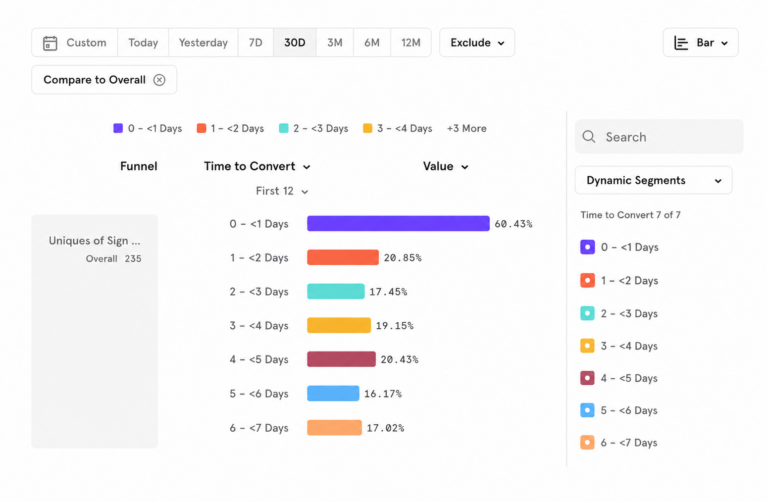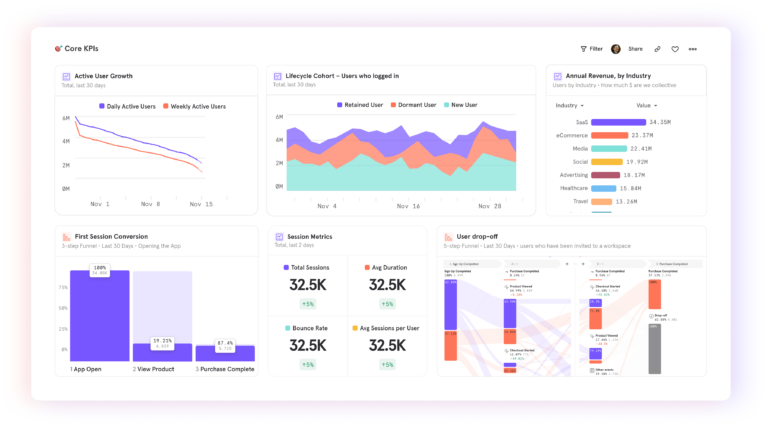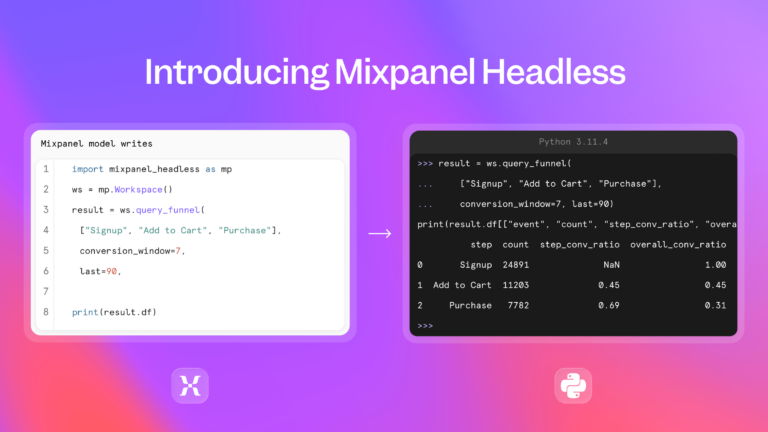
When you can query customer behavior from the same place you write code, the time between "something dropped" and "here's what to fix" shrinks dramatically. Mixpanel's Model Context Protocol (MCP) server brings behavioral data and business context into Cursor, so you can investigate how customers move through your product alongside the code that shapes their experience—then measure what changes after you ship.
Let's put that product intelligence to work with a checkout example. We'll follow a conversion drop from the initial analysis through a proposed fix and a follow-up comparison, keeping the investigation in Cursor.
Before you start
To connect Cursor to your Mixpanel project, you need
- The relevant product events tracked in your Mixpanel project
- An enabled and authenticated MCP connection
- Permission for Cursor to access the project in Mixpanel
- Your application’s code available in Cursor
How it works
Investigate, improve, and measure—without leaving Cursor
Three stages for using Mixpanel's MCP server to move from a behavioral signal to a shipped fix.
Stage 1
Investigate
Identify where customers drop off
What you do
Query behavioral data and business context in Mixpanel from Cursor. Define the journey, confirm the events, and look at the funnel.
What you're looking for
Where in the sequence does conversion fall—and on which device, browser, or segment?
Stage 2
Improve
Turn the evidence into a testable change
What you do
Ask Cursor to inspect the relevant code using the Mixpanel findings. Propose a focused change and review it before implementing.
What you're looking for
A plausible explanation supported by the data—and a change that doesn’t break existing validation or tracking.
Stage 3
Measure
Confirm what changed after release
What you do
Once users have had a full conversion window, query Mixpanel again. Compare the same funnel and segments before and after the fix.
What you're looking for
Did the target step improve? Did that carry through to overall conversion? Either result gives you a more specific question to explore next.
Find where customers drop off
Start by defining the journey you're investigating. For this example, we'll follow the standard shipping checkout: checkout started, shipping details accepted, payment step viewed, and purchase completed. We'll measure the percentage of users who complete that sequence within an agreed conversion window, following the same user across each step.
Ask Cursor to review the available events alongside any definitions your team has documented in Mixpanel's business context. Agree on the conversion window and which customers belong in the analysis, keeping alternative paths such as express checkout separate. Confirm that the events represent the steps you intend to measure.
Once you're connected, ask Cursor to compare checkout behavior before and after the update. Give every user the full conversion window, and look at the breakdowns that could help narrow the problem:
Prompt—Stage 1: Investigate
Use Mixpanel’s MCP server to review checkout events and business context in [project]. Confirm the events for checkout started → shipping details accepted → payment step viewed → purchase completed, and eligibility for this path. Compare users who started checkout during [before-update dates] and [after-update dates], using the same-user sequence and [conversion window]. Include only users with a full window of follow-up. Show user counts, step conversion, and overall checkout conversion. Break down by device, browser, and release exposure where tracked. Show the event names and filters, and flag missing information.
How to use this prompt
Suppose the funnel analysis shows a larger drop between starting checkout and successfully submitting shipping details on mobile. That gives the team a specific place to look: the shipping form, on the devices where conversion has fallen.
Turn the evidence into a change you can test
Because those behavioral insights are already available in Cursor, you can take that question straight to the checkout code in your repository:
Prompt—Stage 2: Improve
Inspect the shipping form in this repository using the Mixpanel findings above. Identify plausible explanations for the mobile drop-off, separating evidence from hypotheses. Propose a focused change, preserve existing validation rules and analytics event meanings, and explain how to reproduce and test the issue. Present the proposal for review before editing.
How to use this prompt
Suppose inspecting and testing the form reveals that a required-field error appears outside the visible area on smaller screens. A customer taps Continue and seems to hit a dead end, even though the form is waiting for one correction. That's a plausible explanation—one worth checking against the funnel findings and any supporting evidence.
If the evidence makes that explanation worth testing, show the error beside the relevant field, bring it into view, and preserve the shipping details already entered.
Tip from the team
Keep the tracking honest
Shipping details should count as accepted only when validation succeeds, and a completed-purchase event should still represent a confirmed purchase. An event name that drifts from its meaning quietly corrupts the data you’ll use to evaluate the fix.
Once you've reviewed the proposal, have Cursor implement it and run the relevant tests, including mobile layouts, error correction, retained field values, keyboard navigation, and event tracking. Review the diff and test results before releasing through your team's normal process. Record what you expect to improve: progression past the shipping form and overall mobile checkout conversion.
Measure what happens next
After releasing the fix, keep the investigation going in Cursor. Once customers have had the full conversion window, ask it to query Mixpanel again. You want to understand whether more mobile users get past the shipping form and whether that progress carries through to completed purchases.
Someone who started checkout a minute ago hasn't had the same chance to finish as someone who started earlier. Allow both groups their full conversion window. Keep the event definitions and eligibility criteria consistent, and compare the same checkout path and device segments.
Prompt—Stage 3: Measure
Use Mixpanel’s MCP server to compare the same mobile checkout funnel in [project] for checkout-entry periods [before-fix dates] and [after-fix dates]. Keep the agreed events, eligibility criteria, and [conversion window]. Include only users with a full window of follow-up. Show user counts, conversion past the shipping step, and overall checkout conversion. Use exposure to the fix where tracked. Flag differences in browser mix, tracking, or exposure that limit the comparison, and distinguish observations from possible explanations.
How to use this prompt
As you read the comparison, check whether the customer mix or tracking changed, or whether users in the earlier group encountered the fix during their follow-up. Those details affect how much you can conclude. A before-and-after comparison can guide your next move, but it doesn't establish that the release caused a change.
If shipping-step conversion improves but purchase conversion doesn't, the next question concerns what happens later in checkout. If neither improves, revisit the original hypothesis. Either result gives you a more specific question to explore with Mixpanel in Cursor.
The investigation doesn't end with a release. Every fix surfaces a new question, and with Mixpanel in Cursor, you can keep asking them without switching context. The checkout example here works the same way for a subscription upgrade, a booking flow, or any path where users are trying to finish something that matters.
Build better products.
Sr. Tech Partner Manager @ Mixpanel