Table of Contents
- 11 key features of a customer onboarding LMS
- The best customer onboarding software (2026)
- 1. LearnWorlds – Best for comprehensive customer onboarding
- 2. Docebo – Ideal for enterprise-level onboarding
- 3. Skilljar – Best for seamless Salesforce integration
- 4. Userpilot – Perfect for in-app training and onboarding
- 5. Whatfix – Best for step-by-step guidance
- 6. Pendo – Best for product experience and onboarding
- 7. Acadle – Cost-effective LMS solution
- 8. Appcues – Best for product tours and onboarding
- Which is the best customer onboarding solution for you?
- FAQs
Every new customer needs the same first lessons on how to set up, what to do first, and where to get help. If your team teaches those lessons one call at a time, onboarding stops scaling as soon as sales outpaces your calendar.
A customer onboarding LMS turns those calls into training customers take on their own schedule, in a branded academy, with progress you can track. For customer success and customer education teams, that means fewer repeat calls and a clear view of which accounts are ready and which are stuck.
This guide compares eight customer onboarding software options for 2026. Four are LMSs that run full training programs (LearnWorlds, Docebo, Skilljar, and Acadle), and four are in-app guidance tools that walk users through your product (Userpilot, Whatfix, Pendo, and Appcues). For each one, you’ll see what it does best, where it falls short, and its starting price, so you can work out which type your onboarding needs before you compare features. Looking for employee onboarding instead? See our guide to employee training software.
11 key features of a customer onboarding LMS
One of the secrets to effective onboarding is using the right client onboarding software. But what does the right software look like?
While the best fit might vary depending on your company size and the different needs of customer success teams, the following 11 features make an LMS stand out in enhancing the customer onboarding experience.
From ease of use and customization to advanced analytics and automation, these features will help you deliver engaging, efficient, and scalable training that drives customer success, customer satisfaction, and customer loyalty.
💡Check out the best customer onboarding tools for sales teams.
Don’t forget, whether a customer onboarding software has or doesn’t have a feature will have a direct impact on your onboarding effectiveness, but also on how you will end up managing customer engagement, with a direct effect on your entire customer journey.
When your task is to evaluate the best customer onboarding tools, make sure you check the following essential features and capabilities.
1. How does ease of use help customer onboarding?
A customer-facing LMS should be user-friendly and prioritize an intuitive interface that enables learners to navigate training materials with ease. A straightforward design improves engagement by making content easy to find and understand. This ensures customers feel confident and comfortable during their onboarding experience and reach time to value faster.
Imagine a new user logging in for the first time and quickly navigating through key training modules in minutes. That’s what a user-friendly LMS enables, fostering confidence from day one.
2. How does LMS customization support customer training?
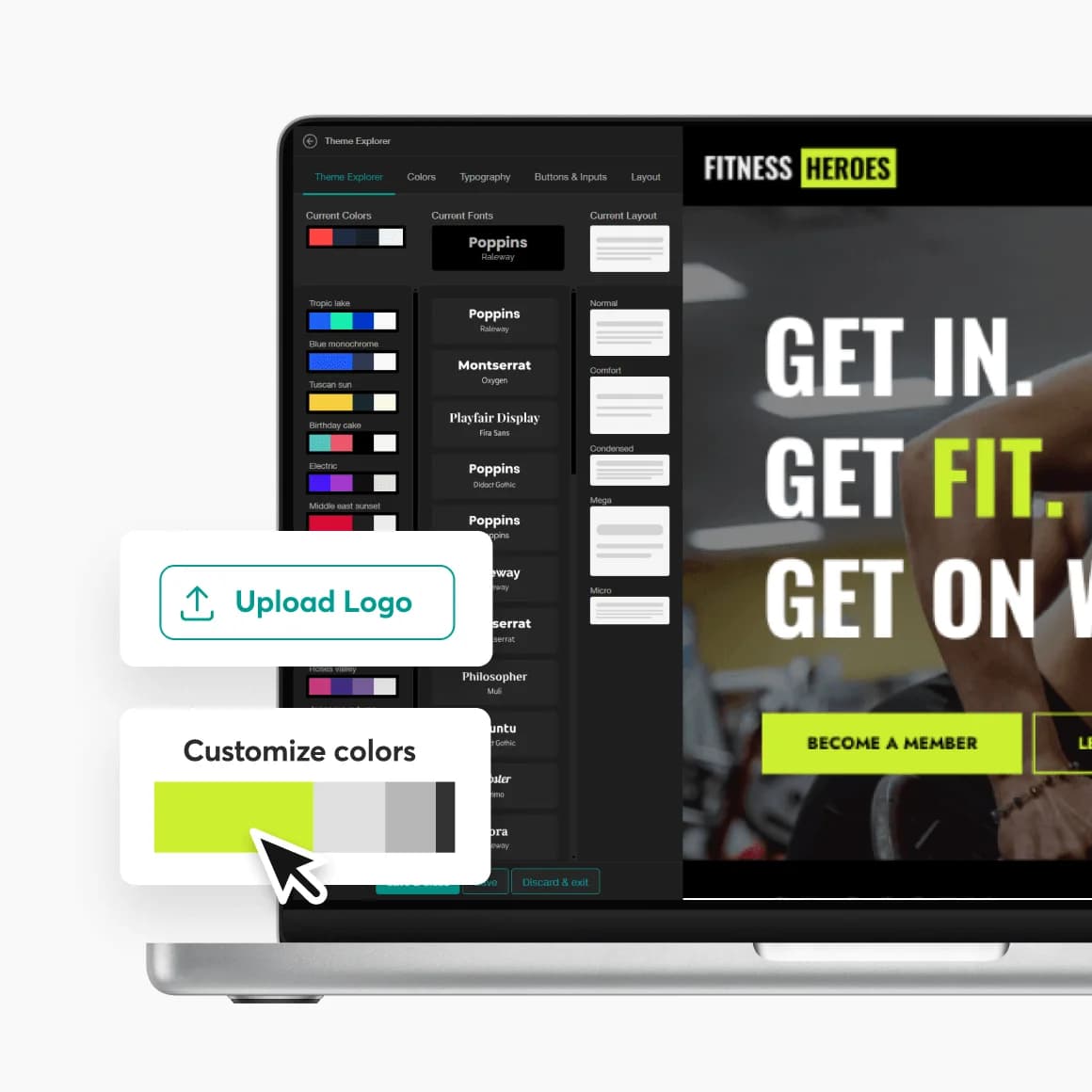
An effective LMS for customer training should offer robust customization and branding options. You should be able to tailor courses, templates, and materials to reflect your brand identity and align with your products or services. This customization enhances brand consistency and makes training content more relatable and appealing to customers.
3. How does interactive content improve customer onboarding?
Effective customer onboarding involves more than a static knowledge base with FAQs and support articles. Integrating interactive content formats like videos, quizzes, and real-time feedback can significantly enhance customer engagement and cater to different learning styles.
These features make training more dynamic and memorable, encouraging customers to actively participate and absorb information more effectively. Interactive learning content also helps simplify complex topics and makes learning an enjoyable experience.
For instance, short, interactive videos can simplify complex software processes, while quizzes offer a fun way to reinforce key concepts.
4. How do certificates support customer training?
Recognition of achievement is essential in all learning programs, and customer training is no exception. An LMS that supports customizable certificates provides customers with a sense of accomplishment and validation upon completing training modules.
Certificates not only encourage course completion but also create opportunities for customers to share their achievements, boosting brand credibility and advocacy. They also enable you to monetize your courses to reflect the added value of your offering and further enhance brand loyalty and, through social media sharing, social proof.
5. What can LMS analytics measure in customer training?
Comprehensive analytics and reporting tools are crucial for measuring the success of customer training programs in terms of learning and engagement. Administrators should have access to actionable insights and metrics on learner progress, course completion rates, user engagement, and learning progress.
Detailed insights help identify areas for improvement and ensure that training objectives are being met efficiently.
6. How do LMS integrations support customer training?
An LMS platform that integrates with existing customer support systems, CRM tools, and other essential software can streamline customer training operations. These integrations streamline processes such as data syncing and user management, creating a cohesive learning ecosystem with less administrative work.
7. What do LMS authoring and AI tools help businesses create?
Built-in content authoring tools allow businesses to create and update courses directly within the learning platform. Having an in-platform authoring tool means less reliance on third-party software, enabling a smoother content creation process.
AI tools can further support content creation, which comes in handy when you need to repurpose existing content into new formats or need a second pair of eyes to proofread and edit the content.
Advanced AI tools can additionally generate course outlines, quizzes, feedback, and marketing material. All in all, it can be a cost- and time-saving tool.
8. How does LMS scalability support business growth?
A scalable customer onboarding platform is necessary for businesses looking to expand their customer base. The platform should accommodate growth, whether it involves more learners, support for multiple languages, or the addition of new training modules. This flexibility ensures that the system can grow alongside the business, supporting the evolving needs of customer training programs.
9. How does LMS security protect customer information?
Strong security measures are vital to protect sensitive customer information and ensure compliance with data protection regulations. The LMS should offer data encryption, user authentication, and adherence to standards such as GDPR. Customers need assurance that their data is safe, fostering trust in the training platform.
10. Which customer training tasks can an LMS automate?
Automating administrative tasks, such as course assignments, reminders, and follow-ups, can streamline the management of customer training. Automated workflows reduce manual effort and improve efficiency, ensuring that customers progress through the training program smoothly and stay engaged throughout their learning journey.
11. How can LMS ecommerce features monetize training?
For businesses that monetize their training programs, an LMS with built-in ecommerce features is essential. This allows you to sell elearning courses, subscription packages, and bundles directly through the platform. Flexible payment options and support for discounts or promotions can enhance the customer buying experience and drive revenue.
The best customer onboarding software (2026)
Before you dive into the details, this quick table will give you basic information about the best onboarding software for 2026, their standout features, use cases, and pricing info.
Pro tip: When evaluating your options for the best customer onboarding tool, make sure you also check the quality and speed of the support you will receive. The best onboarding tools with great customer success are more likely to give you more efficient guidance and help your team succeed in return.
1. LearnWorlds – Best for comprehensive customer onboarding
LearnWorlds is an LMS for customer education, partner enablement and employee training, rated 4.7 on G2 from 400+ reviews. For customer onboarding, it covers the full loop: building the training, delivering it in your own branded academy, and measuring whether customers finish it.
You can combine on-demand courses with live sessions, using videos, quizzes, assessments, webinars and SCORM files.
Blip used this mix of group sessions and on-demand training to cut customer onboarding time by 41%. Lara Oliveira, Community Learning Experience Specialist at Blip, explains the change:
“If in a week, our team could onboard five companies, now they can onboard ten companies in one training session, in one day.”
“If in a week, our team could onboard five companies, now they can onboard ten companies in one training session, in one day.”
Blip
Cut customer onboarding time by 41% by combining live group sessions with on-demand training. Read the Blip story
What you can build and measure
- Assessments: 16+ question types and an AI-first assessment builder for checking that customers understood each step.
- Certificates: auto-issued on completion, with expiry dates and LinkedIn sharing (certification).
- Reporting: user progress, course insights and sales reports, with 25+ chart types, 95+ filters and CSV or Excel export. Scheduled reports come with the Learning Center plan (analytics and reports).
- Automations: smart groups that update based on rules you set, plus automated learning paths and welcome flows (automations).
- Integrations: native HubSpot and Zendesk integrations, Zoom, 4,000+ apps through Zapier, plus SSO and an API.
Room to grow: you can manage multiple academies from one place, give your team and partners custom user roles, and run a white-label academy on your own domain with branded iOS and Android apps. That matters if you onboard several client accounts or plan to add partner training later.
Although LearnWorlds is feature-packed, it lacks extensive gamification elements, which might limit engagement for some training programs.
Advantages
- Rated 4.7 on G2 (400+ reviews)
- One platform for courses, assessments, certificates and reporting
- Branded iOS and Android apps for learning on the go
- Clone & Sync for quick course duplication, an add-on on some plans
- Built-in community for collaborative learning
Disadvantages
- Limited gamification features
- Doesn’t offer in-app onboarding
Pricing
LearnWorlds offers a 30-day free trial and four pricing plans:
- Starter: $49/month ($44 billed annually)
- Pro Trainer: $99/month ($79 billed annually)
- Learning Center: $299/month ($249 billed annually)
- Custom pricing for high-volume and corporate users
💡Looking for the B2B best new customer onboarding tool? Try out LearnWorlds.
2. Docebo – Ideal for enterprise-level onboarding
Docebo is an enterprise-focused LMS that specializes in supporting large-scale customer onboarding initiatives. The platform leverages AI to offer personalized learning paths and automate various administrative tasks, making it well-suited for businesses with extensive training needs.
Docebo’s comprehensive reporting capabilities allow you to monitor user progress, engagement, and completion rates in detail. The platform integrates seamlessly with popular business tools such as Salesforce, enhancing workflow automation and improving data synchronization across teams.
Despite its robust feature set, Docebo’s pricing is on the higher end, making it less accessible for smaller businesses. Additionally, it has a steep learning curve, especially for those without technical expertise, and the initial setup may require significant time and resources.
Advantages
- Advanced AI and machine learning
- Customizable learning paths
- Mobile-friendly design
- Extensive integrations (eg Salesforce, Zoom)
- Detailed analytics and reporting
Disadvantages
- High pricing structure
- Steeper learning curve
- Limited customization for smaller teams
- Some users report occasional lags
- Complex initial setup
Pricing
Custom pricing based on business requirements.
3. Skilljar – Best for seamless Salesforce integration
Skilljar, owned by Gainsight since April 2025, is a reliable LMS that focuses on scaling customer onboarding efforts with ease. It is well-known for its seamless integration with Salesforce, allowing companies to link training programs directly to customer contracts for streamlined access and better revenue recognition.
Skilljar supports white-labeling, making it possible to deliver branded learning experiences. The platform’s robust ecommerce capabilities help businesses sell courses and manage payments efficiently. With features like advanced certificates and flexible course structures, Skilljar ensures that onboarding programs meet diverse customer training needs.
While Skilljar is intuitive for learners, it can be complex to set up, especially for new administrators. The platform has limitations in reporting customization and design flexibility. Additionally, it offers fewer interactive lesson types and lacks advanced social learning features.
Advantages
- Intuitive user experience
- Comprehensive ecommerce functionalities
- Advanced certification and quizzing options
- Strong support for live training sessions
- High-quality customer support
Disadvantages
- Complex course setup process
- Limited design customization
- Basic social interaction features
- Reporting customization constraints
- Fewer quiz and assessment types
Pricing
Available upon request.
4. Userpilot – Perfect for in-app training and onboarding
Userpilot specializes in enhancing the customer onboarding process through in-app training experiences. This LMS allows businesses to create interactive walkthroughs, tooltips, and product tours without coding, making it ideal for SaaS companies offering real-time guidance.
Userpilot’s user segmentation capabilities enable tailored training experiences, ensuring users receive relevant content based on their needs. The platform also features real-time analytics, providing insights into user engagement and onboarding performance.
Although Userpilot is great at in-app training, it falls short regarding course content diversity. It lacks comprehensive reporting features and isn’t designed for extensive course creation. The platform’s branding options and ecommerce capabilities are also limited, which may be a drawback for larger organizations.
Advantages
- Customizable in-app training elements
- No-code implementation
- User segmentation for personalized onboarding
- Real-time analytics
- Easy-to-use interface
Disadvantages
- Limited course content variety
- Basic reporting capabilities
- Not ideal for standalone course creation
- Limited ecommerce functionalities
- Minimal branding options
Pricing
- Starter: $299/month
- Growth: from $849/month
- Enterprise: available upon request
5. Whatfix – Best for step-by-step guidance
Whatfix is a digital adoption platform that facilitates seamless user onboarding through step-by-step guidance and in-app support. Its customizable overlays, tooltips, and walkthroughs help users learn as they navigate through software products.
Whatfix integrates well with existing software and supports multiple languages, making it ideal for global teams. With robust analytics, organizations can track user progress, identify areas for improvement, and ensure the effectiveness of onboarding programs.
While Whatfix is strong in providing contextual guidance, the user interface can be challenging for administrators to navigate. The platform has limited customization options in templates and course authoring tools. Additionally, the learning curve for new users can be steep, and according to user reviews, pricing may be prohibitive for smaller businesses.
Advantages
- Step-by-step training modules
- Excellent contextual guidance
- Robust analytics
- Cross-platform functionality
- Supports multi-language onboarding
Disadvantages
- UI can be complex for admins
- Limited customizability in templates
- Basic content authoring capabilities
- High learning curve for new users
- Expensive
Pricing
Available upon request.
6. Pendo – Best for product experience and onboarding
Pendo is a versatile tool designed to enhance the product experience by incorporating onboarding, in-app training, and user feedback collection. This platform allows businesses to create guided product tours and user flows that improve user engagement and retention.
Pendo’s ability to integrate with analytics tools provides deeper insights into user behavior, which helps refine onboarding strategies. The platform also supports mobile apps.
Pendo’s course creation capabilities are limited, and technical expertise may be required for setup. Its advanced features are only available in higher-priced plans, which may be a drawback for businesses with limited budgets. Additionally, Pendo’s assessment options are basic, and it lacks robust learning path customization.
Advantages
- Intuitive in-app guidance
- Feedback and NPS surveys
- Integration with product analytics
- Customizable user flows
- Supports mobile onboarding
Disadvantages
- Limited course creation capabilities
- Requires technical know-how for setup
- Advanced features come at a high price
- Basic assessment options
- Limited support for complex learning paths
Pricing
Pendo has a free plan for up to 500 monthly active users. Paid plans are quoted by monthly active users.
7. Acadle – Cost-effective LMS solution
Acadle is an affordable LMS that caters to small and mid-sized businesses looking to implement customer onboarding courses. The platform is straightforward to set up and comes with essential features like white labeling, API support, and basic ecommerce capabilities. Acadle supports branded learning experiences and offers flexibility in customizing course structures and training content.
While Acadle is budget-friendly, it may not be suitable for large enterprises due to its limited scalability. The platform’s reporting and analytics features are basic, and it lacks advanced course creation tools, though Acadle AI can turn your docs into lessons, quizzes, and summaries. Customization options for assessments are also limited, which might restrict their use for complex training needs.
Advantages
- Cost-effective pricing
- Easy setup and use
- White-label customization
- Basic ecommerce integration
- API support
Disadvantages
- Limited scalability for large enterprises
- Basic reporting and analytics
- Less advanced course creation tools
- Limited assessment options
Pricing
- Basic plan: $39/month
- Essential: $99/month
- Advanced: $399/month
- Enterprise: available upon request.
8. Appcues – Best for product tours and onboarding
Appcues focuses on improving customer onboarding by providing no-code tools for creating guided product tours and tutorials, and interactive user flows. This platform is designed for teams that need to enhance user onboarding without involving development resources.
Appcues supports quick implementation and integrates well with other analytics and marketing tools, making it easier to track and refine onboarding journeys.
Although Appcues has strong onboarding capabilities and is effective for onboarding new customers within software products, it lacks advanced course creation or extensive content management to support formal training courses. Its analytics capabilities are basic compared to other LMSs, and customization options often require higher-tier plans.
Advantages
- No-code product tours
- Customizable user flows
- Quick implementation
- Integrates with other analytics tools
- Supports mobile apps
Disadvantages
- Limited LMS features for formal training
- Basic analytics
- Customization requires more advanced plans
- No support for extensive course creation
- Pricing increases with advanced features
Pricing
Grow starts at $9,000 a year, billed annually, for up to 50,000 monthly active users. Enterprise is custom priced.
Which is the best customer onboarding solution for you?
This blog post has explored the top trainingcustomer onboarding solutions. Choosing the best LMS for customer onboarding can transform how effectively you engage, educate, and retain clients. By aligning the needs of your internal team and your business with the above, you can select the right customer onboarding software that drives long-term success and strengthens customer relationships.
As one of the best customer onboarding platforms, LearnWorlds stands out for its flexibility in accommodating additional training needs and scaling alongside your business, stellar support team, ease of use, and rich feature package that continuously expands.
Ready to streamline onboarding? Which client onboarding tool will you choose? Try LearnWorlds for free today.
FAQs
1. What is the best customer onboarding software?
The best customer onboarding software depends on your business needs, size, and onboarding goals. LearnWorlds is one of the strongest overall options due to its comprehensive feature set, including AI-powered course creation, interactive learning content, branding options, analytics, automation, integrations, and scalability.
Other strong choices include:
- Docebo for enterprise organizations
- Skilljar for Salesforce-centric businesses
- Userpilot and Appcues for in-app onboarding experiences
2. What are the 5 C’s of onboarding?
The 5 C’s of onboarding are a widely used framework for creating successful onboarding experiences:
- Compliance: teaching customers the necessary policies, rules, and requirements.
- Clarification: helping customers understand how to use your product or service effectively.
- Culture: introducing your company’s values, approach, and customer experience philosophy.
- Connection: building relationships between customers and your support, success, or community teams.
- Confidence: ensuring customers feel capable of achieving their goals with your solution.
These elements help customers reach value faster and improve long-term retention.
3. What are the tools for onboarding customers?
Customer onboarding tools generally fall into several categories:
- Learning Management Systems (LMS): LearnWorlds, Docebo, Skilljar, and Acadle
- In-app onboarding platforms: Userpilot, Whatfix, Pendo, and Appcues
- Supporting tools: CRM systems, customer support platforms, knowledge bases, analytics, and feedback tools
The best setup often combines an LMS with in-app guidance and customer support tools.
4. What is the best software for customer service?
There is no single best customer service platform for every organization. The right choice depends on your support channels, customer volume, and integration requirements. Commonly used customer service solutions include:
- Zendesk for omnichannel support
- HubSpot Service Hub for CRM-integrated support
- Freshdesk for ease of use and affordability
- Intercom for conversational support and onboarding
For customer education specifically, an LMS such as LearnWorlds can complement customer service by reducing support requests through proactive training.
5. What are the 5 pillars of onboarding?
The 5 pillars of effective customer onboarding are:
- Education: teaching customers how to use the product successfully.
- Engagement: encouraging active participation through interactive content and guidance.
- Personalization: tailoring the onboarding journey to customer needs and goals.
- Support: providing timely assistance, resources, and feedback.
- Measurement: tracking progress, completion rates, adoption, and success metrics.
Further reading you might find interesting:
- What Is Customer Training? Definition, Benefits, And A Quick How-To Guide