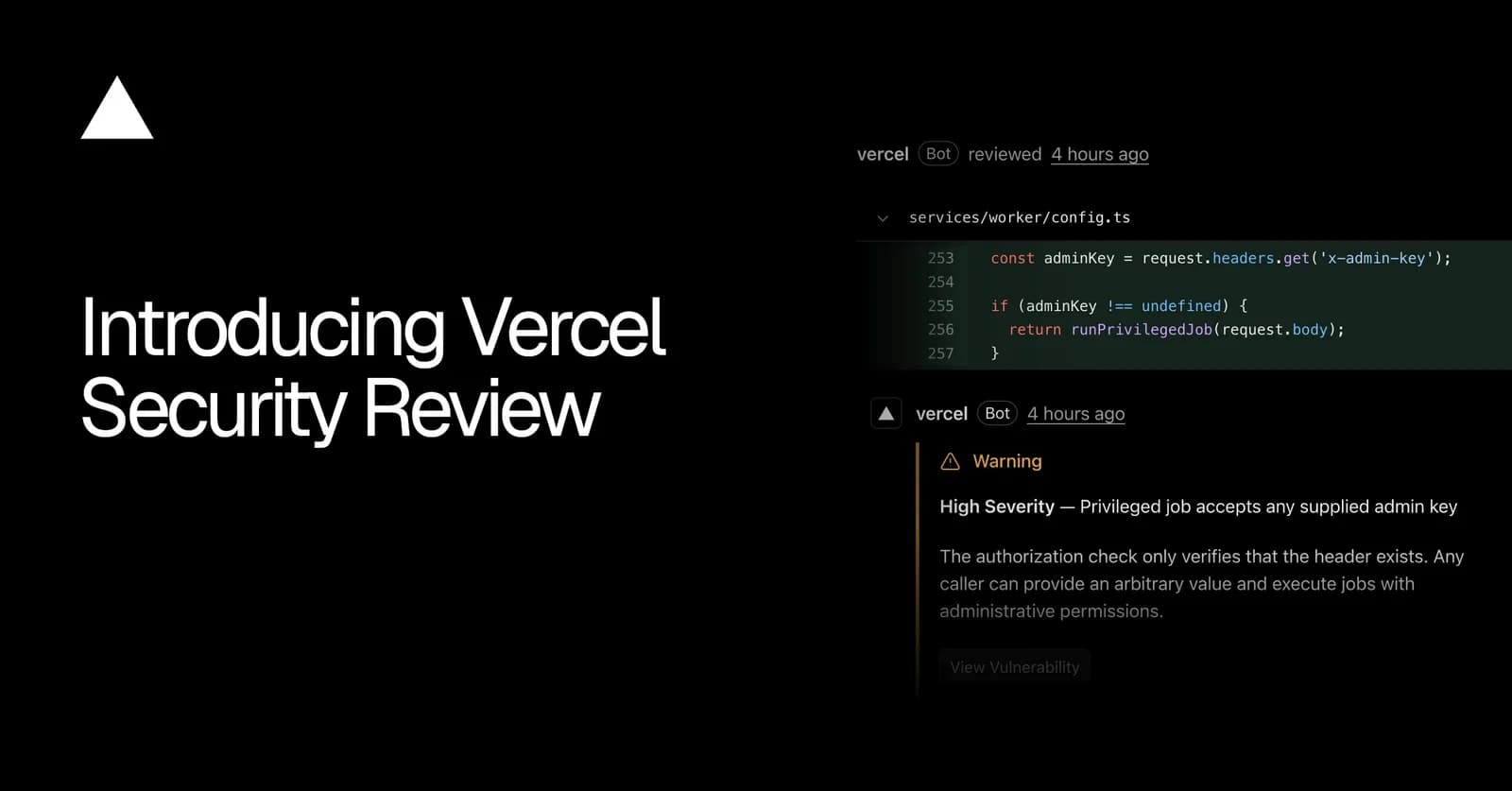
Today, we are launching Vercel Security Review in public beta.
Security Review is a new capability in Vercel Agent, alongside Code Review and Investigation. Once enabled, it scans for vulnerabilities on every push to a team's connected GitHub repositories.
Findings appear as comments on pull requests, are listed in the Security dashboard, and are available via CLI. With your permission, Vercel Agent can also validate and push fixes for findings.
Copy link to headingHow it works
Security reviews are triggered by GitHub push events, including direct pushes to your production branch. In monorepos, reviews are scoped to the project's root directory. Here is how it works:
- You push code to a GitHub repository connected to a Vercel project.
You push code to a GitHub repository connected to a Vercel project.
- As soon as the push lands, Security Review scans the changed code for vulnerabilities like missing authorization checks or exposed secrets.
As soon as the push lands, Security Review scans the changed code for vulnerabilities like missing authorization checks or exposed secrets.
- Findings are posted to the Security dashboard. On private and internal repositories, Security Review also adds a GitHub check to the commit and comments on the pull request.
Findings are posted to the Security dashboard. On private and internal repositories, Security Review also adds a GitHub check to the commit and comments on the pull request.
- You can fix findings by clicking Fix with Vercel Agent in the dashboard, or use the CLI to pull findings and have your own coding agent implement changes.
You can fix findings by clicking Fix with Vercel Agent in the dashboard, or use the CLI to pull findings and have your own coding agent implement changes.
- When subsequent security reviews no longer detect a finding, it is marked as no longer detected in the dashboard, and the GitHub comment is closed.
When subsequent security reviews no longer detect a finding, it is marked as no longer detected in the dashboard, and the GitHub comment is closed.
Each review compares the push against a base and covers only what changed. For deployments, the base is the branch’s previous deployment, so the agent reviews the change against what’s already running. Because it only scans the diff, Security Review finishes in seconds and can run on every preview and production deployment.
Copy link to headingWhat the agent checks
The agent reads the diff along with the surrounding code, traces how the changed code can be reached, checks for existing protections, and rechecks each finding before reporting it. That process is how it catches logic flaws like missing authorization checks, which pattern-matching scanners miss.
Each review also applies your team’s security policies, which you can write in plain language and apply to specific projects or across your team. For example, a policy can require any endpoint that returns customer data to check that the requester owns it. You can also manage policies with the Vercel CLI, using vercel security policy.
Copy link to headingHow findings are tracked
Each new finding is checked against ones that have already been reported, so the same issue isn’t flagged twice. Every finding is tied to the deployment where it first appeared and changes are followed from there. That means that when a vulnerable change from a pull request is merged into your production branch, the finding is flagged in production as well.
When a later review no longer detects the issue in an environment, the agent marks the finding as no longer detected there.
Copy link to headingActing on findings
Every finding explains the vulnerability and how to fix it, with links to the commit and deployment where it first appeared.
Findings are listed in the Vulnerability view in the Security dashboard, where you can ask Vercel Agent to validate and commit fixes. Findings are also available via CLI, so you can fix vulnerabilities with your own coding agent.
Each new finding generates an audit log event, which Enterprise teams can send to their SIEM through Audit Log Drains.
Here is a demo of sample findings in the dashboard:
Copy link to headingFixing vulnerabilities with Vercel Agent
When Vercel Agent can fix a finding, you will see the option to click Fix with Vercel Agent on the finding page in the dashboard. After you click, the agent confirms the vulnerability still exists, then makes the smallest change that fixes it and updates the tests.
Say a developer pushes a change to an invoice download endpoint, and the lookup doesn't check which organization the invoice belongs to. Within seconds, Security Review flags that any signed-in user could download another organization's invoice by changing its ID. Vercel Agent's fix scopes the lookup to the user's organization:
Example authorization flaw and remediation in a fictional invoice endpoint.
Copy link to headingFixing vulnerabilities with your own coding agent
You can point your coding agent or other systems at the Vercel CLI to pull and fix vulnerabilities:
vercel security vulnerabilities
Findings in the dashboard also give you the ability to copy details as Markdown or JSON, making it easy to paste them into an agent conversation.
Copy link to headingEvery code change needs security review
Frontier AI models are making vulnerabilities far easier to find and exploit. Last month, researchers turned two decade-old flaws in PHP core into working remote code execution exploits with relatively little effort.
At the same time, agents are writing more of the code teams ship, and each handles security review its own way, or in many cases, not at all.
With Vercel Security Review, you can scan every push on every project for vulnerabilities by default, using the security policies you set.
Copy link to headingWhat's next
Security Review starts with code pushed to GitHub. Next, we're bringing it to deployments from the Vercel CLI and v0, and to repositories that don't deploy on Vercel. We're also working on suggested fixes you can apply directly from the pull request.
Copy link to headingGet started
Vercel Security Review is available today in public beta for Pro and Enterprise teams.
To get started, enable Security Review in Vercel Agent Settings. You can choose to run Security Review on all projects, or only the ones you choose. To learn more, read the Changelog entry and the Security Review documentation.
Security Review is billed at the Vercel Agent rate, with model tokens at the provider's rate and no markup, plus $0.25 per million tokens.
Security reviews are free until November 10, 2026. Fixes made with Vercel Agent are billed at the rate above.