It's mid-afternoon and you're halfway through a feature branch when the alert lands: The error rate’s climbing on the payment service. You know that code and wrote most of it. What you don't know is whether this started with the morning's deployment, whether it's one region or everyone, or whether the real break sits three services downstream from anything you touched. So you leave your editor. You hunt for a dashboard, don't find the right one, write a New Relic Query Language (NRQL) query from memory instead, then open traces in one tab and logs in another. Fifteen minutes later, you've lost the thread on the feature you were building, and the actual debugging hasn't started.
This context gap is what New Relic Ground Truth closes. Your AI agent has your code, your branch, and your recent commits; what it has no idea about is how any of that behaves once it's running. New Relic Ground Truth supplies that piece—telemetry, logs, traces, deployments, and alerts, exposed through the open Model Context Protocol (MCP) so your AI agent can reason about the running system the same way it reasons about the source. No custom integration work required. You stay in the editor, ask in plain language, and the context comes to you. The examples that follow—full list here— are built across different integrations, but follow the same template: Once your AI agent can see what’s in production, hopping over to another dashboard stops. Less context switching and faster root cause analysis means shorter mean time to resolution (MTTR) and more of your day spent shipping instead of hunting for the right dashboard.
Note: All environments support both OAuth (recommended) and API key authentication.
What you can ask your AI agent
Here are some real, natural language prompts that work across any supported environment. These responses are powered by trusted operational context from New Relic Ground Truth, enabling AI agents to retrieve production insights without requiring developers to manually navigate dashboards or write NRQL:
- "What are the top errors for my payment service in the last hour?"
- "Did my last deployment cause a performance regression?"
- "Give me p99 latency broken down by host for the last 30 minutes"
New Relic Ground Truth automatically translates natural language into NRQL and executes the appropriate query through its MCP capabilities. Developers simply describe what they want, eliminating the need to learn NRQL syntax while enabling engineers who don’t use New Relic every day.
Developer use cases
Each example below starts with a common developer job and shows how New Relic Ground Truth MCP Server helps finish it. We demo each one in a specific coding agent, but the same workflows run in any supported environment.
Deployment health analysis with Claude Code
Every deployment carries risk. Even well-tested releases can introduce regressions that only show up under real production load. There’s now a faster way to answer the question: "Did this deployment break anything?”
With New Relic MCP Server connected to Claude Code, a developer can ask a single question right from their terminal:
"How did my last deployment perform?"
New Relic MCP Server pulls together a comprehensive picture from across our Intelligent Observability Platform—metrics, logs, traces, error rates, alert history, and more—and returns a full deployment health report. If something went wrong, Claude Code not only tells you what broke; it also has enough context to start working on a fix right in the same session.
Using Claude Code? Install the New Relic Claude pluginOur New Relic Claude plugin is now live on the Anthropic marketplace. You can install it directly from the marketplace or access our source on GitHub and install it using the command below:
Infrastructure optimization with Kiro
Managing Infrastructure as Code (IaC) involves an annoying disconnect: You write Terraform or CloudFormation in your editor, but the performance data proving whether you over-provisioned or under-resourced lives in a separate dashboard.
To close this gap, we launched a New Relic Kiro Power. This transforms Kiro into an infrastructure engine driven by real production data. It pulls live telemetry—like CPU bottlenecks and memory spikes—straight from New Relic into your Integrated Development Environment (IDE). If a service is struggling under peak load, Kiro doesn't just show you the metric; it also analyzes the New Relic data and instantly generates the exact IaC code changes needed to right-size your environment. New Relic provides the production ground truth, and your IDE writes the fix.
Closing observability gaps with GitHub Copilot
One of the most common problems teams face when shipping new services is incomplete observability coverage. You deploy something and realize weeks later that you have no application performance monitoring (APM), no browser monitoring, and/or no change tracking. Finding and fixing those gaps manually is tedious and easy to deprioritize.
Our New Relic MCP Server integration with GitHub Copilot enables developers to identify observability gaps, understand production behavior, and accelerate remediation without leaving their coding environment.
How it works:
- A GitHub Action tracks code releases for a repository and triggers an observability gap analysis
- GitHub Copilot chat connects to the New Relic MCP Server, which in turn communicates securely with GitHub's MCP Server through an associated GitHub App
- The analysis runs and surfaces specific gapsFor example: Missing APM, browser monitoring, or change tracking
- For example: Missing APM, browser monitoring, or change tracking
- GitHub Issues are automatically created for each gap, complete with an implementation checklist, detailed instructions, and deep links to relevant New Relic documentation
- GitHub Copilot coding agent is assigned to each issue and gets to work, analyzing the requirements, implementing the necessary code changes, and opening a pull request
The power is in the full loop: New Relic detects the gap, GitHub Copilot fixes it, and the PR contains everything needed to close that gap—tested, documented, and ready for review. Future checks will extend to infrastructure monitoring, synthetics, logging, and alerts.
Orchestrating automated observability with GitHub custom agents
Finding the critical information with GitHub custom agents and MCP Servers takes knowledge and time to engineer prompts that make it easy for the AI agent to use the right tools and format a meaningful response. Using a custom agent from GitHub finely tuned to New Relic MCP Server allows for simpler one-line inputs that generate robust responses.
Take the example of the incident response custom agent: You can check in on an incident within your organization by running a simple prompt like this:
“Check on the latest incident for this application”
The custom agent can then create a full report and kick off a multi-step process to analyze any major incidents and break down what has impacted any critical data with the incident.
The bigger picture: Why New Relic Ground Truth matters for developer productivity
MCP integrations help remove silos. Your coding agent becomes aware of production, not just code.
The New Relic 2026 AI Impact Report found a 5x improvement in teams' ability to ship features and updates to production. Not because the AI got smarter about code, but because it finally has context about what the code is doing once it's running. Less context switching, faster debugging, shorter time from alert to fix.
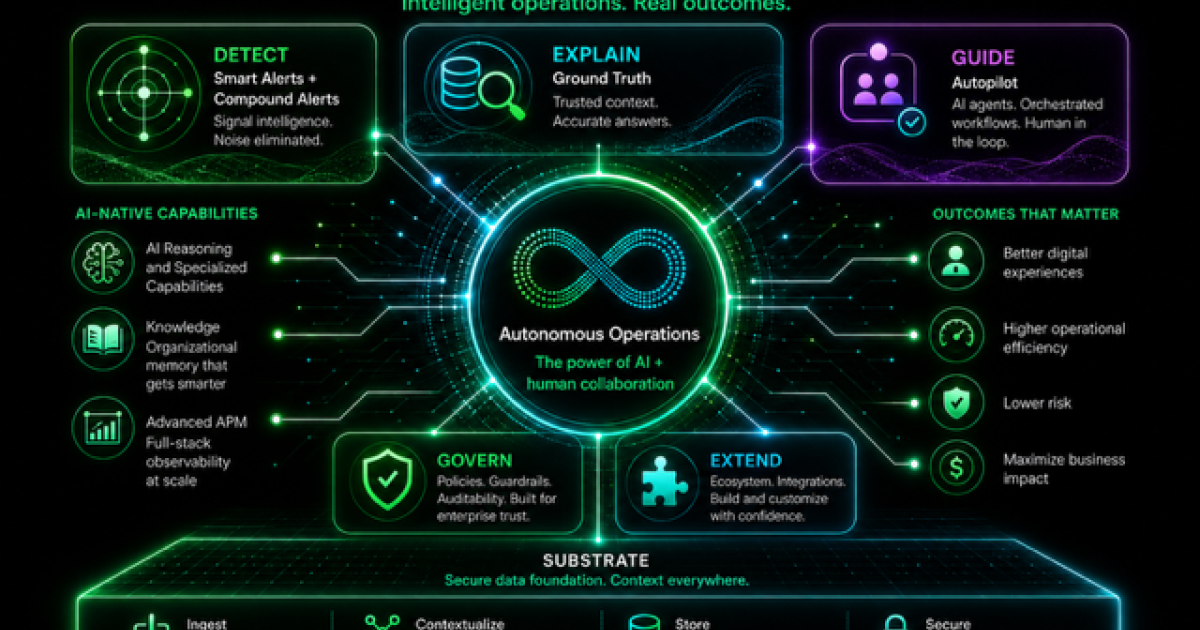
AI agents are only as effective as the context they receive. Ground Truth provides trusted context drawn from New Relic telemetry and makes it available through the open MCP, enabling AI development environments to investigate issues, understand production behavior, and resolve problems faster without leaving the IDE.
None of this is tied to one editor or one vendor. Whether you live in Claude Code, GitHub Copilot, Kiro, or anything else on the supported list, the pattern holds: Your agent connects to the New Relic MCP Server, and the operational context follows you into whichever coding surface you're in. The scenarios above are built in specific tools only because that's where those teams happen to work. The deployment health check that runs in Claude Code works just as well from Copilot, and the observability gap analysis isn't Copilot-specific either. Every one of them is available in every supported environment.
That's deliberate. We're not asking developers to move somewhere new to get production context; we're bringing production context to where they live. Since MCP is an open standard, new AI development environments inherit this the moment they are spun up. Pick the tools your team likes. New Relic Ground Truth meets you there.
Getting started
Getting started with New Relic Ground Truth’s MCP Server capability is simple. Full prerequisites, authentication options, and client-specific configuration are covered in the setup guide. For a full reference of available tools and capabilities (including 3 skills and 42 tools), see the MCP Server tool reference.
Looking to track cost, efficiency, and tool usage for your AI agents? Check out Preflight, our open-source observability solution for Claude Code, Copilot, Cursor, and more.
Rahul Kuchhadia is a Lead Partner Engineer at New Relic, where he leads the engineering efforts of AI and Cloud solutions that connect partners to the platform. With extensive AWS experience, he excels at the intersection of AI and Cloud. A sports enthusiast and lifelong tech explorer, Rahul is always seeking out the next challenge.
The views expressed on this blog are those of the author and do not necessarily reflect the views of New Relic. Any solutions offered by the author are environment-specific and not part of the commercial solutions or support offered by New Relic. Please join us exclusively at the Explorers Hub (support.newrelic.com) for questions and support related to this blog post. This blog may contain links to content on third-party sites. By providing such links, New Relic does not adopt, guarantee, approve or endorse the information, views or products available on such sites.