Like a hammer or even a hair dryer, AI is just a tool. It needs to be wielded skillfully by an expert to achieve greatness. And in a world increasingly full of “AI slop,” this is especially true when exploring how to use AI to write a blog post.
When using AI to write blog posts, you can’t just sit back and click copy-paste and publish. You need to create a thorough brief, build an outline, draft one section at a time, and then edit with the emotion, lived experience, and discernment only a human can.
Despite the popularity of AI-assisted content creation, 62.7% of marketers admit brands need more unique, human-centered content to compete. Google agrees, saying AI can help with research and structure, but you should fact-check and review everything by hand before you publish, as it can get facts wrong.
AI can produce quantity, no doubt, but its quality is up for debate — at least without your guidance. AI is wonderful for structure and first drafts, but only you can bring the expertise, voice, and final quality assurance that produces great content. And this guide will show you how.
You’ll get a five-step process for creating blog posts with AI, human-review checkpoints, prompt templates, and tips for keeping your voice and avoiding the “slop” label.
Table of Contents
- What is AI slop? (And why you want to avoid it)
- How to Use AI to Write a Blog Post in 5 Steps
- AI Prompts for Blog Posts You Can Copy
- Frequently Asked Questions About Using AI to Write a Blog Post
- Great content needs human and machine.
What is AI slop? (And why you want to avoid it)
Generative AI is powerful and useful. It can analyze information and produce materials faster than any human could by hand, which is likely why 80% of marketers now use AI for content creation in some form.
But I’d argue we’re crossing into “too much of a good thing” territory when it comes to generative AI, and I’m not alone. Our research shows that more than half of marketers say AI has made content creation so easy that they are now struggling to stand out in a heavily saturated market.
AI has also faced concerns around plagiarism, bias, data privacy, and inaccuracy for several years. Add its now-mainstream accessibility, and the formulaic output has earned an unsavory nickname, “AI slop.”
AI slop is low-quality, mass-produced digital content created using generative AI with little to no human input or creative thought. (I’m sure you’ve seen the fliers.)
Users and businesses sharing it have been ridiculed as low-effort, unoriginal, or even “fake.” Harsh, yes, but also easy to avoid.
Solution: A Blend of Man and Machine
Listen: It’s easy to get caught up in the speed and “polished” finished products that AI generates in seconds; I don’t blame anyone. But at this point, we, as marketers and consumers, have seen enough of its generic output to know we need to do better.
AI is a collaborator, not a replacement for your judgment, creativity, experience, or effort.
Now, I know what many of you are thinking: “Why would I do all that work when AI can do it for me?” And I get it. You want to save time and labor, but to quote former Director of the HubSpot Blog Karla Hesterberg: “The only truly effortless [AI] process produces slop.”
Producing high-quality content with AI — content that delivers real value, builds trust with your audience, ranks well in search engines and answer engines, and closes qualified buyers — requires human effort and insight. It requires human knowledge and input to produce something new and extraordinary.
I’m not saying don’t use AI. I’m saying use your skill with it.
This is something we learned firsthand by adopting AI into our editorial process at HubSpot, and it heavily influenced the steps in this guide. Tools like HubSpot’s brand voice and AI content writer were built with this all in mind.
AI is like an eager new intern. It’s fast and takes direction, but it doesn’t have your lived expertise or knowledge of your customer, data, and standards. The steps we share in this guide are designed to compensate for that and ensure you maintain your brand voice.
Each step has something you give AI, a choice you make, something you get back, and a moment when a human steps in, based on my decade as a content editor and strategist.
You can follow these steps in common tools like Claude or ChatGPT, or in HubSpot, which offers multiple options.
HubSpot’s free AI Content Writer can draft blog posts, outlines, and more inside the tools you already use. For a full blog workflow, Content Agent builds blog posts, social content, and landing pages in your brand voice. It lives in Agent Hub, which is included in Starter, Professional, and Enterprise editions.
Now that you know what you need, let’s break down our five steps.
1. Gather your input.
Before you turn to an AI content creation tool, you need the right input. Think of these as the creative brief you send an intern.
What inputs does AI need to perform well?
- Audience: Who is reading, and what do they already know? HubSpot’s 2026 State of Marketing report found that only 65% of marketers report having high-quality audience data. If you’re in the other 35%, start small. HubSpot’s free Make My Persona tool can help you sketch a reader profile in minutes.
- Goal: What should the reader learn or do next?
- Primary keyword & search intent: What are people really asking when they search it?
- Angle: What’s your take? What makes your post different?
- Approved sources: The facts, data, and links the AI may use.
- Examples: Two or three samples of writing that sound like you.
- Format: Word count, headings, and any must-have sections.
- The point of view. AI can summarize what’s out there. Only you know what you believe and have seen.
- Which claims can you back up. If you can’t source it, don’t ask AI to write it.
- Data privacy: What data stays out. Don’t paste customer details, private financials, or unreleased plans into a tool your company hasn’t approved.
- A “do not use” list. Add outdated stats, competitor claims you can’t support, and any topic your legal team wants to review.
The “data privacy” point is worth calling out. The U.S. National Institute of Standards and Technology lists data privacy as one of 12 risks that are unique to or worse with generative AI. The risk includes leaks of personal or sensitive data. Check your company’s AI policy first.
If you use HubSpot, Agent Hub runs on your CRM data. HubSpot says its third-party AI providers are contractually barred from training on your data. You also control what AI can access. You can read how it works in the HubSpot Trust Center.
Pro tip: Put all your consistent inputs (e.g., brand voice, company history) on a one-pager and save it as a template you can reuse for every post. This saves you time and maintains consistency across different editors.
Need a blog topic? Try HubSpot’s free Blog Idea Generator to spark ideas, then pick the one that fits your goal.
2. Create an outline.
An outline is the heading and talking points plan that AI follows. Skip it, and drafts wander. Start with your brief of inputs. Then ask AI to turn it into an outline. Pair each heading with the reader’s question it answers and the source that supports it.
Outline Prompt for a Blog Article
To get an outline you can actually use, get specific. The more ambiguity you leave, the more likely the finished product will miss the mark.
Look at the difference between a vague prompt and a specific prompt.
Vague Prompt
“Write an outline about email marketing.”
Specific Prompt
“Create three outlines for a 1,500-word post for small-business owners who are new to email. Primary keyword: email marketing for beginners. Each H2 must answer one question. Start with a direct answer.”
The specific prompt:
- Asks for three options.
- Outlines what it expects from headers. Each H2 should answer a real question. This makes it easier for answer and search engines, as well as readers, to find what they need.
- Attaches a source to each section. Tell AI which approved source supports which heading.
- Emphasizes answers. HubSpot’s 2026 State of Marketing report advises answering users’ questions directly, in conversational language, with structured, scannable content. That said, ask AI for a direct answer to every question in the first two sentences of the section.
Try entering your topic in HubSpot’s free AI Content Writer and asking for an outline. Then edit the headings to match your brief.
Want more prompt ideas? Our guide to writing AI prompts shows how specific details lead to better results.
3. Draft in sections.
Once you have a solid outline, you can work with AI to generate the main sections of your article.
Generate section by section for higher quality.
You wouldn’t just give a new intern a brief and say “go,” right? You’d likely have them complete the assignment in small chunks to make sure they’re on the right track. Approach A the same way.
Draft sections one by one to increase focus and maintain quality, or even better, draft select sections rather than all of them. Review each one in depth (more on that in the next section). Then move on to the next.
Try this flow:
- Paste your approved brief and outline. Tell AI to follow it.
- Draft the intro first. Ask for a direct answer in the first two sentences. Edit and provide feedback.
- Draft one H2 at a time. Include the sources for that section only.
- Review and edit. Fix voice, facts, and flow while the section is small.
- Ask for a tighter version. Short sentences read better. So do plain words.
With challenges like plagiarism and inaccuracy, this chunked approach to writing a blog post with AI is worth the effort.
Personally, I prefer to use AI-generated copy simply as a very rough example that gets my creative juices flowing. I edit and revise to fit my own voice, adding my original thoughts, knowledge, and examples, among other things.
You can follow this drafting workflow in Content Hub, HubSpot’s content marketing software. The free AI Content Writer lets you enter a prompt or use slash commands to generate text on demand. Highlight a paragraph, and you can ask it to edit or rephrase the copy.
Pro tip: Content Agent, currently in beta, builds blog posts, LinkedIn content, and landing pages from a single starting point. It researches competitors, pulls keyword data, and loads your brand voice before it writes. For more on where AI helps most in blogging, see our guide to AI writing tools for blogging.
But remember: Drafts written in chunks still need human editing.
4. Edit like a human.
Even your best human-written draft shouldn’t be published without thorough editing. Trust, quality, and originality are ensured in the edit, and that goes double for AI-assisted blog posts.
Before anything goes live, have a human team member check four key things:
- Facts and sources
- Originality and clarity
- Unique data and examples
- Brand voice
Fact-check and cite sources.
AI has a way of sounding extra confident, even when it’s wrong.
Heck — Most tools even come with a disclaimer like this one from ChatGPT admitting it “can make mistakes.”
Google says this is because generative models predict a likely sequence of words instead of retrieving facts. So, the output can contain errors, or what we call “hallucinations.” NIST, the U.S. standards agency, lists this risk (it calls it “confabulation”) among the .
So what should you do?
Fact-check and review all AI-generated content before you publish. Here’s a routine you can use for every draft:
- Highlight every claim. Facts, stats, names, dates, quotes, and product features all count as claims.
- Ensure they’re linked to a current, primary source. That’s the original study, the official page, or the company itself. If they’re not linked to a primary source, ask the AI to find the sources and add them. Remove or replace anything from a secondary roundup or summary.
- Open the link yourself. AI can make up URLs. Confirm the page is live and includes the information shared.
- Check the date. Prioritize sources from the last two years. This helps ensure the information you’re sharing is current and accurate.
- Cut what you can’t verify. If you can’t back it up, take it out.
For high-stakes topics (i.e., legal, medical, financial, or anything that names a specific person or company), add a second reviewer. People can slip up, too, and when it comes to risky subject matter, it’s wise to double-check.
Ensure originality and clarity.
Original means more than not copied. It means your content adds something new. AI-generated content, by its very nature, is derivative, so editing is a must to deliver fresh value.
Edits can be important for ownership, too. In January 2025, the U.S. Copyright Office said that AI-generated output can be protected by copyright only if a human author contributed enough of the expressive elements. Writing prompts doesn’t count. Creative arrangement and modification can, but “enough” leaves a lot of ambiguity. Ask your legal team about your specific situation.
Before you publish any AI-assisted content, run through these checks:
- Plagiarism: Run a plagiarism check. Compare key passages with your sources, and rewrite anything that is too close. Tools like Grammarly and Scribbr offer free plagiarism tools to flag suspicious passages.
- Clarity: Cut long sentences. Define jargon the first time it appears. Read it aloud. If it doesn’t sound like something your brand would say, chop it.
- Privacy: Make sure no confidential information slips into the draft (e.g., customer details, private numbers, or other sensitive data).
- Accessibility: Add descriptive alt text to images, use clear headings, and write link text that makes sense out of context.
Also, eliminate common AI writing patterns by:
- Cutting the fluff. Delete extra words or generic sentences that don’t add value to the article. Keep an eye out for redundancy as well. (I’ve definitely noticed AI tends to say the same thing repeatedly using different words.)
- Adding specifics. For instance, replace “many companies” with a named company, a number, or a story.
- Taking a stand. Add your own opinions. AI won’t do this for you.
- Varying the rhythm. Change up the sentence structure to keep things interesting and flowing naturally.
- Banning the clichés. Add a short “never use” list to every prompt. Some common phrases can help make an article easier to digest, but too many are a trademark of AI.
Add original data and examples.
AI doesn’t know your customers, numbers, or stories. You do. That’s why adding first-hand research, case studies, or examples to support AI-assisted blog posts is a powerful way to make them more original.
Enhance AI content with:
- Your own data. A survey result, a customer count, a before-and-after metric. This not only gives readers something they can’t get anywhere else, but it also gives people a reason to link back to your website as a source.
- In-house case studies and examples. A campaign you ran, a mistake you fixed, a result you saw.
- Quotes from experts. Use real people, with their permission and their title.
- Screenshots. Show the tool or the steps as they appear today.
- First-hand or personal anecdotes. Like in-house examples, relevant personal experiences give your content lived proof that readers can’t find elsewhere.
This matters for search, too. Google’s Search Quality Rater Guidelines flag main content made with little effort, originality, or added value. Your data and examples are the added value.
Including unexpected examples is one of my favorite ways to add originality and personality to my articles. I mean, come on: how often do you see Bollywood mentioned in marketing blogs?
Source
(You’re welcome, readers.)
For more edits that make AI drafts sound human, see our guide to humanizing AI content.
Edit for brand voice and perspective.
More than anything, make sure that your AI-assisted content is true and consistent with your brand voice and perspective.
Using language or sharing opinions that contradict what your brand has already established can cause confusion, and any confusion about your brand’s beliefs can lead to distrust.
To help maintain your brand when using AI to write a blog post, create a voice profile. A voice profile is a short description of how you write and what you sound like. Think of it as a style guide you include in every prompt.
Example:
Voice: Friendly, expert, plain-spoken. Sentences: Under 20 words. Mix short and medium. Address the reader as “you.” Explain industry jargon or acronyms the first time they appear. Avoid: “game-changer,” “unlock,” “in today’s fast-paced world.”
Voice: Friendly, expert, plain-spoken.
Sentences: Under 20 words. Mix short and medium.
Address the reader as “you.”
Explain industry jargon or acronyms the first time they appear.
Avoid: “game-changer,” “unlock,” “in today’s fast-paced world.”
Here’s how to build one:
- Name three to five traits that describe your brand. Then say what each looks like on the page. For example, “friendly” might mean using “you” and a little humor.
- Set simple style rules. Cover sentence length, words you love, and words you avoid. Add how you handle jargon, humor, and calls to action.
- Document and save it. Store it where your team can find it, and update it whenever you make the same edit.
HubSpot’s Brand Voice learns your style from your writing samples and generates this guide for you. After that, you can export it to share with AI tools or have it automatically apply your style in supported tools, such as Marketing Hub. You can also set up a brand voice using AI, then fine-tune its personality and tone. Features can vary by plan, so check what your subscription includes.
Need a deeper dive? See our guide on AI brand voice training.
5. Optimize for search and AI answers.
Whether you’re writing by hand or by AI, write for readers first, then polish for search and answer engines. Thankfully, they aren’t dramatically different. Google’s guide to AI search features says AI features are built on the same core ranking and quality systems as traditional search. So, you just need a clear, useful, well-organized post. Here’s how that looks tactically.
Structure for skimmability.
People skim; so do search and AI systems. Make your post easy to scan by:
- Putting answers first. Include clear, direct answers in the opening lines of a section.
- Using clear headings. Google says readers generally prefer pages organized into sections with clear headings.
- Incorporating structured data and schema.
- Keeping paragraphs short. Two or three sentences are easier on the eyes, especially when reading on mobile.
- Using lists and tables when the content has steps or comparisons.
- Adding helpful visuals. High-quality images, videos, charts, and other visual aids can help drive home your messages and also add variety to your content.
Litmus is a great example of skimmable formatting in action.
On-Page SEO Prompts
AI is a handy assistant for small, repetitive SEO tasks. Ask it for options to edit for:
For a deeper walkthrough of search intent, structure, internal links, and measurement, see our guide to blogging for SEO.
Publish.
You’ve drafted, edited, and optimized for getting found. Now it’s time to publish. Check your final boxes in four main steps.
1. Do a final check. Read the whole post once, start to finish, as a reader would. Look for voice slips, vague claims, and broken links, and edit as needed. Then confirm the basics:
- The post opens with a direct answer.
- The title, meta description, and URL match your primary keyword.
- Every stat links to a reputable, primary source.
- Images have accurate captions and alt text.
2. Decide on disclosure. Some teams add a short note on how AI was used in their writing process. Google says sharing how content was created can give readers helpful context and set expectations. Check your company policy and local rules first. (See the FAQ below.)
3. Publish & measure what matters. In HubSpot’s 2026 State of Marketing report, measuring ROI was the top challenge, cited by 33% of respondents. So, keep it simple. Pick three numbers that reflect your goals. A good baseline to consider:
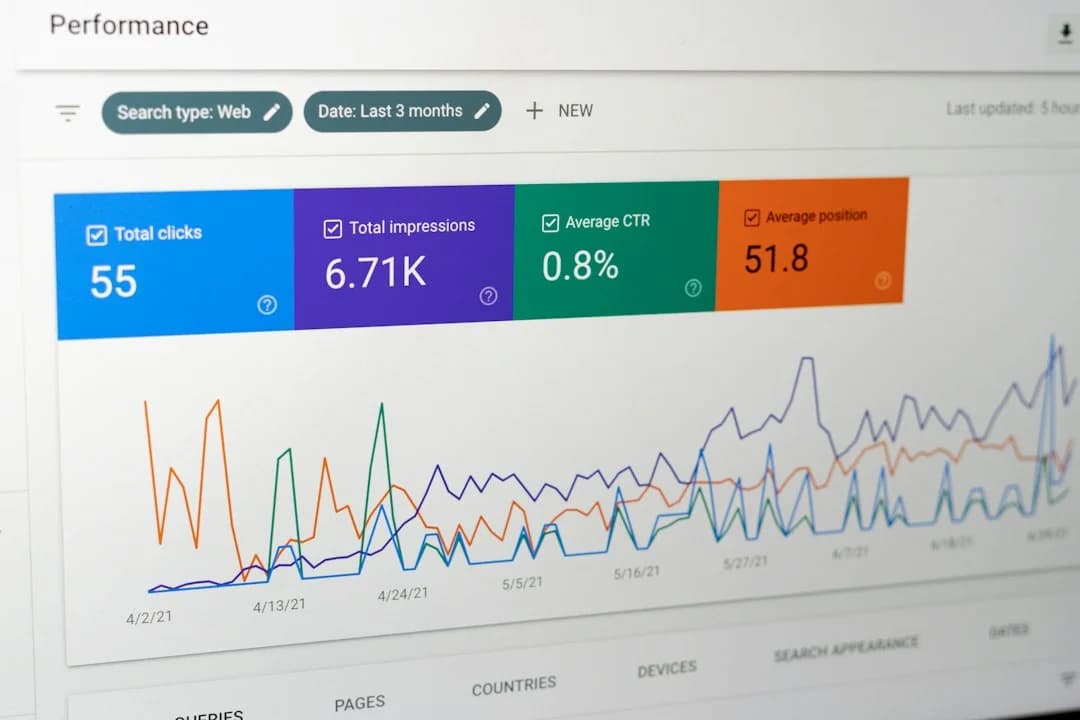
- Search visibility: impressions and clicks in Google Search Console. Google also offers a generative AI performance report there that shows how your content appears in AI features.
- Engagement: Time on page, scroll depth, and hovering.
- Conversions: clicks on your call to action and the leads that follow.
HubSpot can show many of these in one place with its marketing analytics. To see how your brand shows up in AI answers, try the free AEO Grader or HubSpot AEO, currently in beta.
4. Learn from every post. Keep a short prompt log:
- Which prompts gave you usable drafts?
- Which edits did you make again and again?
- What did your reviewer catch?
Turn those repeat edits into new rules in your voice profile. Your next draft will start closer to being done.
Ready to put this process into action? Try HubSpot’s AI Content Writer to draft your next post, then follow the five steps above to make it yours.
AI Prompts for Blog Posts You Can Copy
Below is a series of prompts that work with HubSpot’s AI Content Writer and most other AI tools. Replace everything in [brackets] before you send, but remember that whatever you get back is just a starting point.
All AI-generated content needs to be reviewed with a human touch to deliver unique value and achieve your long-term search and sales goals. This is especially true when using public prompt templates, as AI tools generally produce the same results for the same inputs.
Every prompt needs your audience, your goal, your approved sources, and your voice profile. Without them, you’ll get generic results. So, include this block before you start drafting anything:
Audience: [who they are and what they already know]
Goal: [what the reader should learn or do]
Approved sources: [paste links or notes. Use only these.]
Voice profile: [paste your voice profile]
1. Brief Creation
Using the details above, create a one-page brief for a blog post about [topic]. Include the reader’s main question, the angle, a two-sentence direct answer, an outline with H2s and H3s, and the approved source that supports each section. Flag anything the sources don’t support.
2. Outline
Give me three outline options for a [word count] blog post about [topic]. Each H2 must answer one reader question. Put the direct answer first. Don’t add sections that the approved sources can’t support.
3. Section Drafting
Write the section titled “[H2 heading]” in [150-250] words. Use short sentences. Use only the approved sources. Mark any claim that needs a source check with [CHECK].
4. Voice Rewriting
Rewrite the paragraph below in my voice profile. Keep every fact the same. Don’t add new claims. Cut filler and cliché phrases.
[paste paragraph]
5. Fact-Check Planning
List every factual claim in the draft below: stats, names, dates, quotes, and product features. For each one, tell me what kind of primary source would confirm it. Don’t confirm anything yourself.
[paste draft]
6. Meta Descriptions
Write five meta descriptions of around 150 characters for a post titled “[title]”. Use the primary keyword “[keyword]” once. Promise only what the post delivers.
7. Internal Links
Below are my draft and a list of related posts with URLs. Suggest up to five places to add internal links. For each, give the sentence, the post, and descriptive anchor text. Only suggest links that truly help the reader.
[paste draft]
[paste related posts and URLs]
Use these prompts strategically and flesh them out with your own original thoughts. For more on writing prompts that work, see our guide on how to write AI prompts.
Pro tip: Save your best prompts in a shared doc. Add notes on what each one is good for. Your whole team will get better results, faster.