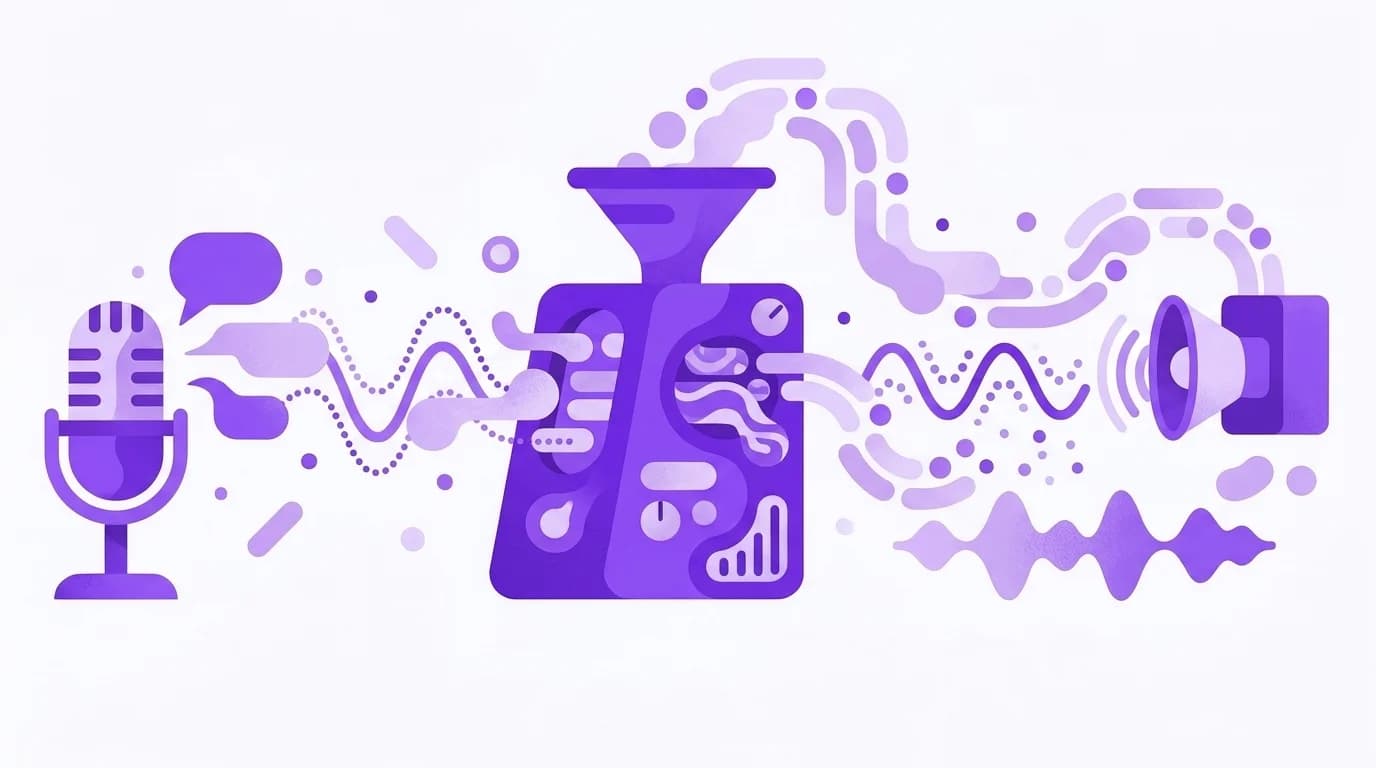
A voice agent needs to do more than generate a good answer. It must understand what someone said, decide what to do, call any needed tools, and start speaking again before the pause gets awkward.
In this tutorial, we’ll build that full loop in Python. Our example is a restaurant booking agent that transcribes a caller, checks table availability with tools, and turns the response back into speech. Speech-to-text, the LLM, and text-to-speech all run through one OpenRouter API key, and we stream each completed sentence to TTS instead of waiting for the entire reply.
Across all 12 turns in three test conversations, the overall median server-side time to first audio was 1.9 seconds, while a four-turn conversation cost about $0.013 per minute of processed speech at the promotional prices available during our October 8 test.
TL;DR
- Text-to-speech accounted for roughly 90% of the measured model cost, making spoken response length an important cost factor for this agent.
Text-to-speech accounted for roughly 90% of the measured model cost, making spoken response length an important cost factor for this agent.
- Server-side time to first audio was an estimated 1.4 seconds for plain turns and 2.4 seconds for tool turns in our test, counting one LLM request per turn. The example code makes extra LLM requests, and network and playback add time.
Server-side time to first audio was an estimated 1.4 seconds for plain turns and 2.4 seconds for tool turns in our test, counting one LLM request per turn. The example code makes extra LLM requests, and network and playback add time.
- Names were harder to transcribe than phone numbers. Have callers confirm important details before taking action.
Names were harder to transcribe than phone numbers. Have callers confirm important details before taking action.
- Sending completed sentences to text-to-speech (TTS) can reduce the wait for spoken output, but real-time playback and interruptions need additional orchestration.
Sending completed sentences to text-to-speech (TTS) can reduce the wait for spoken output, but real-time playback and interruptions need additional orchestration.
How a voice AI agent turn works
A voice agent takes a caller’s speech, converts it into text, passes it to an LLM to decide what to do, and turns the response back into speech. Here’s how the process works:
For example, when someone calls our restaurant to book a table, the LLM may need to call check_availability before responding. Your application executes the function, sends the available times back to the model, and waits for it to generate a response. This extra round trip adds to the caller’s wait time.
To reduce that wait, we can start generating speech before the LLM finishes its entire response. Instead of waiting for the full text, we’ll stream the response, split it into sentences, and send each completed sentence to TTS while the model continues generating the rest.
For this build, we’ll use our speech-to-text API to transcribe the caller, Chat Completions with tool calling to handle the conversation and bookings, and our text-to-speech API to generate the spoken response.
The transcription API returns text as JSON, while the speech API returns audio bytes. Our Python example will save the generated audio as WAV files, and later we’ll use LiveKit to handle live audio and interruptions.
Build the voice agent in Python
Let’s build the restaurant booking agent using three models: elevenlabs/scribe-v2 for transcription, openai/gpt-6-luna for the conversation and tool calls, and elevenlabs/eleven-flash-v2.5 for speech generation.
You’ll need Python 3.10 or later and an OpenRouter API key. Install the requests library and set your API key as an environment variable:
To make the example easy to reproduce, we’ll use a second TTS voice to simulate four caller turns rather than connecting a microphone. We’ll also use mock booking data so the agent can check availability and return reservation details without a real booking system.
Save the following code as voice_agent.py:
The script connects the three APIs through run_turn(), which transcribes each caller message, passes the transcript to the LLM, and processes the response. If the LLM requests a tool, the function executes it, adds the result to the conversation history, and makes another request so the model can continue.
Look at how stream_reply() handles tool calls. The model streams function names and arguments in fragments, so we assemble them before executing the tool. For spoken replies, we send completed sentences to TTS through a thread pool, allowing speech generation to overlap with the remaining LLM output.
We then combine the audio in sentence order and save it as a WAV file. We’ll handle actual playback and interruptions when we introduce LiveKit.
You can run the script with this command:
It should create four audio files, agent_1.wav through agent_4.wav, and print the conversation. Here’s an excerpt from one of our test runs. The caller lines show the transcribed audio, so the numbers may differ from how they were spoken.
The example shows the agent checking availability before offering another time, then calling book_table after the caller accepts. It also refuses to promise a text confirmation because we haven’t provided a tool for sending one.
Why this design works, and what breaks it
A response can look perfectly fine in a chat window but sound strange when read aloud. Times, phone numbers, and markdown are good examples. That’s why our system prompt asks the LLM to keep responses short, avoid formatting, and write times as spoken words, such as “eight fifteen” instead of 8:15.
The same issue can happen in reverse. In our test, speech-to-text converted “eight fifteen” into 815, but the LLM correctly understood the caller’s response because it had the earlier conversation for context. We maintain that history in messages and send it with each request, since Chat Completions doesn’t automatically retain previous turns. As a result, the prompt grew from approximately 290 tokens on the first turn to 490 on the fourth.
Another important consideration is making sure the agent only confirms actions that have actually happened. In an earlier version without book_table, the agent could tell callers their reservation was confirmed even though the application hadn’t created one.
This is why the booking tool needs to do more than return a response. When connected to a real reservation system, it should verify availability, save the booking, and return a confirmation only when the operation succeeds.
How fast is a voice AI agent?
Across all 12 turns, the median server-side time to first audio was 1.9 seconds. By turn type, the median was 1.4 seconds without tools and 2.4 seconds when the agent needed to call a tool.
We measured three complete conversations covering 12 turns, using our generation metadata to estimate the server-side latency at each stage. This let us separate model processing time from additional network overhead in our test environment.
Here’s how the results compared:
The extra LLM request accounts for much of the difference. When the agent needs to check availability, it must wait for the tool result before generating its answer.
These figures reflect server-side processing rather than the full time a caller experiences. Network delivery, detecting when the caller has finished speaking, and audio playback introduce additional delays. The individual stage medians also won’t necessarily add up to the overall median. The estimates also count one LLM request per turn. The example code below makes two on every turn, a non-streaming request that checks for tool calls and then a streaming request for the reply, and tool turns make another after the tool runs, so expect it to take longer than these figures.
The model comparisons below use separate test runs and inputs, so their reported latencies differ from the full-conversation measurements shown here.
How much does a voice AI agent cost?
Across five runs, our four-turn restaurant conversation cost between $0.0069 and $0.0087. Each call contained approximately 38 seconds of speech, giving us an estimated cost of $0.013 per minute of processed speech at the prices available on October 8, 2026.
Most of that cost came from generating the agent’s voice.
The ElevenLabs prices above included a 50% launch discount that ended on October 19, 2026. At the regular listed rates, Eleven Flash v2.5 costs $40 per million characters, while Scribe v2 costs approximately $0.22 per audio hour. Assuming the same usage, our conversation would cost roughly $0.025 per minute of processed speech. This is a calculation based on our October 8 measurements, not a separate billing test.
The cost breakdown is still useful. In this conversation, TTS accounted for about 90% of our spending, so keeping the agent’s spoken responses short would have a greater impact on cost than making small reductions to LLM token usage.
You can also track what individual requests actually cost. Transcription responses include usage.cost, while speech responses provide an X-Generation-Id header that you can use to retrieve the cost through our generation metadata API.
Which speech-to-text model should you use?
For a restaurant booking agent, transcription accuracy matters most when the caller mentions details the agent needs to act on, such as names, dates, phone numbers, and reservation times.
To compare models, we generated nine caller lines using three synthetic voices, then created clean and phone-quality versions of each recording. That gave us 54 audio clips, with 90 facts scored per model across the test.
We evaluated ten STT models. The table below shows five that illustrate the range of accuracy and latency we observed.
MAI-Transcribe 2 retained the most facts, but Scribe v2 was considerably faster while retaining just one fewer. Whisper Large V3 matched Scribe’s score but took longer to respond. For our booking agent, Scribe v2 offered a good balance of accuracy and speed, so we chose it for the Python implementation.
Every recognizer made mistakes with uncommon names, even when it preserved the phone number correctly. For example, “Siobhan Okafor” appeared in the transcripts as “Shioban Okafor”, “Siobhan O’Keefe”, and “Siobhan Akhefer”.
Rather than assuming the transcribed name is correct, have the agent confirm it with the caller or ask them to spell it before completing the reservation.
Keep in mind that these results came from synthetic English recordings, not actual customer calls across different accents and environments. You can explore the available transcription models, but it’s worth testing your shortlisted models with audio that reflects your own use case.
Which LLM and text-to-speech model should you use?
For the LLM, we looked at tool-calling accuracy, response time, and how naturally the generated text could be spoken.
Every LLM in our comparison requested the expected booking tool in all five runs. The differences came down to response speed and answer formatting.
One difference was how the models handled spoken times. Claude Haiku 5.5 wrote 7:30 in every run rather than the requested spoken form, and in one configuration it also included its date calculation in the visible response. Both behaviors matter when the response is going straight to TTS.
These results come from a separate five-run model comparison, rather than the complete conversation measurements above. They measure the time to the first answer token under the tested model settings.
Reasoning also affected latency. In our GPT-6 Luna comparison, disabling reasoning reduced the time to the first answer token from 2.3 seconds to 1.6 seconds on the tested tool turn. That’s useful for a relatively constrained booking task, provided the model continues to make the right tool calls.
Choosing a text-to-speech model
For TTS, we focused on how quickly each model began returning audio. We sent the same 101-character response to twelve models, repeating the request five times per model.
Six representative results are shown below:
Gemini’s pricing uses a different billing unit, so we’ve left it out of the per-character cost comparison rather than treating an estimated conversion as a quoted rate.
Grok Voice and Kokoro returned their first audio bytes fastest on server-side measurements, while Eleven Flash v2.5 also performed well.
However, the server-reported time didn’t always match what our application experienced. Kokoro recorded a median server latency below 100 milliseconds, but its audio took between three and eight seconds to reach our test environment.
That’s why you should measure latency in your own application, especially when building something conversational. You’ll also want to listen to the generated speech and check pronunciation before choosing a model based on speed alone.
For this implementation, we used Eleven Flash v2.5. You can browse the available speech models and replace it with another option using the model slug.
Run the same agent with LiveKit Agents
Our Python script handles transcription, tool calls, and speech generation, but it doesn’t support a live conversation with the agent. To do that, we also need to handle microphone input, detect when the caller has finished speaking, and manage interruptions.
We can use LiveKit Agents for this. It handles the real-time audio connection and conversation flow while letting us continue using the same three models through OpenRouter.
First, install LiveKit Agents with the OpenAI plugin:
You’ll also need LIVEKIT_URL, LIVEKIT_API_KEY, and LIVEKIT_API_SECRET from your LiveKit project, along with the OPENROUTER_API_KEY we configured earlier. Follow the LiveKit quickstart if you haven’t set up a project.
Save the following as livekit_agent.py alongside voice_agent.py. We’ll reuse the restaurant instructions and booking functions from the previous example.
The AgentSession connects the three models, while Silero voice activity detection (VAD) helps identify when the caller has stopped speaking so LiveKit can send the audio for transcription. LiveKit also manages speech playback and interruptions.
Notice that the booking functions haven’t changed. LiveKit’s @function_tool decorator makes them available to the LLM, and each function passes the caller’s details to the same mock booking service.
You can test the agent locally using your microphone:
To connect it to your LiveKit project for testing through the Agent Console, run:
Try asking for a table for six at seven thirty, then accept eight fifteen. In our earlier text-driven LiveKit test, this produced the following tool calls:
This setup connects the booking tools to a LiveKit audio session, so you can test the same conversation using your microphone. You can also use our LiveKit integration guide to explore model fallbacks and provider routing.
Errors you’re likely to hit
During testing, we encountered a few errors caused by missing parameters or unsupported model settings. All three returned HTTP 400 responses:
Our speech-to-text API expects the audio bytes encoded as base64 in input_audio.data, without the data:audio/…;base64, prefix. You must also specify the audio format, such as wav or mp3.
Voice names also vary by provider. For example, an OpenAI voice such as alloy won’t automatically work with ElevenLabs. You can check each model’s supported voices in our text-to-speech documentation or through the models API.
One other issue we encountered was that an empty TTS input returned a short audio clip. It’s worth filtering out empty strings before making speech requests.
Do you need a speech-to-speech model?
Not for this example. The separate speech-to-text, LLM, and text-to-speech pipeline we’ve built is enough to handle our restaurant booking workflow.
We also tested sending the caller’s audio directly to four audio-capable LLMs: Gemini 3.8 Flash, Qwen3.8 Omni Flash, MiMo V2.6 Flash, and GPT Audio Mini. They selected the expected booking tools in all 12 test runs.
That shows these models could handle the tool-calling part of our example without a separate transcription request. However, we didn’t measure a complete speech-to-speech conversation, so those results don’t tell us whether the approach would be faster or produce better spoken responses.
With the three-stage approach, we can inspect the transcript, identify where errors occur, and change the transcription, language, or speech model independently. A model that handles audio input and output directly may simplify the pipeline, but it’s worth comparing the full response time, audio quality, and interruption handling before choosing one.
Conclusion
Our Python example is a starting point. Before connecting the agent to real callers, replace the mock booking functions with your own backend and test it with actual speech. Only the system prompt makes the agent wait for the caller to agree before it calls book_table, so have your backend confirm the booking before it writes it. Measure the complete response time, including network delivery and playback, rather than relying only on server-side latency.
If you need live audio and interruption handling, use LiveKit while keeping the same models through OpenRouter.
Frequently asked questions
How do I connect a voice AI agent to a real phone number?
You can connect a voice AI agent to a phone number using LiveKit’s telephony integration. LiveKit supports inbound calls through its phone-number service or a SIP provider. Configure the required trunk and dispatch rule to route incoming calls to a LiveKit room, where your agent can join the conversation. See the LiveKit telephony documentation for the setup steps.
Can a voice AI agent handle interruptions?
Yes. A framework like LiveKit can detect when someone starts speaking while the agent is responding, pause the agent’s speech, and continue the conversation with the new input.
Keep in mind that interrupting speech doesn’t automatically cancel a tool that’s already running. For operations such as reservations or payments, your application should handle cancellation and confirmation carefully.
Can I use my own voice for an AI voice agent?
Yes, if you choose a text-to-speech model that supports voice cloning. Some models on OpenRouter accept reference audio through the input_references parameter and generate speech using that voice without requiring a separate voice-training process.
Voice cloning support varies by model and provider endpoint, so check the TTS documentation before choosing a model. Only use recordings you have permission to reproduce.
Can I connect the voice agent to a real booking system or other APIs?
Yes. The check_availability and book_table functions in our example use mock data, but you can replace their implementations with requests to your reservation API or database.
The LLM still decides when to call each function, while your application handles the actual operation and returns the result. For actions such as booking a table or sending a confirmation, make sure the operation succeeds before telling the caller it’s complete.