There is no single creator setup that works for everyone. What you need depends on where you are starting, what kind of content you make, and how much control you want over your setup.
Maybe you are putting together your first stream. Maybe you are creating more regularly and want your content to feel more polished and recognizably yours. Or maybe you are ready for gear that gives you more control as your setup becomes more advanced.
Whichever stage you are at, the best place to start is with what helps you create better right now.
New to This: Keep Your First Setup Simple
Getting started should feel easy.
If you are recording your first clips, trying out streaming, or moving beyond the microphone and camera built into your laptop, the priority is simple: better audio and video without adding a lot of complexity to your desk.
- Razer Seiren V3 Mini USB microphone gives your voice a clearer place in the mix while keeping things compact. Its USB connection makes setup straightforward, and tap-to-mute gives you quick control whenever you need to cut your mic during a stream, recording, or call.
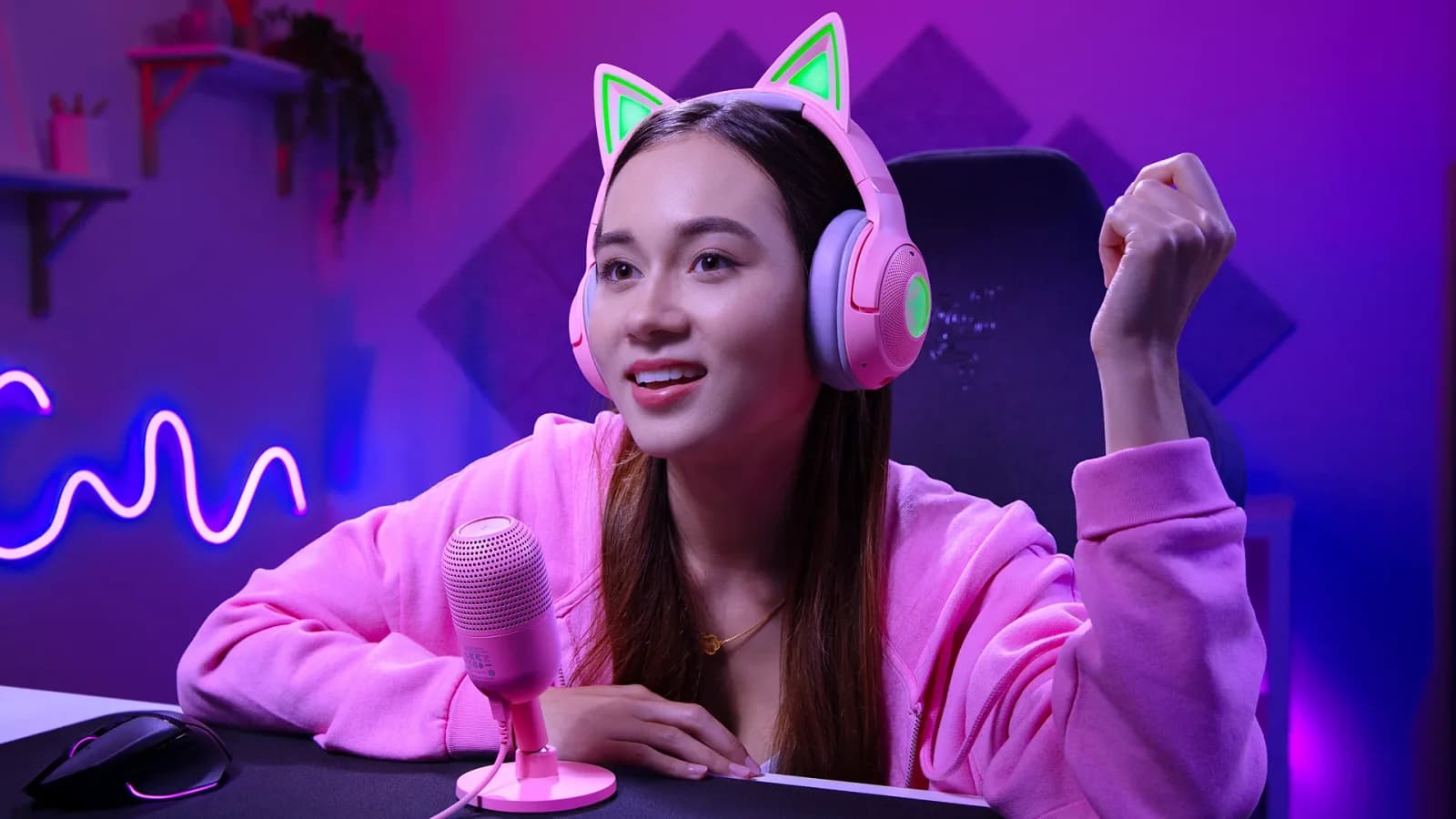
- Razer Kraken Kitty V3 X wired gaming headset keeps things equally simple. At 270 g, it is built for comfortable everyday use and long gaming sessions, while its 3.5 mm wired connection makes it easy to plug into PC, console or mobile and start playing. The signature kitty ears add personality without making your first setup harder to manage.
- For video, Razer Kiyo V2 X is the streaming webcam that allows 1440p capture at 60 FPS, helping movement stay smooth and details look sharper on stream. Its plug-and-play setup also means there is less standing between you and your first recording.
If you are looking for a straightforward way to improve your audio, video, and comfort as you start creating, this setup covers the essentials without adding unnecessary complexity.
Going Viral: A Standout Streaming Setup for Content Creators
Once you are creating more regularly, the goal starts to shift.
Clear audio and sharp video still matter, but so does consistency. You want your stream to sound right from session to session, and you may be thinking more about how your setup looks on camera and how recognizable your content feels.
- Razer Seiren V3 Chroma 32-Bit DSP USB streaming microphone helps take some of the guesswork out of your audio. Its 32-bit DSP and AI-powered processing help manage volume and background noise in real time, giving your voice a more consistent presence while you are live. Stream- and game-reactive Razer Chroma RGB lighting, which responds to stream alerts and in-game action, also makes the microphone part of your scene, giving your setup another way to reflect your style on camera.
- Razer Kraken Kitty V3 wired gaming headset carries that personality through with two-zone Razer Chroma RGB across the ears and earcups, giving it a distinctive look when you are streaming or gaming on camera.
- Razer Kiyo V2 4K streaming webcam gives you more room to move once your content goes beyond a fixed facecam. Its 4K capture keeps footage detailed, even when cropped for short-form clips, while AI-powered auto-framing and an ultrawide view help when you shift between gameplay, chatting, reactions, or showing something on your desk. HDR, One-Click Image Enhancement, and Camo Studio give you additional ways to refine the shot when lighting or framing needs more attention.
If you are creating more regularly and want your content to feel more consistent and recognizably yours, this setup gives you more ways to shape how you sound and appear on stream.
Main Character: Take More Control of Your Setup
As you create more often, you may start looking for more control over how your gear fits into the way you create.
For growing creators and streamers, audio becomes something you want to shape more deliberately. You may be switching between devices, recording for longer, or building a setup that needs to support more than one kind of content, from livestreams and videos.
- Razer Seiren V3 Pro USB and XLR dynamic microphone gives you more control over how your voice is captured for streaming, podcasting and recording. Its 30 mm dynamic capsule is designed for focused voice pickup, while 32-bit float, DSP, and AI noise reduction help prevent distortion and reduce background noise. USB-C keeps things straightforward when you want the convenience of a USB microphone, while XLR gives you room to move into a more advanced audio setup when you are ready.
- Razer Kraken Kitty V3 Pro wireless gaming headset brings that flexibility to how you listen, play, and communicate. Tri-mode connectivity lets it move across PC, mobile, and console. Its stream- and game-reactive Razer Chroma RGB kitty ears respond to stream alerts and in-game action, making it part of your on-camera identity. Its super wideband mic supports clearer communication, while up to 70 hours of battery life helps it stay ready through longer sessions of gaming, chatting, streaming, and recording.
- Razer Kiyo V2 Pro 4K streaming webcam brings sharp 4K detail and smooth 60 FPS video to content that goes beyond a fixed facecam. From fast reactions to hands-on demos, it captures movement more fluidly while keeping your footage sharp and clear, so you can bring more energy to every stream and recording.
If you are creating often enough that you want deeper control over your audio and more flexibility across the rest of your setup, this is where the added capability starts to make sense.
Build from Where You Are
You do not need the most advanced setup to make good content. You need the gear that makes sense for how you create today.
Start with the tools that solve the problems in front of you. As your content grows, your setup can grow with it.
Explore Razer creator gear and find the setup that fits the way you stream, record, play, and create.