For nearly two decades, over 700 million registered users have trusted Dropbox to store, organize, and share their most important work. AI is fundamentally changing what’s possible with that content, and Dropbox is evolving to meet that moment.
Today, Dropbox is introducing a major evolution, bringing AI-powered action directly to users’ existing files and context to help them move beyond finding and understanding information to getting work done.
Users can now tell Dropbox what they want to accomplish, not just what they want to find. Dropbox identifies relevant content, proposes a plan, and, with their approval, takes action directly on existing files. Content stays in Dropbox, with existing permissions, versions, and context intact. Users can review the actions taken and undo supported changes.
By connecting files, business applications, and AI tools, Dropbox is becoming a trusted content and action layer that helps users turn the content they already have into meaningful outcomes.
“We’re bringing AI directly to the content and context you already have in Dropbox, helping you not only find information, but get to a final outcome while keeping full control over the steps it takes to get there. We want you to have the freedom to choose how you use AI, with the peace of mind that your content stays connected, protected, and under your control,” said Ashraf Alkarmi, co-CEO of Dropbox.
The new AI-powered Dropbox experience helps users:
- Find and understand content: Search by file name or the text inside documents, find images using natural-language descriptions, ask questions about files with sourced answers, summarize files and folders, compare versions, and catch up on changes.
Find and understand content: Search by file name or the text inside documents, find images using natural-language descriptions, ask questions about files with sourced answers, summarize files and folders, compare versions, and catch up on changes.
- Take action on files: Organize folders, create project folder structures, move or bulk-rename files, convert or compress content, combine documents into PDFs, edit PDFs, transcribe recordings, and perform image and video transformations.
Take action on files: Organize folders, create project folder structures, move or bulk-rename files, convert or compress content, combine documents into PDFs, edit PDFs, transcribe recordings, and perform image and video transformations.
- Complete multi-step outcomes: Describe a desired result and have Dropbox propose and execute a sequence of actions rather than requiring each step individually.
Complete multi-step outcomes: Describe a desired result and have Dropbox propose and execute a sequence of actions rather than requiring each step individually.
- Keep work in sync: Work across AI tools, the cloud, and devices without repeatedly downloading or uploading files. Whether content is created by a person or AI, Dropbox keeps files in sync.
Keep work in sync: Work across AI tools, the cloud, and devices without repeatedly downloading or uploading files. Whether content is created by a person or AI, Dropbox keeps files in sync.
- Stay in control: Work within existing permissions, review and approve plans before changes are made, access a record of actions taken, and undo completed runs.
Stay in control: Work within existing permissions, review and approve plans before changes are made, access a record of actions taken, and undo completed runs.
- Use the AI tools and models that fit the task: Choose or switch supported models within Dropbox, or bring Dropbox content into supported third-party AI tools while keeping Dropbox as the connected source of files and context.
Use the AI tools and models that fit the task: Choose or switch supported models within Dropbox, or bring Dropbox content into supported third-party AI tools while keeping Dropbox as the connected source of files and context.
Ask for the outcome. Get there in just a few clicks.
For creative agencies, wrapping a major client campaign often means organizing hundreds of photos, videos, presentations, and project files for handoff. Instead of manually sorting through folders or moving between applications, teams can ask Dropbox to organize campaign assets, rename files according to client conventions, transform creative materials, and prepare deliverables.
Dropbox identifies the relevant content, proposes a plan, and carries out supported actions once approved. The work happens directly on existing files, preserving the permissions, versions, and sharing context teams already rely on.
What previously required multiple tools and manual steps becomes a more connected workflow, helping teams spend less time managing files and more time delivering results.
For Randall Barney, Co-owner and CEO of Intelligent Communities Group, Dropbox is already helping take time-consuming file organization off his plate.
“I had a folder of 1,200 images, and none of the file names made any sense. Dropbox sorted them into folders in about 10 minutes. Then I had it put each image’s resolution in its file name, which it did running in the background,” said Randall Barney, Co-owner and CEO, Intelligent Communities Group.
AI that acts, with users in control
Giving AI the ability to take action on business files requires trust. Dropbox works within existing permissions, shows users a plan to approve before making changes, and maintains a record of the actions taken. Users can review changes through version history and undo supported actions when needed.
These safeguards provide transparency and control while keeping files, permissions, and collaboration intact.
At creative agency YYES, Co-founder Brent Stickels saw the benefits firsthand. Dropbox reorganized a project folder of approximately 100 files in two or three minutes, compared with the 15 to 20 minutes it took Brent to sort the same folder manually. Just as important, he remained in control of the changes.
“Before it changed anything, the AI in Dropbox told me its plan and asked me to approve it. Kicking the tires like that gave me faith that it’s really smart and that it checks in with me to make sure it’s doing the right stuff,” said Brent Stickels, co-founder of YYES.
Your files stay in Dropbox, your permissions remain in place, and changes stay synced across devices and shared folders.
Content stays connected. AI choice stays flexible.
As AI tools and models continue to evolve, users shouldn't have to move their content every time they change tools. Dropbox provides a consistent home for files, permissions, version history, and collaboration while giving users the flexibility to choose how and where they work with AI.
Within Dropbox, users can choose and switch between supported AI models in the same session without losing the context of their work. They can use these models directly in Dropbox without a separate account or paid subscription from the AI provider. Dropbox also connects with business applications like Gmail, Google Drive, Outlook, Teams, and Slack, bringing relevant information into workflows when needed.
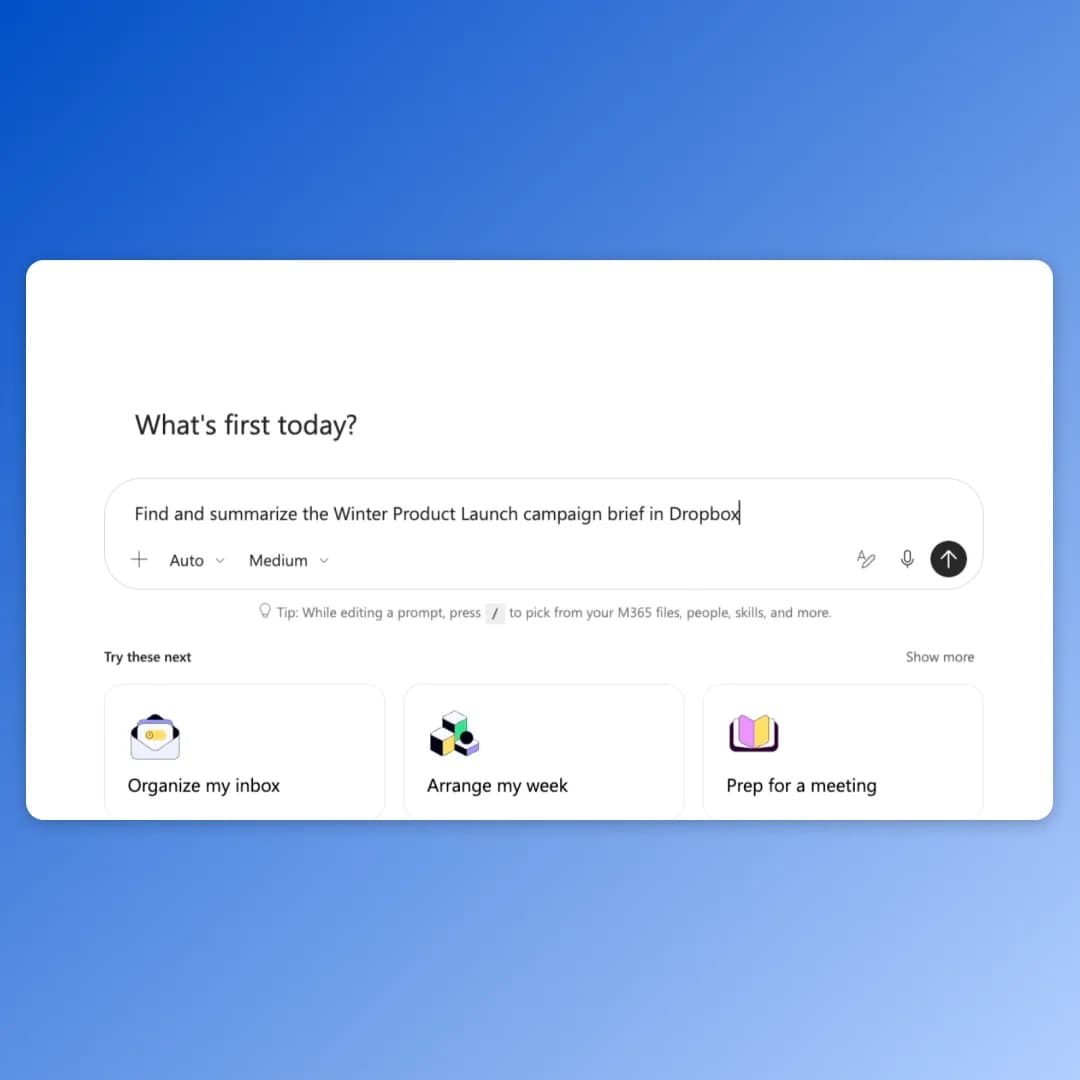
Dropbox meets users in the AI tools they already use. Through supported integrations with ChatGPT, Claude, Gemini, Muse, Cursor and Copilot, users can work with their Dropbox content without repeatedly downloading and uploading files.
For Let’s Cook Video Editing Services, connecting Dropbox with Claude is helping streamline project setup. Instead of manually creating folders for each new project, the team can use AI to get its Dropbox workspace organized in a fraction of the time.
“A project setup task that used to take us around 15 minutes can now be done in about a minute with Claude and Dropbox. We can create the Dropbox folder system for a new project in a matter of seconds,” said Aleksandra Lason, Chief Operating Officer at Let’s Cook Video Editing Services.
Availability
Dropbox’s new AI-powered capabilities have already rolled out to more than 70,000 teams. The initial rollout focuses on businesses on Standard and Advanced plans in the US, UK, and Australia, starting in English, with broader availability planned for 2027.
More information about the new Dropbox capabilities and availability is available at http://dropbox.com/a-smarter-dropbox.